DumpMedia Playlist Transfer
Switching music services has never been easier. Keep your playlists intact and enjoy your favorite songs anywhere, anytime.


Switching music services has never been easier. Keep your playlists intact and enjoy your favorite songs anywhere, anytime.
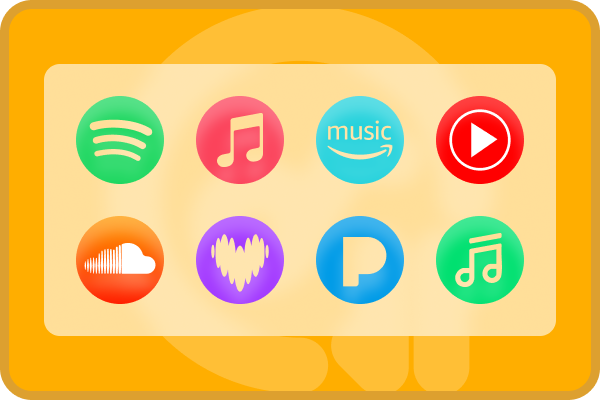
Cross-Platform Playlist Migration Move your playlists effortlessly between popular music services such as Spotify, Apple Music, YouTube Music, Amazon Music, Deezer, Line Music, SoundCloud, and Pandora. No matter the source or destination, your songs are transferred accurately without missing tracks.
Complete Playlist & Track Selection Transfer entire playlists, albums, or just select tracks according to your needs. Maintain playlist order and metadata, so your music experience stays consistent on the new platform.
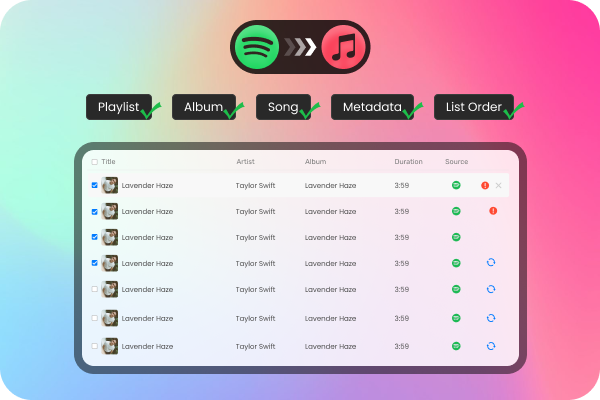
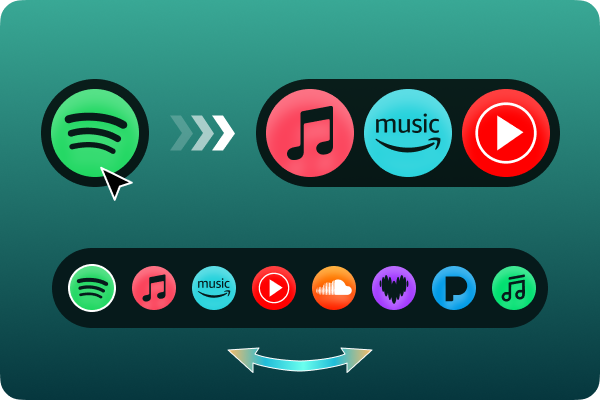
High-Speed, Reliable Transfers Our optimized transfer engine moves thousands of songs in minutes. Say goodbye to slow or interrupted transfers. DumpMedia Any Music Converter ensures fast, stable, and error-free migration.
Why Choose DumpMedia?

User-Friendly Interface
Designed for everyone, from beginners to advanced users. Simply log in to your music accounts, select the playlists, and click transfer. No technical knowledge required.

Secure & Privacy-Focused
We use official API authorization for login. Your account credentials are never stored or shared, giving you peace of mind while transferring your music.

Preserve Metadata & Playlist Structure
All song information including title, artist, album, and cover art is retained. Playlists appear exactly as they were in the original service, keeping your music organized and familiar.

Ongoing Support & Updates
Enjoy free lifetime updates and access to dedicated customer support. We ensure compatibility with new music services and changes, keeping your transfers smooth for years to come.
4 Steps
How to Convert Playlists with DumpMedia Playlist Transfer
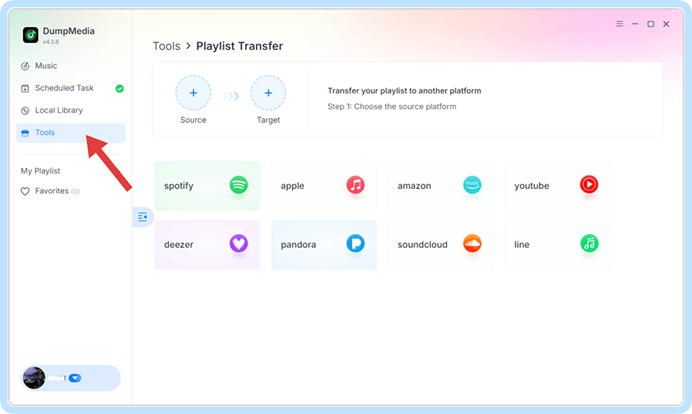
Step 1. Open Any Music Converter. Choose Tools > Playlist Transfer.
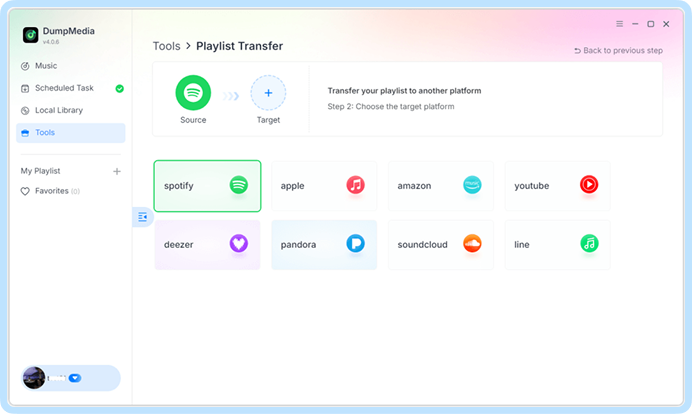
Step 2. Select the source service first, then the destination service.
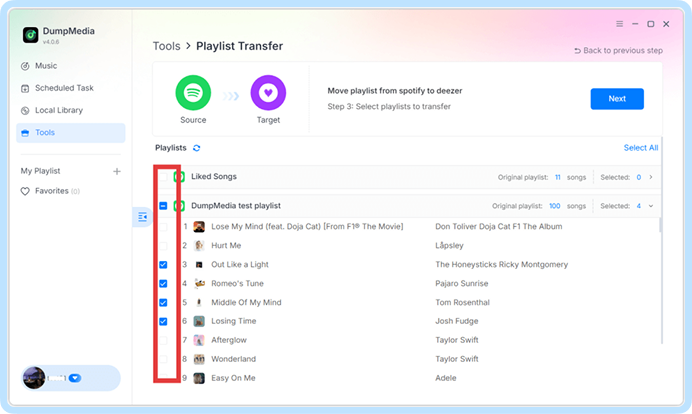
Step 3. Select the playlists, albums, or individual tracks you want to transfer.
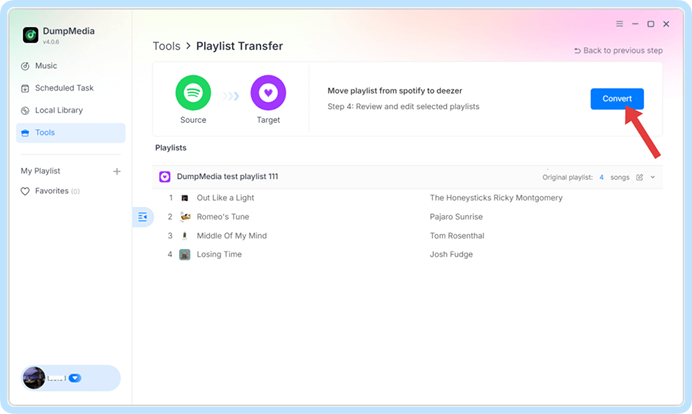
Step 4. Click Convert to start the transfer.
Step 1
Step 2
Step 3
Step 4
Upgrade to Premium – Unlock Unlimited Transfers
DumpMedia Any Music Converter subscribers can use the playlist transfer feature for free. Not a subscriber yet? Upgrade to Premium below to enjoy seamless, lightning-fast transfers with full control.
Quarterly
Auto-renewal, cancel at anytime
$83.96
per quarter
Monthly
Auto-renewal, cancel at anytime
$39.95
per month
What music lovers say about DumpMedia
Many of our customers all over the world recommend DumpMedia and share their experiences.

DumpMedia made switching from Spotify to Apple Music unbelievably easy. I transferred all my playlists in minutes, and everything stayed perfectly organized. Highly recommended!

Emily
I’ve tried several transfer tools before, but none were as fast and stable as DumpMedia. Even my huge playlists moved without a single missing track. Totally worth it.

Mark Henrich
As someone who uses multiple streaming platforms, DumpMedia saves me so much time. The interface is simple, the transfers are smooth, and customer support is excellent.

Matt
FAQs
Many of our customers all over the world recommend DumpMedia and share their experiences.
1. Can I use DumpMedia Playlist Transfer for free?
Yes. If you’ve already subscribed to DumpMedia Any Music Converter, which is still active, you can use this feature for free with no limits. If you don’t have a subscription, you can still try it for free, but some features will be limited.
2. What's the limitation of the free trial version?
With the trial of this playlist converter, you can transfer only once, with a limit of 100 songs per playlist. To remove these limits, you can either purchase DumpMedia Any Music Converter.
3. How to activate DumpMedia Playlist Transfer?
Launch the software and log in to the account center with your license code and email address. After successfully logging in, select "Tool > Playlist Transfer" in the account center.
4. What platforms does DumpMedia support?
DumpMedia supports all major streaming services, including Spotify, Apple Music, YouTube Music, Amazon Music, Deezer, Line Music, SoundCloud, and Pandora.
5. Will all playlists transfer over perfectly?
Most of the time, yes. DumpMedia uses a smart matching system to find the same or similar songs across platforms. While rare, some tracks may be unavailable on your new service and won’t transfer.
6. How long does a playlist transfer take?
It depends on the size of your playlists and the speed of your internet connection, but most playlist transfers take just a few minutes.
7. Is DumpMedia Playlist Transfer safe?
DumpMedia adheres to the highest data protection standards while transferring your music library. We use industry-standard OAuth login, so your credentials are never stored or shared. Your data privacy is always our top priority.
8. Does DumpMedia remove my playlists and favorites from the source platform?
No! We are just copying your music to the new platform. We do not change or delete anything on the source platform.



