
DumpMedia Spotify Music Converter
Easily download and convert any Spotify Music, albums or playlists to MP3 with 100% original quality.



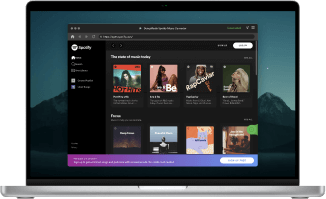
Easily download and convert any Spotify Music, albums or playlists to MP3 with 100% original quality.
DumpMedia strictly follows United States Copyright regulations. We adopt leading technology to record unencrypted audio data while maintaining lossless sound quality.
More details here
Keep Spotify Music Without Limitation Forever Thinking about canceling the costly Spotify Premium but still want to listen to all those music you like? You can back up all the Spotify music you want simply using DumpMedia Spotify Music Converter. With the well-designed UI and cutting-edge recording technology, all converted music files will be preserved the same as the original easily.
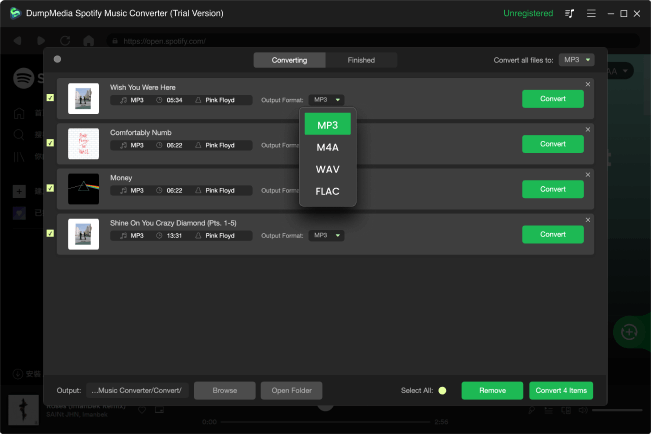
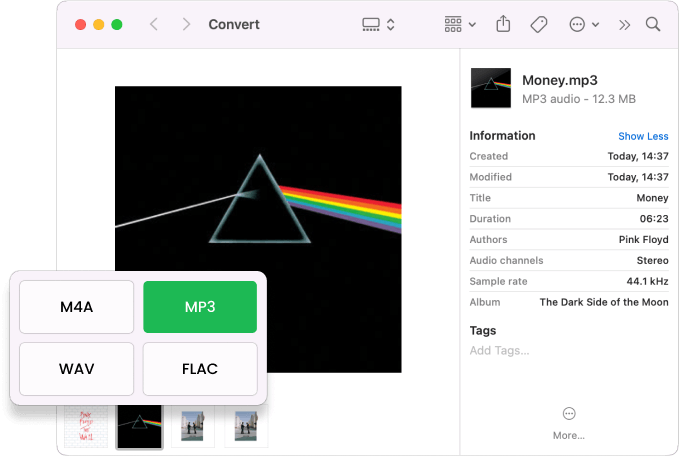
Quickly Download & Convert Spotify to MP3 With DumpMedia Spotify Music Converter, you are able to download and convert Spotify songs, albums , or playlists to MP3, M4A, WAV , or FLAC, After conversion, you can enjoy tracks offline anywhere you want without the Spotify app even without a Spotify Premium.
Freely Listen to Spotify Music on All Devices Offline With Spotify Premium, you can only download music on a maximum of 3 different devices, not to mention you can't download songs at all with a free subscription. But with DumpMedia Spotify Music Converter, you are free to download and save your favorite Spotify playlists/albums onto almost all devices for offline playback.
Completely Preserve ID3 Tags and Metadata Info DumpMedia Spotify Music Converter allows you to download Spotify songs at a 35X faster speed without losing original music quality. It can convert Spotify songs to MP3, M4A, WAV, FLAC with all ID3 tags and metadata preserved. You will never lose the title, artist, album and artwork, etc.
Advanced Features

Multi-language
Its interface is currently available in 3 languages and more will be added.

Customizable settings
Customized output audio quality according to your needs.

Preserve 100% original
Keep ID tags and metadata information.

Drag-and-drop support
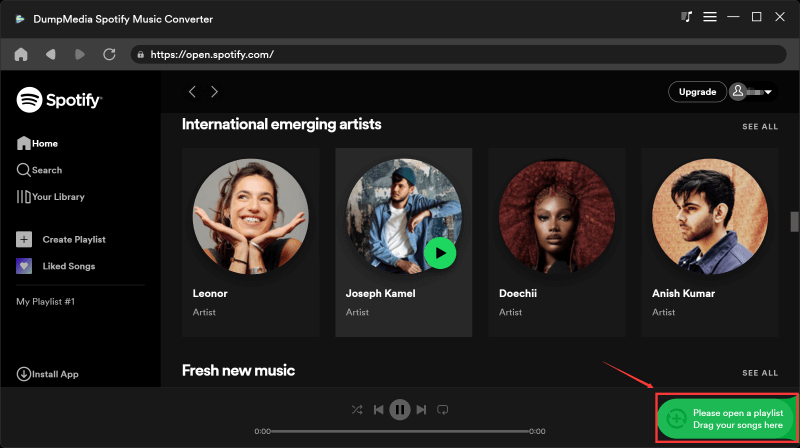
Quickly add Spotify playlists/songs into the converter with the drag-and-drop method.
3 Steps
To Convert Spotify Music to MP3
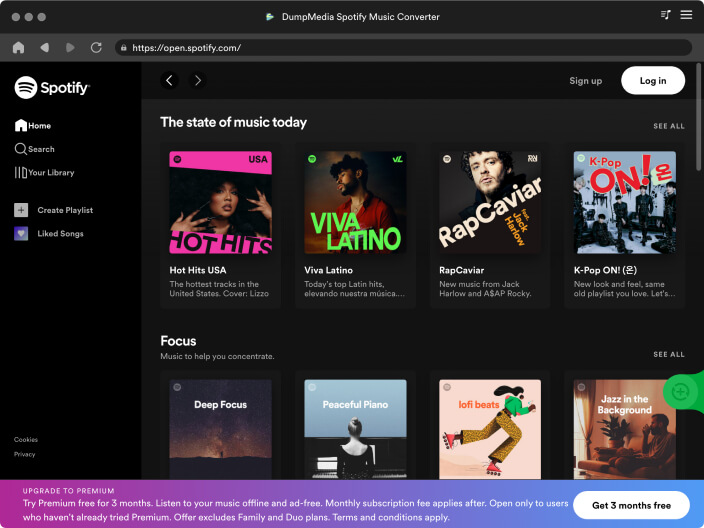
Step 1. Launch DumpMedia Spotify Music Converter Launch DumpMedia, then drag and add Spotify songs/playlists/albums into the program.
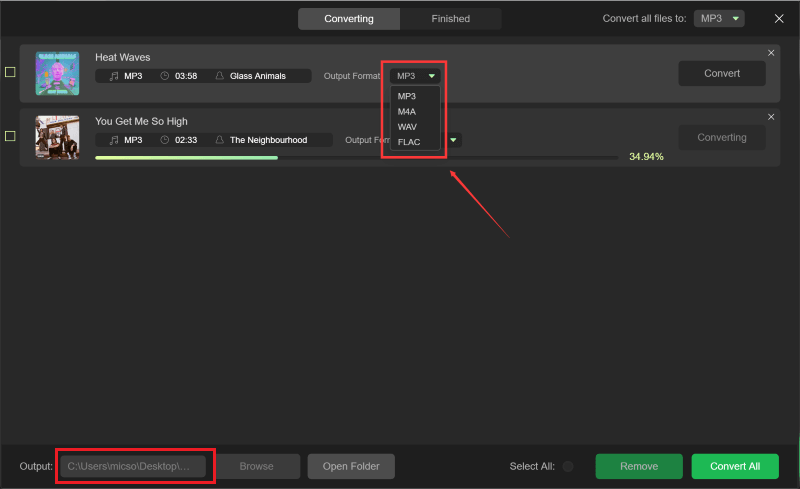
Step 2. Select Output Format Choose output format and output folder for the converted Spotify music, such as MP3.
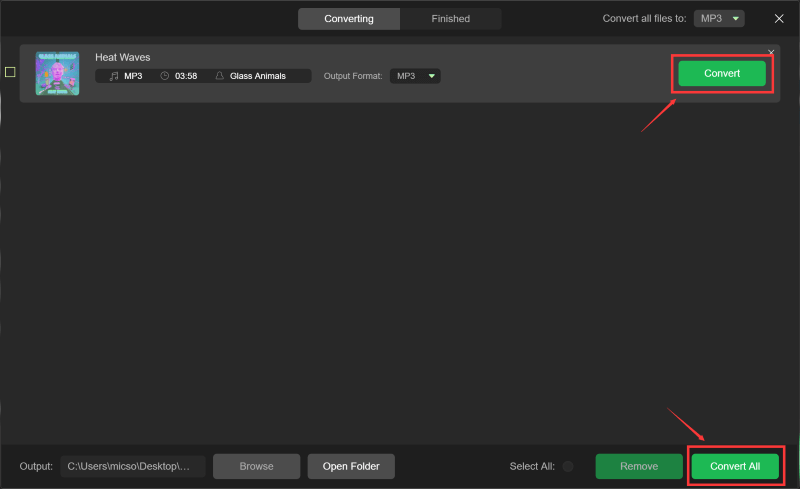
Step 3. Convert Spotify Music to MP3 Click on "Convert" button to convert Spotify songs to MP3 with 35X faster speed and original quality.
Step 1
Step 2
Step 3
Tech Specs
System Requirements
Windows OS: Windows 7 or later (64-bit required)
Mac OS: macOS X 10.15 or higher
Resolution: 1024×768 display or above
Processor: 1G Hz processor or above
RAM: 512 MB or more (1GB Recommended)
Supported Input Content
Songs, Albums, Playlists, and Podcasts from Spotify.
Supported Output Formats
Windows/Mac: MP3, WAV, FLAC, AIFF, M4A (AAC and ALAC codecs)
Tell us what you think
Please Rate Our Products, Thank You.

FAQs
1. What's the limitation of the free trial version?
With the free trial version, you can only convert 3 full songs from Spotify. To convert more tracks without any limitations, you will need to register and activate the full version of the software.
2. What kinds of audio formats could be converted?
Songs, albums, playlists, and podcasts from Spotify Music.
3. How to retrieve DumpMedia registration code?
Go to the license retrieval page: https://www.dumpmedia.com/support/license-retrieval/
4. What's the DumpMedia refund policy?
Go to the refund policy page: https://www.dumpmedia.com/refund-policy/
5. How to install & register Spotify Music Converter?
Go to this guide.
Guides
Free Try
Spotify Music Converter
Download, extract, and convert Spotify songs to MP3, M4A, WAV, FLAC, AIFF audio nearly lossless.


Thanks to DumpMedia Spotify Music Converter, now I can listen to Spotify music offline. It also preserves ID3 tags. Definitely a fantastic tool any Spotify lovers should have.
Andrew Park
This Spotify Music Converter is extremely easy to use. I can drag and drop the songs, album or playlist to download and convert. The most amazing thing is it can keep the original quality, completely undamaged.
Norma Oliver
DumpMedia Spotify Music Converter is cool! Now I can enjoy Spotify songs offline without Spotify Premium. It frees me from the limitation of Spotify Premium.
Heather Jefferson
Write A Review
More Review