


10 Best Spotify Plugins to Enhance Your Listening Experience
Are you an avid Spotify user looking to take your music streaming experience to the next level? If so, you're in luck! There are a range of plugins that can transform the way you enjoy your favorite tunes. Whether you want to discover new artists, fine-tune your audio settings, or expand your playlist creation abilities, there are some of the best Spotify plugins out there to cater to your needs. From crowd-sourced recommendations to smart playlists and powerful equalizers, these plugins will help you unlock the full potential of Spotify's vast music library. So, let's dive in and explore the top Spotify plugins that will revolutionize the way you enjoy music on this popular streaming platform.
Contents Guide Part 1: Top 10 Spotify Plugins for Music LoversPart 2: Extra Tips: Download Music from Spotify Without PremiumPart 3: Final Thoughts
Part 1: Top 10 Spotify Plugins for Music Lovers
In this section, we will show you the following Spotify Plugins to enhance your listening experience. With them, you can always find different playlists and they are suitable for your taste. Let’s start.
Plugin 01. Discover Weekly Plus
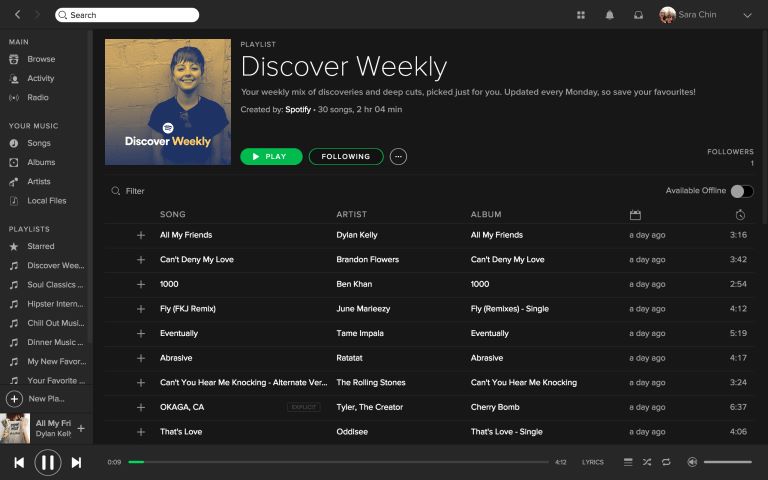
Discover Weekly Plus is a plugin that enhances Spotify's built-in Discover Weekly playlist. It provides additional features such as extended playlist length, customizable filters, and the ability to save tracks directly to your library.
Pros:
- Offers an expanded Discover Weekly playlist
- Allows for more music discovery
- Customizable filters enable users to refine recommendations based on their preferences
Cons:
- Limited customization options beyond the provided filters
- Some users may prefer the simplicity of the original Discover Weekly playlist
Plugin 02. Last.fm Scrobbler
Last. fm Scrobbler is a popular plugin that syncs your Spotify listening history with your Last.fm profile. It tracks the songs you listen to and provides personalized recommendations based on your music taste. It’s one of the best Spotify plugins you can get.

Pros:
- Seamless integration with Last. fm
- Allows you to track your listening habits and receive tailored recommendations
- Enables discovery of new artists and genres based on your listening history
Cons:
- Requires a Last. fm account for full functionality.
- May not appeal to users who are not interested in sharing their listening habits.
Plugin 03. Equality Pro
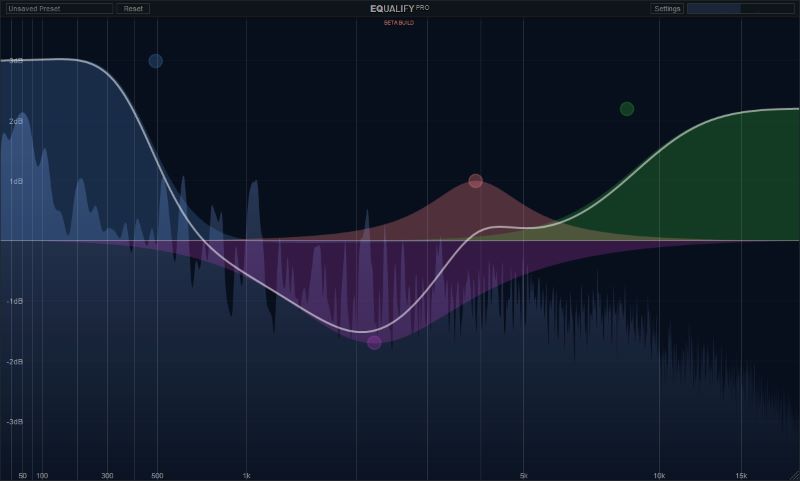
This is another Spotify plugin you must get if you are a music lover. Equality Pro is an advanced equalizer plugin for Spotify. It provides users with extensive audio customization options, allowing them to fine-tune the sound quality of their music.
Pros:
- Offers a powerful equalizer with customizable presets
- Enable users to adjust the audio to their preference
- Enhances the listening experience by improving sound quality
- Tailoring sound to different devices or environments
Cons:
- Equality Pro is a paid plugin, which may deter some users who are looking for free options
- Advanced customization options may be overwhelming for users who are not familiar with audio equalization
Plugin 04. Playlist Converter
Playlist Converter allows users to transfer playlists between different music streaming platforms, including Spotify. It simplifies the process of migrating playlists and ensures that you don't lose your favorite tracks when switching services.
Pros:
- Easy migration of playlists between platforms
- Makes it convenient to switch from other streaming services to Spotify
- Saves time and effort by automatically converting playlists
- No need for manual track-by-track transfers
Cons:
- The availability of certain tracks may vary across different platforms
- Some songs are not successfully converted
- Limited customization options for playlist conversions
Plugin 05. Musixmatch Lyrics
Musixmatch Lyrics is a plugin that displays real-time lyrics for songs playing on Spotify. It enhances the listening experience by allowing users to sing along or better understand the lyrics of their favorite tracks.
Pros:
- Provides synchronized lyrics for a vast collection of songs,
- Enhances the engagement and enjoyment of music
- Users can follow along, sing along, or better appreciate the meaning of songs
Cons:
- The accuracy of lyrics can vary, especially for less popular or niche tracks
- Some users may find lyrics distracting and prefer a cleaner interface
Plugin 06. Soundiiz
Soundiiz is a versatile plugin that allows users to transfer, synchronize, and manage playlists across multiple music streaming platforms, including Spotify. It simplifies the process of syncing your favorite playlists between different services.
Pros:
- Easy transfer and synchronization of playlists across various streaming platforms
- Enable users to enjoy their music seamlessly
- Supports a wide range of platforms, including Spotify, Apple Music, Deezer, and more
Cons:
- Some advanced features may require a premium subscription
- The free version may have limitations on the number of transfers or playlists that can be managed
Plugin 07. Spotifree
Spotifree is a plugin designed to enhance the Spotify listening experience by removing ads. It automatically mutes audio during ad breaks, providing an uninterrupted music streaming session. It’s one of the best Spotify plugins you can try out.
Pros:
- Eliminates ads on Spotify
- Offers a seamless listening experience without interruptions
- Works in the background
- Automatically mutes ads without any manual intervention
Cons:
- Spotifree may not be compatible with all versions of Spotify
- May require frequent updates to keep up with changes in the Spotify app
- It may not support certain types of ads or promotional content
Plugin 08. Spotibot
Spotibot is a plugin that generates custom playlists based on a specific song, artist, or genre. It analyzes your preferences and creates personalized playlists with similar tracks, allowing for continuous music discovery.
Pros:
- Creates customized playlists based on your favorite songs or artists
- Expands your music library and introduces you to new tracks
- Offers a seamless way to explore related music based on your preferences
Cons:
- The accuracy and relevance of the generated playlists may vary.
- It may not always capture the nuances of individual music tastes or provide accurate recommendations for niche genres.
Plugin 09. Serato DJ Pro
Serato DJ Pro is a professional-grade DJ software that integrates with Spotify, allowing DJs to mix and manipulate tracks from the streaming service. It offers advanced features for live performances and DJ sets.
Pros:
Enables DJs to access and mix tracks directly from Spotify
Expand music library and versatility during performances
Offers seamless integration with Serato DJ software for a professional DJing experience
Cons:
Requires a paid subscription to Serato DJ Pro for full functionality
Limited to DJs or users with a specific interest in mixing and performing with Spotify tracks
Plugin 10. Songkick Concerts
Songkick Concerts is a plugin that syncs with your Spotify account to track your favorite artists and notify you about upcoming concerts and live performances in your area. If you’re up to seeing your favorite artists live, then this is for you.
Pros:
- Keeps you updated on the latest concerts and live events of your favorite artists
- Provides convenience by syncing with your Spotify account
- Automatically tracks the artists you follow
Cons:
- Limited to users who are interested in attending live concerts or events
- Availability of concert data may vary depending on the region or specific artists
Part 2: Extra Tips: Download Music from Spotify Without Premium
Besides the above best Spotify plugins that could give you a better experience, the best tool, DumpMedia Spotify Music Converter, can also let you enjoy your favorite music.
DumpMedia Spotify Music Converter is a handy DRM removal tool for Spotify that provides you with a built-in Spotify web player, enabling you to directly download Spotify songs and playlists to unencrypted MP3, M4A, WAV, and FLAC audio files. With a batch conversion feature, it can remove DRM from an entire Spotify playlist and albums with only one click and the conversion speed can be up to 35X faster.
Features and benefits of the tool include the following:
- Offline Listening: DumpMedia Spotify Music Converter enables you to download Spotify songs, playlists, or albums, allowing you to listen to your music offline without an internet connection.
- Format Conversion: The software supports multiple output formats, providing flexibility in choosing the format that best suits your needs and preferences.
- Lossless Quality: DumpMedia Spotify Music Converter retains the original audio quality of the Spotify tracks during the conversion process, ensuring a high-quality listening experience.
- Batch Conversion: You can convert multiple Spotify songs or entire playlists in one go, saving time and effort.
- User-Friendly Interface: The software offers a straightforward and intuitive interface, making it easy for users to navigate and convert their Spotify music.
To use DumpMedia Spotify Music Converter, follow these steps:
- Download and Install DumpMedia Spotify Music Converter: Visit the official DumpMedia website and download the appropriate version of the software for your operating system. Install the software by following the on-screen instructions. After installation, launch the program on your computer.
- Add Spotify Songs or Playlists: Find the songs or playlists you want to convert and add them to the conversion queue.
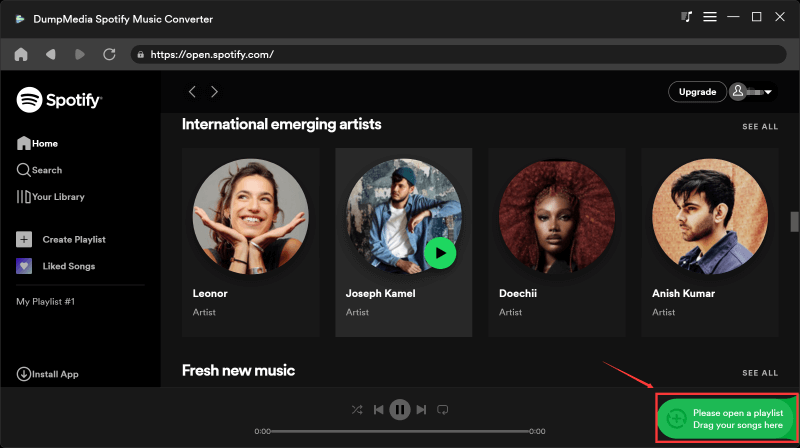
3. Select Output Format and Settings: Choose the desired output format for the converted files. DumpMedia Spotify Music Converter supports formats like MP3, FLAC, WAV, and more. You can also customize the output settings such as bit rate, sample rate, and audio quality according to your preferences.
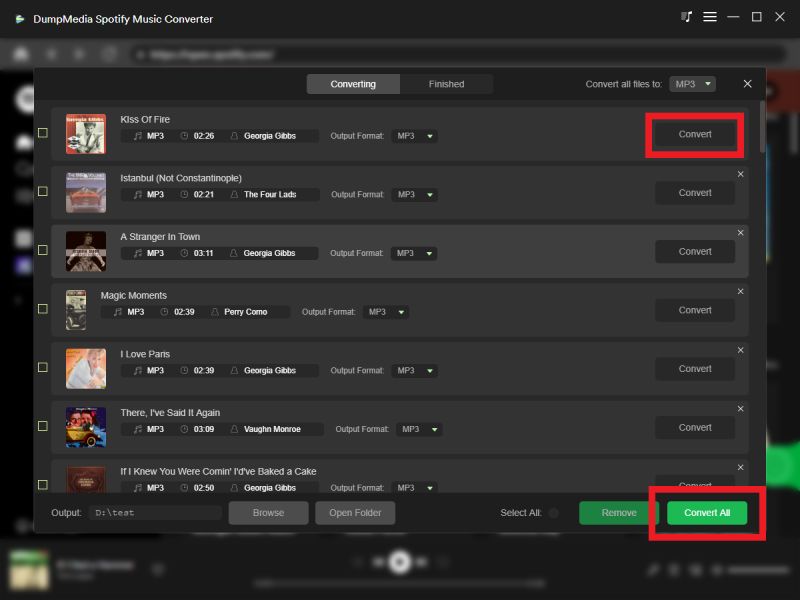
4. Specify Output Folder: Set the destination folder where you want the converted files to be saved. You can choose a specific location on your computer or use the default folder.
5. Start the Conversion: Once you have set the output format and destination folder, click “Convert” to begin the conversion process. DumpMedia Spotify Music Converter will convert the selected songs or playlists into the specified format and save them to the designated folder.
6. Access the Converted Files: After the conversion is complete, you can navigate to the output folder to access the converted Spotify songs. From there, you can transfer them to your preferred devices or music players for offline listening.
By following these steps, you can effectively use DumpMedia Spotify Music Converter to download and convert Spotify songs, playlists, and albums, allowing you to enjoy your favorite music offline and on various devices.
Part 3: Final Thoughts
In this article, we explored a range of the best Spotify plugins that can enhance your listening experience on the popular streaming platform. We discussed the features, pros, and cons of each plugin, covering a variety of functionalities from personalized recommendations to equalizers, playlist converters, lyrics display, and more.
In conclusion, while there are various plugins available to enhance your Spotify experience, an alternative solution worth considering is DumpMedia Spotify Music Converter. This software allows you to convert or grab Spotify songs, playlists, and albums to different audio formats, offering offline listening and flexibility.