


How to Get Free Hulu With Spotify Bundle 2025
Do you love Hulu as much as you love Spotify, but you are on a budget mode? Are you thinking about how to afford both apps without paying that much? Well, you must be aware that there is a way to enjoy free Hulu with Spotify.
Yes, you read that one right! If you are an existing Spotify subscriber and you feel like you also want to enjoy Hulu at the same time, you can enjoy both while paying only your Spotify subscription!
It is so good if you can have a music streaming site like Spotify as well as access to a bunch of TV shows and even movies. But of course, getting to enjoy these advantages would be mean paying a bit higher price as expected. If there is a way to cut some costs but still enjoy streaming music and movies, surely, you’ll look into it, right?
Contents Guide Part 1. Is Hulu Free with Spotify?Part 2. How to Get Spotify and Hulu Bundle?Part 3. Bonus: How to Download Spotify Songs for Offline Listening?Part 4. Conclusion
Part 1. Is Hulu Free with Spotify?
Does free Hulu with Spotify really exist? Well, to answer your question, it actually does! If you’re currently a student then you can get an excellent Spotify student discount. Any eligible students can get a discounted subscription of just $5.99 per month. This is half off the usual price of $11.99 a month. This offer runs for up to 48 months or until you are no longer an eligible student.
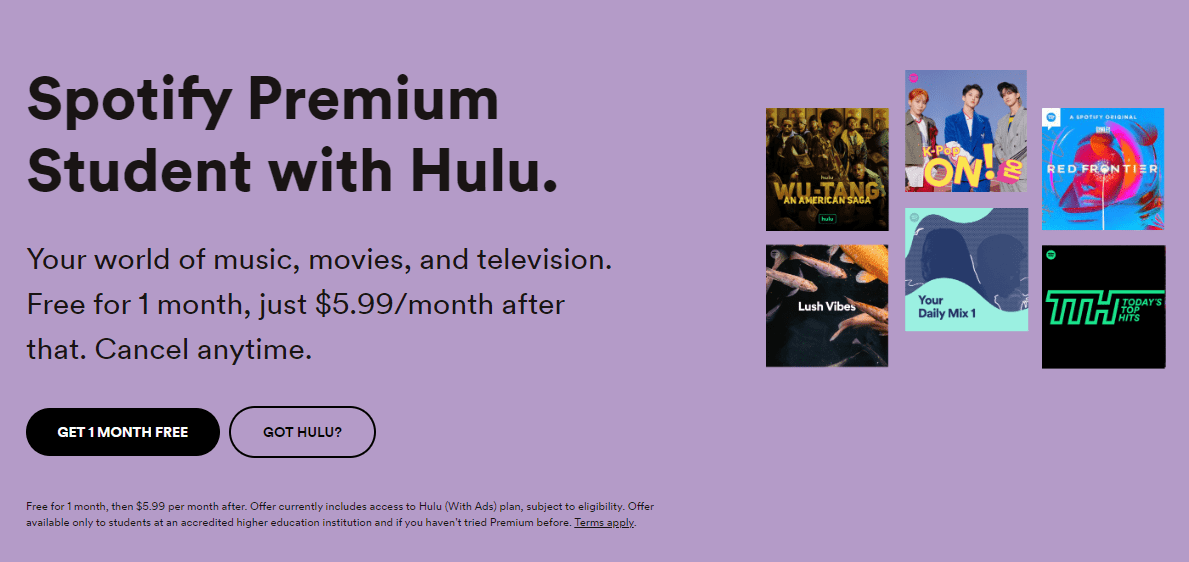
With Spotify’s half-priced student plan, you won’t just get access to Spotify Premium, you’ll also get a free Hulu's ad-supported tier (worth $7.99 a month) so you'll have access to hundreds of excellent movies and TV shows without having to spring extra for something like Netflix or Max. It is a huge discount from what you'd normally pay for each service individually because you may pay about $22 for these two services every month without a student discount. Now, you’re saving $16 a month, and get access to two very worthwhile services.
- Note: The price of Hulu with ads is going up $2 a month to $9.99 starting October 2024.
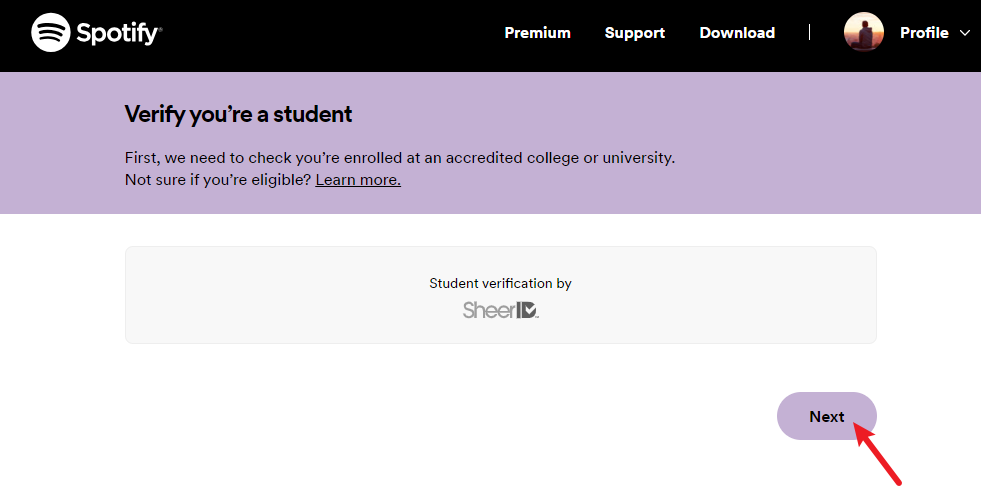
Do you qualify to get a Spotify student discount? To get the Spotify and Hulu bundle, you need to be a student above the age of 18 who is "enrolled in an accredited college or university" to qualify, and Spotify works with a third party called SheerID to verify that you're eligible. Meanwhile, you will need to verify eligibility every 12 months.
Part 2. How to Get Spotify and Hulu Bundle?
Now that you know the basic information about this free Hulu with Spotify bundle, then it is time to know how to get this to enjoy and begin streaming both music and movies or shows. In case, you want to claim your Spotify student discount. You can do it with the following steps.
Step #1. To get free Hulu with Spotify bundle, head to the Spotify Premium Student page and select Get Started. You will be asked for some information that you need to provide. To move on, tick the Verify option. If SheerID (Spotify's verification system) can confirm that you are a student, you will automatically be verified. Enter your billing info to complete the signup process, and you'll be ready to start music listening with your new Spotify account.
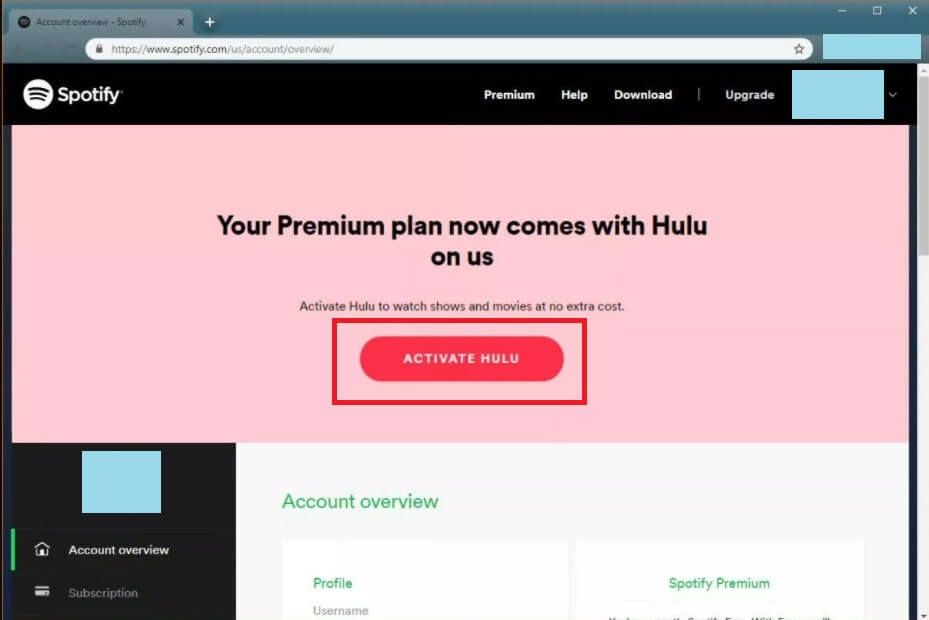
Step #2. To get free Hulu with Spotify bundle, access your Spotify account page and select Activate Hulu under Account Overview.
Step #3. Then follow the procedure and fill out the required information to activate the Hulu Account. Once you've activated your Hulu account you should be all set to log in to your Hulu account and start streaming.
Part 3. Bonus: How to Download Spotify Songs for Offline Listening?
Now, here is bonus information for you. Though you already learned much about this free Hulu with Spotify bundle deal, I bet you might also be on the look for a way in order to enjoy those favorite Spotify tracks, albums, and playlists offline without having to pay that much when it comes to the monthly subscription fee.
Well, actually, having the Spotify songs played on any device or offline could be a challenge that is because the songs are protected by this DRM protection. This means that even if you are a Premium Spotify account owner and have the ability to download any track or playlist, you won’t still be able to play them on any device or media player or even transfer them.
Added to that, all those that you have saved or downloaded while under the Premium subscription plan will vanish once your subscription ended or is canceled. So, what else can you do to stream Spotify songs offline anytime and anywhere?
The answer to that is via the help of professional applications like this DumpMedia Spotify Converter. By using this app, you can get to enjoy enormous perks and advantages as below.
- The easy removal of the DRM encryption that was previously mentioned will be done by the app.
- DumpMedia Spotify Converter also has this feature allowing its users to transform the Spotify songs into a different output format. You should know that Spotify tracks are in OGG Vorbis file format which seems to be pretty uncommon and not so playable on a variety of media players. The DumpMedia Spotify Converter supports several output formats. Thus, if you wish to convert the files to the desired one (perhaps, MP3 as this is playable on any device and media player), you can do it easily.
- Once you have the converted files, you can download them with ease and enjoy them even if you are offline as these tracks will be saved as new files on your PC. Added to this, you can even share or transfer the output files from one device to the other.
- If you are thinking that much about the ID3 tags and metadata information, you shouldn’t be worrying that much. Those will be kept and maintained even if you have processed the conversion via DumpMedia Spotify Converter.
- When it comes to the speed of processing and the quality of the new files, the app is at its peak! Downloading can be done 35x faster than other apps without risking the quality. 100% quality will still be maintained.
- The app also has several advanced features. It is multi-language, has customizable settings, can run a batch during conversion, and supports the ease of file uploading.
Apart from those advantages mentioned, if you are to install and use this DumpMedia Spotify Converter, you will be assured that the procedure that needs to be followed during the conversion will be easy to follow and handle.
Step #1. Click the Free Download button to download the DumpMedia Spotify Music Converter on your Mac/Windows computer.
Step #2. Open DumpMedia Spotify Music Converter, drag and drop the songs from Spotify to DumpMedia to the plus icon.

Step #3. After adding the music, choose the output formats that you want. You also have to make sure that you have created a folder where you will be saving all the files that you have converted. Then name the folder how you want it to be named.

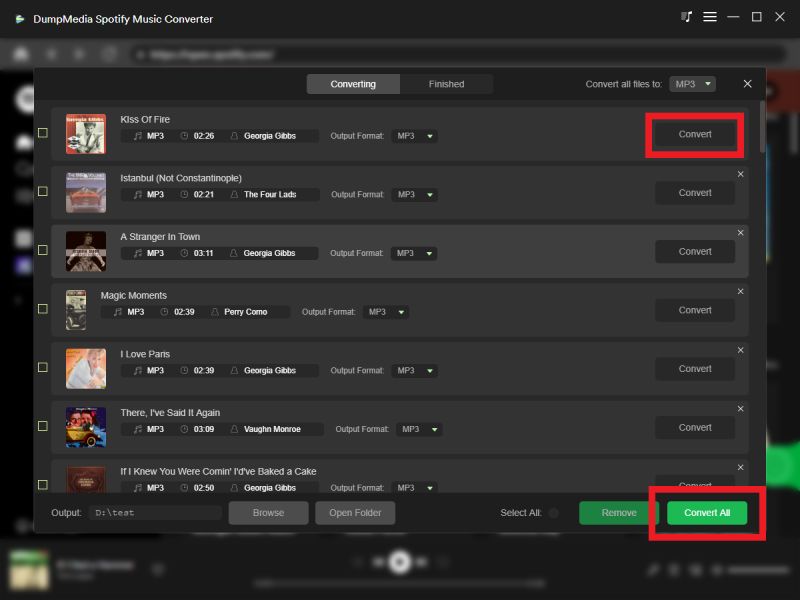
Step #4. Click the Convert button to convert Spotify songs so that you can listen to Spotify offline without premium.
Part 4. Conclusion
Happiness is truly achieved if you can get to enjoy things for free! I bet this statement is too agreeable! The same gladness will surely be felt once you experience this free Hulu with Spotify bundle deal. Imagine?
You will only be paying a small fee and then you’ll be able to enjoy streaming any movie and music you want! Now, if you even want to get more freebies, learning much about the third part of this post is surely beneficial especially if you are really one of those Spotify lovers out there!