
DumpMedia Pandora Music Converter
Best Pandora Music Converter
Download and convert any Pandora song, album, playlist and podcast to MP3 in 100% original quality.


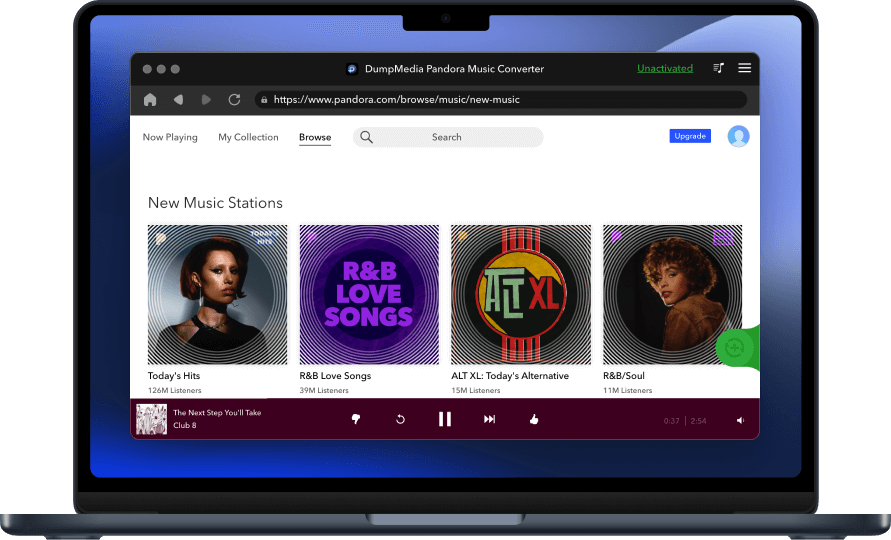
DumpMedia Pandora Music Converter
Download and convert any Pandora song, album, playlist and podcast to MP3 in 100% original quality.
DumpMedia strictly follows United States Copyright regulations. We adopt leading technology to record unencrypted audio data while maintaining lossless sound quality.
More details hereDownload Music from Pandora Without Limits With the help of DumpMedia Pandora Music Converter, You could download music, albums, playlists and podcasts from Pandora. It becomes easier to listen to music offline without Pandora Music App, and skip & replay the songs you love without annoying ads.
Keep High-Quality Tracks with Quick Conversion Speed DumpMedia makes it possible to keep original Pandora Music quality while converting at up to 5x faster conversion speed. Pandora Music tracks could be downloaded separately or in bulk to your Windows/Mac computer in high-quality, in just a few minutes.
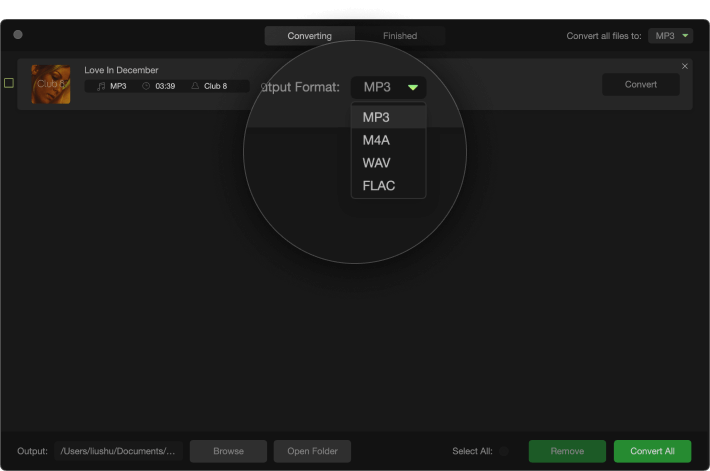
Convert Pandora Music to Various Formats and Devices DumpMedia Pandora Music Converter enables you to convert any Pandora Music music to several major audio formats, including MP3, FLAC, M4A and WAV, allowing you to transfer to and enjoy Pandora Music on a variety of devices and players.
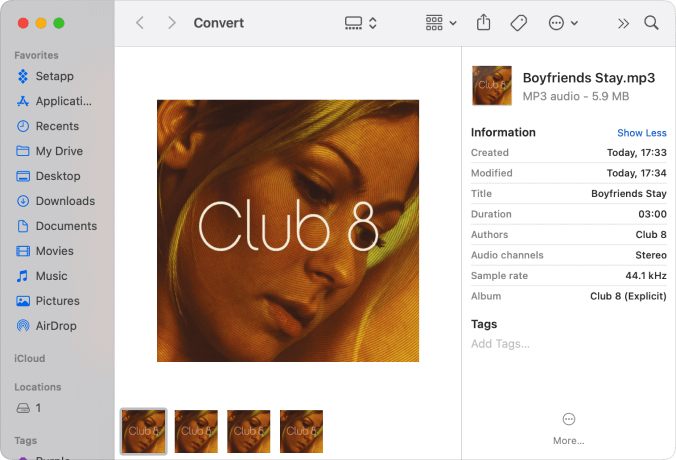
Save ID3 tags and Metadata Information Originally DumpMedia Pandora Music Converter supports batch conversion, allowing you to import many playlists or albums into the software at once. You can download the songs via Pandora Web Player while keeping practically all of the ID3 tags.
Advanced Features

Multi-language
The interface is currently available in 3 languages and more will be added.

Customizable settings
Customized output audio quality according to your needs.

Preserve 100% original
Keep ID tags and metadata information to output MP3 songs.

Drag-and-drop support
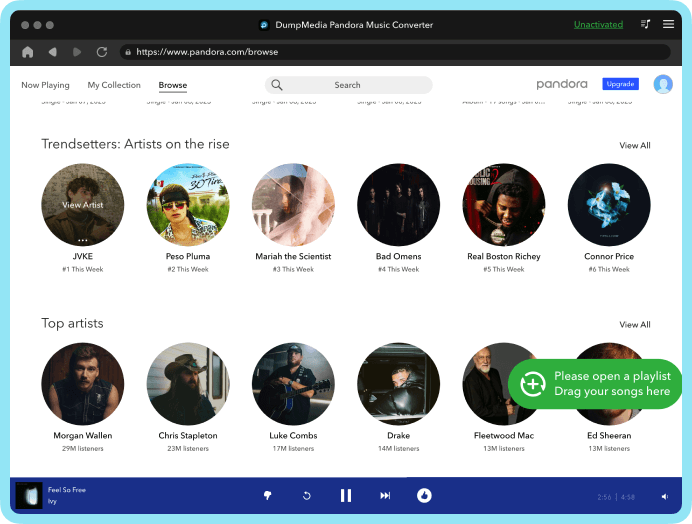
Quick to add Deezer playlists/songs into the converter with the drag-and-drop method.
3 Steps
to Convert Pandora Music to MP3
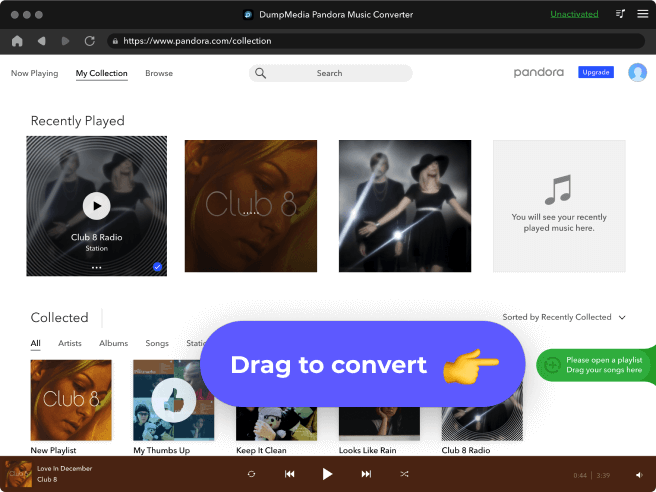
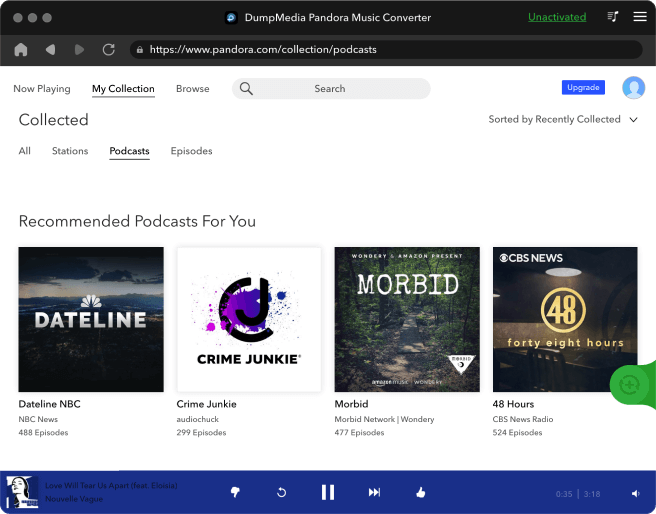
Step 1. Launch DumpMedia Pandora Music Converter Launch DumpMedia, then drag and add Pandora songs/playlists/albums into the program.
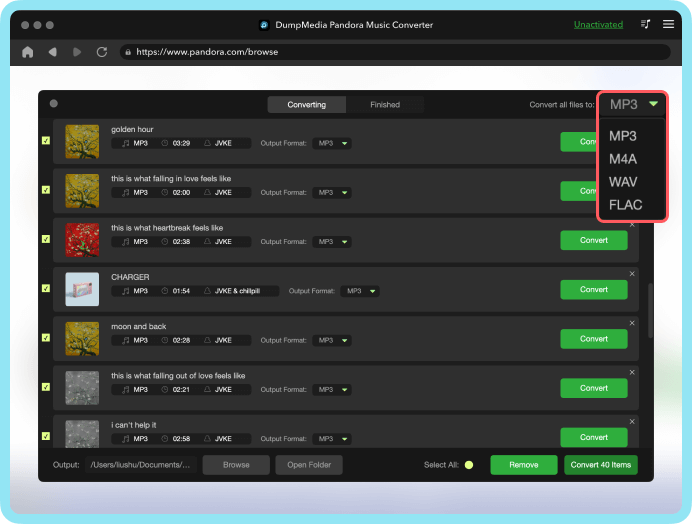
Step 2. Select Output Format Choose the output format and output folder for the converted Pandora Music, such as MP3, M4A, WAV and FLAC.
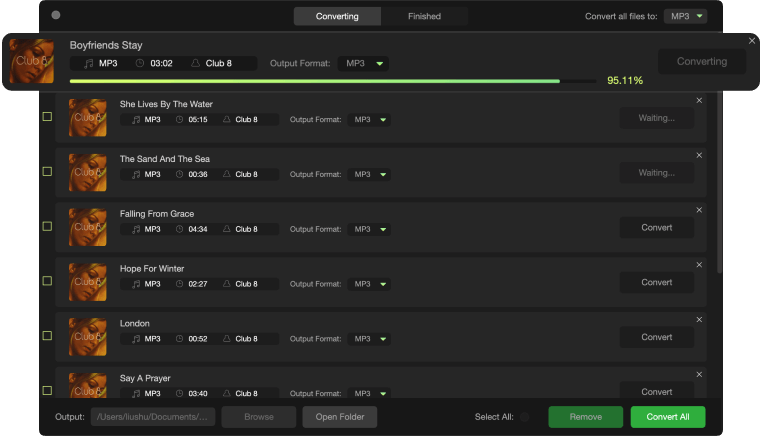
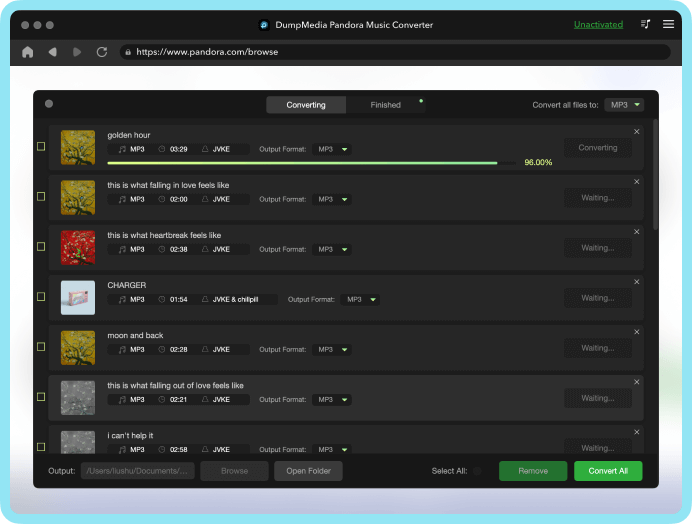
Step 3. Convert Pandora Music to MP3 Click on the "Convert" button to convert Pandora songs to the format you want with 5x faster speed and original quality.
Step 1
Step 2
Step 3
Tech Specs
System Requirements
Windows OS: Windows 7 or later (64-bit required)
Mac OS: macOS X 10.15 or higher
Resolution: 1024×768 display or above
Processor: 1G Hz processor or above
RAM: 512 MB or more (1GB Recommended)
Supported Input Content
Songs, Albums, Playlists, and Podcasts from Pandora Music.
Supported Output Formats
Windows/Mac: MP3, WAV, FLAC, AIFF, M4A (AAC and ALAC codecs)
Tell us what you think
Please Rate Our Products, Thank You.

FAQs
1. What's the limitation of the free trial version?
With the free trial version, you can only convert 3 full songs from Pandora Music. To convert more tracks without any limitations, you will need to register and activate the full version of the software.
2. What are the supported input formats?
Supported input formats: All Pandora Music audio formats. You can read more from our tech specs page.
Supported output formats: MP3, M4A, FLAC, WAV.
3. How to activate the software?
See our User Guide for more detailed instructions.
4. How to update the software?
There are two options to update DumpMedia Pandora Music Converter. The auto-update and manually-update. When there is a new version, the software will prompt you with it, you can just click it and update automatically.
You can update the software manually by downloading and installing the software directly from our product page. Just go to our official product page and download the software. Normally we will update our software from time to time, in order to keep your product up to date, you can go to your website to download the software in a certain period of time.
Note: It's 100% free and safe to update the software.
5. How to get back your activation code?
Go to the license retrieval page: https://www.dumpmedia.com/support/license-retrieval/
6. How can I refund Pandora Music Converter?
Go to the refund policy page: https://www.dumpmedia.com/refund-policy/
Free Try
Pandora Music Converter
Download and convert any Pandora song, album, playlist and podcast to MP3 in 100% original quality.

It's simple to install, simple to use, and simple to get Pandora Music in original quality. Fantastic! I enjoy listening to Pandora Music, however, I am not constantly in the United States. So, I try to figure out how to make sure my music experience is lossless. Fortunately, I tried DumpMedia Pandora Music Converter and find it allows me to convert all of my music to MP3 format. Then I can listen to Pandora Music at any time and from any location. It's really worth giving it a shot.
Emmy Mitchell
DumpMedia helps me download MP3 files from Pandora Music. I used it to export songs with substantially higher audio quality than other Pandora Music downloaders. I've downloaded a lot of music from Pandora Music for everyday listening.
Allan Wuckert
I created a lot of playlists on Pandora Music. They're all big lists. With DumpMedia Pandora Music Converter, I successfully exported these playlists to MP3. It was extremely convenient and handy, and really helped me.
Lori Hyatt
Write A Review
More Review