


Sidify Music Converter Review: Pros, Cons, and Best Alternative
With support for multiple streaming platforms and various output formats, Sidify has become a popular option among users who want more flexibility when managing their music libraries. However, before investing in any music conversion software, it's important to evaluate its features, performance, pricing, and overall value. In this comprehensive Sidify Music Converter review, we'll examine what Sidify offers, discuss its advantages and limitations, and compare it with alternative solutions.
Contents Guide Part 1. What Is Sidify Music Converter?Part 2. Key Features of Sidify Music ConverterPart 3. Sidify Music Converter: Pros and ConsPart 4. Sidify Music Converter vs DumpMedia Any Music ConverterPart 5. FAQsPart 6. Final Verdict
Part 1. What Is Sidify Music Converter?
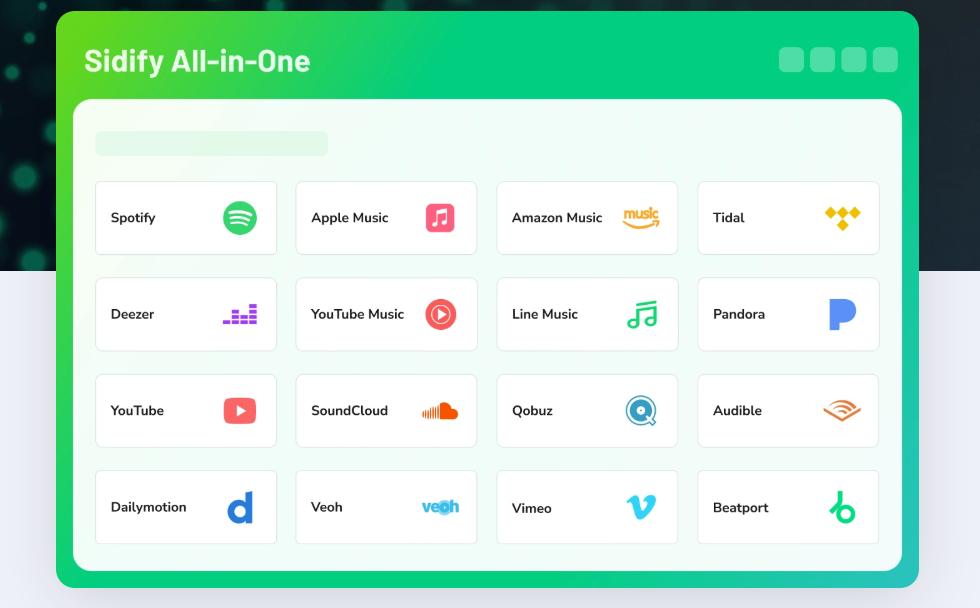
A Sidify Music Converter is a music conversion tool designed to help users manage music from various streaming platforms. Depending on the version, Sidify supports services such as Spotify, Apple Music, YouTube, Amazon Music, Tidal, Deezer, and more.
The software focuses on converting streaming music into commonly used audio formats for more flexible playback and library management. For users researching a Sidify Music Converter review, multi-platform support is often one of the software's biggest attractions.
Part 2. Key Features of Sidify Music Converter
Before deciding whether Sidify is right for you, it's helpful to understand its core features.
Multiple Streaming Platform Support
One strength frequently mentioned in a Sidify Music Converter review is compatibility with several major music streaming services. This allows users to manage music from different subscriptions within a single software ecosystem.
Multiple Output Formats
Sidify supports popular formats such as MP3, WAV, AAC, FLAC, AIFF, or ALAC. Having multiple format options provides flexibility for different devices and listening preferences.
Batch Conversion
Batch processing enables users to convert multiple songs, playlists, or albums at once. This can significantly reduce manual work when managing larger music collections.
High-Speed Conversion
Another advantage highlighted in many Sidify Music Converter review articles is conversion speeds. Sidify advertises accelerated conversion speeds, which may help users process large libraries more efficiently. Actual performance can vary depending on system specifications and conversion settings.
Part 3. Sidify Music Converter: Pros and Cons
No software is perfect, and a balanced Sidify Music Converter review should examine both strengths and weaknesses.
Pros
- Supports multiple streaming services
- Various audio output formats
- Batch conversion functionality
- User-friendly interface
- Metadata preservation
Cons
- Full functionality requires a paid license
- Free version limitations
- Performance depends on hardware configuration
- Some advanced features may require additional setup
Understanding these trade-offs helps users determine whether Sidify matches their specific needs.
Sidify Music Converter Pricing
Pricing is often one of the most important factors in a Sidify Music Converter review. Sidify typically offers several licensing options, which may include quarterly plans, annual plans, and lifetime licenses.
- Quarterly Subscription: $49.95/quarter
- Yearly Subscription: $79.90/year
- Lifetime: $159.90
Because pricing structures can change over time, users should always review the latest information before making a purchasing decision. When evaluating software value, it is important to compare features, long-term costs, and update policies.
Part 4. Sidify Music Converter vs DumpMedia Any Music Converter
While this Sidify Music Converter review focuses on Sidify, many users also evaluate alternatives before making a final decision. DumpMedia Any Music Converter is often considered because it provides:
Why Consider DumpMedia Any Music Converter?
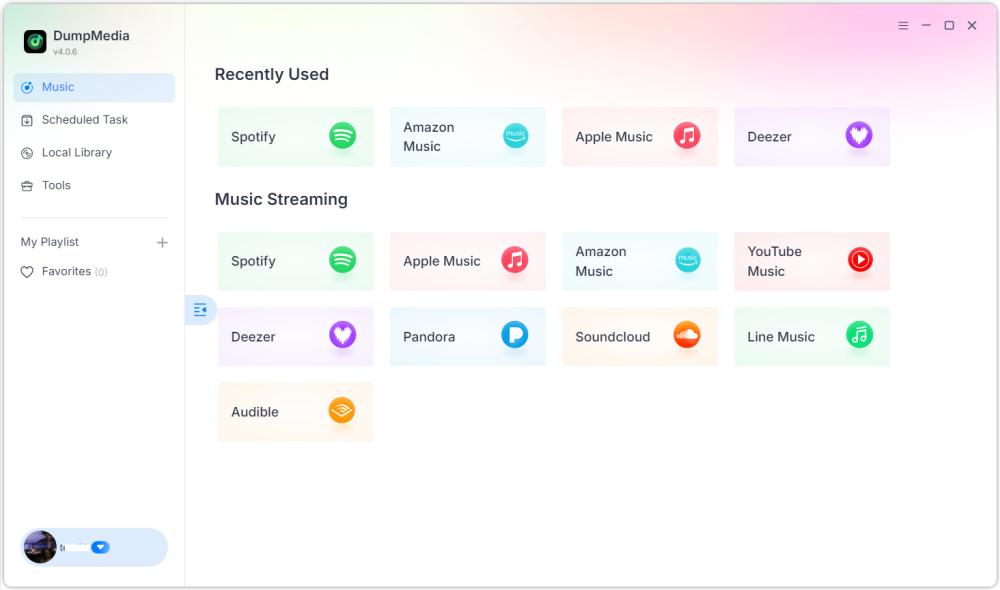
Broad Platform Compatibility: Support for multiple popular streaming services helps simplify music management.
Flexible Output Formats: Users can export music into widely supported formats suitable for various devices.
Convenient Batch Processing: Large playlists and albums can be processed more efficiently.
Streamlined User Experience: A straightforward interface can help reduce the learning curve for new users.
Playlist Transfer: Move your playlists effortlessly between popular music services such as Spotify, Apple Music, SoundCloud, and more.
For users comparing several music conversion solutions, evaluating overall usability and long-term value is just as important as comparing individual features.
How to Use DumpMedia Any Music Converter >>>
DumpMedia Any Music Converter Pricing
- Monthly Subscription: $25.95/month
- Quarterly Subscription: $55.95/quarter
- Lifetime: $109.95
Sidify vs DumpMedia, Which is Better?
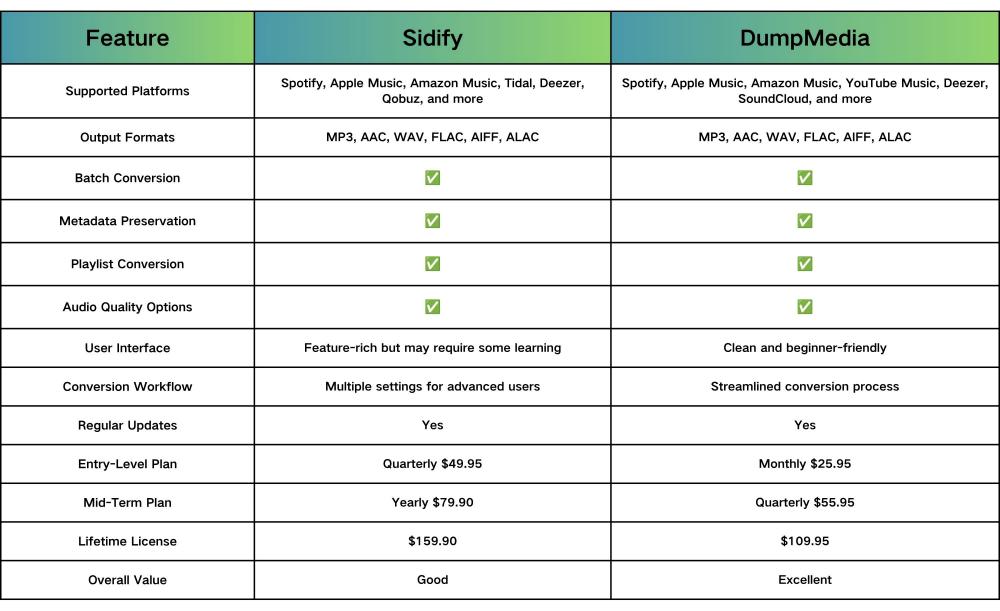
Both Sidify Music Converter and DumpMedia Any Music Converter support major streaming platforms and popular audio formats. However, DumpMedia stands out by combining comparable functionality with a lower lifetime price and a simpler user experience.
For users focused on long-term value, offline music flexibility, and affordability, DumpMedia Any Music Converter is often the more cost-effective choice. Its lower lifetime licensing cost and user-friendly workflow make it an attractive alternative for anyone evaluating options after reading a Sidify Music Converter review.
Part 5. FAQs
Is Sidify Music Converter worth it?
For users who regularly manage music from streaming services, Sidify offers a wide range of features that may justify its cost.
Is Sidify Music Converter safe?
Users should always download software from official sources and follow standard security practices.
Does Sidify support Spotify?
Yes. Spotify support is one of the most frequently discussed features in many Sidify Music Converter review articles.
What is the best alternative to Sidify Music Converter?
Several music converters are available on the market, including DumpMedia Any Music Converter.
Part 6. Final Verdict
This Sidify Music Converter review demonstrates why the software remains a popular option among users seeking flexible music conversion capabilities. At the same time, users should compare available alternatives before making a decision. By evaluating features, pricing, performance, and ease of use, you can choose the music converter that best matches your workflow and listening preferences.