


OGG vs MP3: What's the Difference and Which Is Better?
When choosing an audio format, one of the most common comparisons is OGG vs MP3. Both formats are widely used for music playback and streaming, but they differ in compression technology, audio quality, file size, and device compatibility.
If you've ever wondered whether OGG is better than MP3, or why Spotify streams music in OGG format, this guide will explain everything you need to know. By the end, you'll have a clear understanding of MP3 vs OGG and know which format best fits your listening needs.
Contents Guide Part 1. What is MP3?Part 2. What is OGG?Part 3. MP3 vs OGG: Key DifferencesPart 4. Pros and Cons of MP3 and OGGPart 5. How to Convert Spotify Music to MP3?Part 6. FAQsPart 7. Summary
Part 1. What is MP3?
MP3 is one of the most popular audio formats in the world. Developed in the 1990s, it uses lossy compression to reduce file sizes while maintaining acceptable audio quality.
Key features of MP3 include:
- Universal device compatibility
- Small file sizes
- Fast transfers and downloads
- Support by virtually all media players
Because of its broad compatibility, MP3 remains a preferred format for portable music collections and offline listening.
Part 2. What is OGG?
OGG, often referred to as OGG Vorbis, is an open-source audio format designed to provide efficient compression and high audio quality. Unlike MP3, OGG is royalty-free and often achieves better sound quality at similar bitrates.
Advantages of OGG include:
- Higher audio quality at lower bitrates
- Open-source technology
- Efficient compression
- Popular use in streaming platforms
When discussing OGG vs MP3, audio enthusiasts often highlight OGG's ability to preserve more detail while maintaining compact file sizes.
Part 3. MP3 vs OGG: Key Differences
The comparison between OGG vs MP3 usually focuses on four important factors:
1. Audio Quality
In most OGG vs MP3 comparisons, OGG delivers better sound quality at equivalent bitrates. For example, a 160 kbps OGG file may sound closer to the original recording than a 160 kbps MP3 file.
2. Compatibility
MP3 wins when it comes to compatibility. Nearly every smartphone, MP3 player, car stereo, and media player supports MP3.
3. File Size
OGG often produces slightly smaller files while maintaining similar or better quality.
4. Streaming Performance
Many streaming services like Spotify prefer OGG because it provides efficient bandwidth usage without sacrificing listening quality.
Part 4. Pros and Cons of MP3 and OGG
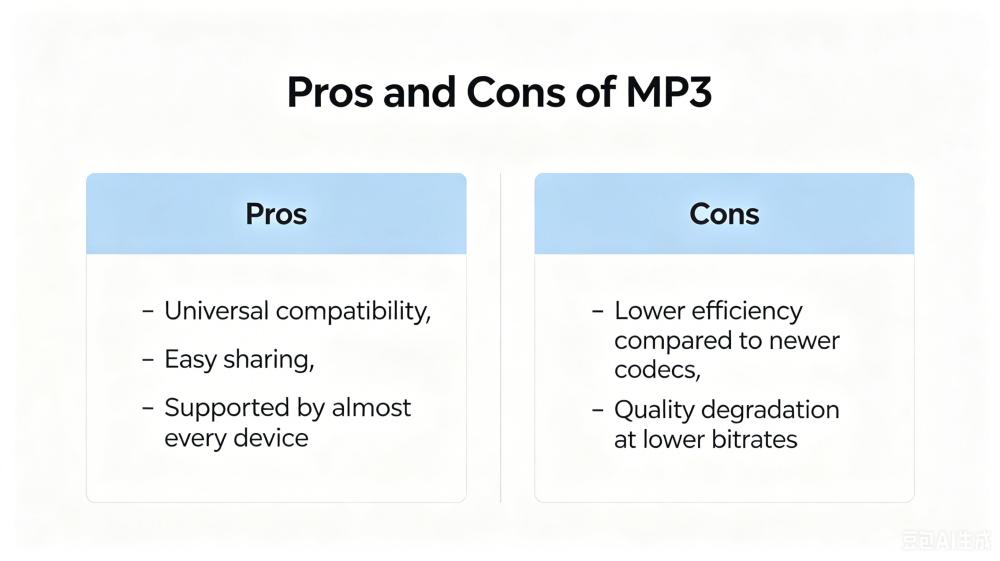
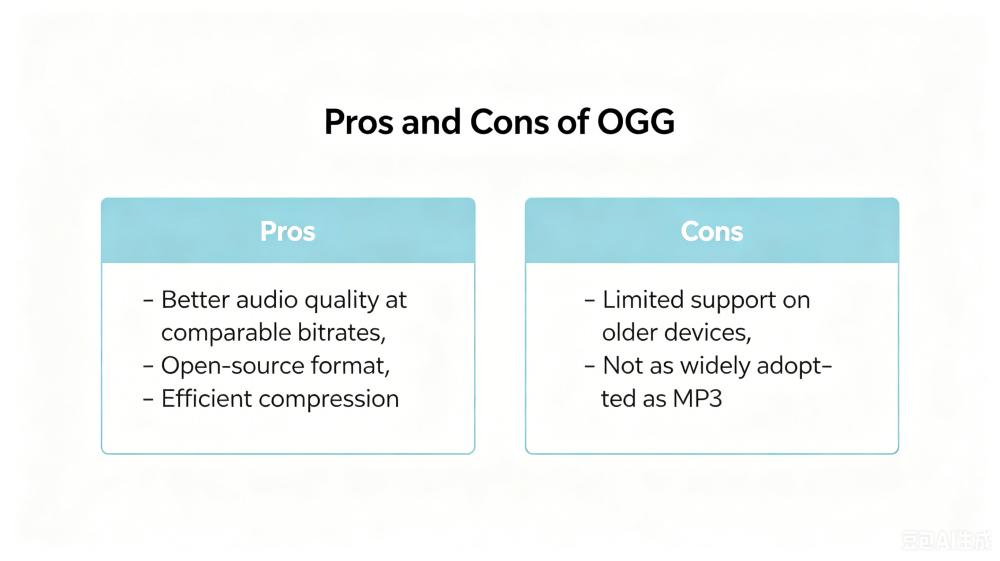
Understanding the strengths and weaknesses of each format makes the OGG vs MP3 decision easier.
MP3
OGG
Part 5. How to Convert Spotify Music to MP3?
One reason the OGG vs MP3 debate remains relevant is Spotify. Spotify primarily streams music using OGG Vorbis because it offers a strong balance between sound quality and bandwidth efficiency. This allows Spotify to provide millions of songs while maintaining a smooth streaming experience for users worldwide.
Although Spotify streams music in OGG format, many users want local copies of their favorite songs in MP3 for offline listening. Since Spotify tracks are protected within the platform, a dedicated solution is required for conversion. DumpMedia Spotify Music Converter is designed to help users download Spotify music.
With DumpMedia, you can easily convert Spotify songs in MP3, WAV, FLAC, and more formats that can be played on MP3 players, phones, car stereos, or other devices. Even if the Spotify app is not working on your device, you can play Spotify songs offline on another music player immediately.
🏆Why Choose DumpMedia Spotify Music Converter
- Built-in Spotify player - to directly log into your Spotify library and choose all songs you like.
- Original sound quality retained - keep a better quality status to save Spotify's original music effects.
- Keep ID3 Tags and metadata information - extract music files with original ID3 tags as well as metadata information.
- Batch playlist downloading speed - ensure ultra-fast playlist downloading speed, which can accelerate faster and facilitate higher music download efficiency.
- Customize output settings - to choose your favorite bitrate and sample rate based on your needs.
Convert Spotify OGG Music to MP3 Step by Step
Step 1. Download and install DumpMedia Spotify Music Converter on your Mac/PC. Launch it, and you will see the interface. Use your Spotify Premium/Free account to log in.
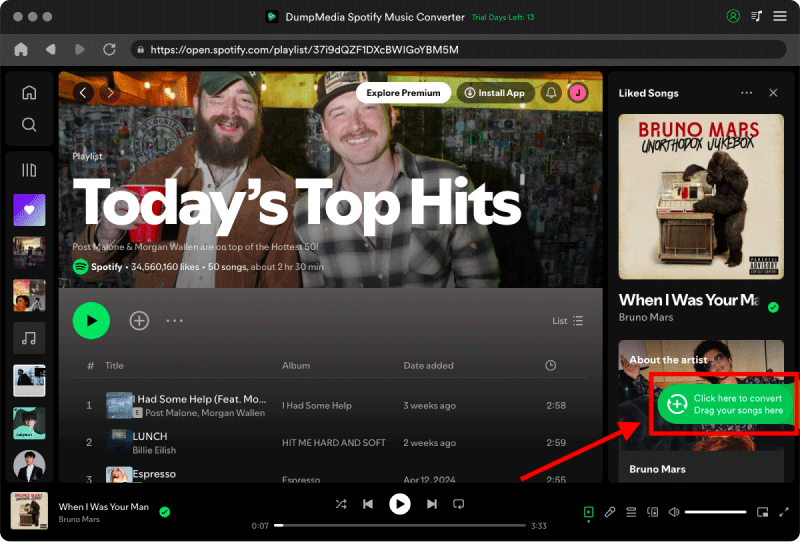
Step 2. Find the playlist, album, or specific song you want to convert. You can drag a single song onto the "+" icon on the right side of the screen. Alternatively, open an entire playlist/album and click the "Add to Convert" icon to load the entire list into the converter.
Step 3. Select MP3 (most compatible). Also, you can change the bitrate or the samplerate. For the best balance, choose 320kbps.

Step 4. As the settings are completed, users can process the conversion by hitting the "Convert" icon. Then DumpMedia will download Spotify OGG songs to MP3 within seconds with its super-fast speed.

Your converted music files can now be played on various devices without relying on Spotify. For users comparing OGG vs MP3, DumpMedia Spotify Music Converter makes it easy to choose the format that works best for their listening preferences.
Part 6. FAQs
Is OGG better than MP3?
In terms of audio quality at similar bitrates, OGG often performs better. However, MP3 remains more widely supported.
Does Spotify use OGG or MP3?
Spotify primarily uses OGG Vorbis for streaming.
Which format has better sound quality, OGG or MP3?
In most OGG vs MP3 comparisons, OGG provides slightly better sound quality at the same bitrate.
Can I convert Spotify music to MP3?
Yes. Tools like DumpMedia Spotify Music Converter allow users to save Spotify music in MP3 format for offline listening.
Part 7. Summary
The OGG vs MP3 debate ultimately comes down to audio quality versus compatibility. OGG generally delivers better sound quality and compression efficiency, while MP3 remains the most universally supported format available.
For Spotify users, understanding OGG and MP3 is especially important because Spotify streams music in OGG format. If you'd like more flexibility for offline listening, DumpMedia Spotify Music Converter allows you to download Spotify music and save it in either MP3 or OGG format based on your preferences.