


Top Pandora Music Downloader Tools in 2026
Are you averse to Pandora's ads? Are you looking for the top Pandora music downloader apps? Pandora Music is a popular online music streaming platform that provides users with personalized radio stations based on their favorite songs and artists.
While Pandora does not allow users to download music directly from the platform, there are third-party tools available that can convert and download Pandora music for offline listening. This article will discuss the top Pandora music downloader tools available.
Contents Guide Part 1. Introduction: What Is A Pandora Music Downloader Tool?Part 2. Most Recommended Pandora Music DownloaderPart 3. Pandora Music Downloader On Web/ Windows/ MacPart 4. ConclusionPart 1. Introduction: What Is A Pandora Music Downloader Tool?
A Pandora music downloader tool is a software or app that allows users to convert and save music streams from the Pandora platform for offline listening. The tool works by capturing the audio stream as it is played on Pandora and converting it into a downloadable file format such as MP3.
Here are a few more details about Pandora music downloader tools:
- Compatibility: Most Pandora music downloader tools are compatible with both Windows and Mac operating systems, and some are also available as mobile apps for iOS and Android devices.
- Output Quality: The quality of the output audio file depends on the quality of the original audio stream and the capabilities of the downloader tool. Some tools may offer options to adjust the output quality, such as choosing between different bitrates or sample rates.
- Ease of Use: The user interface and ease of use vary between different Pandora music downloader tools, with some offering a more straightforward and user-friendly experience than others.
- Cost: Some Pandora music downloader tools are available for free, while others require a paid subscription or one-time purchase.
Part 2. Most Recommended Pandora Music Downloader
If you are an efficient Pandora Music Downloader, I highly recommend the DumpMedia Pandora Music Converter. It is the best tool to use to get songs from Pandora.
DumpMedia Pandora Music Converter is designed to be fast, with a conversion speed that is claimed to be significantly faster than other similar tools.Here's some additional information about DumpMedia Pandora Music Converter:
- Easy to use: DumpMedia Pandora Music Converter is designed to be easy to use, with a straightforward interface that requires no technical knowledge to operate. This makes it accessible to users of all skill levels.
- Multiple platforms: DumpMedia Pandora Music Converter is available for Windows and Mac, making it a versatile tool that can be used on a wide range of devices.
- Batch processing: DumpMedia Pandora Music Converter supports batch processing, allowing users to convert multiple files at once, saving time and effort.
- High-quality output: DumpMedia Pandora Music Converter claims to deliver high-quality output, preserving the original sound quality of the music.
Using DumpMedia Pandora Music Converter
- Obtain the software by downloading the appropriate version (for Windows or Mac) from the website.
- Install the tool by following the on-screen instructions.
- Launch the program after successful installation.
- Import tracks from Pandora Music into the software using a drag-and-drop method.
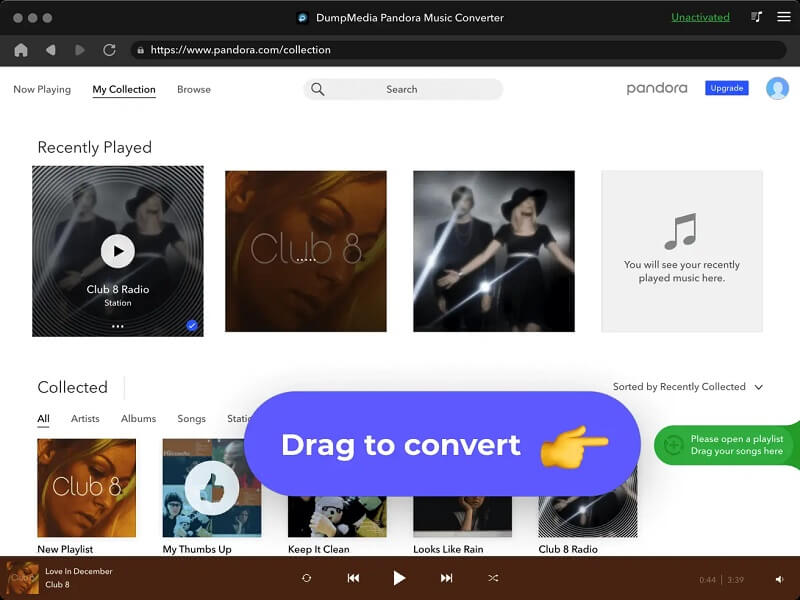
5. Choose your preferred output format (such as MP3) for the converted tracks.
6. Pick a location on your computer to save the converted files, or create a new one.
7. Initiate the conversion process by clicking the "Convert" button.
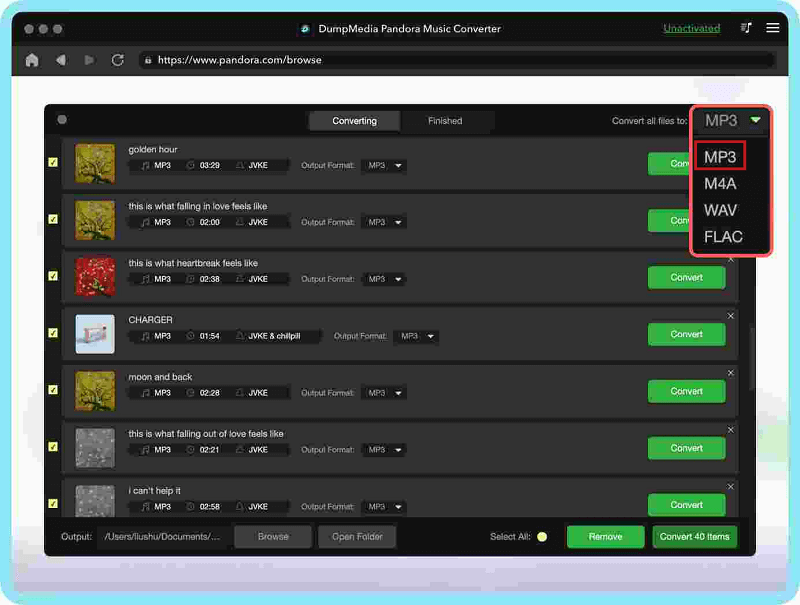
8. Upon completion, the converted files will be stored in the selected folder and can be transferred to other devices or drives for offline listening.
Part 3. Pandora Music Downloader On Web/ Windows/ Mac
Besides using the DumpMedia Pandora Music Converter, there are several Pandora Downloader tools available for Windows and macOS. include:
TunePat
TunePat is a popular Pandora music downloader tool that allows users to capture and convert music streams from Pandora for offline listening. Some features of Tunepat include:
- Compatible with Windows and Mac operating systems
- Supports multiple output formats, including MP3, AAC, WMA, and FLAC
- Offers options to adjust the output quality
- User-friendly interface
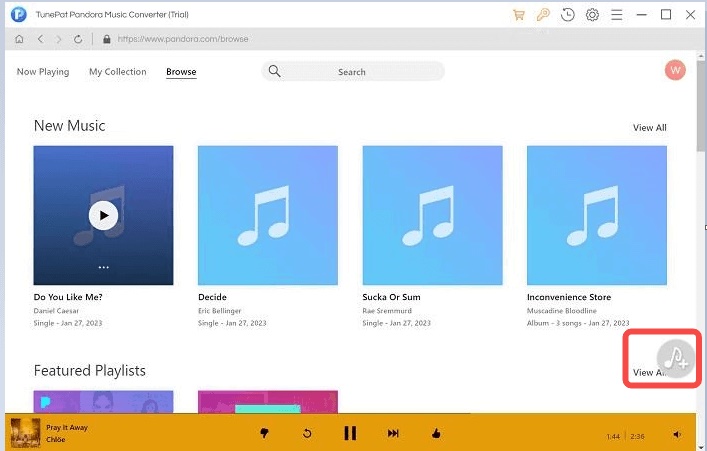
Tunepat offers a free trial version but requires a paid subscription or one-time purchase for full functionality. Some users have reported positive experiences with Tunepat, praising its ease of use and the quality of the output audio files. However, others have reported issues with the software, such as bugs and technical difficulties.
TuneKeep Audio Capture
TuneKeep Audio Capture is a software tool designed for capturing and saving music streams from Pandora. It is available for both Windows and Mac operating systems and can convert the captured audio into a variety of formats including MP3, AAC, WMA, and FLAC. TuneKeep Audio Capture has a user-friendly interface and offers options for adjusting the output quality.
The tool may require a paid subscription or one-time purchase to access full functionality. It's important to check the pricing and licensing options before making a decision. User reviews of TuneKeep Audio Capture may provide insight into its effectiveness, ease of use, and other factors. It's recommended to research user feedback and ratings before making a decision. Make sure your Mac system meets the minimum technical requirements for TuneKeep, including operating system version, available memory, and processing power.
Allavsoft
Allavsoft has a user-friendly interface, making it easy to use for individuals with varying levels of technical expertise. It allows users to convert multiple music files at once, making it more efficient for those who need to download and convert large amounts of music. Allavsoft is known for its fast download speeds, allowing users to quickly and easily capture music streams from Pandora.
Here are some points about Allavsoft:
- Integration with other services: Allavsoft supports integration with a variety of other music and video streaming services, making it a versatile tool for capturing and converting music from multiple sources.
- Advanced settings: Allavsoft offers advanced settings for audio quality, bit rate, sample rate, and other parameters, giving users greater control over the final output.
- Technical support: Allavsoft provides technical support to users, either through email, phone, or live chat, helping to ensure that users are able to get the most out of the software.
- Free trial: Allavsoft offers a free trial version, allowing users to test the software before committing to a purchase.
- Continual updates: The development team behind Allavsoft regularly releases updates and improvements to the software, ensuring that users have access to the latest features and bug fixes.
- User community: There is an active community of users and developers who contribute to and support Allavsoft, providing a valuable resource for troubleshooting and information sharing.
Video DownloadHelper
Video DownloadHelper is a browser extension that is commonly used to download videos from websites. It may also be used to capture audio streams from Pandora or other websites, although this is not its primary purpose.
To use Video DownloadHelper for capturing audio from Pandora, you would need to start playing the music on Pandora and then use Video DownloadHelper to detect the audio stream. Once the stream has been detected, you can use Video DownloadHelper to download the audio. Additionally, the quality of the final output may be poor and the output file may not play correctly on all devices.
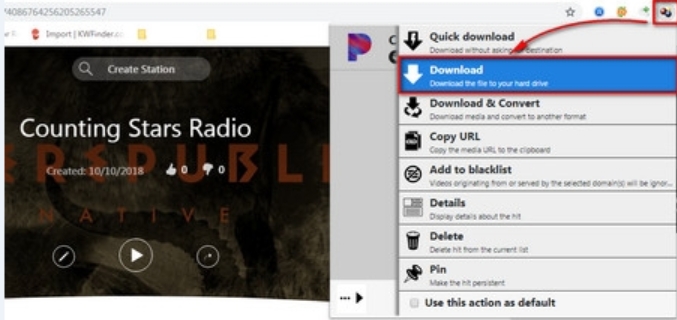
Here are some additional points about Video DownloadHelper:
- Browser compatibility: Video DownloadHelper is available for multiple browsers, including Firefox, Chrome, and Edge, making it a versatile tool for downloading videos and audio from the web.
- Multiple file formats: Video DownloadHelper supports multiple file formats, including MP3, MP4, AVI, and others, allowing users to convert the downloaded audio into a format that is compatible with their device.
- Easy to use: Video DownloadHelper has a simple, intuitive interface that makes it easy to use, even for users who are not tech-savvy.
AnyMusic
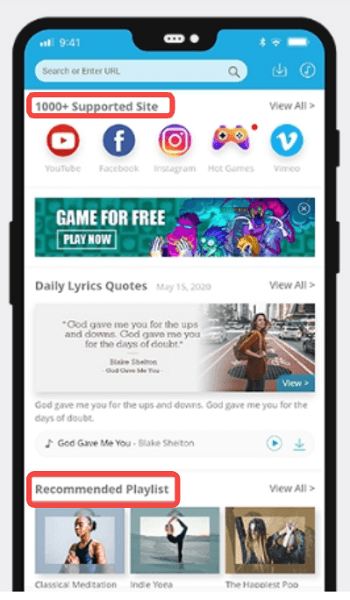
Anymusic is a music downloader tool that claims to allow users to download music from various sources, including Pandora. To use Anymusic, you would start by installing the software on your device. Once installed, you can use Animusic to search for music on Pandora and other sources, and then download the music to your device.
Additionally, the quality of the final output may vary depending on the source and may not play correctly on all devices. As with all music downloader tools, it's important to research Anymusic carefully before using it and to ensure that you are using a reputable and trustworthy source. This can help to minimize the risk of downloading malware or other harmful software that can compromise the security of your device.
Part 4. Conclusion
In conclusion, There are several software options available for downloading music from Pandora, such as TunePat, TuneKeep, Allavsoft, Video DownloadHelper, AnyMusic, and DumpMedia Pandora Music Converter.
However, I highly recommend the DumpMedia Pandora Music Converter. Its user-friendly interface, compatibility with both Windows and macOS and support for various file formats make it a top choice for those seeking to download music from Pandora.