


Pandora Family Plan Explained (Price, Features and Setup)
If you are searching for Pandora Family plan, you likely want to understand how it works, how much it costs, and whether it is worth it compared to individual subscriptions. In this guide, we break down everything you need to know about the Pandora Premium Family plan, including features, pricing, setup steps, limitations, and how to keep your music even if you cancel.
Contents Guide Part 1. What Is Pandora Premium Family Plan?Part 2. Pandora Premium Family Plan Pricing and FeaturesPart 3. How to Set Up Pandora Premium Family Plan?Part 4. Bonus: Keep Pandora Music After Ending PremiumPart 5. FAQsPart 6. Conclusion
Part 1. What Is Pandora Premium Family Plan?
The Pandora Family plan is a subscription option that allows multiple users in the same household to enjoy Pandora Premium features under one shared billing account. It is designed for families who want to share a subscription while keeping music preferences separate.
Part 2. Pandora Premium Family Plan Pricing and Features
Understanding the cost is essential when evaluating the Pandora family plan.
Pricing
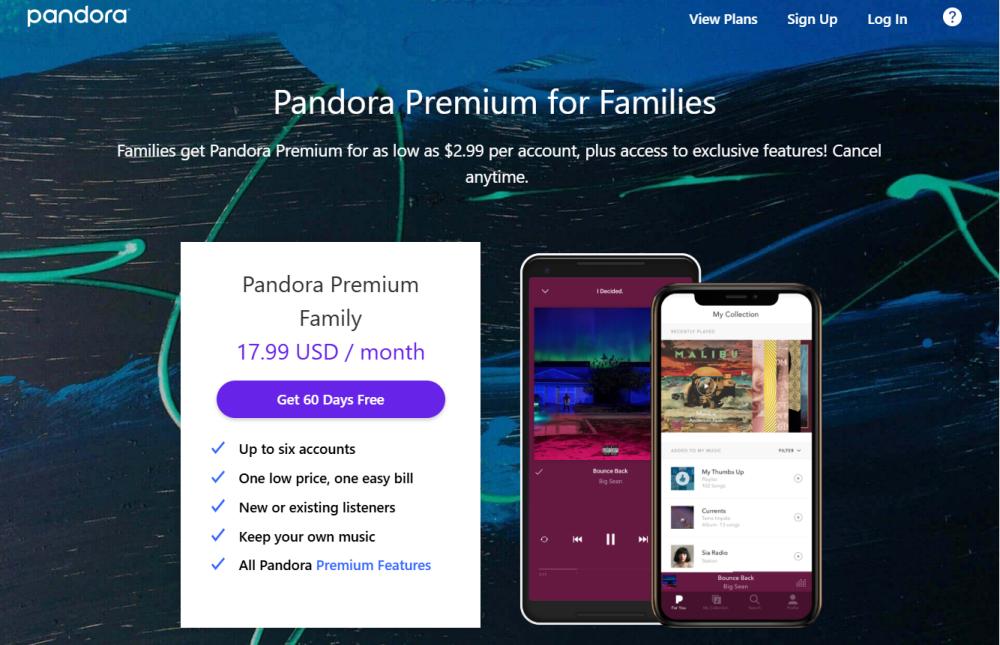
The current monthly fee is typically $17.99 (this price may vary depending on regional taxes). A family account generates a single bill, which is paid by the primary account holder.
Core Benefits
The Pandora Family plan supports up to six separate Pandora accounts, allowing each family member to have their own personalized stations, playlists, and listening history without interfering with one another. Each member can enjoy all Pandora Premium features, including:
- Ad-free playback.
- On-demand listening (listen to exactly what you want, not limited to random radio stations).
- Unlimited skips and replays.
- Offline listening (music downloads available).
- High-quality audio.
Pandora Family vs Pandora Individual
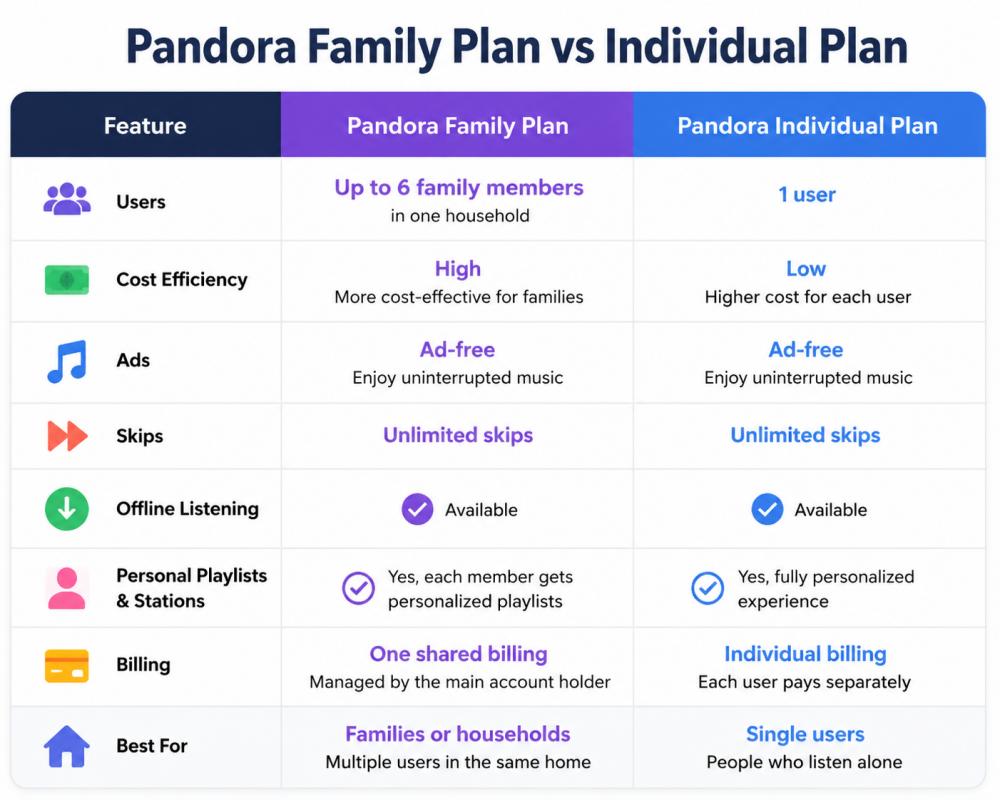
The Pandora family plan is ideal when multiple people in one household use Pandora regularly.
Part 3. How to Set Up Pandora Premium Family Plan?
Setting up the Pandora Family plan is simple:
Step 1. Go to Pandora account settings and select the Family Plan option.
Step 2. Send invitations via email to add members to your plan.
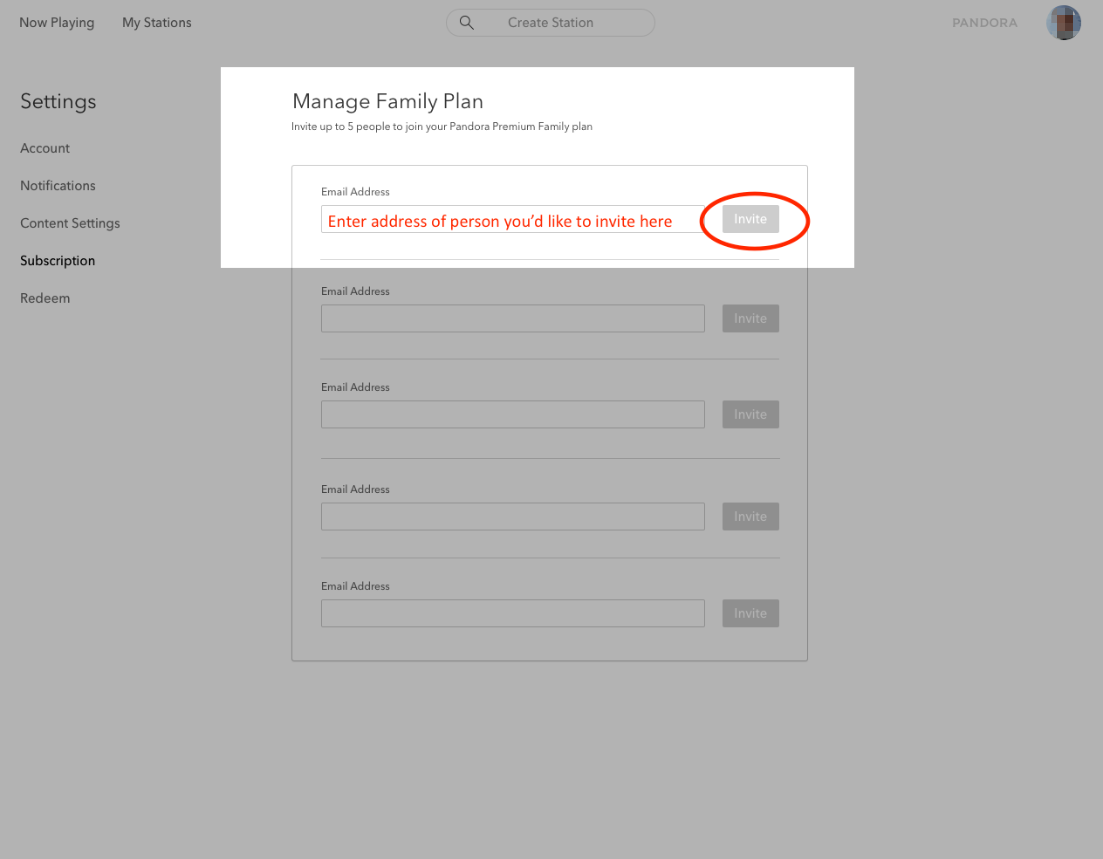
Step 3. Each member creates or logs into their Pandora account.
Step 4. Once accepted, each user gets full Premium access.
Limitations of Pandora Family Plan
While the Pandora Family plan is convenient, it has some restrictions. The Pandora Premium Family plan requires all users to live in the same household. The offline listening only works within the subscription period. Also, music access disappears after cancellation.
Part 4. Bonus: Keep Pandora Music After Ending Premium
If your concern is losing music after canceling the Pandora Family plan, you should consider saving your songs locally. A tool like DumpMedia Pandora Music Converter allows you to convert Pandora music to MP3, AAC, FLAC and more. In this way, you can keep your playlists even after canceling Pandora Premium. Even if the Pandora app is not working on your device, you can play Pandora songs offline on another music player immediately. This is especially useful for users who want long-term access beyond the Pandora family plan.
👍Key Features of DumpMedia Pandora Music Converter
- ✅ Convert every Pandora single song/playlist/album/podcast/artist.
- ✅ Customize the audio bitrate (reach up to 320kbps), sample rate, and more.
- ✅ Default 35X conversion speeds are available.
- ✅ Keep the original metadata like ID3 tags for the converted music.
- ✅ Define the file title for the downloaded audio and automatically archive your downloaded songs in folders.
- ✅ Easy to operate with a built-in web player without the Pandora app.
Convert Pandora Music to MP3 Step by Step
Step 1. Download and install DumpMedia Pandora Music Converter on your Mac/PC. Launch it, and you will see the interface. Use your Pandora Premium/Free account to log in.
Step 2. Search for Pandora songs, playlists, or albums. Simply click "Add to Convert" to add them to the conversion list.
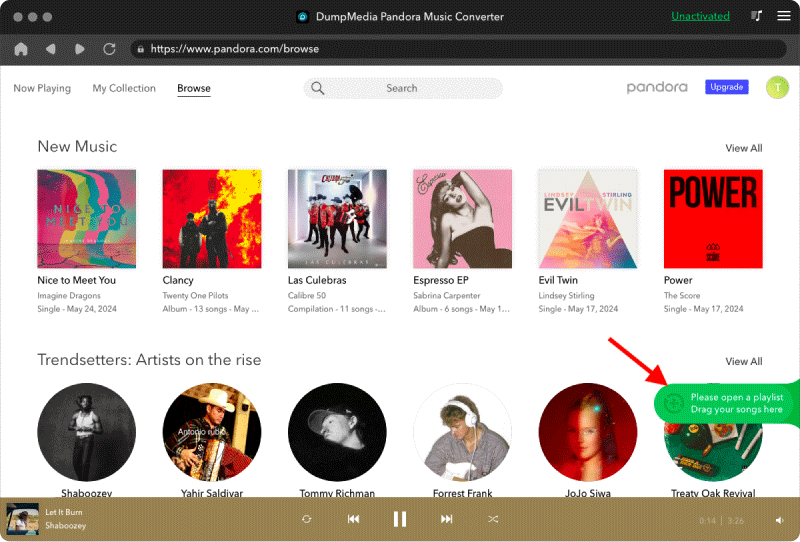
Step 3. After DumpMedia automatically parses songs, the format is set to MP3 by default on the conversion interface. If you want to change, click the "MP3" dropdown menu and choose one. Also, you can change the bitrate or the samplerate. For the best balance, choose 320kbps.
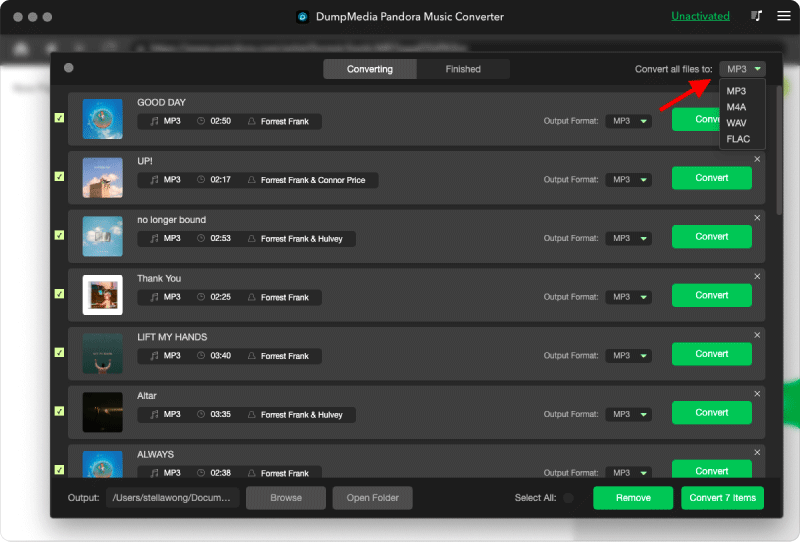
Step 4. As the settings are completed, users can process the conversion by hitting the "Convert" icon. Then DumpMedia will download Pandora songs to MP3 within seconds with its super-fast speed.
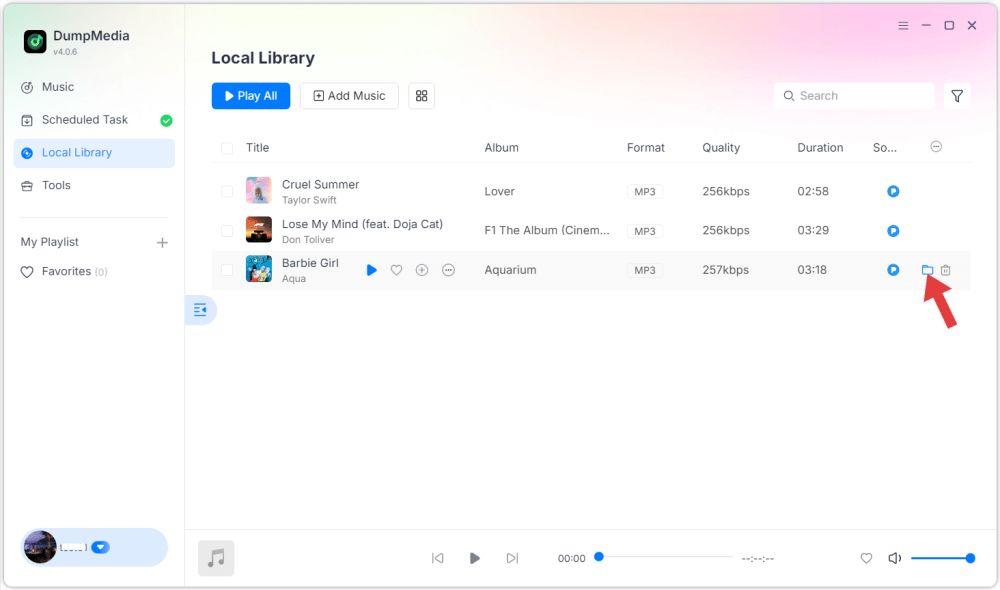
Using DumpMedia Pandora Music Converter helps you take full control of your music library without any subscription plans. If you rely heavily on Pandora family plan streaming, this is a practical backup solution.
Part 5. FAQs
1. What is included in Pandora Family Plan?
It includes up to 6 individual Premium accounts under one billing system with ad-free and offline listening.
2. How much is Pandora Premium Family Plan?
Pricing varies by region but is cheaper than purchasing multiple individual subscriptions.
3. Can family members use Pandora separately?
Yes, each member has their own account, playlists, and recommendations.
4. What happens if I cancel Pandora Family Plan?
All accounts return to free tier and offline music becomes unavailable. To backup, you need to convert songs into local files using tools like DumpMedia Pandora Music Converter.
Part 6. Conclusion
The Pandora Family plan is the better choice for households or multiple users who want a cost-effective way to enjoy ad-free music under one subscription. If your goal is not only to stream music but also to keep your favorite Pandora songs permanently, subscription plans alone have limitations. Once the subscription ends, your access to downloaded music is removed. That’s why many users choose a long-term solution like DumpMedia Pandora Music Converter, which allows you to convert and save Pandora music for offline playback without restrictions.