


How to Make a Pandora Playlist in 2026 (Step-by-Step Guide)
Many music lovers use Pandora to discover new songs, organize favorites, and create personalized listening experiences. If you are searching for how to make a playlist on Pandora, the process is actually simple once you understand how Pandora’s playlist system works. In this guide, we will explain exactly how to create a Pandora playlist, how to manage your Pandora music library, and how to keep your favorite playlists available for offline listening.
Contents Guide Part 1. Can You Make a Playlist on Pandora?Part 2. How to Make a Pandora Playlist on MobilePart 3. How to Make a Pandora Playlist on DesktopPart 4. Best Way to Keep Pandora Playlists Offline PermanentlyPart 5. FAQ About How to Make a Pandora PlaylistPart 6. Conclusion
Part 1. Can You Make a Playlist on Pandora?
Yes. Pandora allows users to create playlists using collected songs, albums, and stations. However, playlist features may vary depending on the free account, Pandora Plus, and Pandora Premium. Understanding your account type is the first step in learning how to make a playlist on Pandora.
Free and Pandora Plus Users cannot manually create or edit playlists. Your experience is limited to Stations, which use the Music Genome Project to play similar songs based on a seed artist or track.
Pandora Premium offers the most complete playlist functionality, including creating custom playlists, adding songs manually, offline downloads, and playlist sharing.
Part 2. How to Make a Pandora Playlist on Mobile
If you want to learn how to make a playlist on Pandora using your phone, follow these steps.
Step 1. Launch Pandora on your iPhone or Android device.
Step 2. Tap “My Collection” at the bottom of the screen.
Step 3. Tap "+ Create Playlist." Enter a playlist name and description.
Step 4. Search for songs, albums, or artists you want to include. Tap "Add to Playlist."
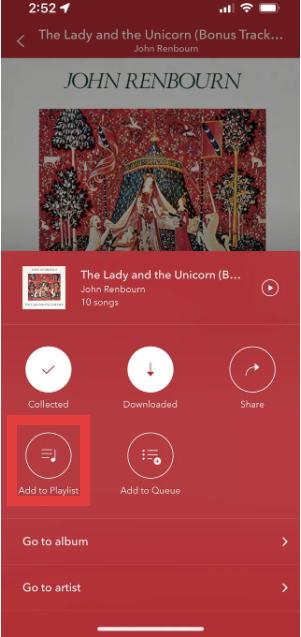
Step 5. After adding songs, save the playlist for future listening.
This is the easiest method for how to make a Pandora playlist on mobile devices.
Part 3. How to Make a Pandora Playlist on Desktop
You can also learn how to make a playlist on Pandora using Pandora’s web player.
Step 1. Open Pandora web player. Log in to your Pandora account. Select “My Collection” from the menu.
Step 2. Click "Create Playlist."
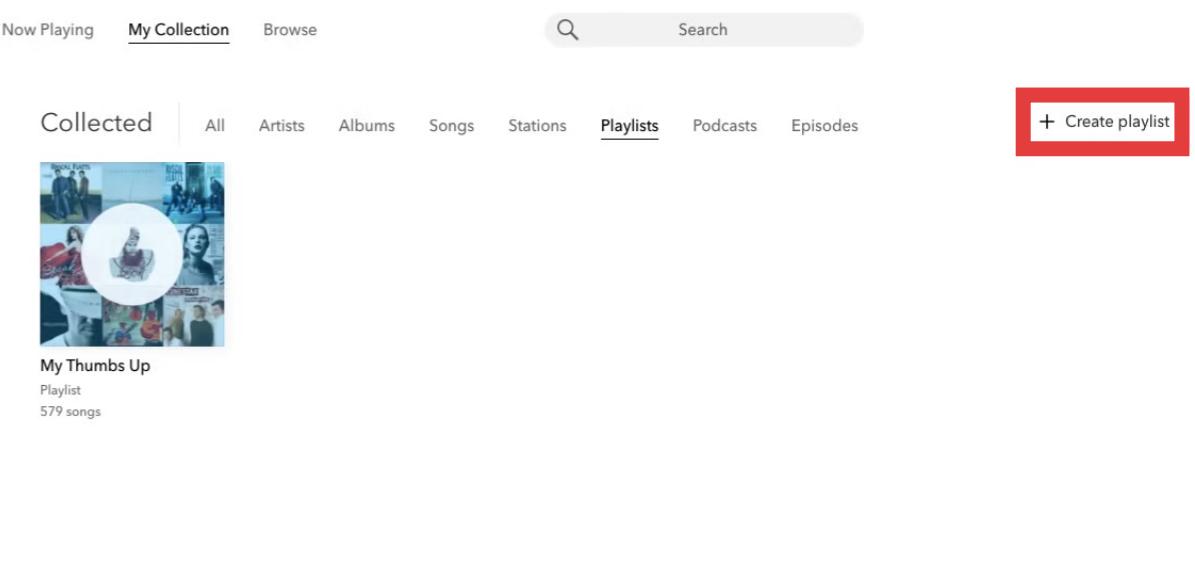
Step 3. Search and add songs to your playlist.
Step 4. You can reorder tracks, rename playlists, remove songs, or update playlist details.
Part 4. Best Way to Keep Pandora Playlists Offline Permanently
Although Pandora playlists are convenient, there are still several limitations. For Pandora Plus or Premium users, offline downloads may be restricted because playlists require active subscriptions. Playback may stop after subscription cancellation. This becomes frustrating for users who spend time carefully building playlists.
If you want to save Pandora playlists beyond app limitations, one practical solution is DumpMedia Pandora Music Converter. This tool helps users convert Pandora songs to MP3. So you can save playlists locally and keep music after subscription changes. Instead of depending entirely on streaming access, users can build long-term music collections from their Pandora playlists.
🏅Why Choose DumpMedia Pandora Music Converter:
- ⭐Integration with Pandora web player
- ⭐Work for both Pandora Premium and Free users
- ⭐Provide batch conversion at up to 35x speed
- ⭐Retain ID3 tags like artist, cover, art, etc.
- ⭐Preserve the original audio quality
- ⭐100% clean. No risk in using
How to Convert Pandora Playlists to MP3
Step 1. Download and install DumpMedia Pandora Music Converter on your Mac/PC. Launch it, and you will see the interface. Use your Pandora Premium/Free account to log in.
Step 2. Then, directly drag the songs or the playlists to the floating "+" icon for adding to the conversion queue to prepare for the download.
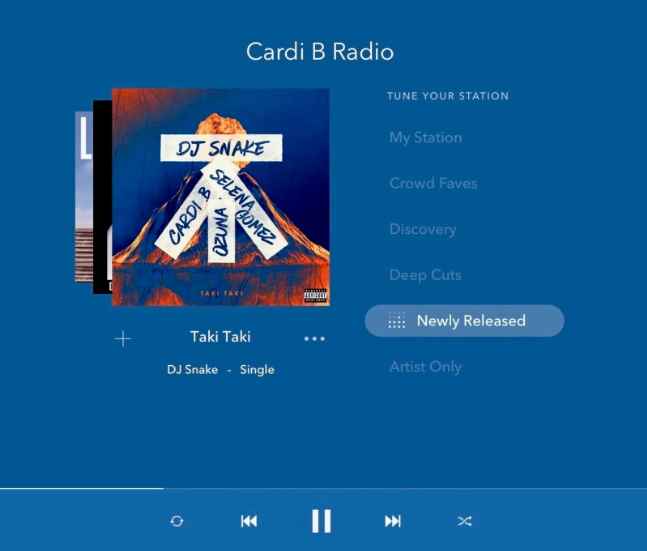
Step 3. Once you are satisfied with the songs that you have selected, you can choose which audio file format you prefer.
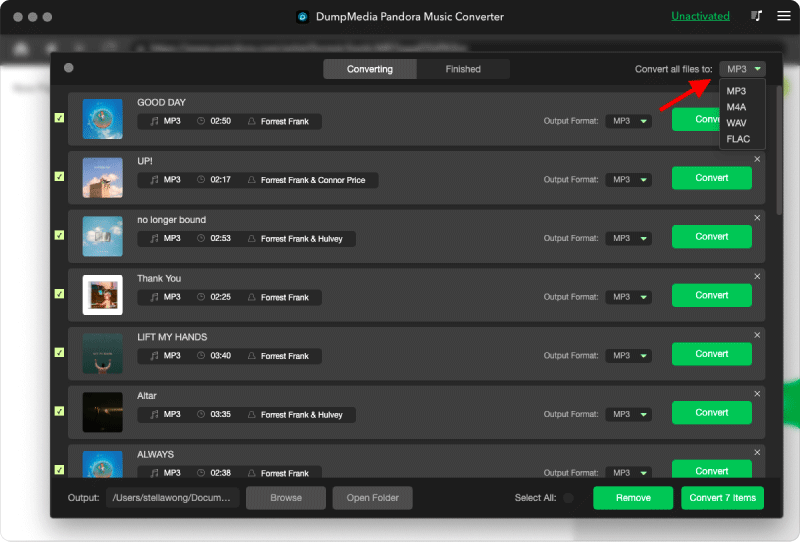
Step 4. As the settings are completed, users can process the conversion by hitting the "Convert" icon. Then DumpMedia will perform to download Pandora songs within seconds with its super-fast speed.
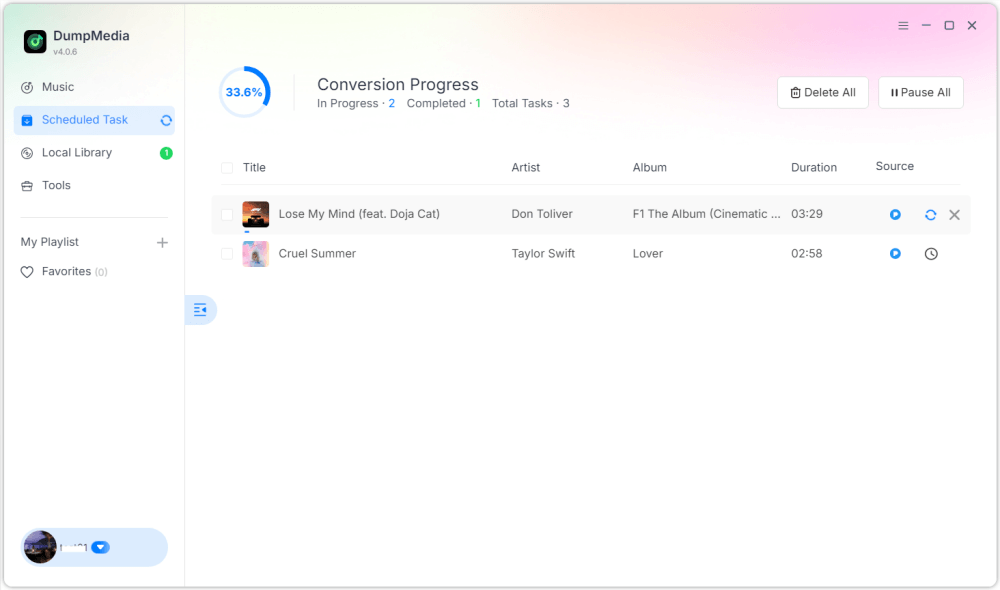
Once completed, playlists become much more flexible for offline listening. You can have permanent access and play them on MP3 players or USB devices. This is why many users searching how to make a playlist on Pandora eventually look for ways to keep playlists permanently.
Part 5. FAQ About How to Make a Pandora Playlist
Can you create playlists on Pandora?
Yes. Pandora Premium allows users to create and customize playlists.
Is Pandora playlist creation free?
Some playlist features may require Pandora Premium.
Can Pandora playlists be downloaded offline?
Yes, but offline access depends on your subscription plan. Offline downloads may become unavailable once the subscription ends.
Can Pandora playlists be converted to MP3?
Yes. Tools like DumpMedia Pandora Music Converter allow users to save Pandora songs as local audio files.
Part 6. Conclusion
Learning how to make a playlist on Pandora is easy, whether you use mobile or desktop devices. Pandora playlists are useful for organizing music, discovering songs, and building personalized listening experiences. However, users who want long-term offline access often prefer saving playlists as local audio files for more flexible playback and permanent music storage.