


How to Remove Audible DRM for Offline Playback in 2026
Many audiobook users search for ways to remove Audible DRM because official Audible files come with playback restrictions and device limitations. Although Audible offers convenient audiobook streaming and downloads, Audible audiobooks are protected by DRM technology that limits how and where users can play purchased content. In this guide, we will explain what Audible DRM is, why Audible files are restricted, and the best way to convert Audible audiobooks into more flexible playback formats for offline listening.
Contents Guide Part 1. What Is Audible DRM?Part 2. Can You Remove DRM from Audible Directly?Part 3. Best Way to Convert Audible Books for Flexible PlaybackPart 4. FAQsPart 5. Conclusion
Part 1. What Is Audible DRM?
Before discussing how to remove Audible DRM, it is important to understand how Audible protection works.
Audible audiobooks are usually distributed in AA or AAX format. These files contain DRM (Digital Rights Management) protection designed to control audiobook playback and account authorization.
Because of Audible DRM, Audiobooks are tied to Audible accounts, and audiobooks cannot be freely transferred like standard MP3 files. This is why many users search for solutions to remove Audible DRM and gain more flexible listening options
Part 2. Can You Remove DRM from Audible Directly?
Many users searching for "remove Audible DRM" expect a simple DRM removal button, but the reality is more complicated. Audible DRM protection is tightly integrated into Audible audiobook authorization systems. Direct DRM removal methods are often unreliable, outdated, or technically difficult.
Part 3. Best Way to Convert Audible Books for Flexible Playback
Instead of focusing purely on DRM removal, many users now choose a more practical solution, which is to convert Audible audiobooks into flexible playback formats. This approach allows users to use standard audio formats like MP3 or M4A. One of the best solutions for users searching "remove Audible DRM" is DumpMedia Audible Converter.
Rather than focusing on technical DRM removal processes, this tool helps users convert Audible audiobooks into more flexible audio formats for easier playback. For users who want practical audiobook flexibility, conversion-based playback is often more stable and user-friendly than traditional DRM removal methods.
🏆Why Use DumpMedia Audible Converter?
- Convert Audible audiobooks to MP3 and M4A
- Enable offline audiobook playback
- Improve device compatibility
- Listen without constantly opening Audible
- Preserve audiobook quality
- Support playback across multiple devices
How to Convert Audible Audiobooks
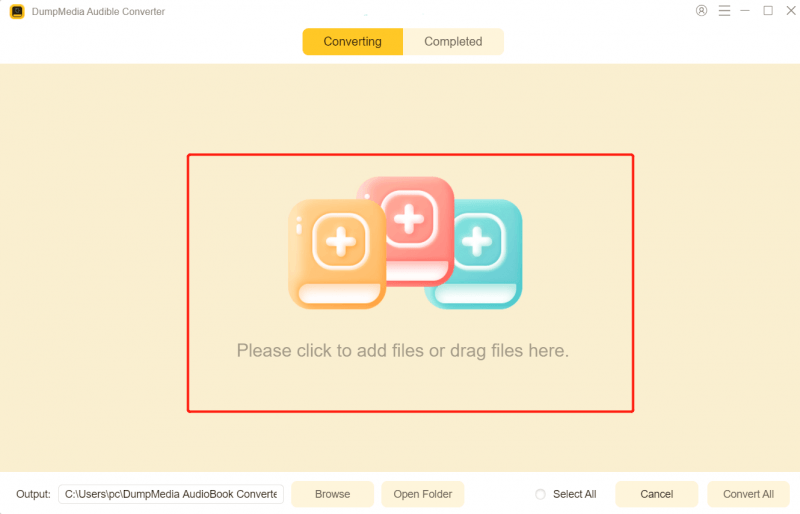
Step 1. Download and install DumpMedia Audible Converter on your Mac/PC. Launch it, and you will see the interface. Use your Audible account to log in.
Step 2. Find the audiobook you want to convert. Click the "Add to Convert" icon to load the entire list into the converter.
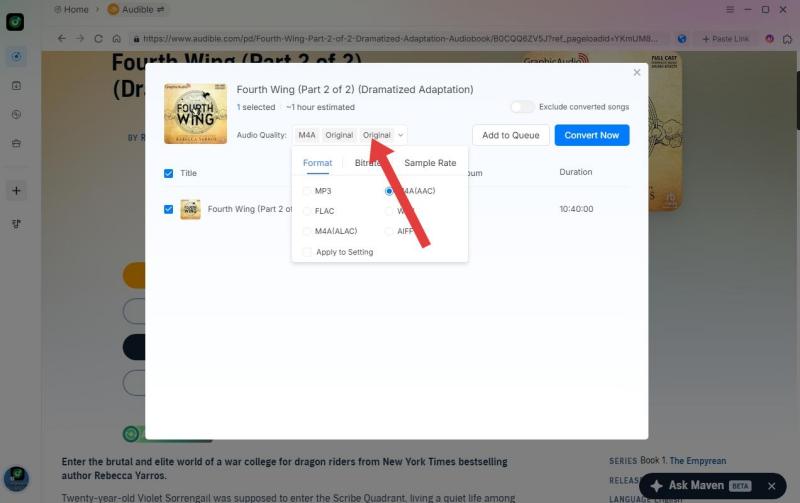
Step 3. Select the format you like. Also, you can change the bitrate or the sample rate. For the best balance, choose 320kbps.
Step 4. As the settings are completed, users can process the conversion by hitting the "Convert" icon. Then DumpMedia will convert Audible books to a DRM-free format within seconds with its super-fast speed.
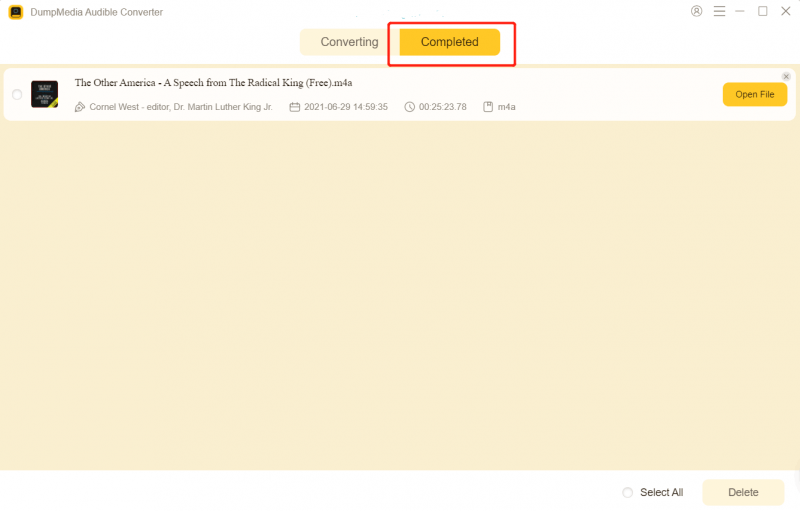
After conversion, your audiobooks can be played more flexibly across different devices and media players.
Part 4. FAQs
Why are Audible files restricted?
Audible audiobooks use DRM technology to limit playback to authorized devices and accounts.
Can Audible books be converted to MP3?
Yes. Many users use DumpMedia Audible Converter to convert Audible audiobooks into MP3 format for more flexible playback.
Can I listen to Audible books offline?
Yes. Audible supports offline listening, although playback remains restricted within authorized environments.
Can I play Audible books without the Audible app?
Converted audiobook files may support playback on additional media players and devices.
Is DumpMedia Audible Converter safe?
Yes. It is designed for audiobook conversion and flexible offline listening.
Part 5. Conclusion
Many users search for ways to remove Audible DRM because Audible audiobook files come with playback and device restrictions. For users who want easier audiobook playback across multiple devices, DumpMedia Audible Converter provides a convenient way to convert Audible audiobooks into more flexible audio formats for offline enjoyment.
*DumpMedia works by decrypting and downloading Audible books into DRM-free files, allowing you to obtain a clean, unrestricted copy of your library for any device. Its functionality does not include the DRM removal of local audio files.