


Wat is DRM-beveiligde muziek? Alles wat je moet weten.
Tegenwoordig gebruiken de meeste grote streamingplatforms, zoals Apple Music, DRM-beveiliging om te bepalen hoe gebruikers toegang krijgen tot digitale muziek. Hoewel DRM helpt bij de bescherming van auteursrechtelijk beschermde content, legt het ook beperkingen op voor offline luisteren en compatibiliteit met apparaten. In deze handleiding leggen we uit wat DRM-beveiligde muziek is , hoe DRM werkt op streamingplatforms, waarom DRM afspeelbeperkingen veroorzaakt en hoe gebruikers flexibeler offline van Apple Music kunnen genieten.
Inhoudsopgave Deel 1. Wat is DRM-beveiligde muziek? Deel 2. Waarom veroorzaakt DRM-beveiligde muziek afspeelproblemen? Deel 3. Hoe kunnen gebruikers flexibeler naar Apple Music luisteren? Deel 4. Veelgestelde vragen Deel 5. Samenvatting
Deel 1. Wat is DRM-beveiligde muziek?
Om te begrijpen wat DRM-beveiligde muziek is, is het belangrijk om eerst DRM zelf te begrijpen.
Wat betekent DRM?
DRM staat voor Digital Rights Management . Het is een technologie die wordt gebruikt door muziekstreamingdiensten en aanbieders van digitale content om te bepalen hoe mediabestanden worden geopend, gekopieerd, gedownload en afgespeeld.
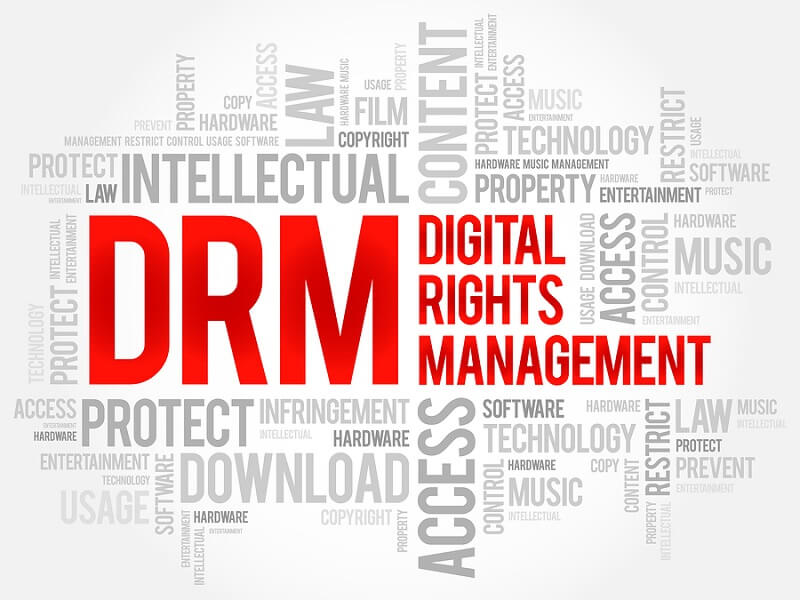
Wanneer muziek DRM-beveiligd is:
- Bestanden zijn gecodeerd
- Voor het afspelen is mogelijk accountverificatie vereist.
- De nummers werken mogelijk alleen binnen officiële apps.
- Het kopiëren of overdragen van bestanden wordt beperkt.
Dit is het basisantwoord op de vraag: wat is DRM-beveiligde muziek?
Hoe DRM-beveiliging werkt in Apple Music
Apple Music gebruikt DRM-systemen om ongeoorloofde verspreiding van auteursrechtelijk beschermde muziek te voorkomen. DRM-beveiliging regelt vaak:
- Apparaatautorisatie
- Toestemmingen voor offline afspelen
- Abonnementsverificatie
- Bestandscodering
- Afspeelvervaldatum
Het gevolg hiervan is dat gedownloade Apple Music-nummers doorgaans geen standaard lokale audiobestanden zijn.
Deel 2. Waarom veroorzaakt DRM-beveiligde muziek afspeelproblemen?
Veel gebruikers realiseren zich pas dat DRM-beperkingen bestaan wanneer er afspeelproblemen optreden.
Nummers stoppen met afspelen als ze offline zijn.
Gedownloade muziek kan plotseling ontoegankelijk worden na mislukte accountverificatie.
Abonnementsafhankelijkheid
Veel met DRM beveiligde nummers werken niet meer als het Apple Music-abonnement verloopt.
App-afhankelijkheid
De meeste met DRM beveiligde muziek werkt alleen binnen de streaming-apps van Apple.
Beperkte bestandsoverdracht
Gebruikers kunnen doorgaans geen beveiligde muziek zomaar naar USB-sticks overzetten. MP3 spelers, externe opslagapparaten of auto-audiosystemen.
Deze beperkingen zijn de belangrijkste reden waarom veel gebruikers gefrustreerd raken door DRM-beveiligde muzieksystemen.
Deel 3. Hoe kunnen gebruikers flexibeler naar Apple Music luisteren?
Nadat gebruikers hebben geleerd wat DRM-beveiligde muziek is, gaan velen op zoek naar flexibelere oplossingen voor het offline afspelen van Apple Music. In plaats van volledig op Apple Music te vertrouwen, geven sommige gebruikers er de voorkeur aan om muziek te downloaden in lokale audioformaten voor gemakkelijker offline luisteren. Een populaire oplossing is... DumpMedia Apple Music ConverterDeze professionele converter helpt gebruikers converteer Apple Music naar MP3 en ze opslaan voor stabiele offline weergave zonder volledig afhankelijk te zijn van de Apple Music-app.
Gratis downloaden Gratis downloaden
🏆Belangrijkste kenmerken van DumpMedia Apple Music Converter
- 🎶Download Apple Music naar MP3, WAV, FLAC en AAC
- 🎶Behoud de originele geluidskwaliteit
- 🎶Download afspeellijsten en albums in batch
- 🎶Snelle conversiesnelheid
- 🎶Behoud songmetadata en ID3-tags
- 🎶Ondersteuning voor offline afspelen op elk apparaat
Converteer Apple Music voor stabiele offline weergave.
Stap 1. Download en installeer DumpMedia Installeer Apple Music Converter op je Mac/pc. Start het programma en je ziet de interface. Gebruik je Apple Music-account om in te loggen.
Gratis downloaden Gratis downloaden
Stap 2. Zoek de afspeellijst, het album of het specifieke nummer dat u wilt converteren. U kunt een enkel nummer naar het "+" pictogram aan de rechterkant van het scherm slepen. U kunt ook een volledige afspeellijst/album openen en op het pictogram "Toevoegen aan converteren" klikken om de volledige lijst in de converter te laden.

Stap 3. Selecteren MP3 (meest compatibel). Je kunt ook de bitrate of de samplefrequentie aanpassen. Kies voor de beste balans 320 kbps.

Stap 4. Zodra de instellingen zijn voltooid, kunnen gebruikers de conversie uitvoeren door op het pictogram 'Converteren' te klikken. DumpMedia zal Apple Music-nummers converteren naar MP3 Binnen enkele seconden dankzij de supersnelle snelheid.

Na de conversie kan muziek gemakkelijker offline op verschillende apparaten worden afgespeeld. Zelfs als de Apple Music-app niet op je apparaat werkt , kun je Apple Music direct offline afspelen op een andere muziekspeler.
Deel 4. Veelgestelde vragen
Wat is DRM-beveiligde muziek?
Muziek met DRM-beveiliging verwijst naar versleutelde digitale muziekbestanden die worden beheerd via Digital Rights Management-systemen.
Waarom is Apple Music beveiligd met DRM?
Streamingdiensten gebruiken DRM om auteursrechtelijk beschermde content en abonnementsrechten te beschermen.
Kan DRM-beveiligde muziek verlopen?
Ja. Sommige gedownloade nummers werken niet meer als de accountverificatie mislukt of als het Apple Music-abonnement verloopt.
Waarom kan ik gedownloade nummers niet kopiëren?
DRM-beveiliging beperkt de overdracht en weergave van bestanden buiten geautoriseerde apps.
Kan ik Apple Music afspelen zonder de Apple Music-app?
Sommige gebruikers gebruiken DumpMedia Apple Music Converter voor flexibelere offline weergave.
Deel 5. Overzicht
Veel gebruikers zoeken naar DRM-beveiligde muziek nadat ze beperkingen tegenkomen met betrekking tot offline afspelen, apparaatcompatibiliteit of verlopen downloads. Hoewel DRM streamingplatforms helpt auteursrechtelijk beschermde content te beschermen, creëert het ook beperkingen voor gebruikers die flexibel offline willen luisteren. Voor gebruikers die de voorkeur geven aan het gemakkelijker lokaal afspelen, DumpMedia Apple Music Converter biedt een praktische oplossing voor het downloaden van muziek in standaard audioformaten, zodat je er offline naar kunt luisteren op meerdere apparaten.
Gratis downloaden Gratis downloaden
*DumpMedia Deze functie werkt door Apple Music-nummers te decoderen en te downloaden naar DRM-vrije bestanden, waardoor je een schone, onbeperkte kopie van je bibliotheek krijgt voor elk apparaat. De functie omvat niet het verwijderen van DRM uit lokale audiobestanden.