


Hur man skapar en Pandora-spellista år 2026 (steg-för-steg-guide)
Många musikälskare använder Pandora för att upptäcka nya låtar, organisera favoriter och skapa personliga lyssningsupplevelser. Om du letar efter hur man skapar en spellista på Pandora är processen faktiskt enkel när du väl förstår hur Pandoras spellistesystem fungerar. I den här guiden förklarar vi exakt hur man skapar en Pandora-spellista, hur man hanterar sitt Pandora-musikbibliotek och hur man håller sina favoritspellistor tillgängliga för offline-lyssning.
Innehållsguide Del 1. Kan man skapa en spellista på Pandora?Del 2. Hur man skapar en Pandora-spellista på mobilenDel 3. Hur man skapar en Pandora-spellista på skrivbordetDel 4. Bästa sättet att hålla Pandora-spellistor offline permanentDel 5. Vanliga frågor om hur man skapar en Pandora-spellistaDel 6. Slutsats
Del 1. Kan man skapa en spellista på Pandora?
Ja. Pandora låter användare skapa spellistor med hjälp av insamlade låtar, album och stationer. Funktionerna i spellistorna kan dock variera beroende på det kostnadsfria kontot, Pandora Plus och Pandora PremiumAtt förstå din kontotyp är det första steget i att lära sig skapa en spellista på Pandora.
Gratis- och Pandora Plus-användare kan inte manuellt skapa eller redigera spellistor. Din upplevelse är begränsad till stationer, som använder Music Genome Project för att spela liknande låtar baserat på en artist eller ett spår.
Pandora Premium erbjuder den mest kompletta spellistefunktionen, inklusive att skapa anpassade spellistor, lägga till låtar manuellt, nedladdningar offline och delning av spellistor.
Del 2. Hur man skapar en Pandora-spellista på mobilen
Om du vill lära dig hur du skapar en spellista på Pandora med din telefon följer du dessa steg.
Steg 1. Starta Pandora på din iPhone eller Android-enhet.
Steg 2. Tryck på "Min samling" längst ner på skärmen.
Steg 3. Tryck på "+ Skapa spellista". Ange ett namn och en beskrivning för spellistan.
Steg 4. Sök efter låtar, album eller artister som du vill inkludera. Tryck på "Lägg till i spellista".
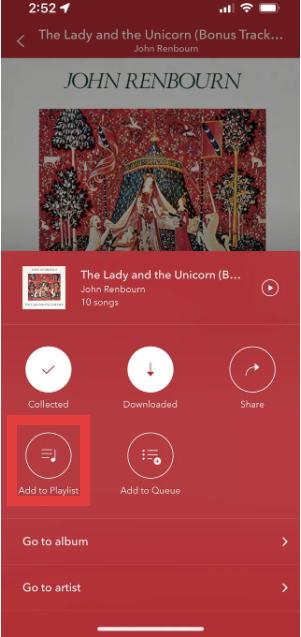
Steg 5. När du har lagt till låtar, spara spellistan för framtida lyssning.
Detta är den enklaste metoden för att skapa en Pandora-spellista på mobila enheter.
Del 3. Hur man skapar en Pandora-spellista på skrivbordet
Du kan också lära dig hur du skapar en spellista på Pandora med hjälp av Pandoras webbspelare.
Steg 1. Öppna Pandora webbspelare. Logga in på ditt Pandora-konto. Välj "Min samling" från menyn.
Steg 2. Klicka på "Skapa spellista".
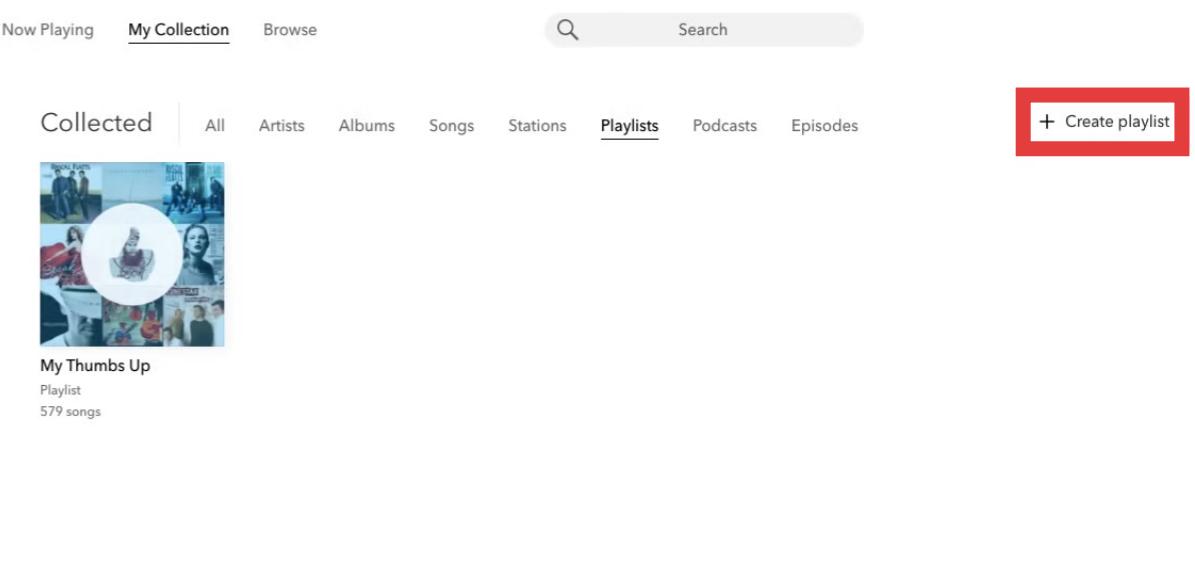
Steg 3. Sök och lägg till låtar i din spellista.
Steg 4. Du kan ändra ordning på spår, byta namn på spellistor, ta bort låtar eller uppdatera spellisteinformation.
Del 4. Bästa sättet att hålla Pandora-spellistor offline permanent
Även om Pandora-spellistor är praktiska finns det fortfarande flera begränsningar. För Pandora Plus- eller Premium-användare kan nedladdningar offline begränsas eftersom spellistor kräver aktiva prenumerationer. Uppspelningen kan avbrytas efter att prenumerationen avslutats. Detta blir frustrerande för användare som lägger tid på att noggrant bygga upp spellistor.
Om du vill spara Pandora-spellistor bortom appens begränsningar är en praktisk lösning DumpMedia Pandora Music ConverterDet här verktyget hjälper användare konvertera Pandora-låtar till MP3Så du kan spara spellistor lokalt och behålla musiken efter prenumerationsändringar. Istället för att helt förlita sig på streamingåtkomst kan användare bygga långsiktiga musiksamlingar från sina Pandora-spellistor.
Gratis nedladdning Gratis nedladdning
🏅Varför välja DumpMedia Pandora Music Converter:
- ⭐Integration med Pandora webbspelare
- ⭐Fungerar för både Pandora Premium- och Free-användare
- ⭐Ge batchkonvertering med upp till 35x hastighet
- ⭐Behåll ID3-taggar som artist, omslag, konst, etc.
- ⭐Bevara den ursprungliga ljudkvaliteten
- ⭐100% rena. Ingen risk med att använda
Hur man konverterar Pandora-spellistor till MP3
Steg 1. Ladda ned och installera DumpMedia Pandora Music Converter på din Mac/PC. Starta programmet så ser du gränssnittet. Använd ditt Pandora Premium/Free-konto för att logga in.
Gratis nedladdning Gratis nedladdning
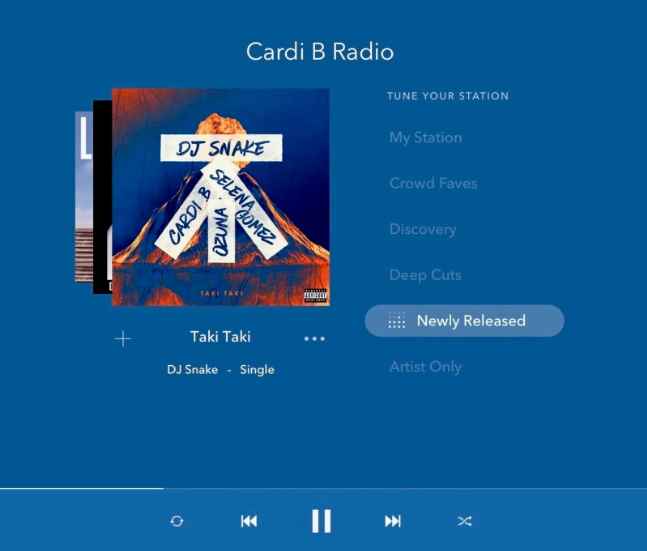
Steg 2. Dra sedan låtarna eller spellistorna direkt till den flytande "+"-ikonen för att lägga till i konverteringskön för att förbereda för nedladdningen.
Steg 3. När du är nöjd med de låtar du har valt kan du välja vilket ljudfilformat du föredrar.
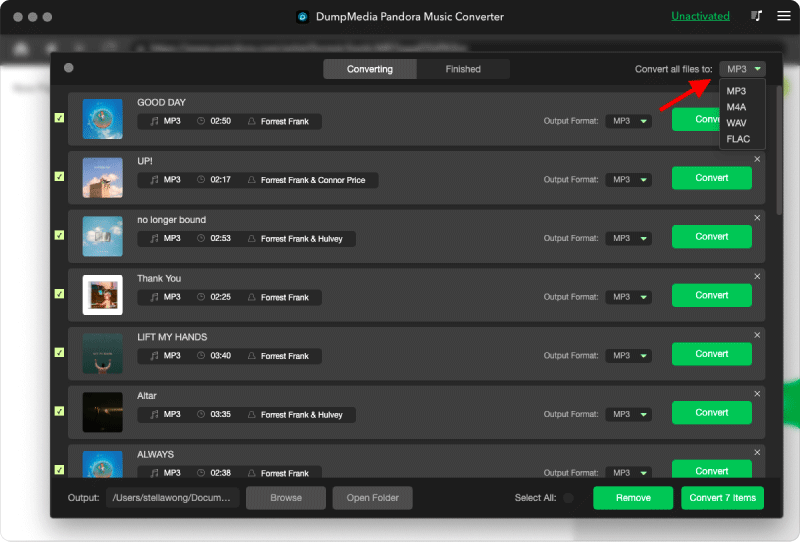
Steg 4. När inställningarna är klara kan användarna genomföra konverteringen genom att trycka på ikonen "Konvertera". DumpMedia kommer att ladda ner Pandora-låtar inom några sekunder med sin supersnabba hastighet.
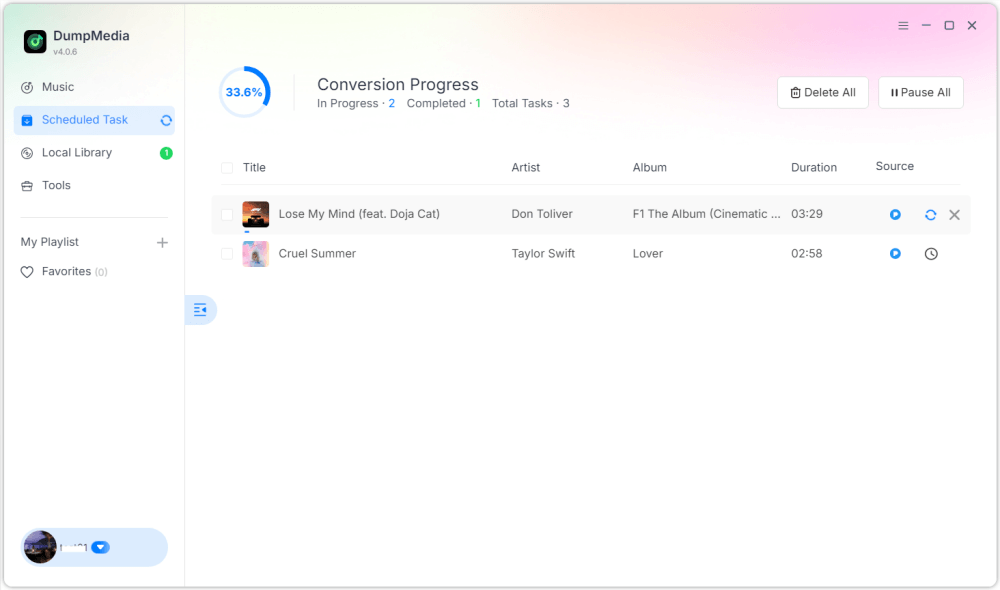
När de är klara blir spellistorna mycket mer flexibla för offline-lyssning. Du kan ha permanent åtkomst och spela upp dem på MP3 spelare eller USB-enheter. Det är därför många användare som söker efter hur man skapar en spellista på Pandora så småningom letar efter sätt att behålla spellistor permanent.
Del 5. Vanliga frågor om hur man skapar en Pandora-spellista
Kan man skapa spellistor på Pandora?
Ja. Pandora Premium låter användare skapa och anpassa spellistor.
Är det gratis att skapa spellistor på Pandora?
Vissa spellistefunktioner kan kräva Pandora Premium.
Kan Pandora-spellistor laddas ner offline?
Ja, men offlineåtkomst beror på din prenumeration. Nedladdningar offline kan bli otillgängliga när prenumerationen löper ut.
Kan Pandora-spellistor konverteras till MP3?
Ja. Verktyg som DumpMedia Pandora Music Converter låter användare spara Pandora-låtar som lokala ljudfiler.
Del 6. Slutsats
Att lära sig skapa en spellista på Pandora är enkelt, oavsett om du använder mobila eller stationära enheter. Pandoras spellistor är användbara för att organisera musik, upptäcka låtar och bygga personliga lyssningsupplevelser. Användare som vill ha långvarig offlineåtkomst föredrar dock ofta att spara spellistor som lokala ljudfiler för mer flexibel uppspelning och permanent musiklagring.

30% rabatt >>>