


Hur man konverterar AAX till MP3 (Bäst för Audible- eller DRM-fria filer)
Om du försöker konvertera AAX till MP3, du är inte ensam. AAX är standardformatet som används av Audible, men det har begränsningar som förhindrar enkel uppspelning på många enheter. De goda nyheterna? Du kan konvertera AAX-ljudböcker till MP3, men metoden beror på om din AAX-fil är skyddad av DRM. I den här guiden visar vi dig exakt hur du väljer rätt metod och konverterar dina filer.
Innehållsguide Del 1. Kan du konvertera AAX-ljudböcker till MP3?Del 2. Bästa sättet att konvertera Audible AAX till MP3 (DRM-skyddade filer)Del 3. Andra sätt att konvertera AAX-ljudböcker till MP3 (DRM-fria filer)Del 4. Vanliga frågorDel 5. Slutlig dom
Del 1. Kan du konvertera AAX-ljudböcker till MP3?
Ja, du kan konvertera AAX till MP3, men alla metoder fungerar inte för alla filer. De flesta AAX-filer, särskilt de som laddats ner från Audible, är skyddade av DRM (Digital Rights Management). Med DRM kan du ladda ner böcker till MP3 och spela upp dem på obehöriga enheter. Så innan du försöker konvertera AAX-böcker till MP3, måste du identifiera vilken typ av fil du har att göra med.
Är din AAX-fil DRM-skyddad?
- AAX-filer från Audible (DRM-skyddade): Om din fil kommer från Audible är den nästan säkert skyddad av DRM. I det här fallet behöver du ett verktyg som kan ta bort DRM före konvertering.
- DRM-fria AAX-filer (lokala filer): Om din AAX-fil redan är upplåst eller hämtad från en annan källa behöver du inte DRM-borttagning. Du behöver bara en formatkonverterare.
Del 2. Bästa sättet att konvertera Audible AAX till MP3 (DRM-skyddade filer)
När du väl identifierat din filtyp blir det mycket enklare att konvertera AAX till MP3 framgångsrikt. För Audible-användare är det mest pålitliga sättet att konvertera AAX från Audible till MP3 är genom att använda DumpMedia Hörbar omvandlare.
Varför välja? DumpMedia Audible-konverterare?
- ✅ Ta bort DRM-skydd* Det här verktyget tar bort DRM, vilket gör att du får full kontroll över dina filer.
- ✅ Konvertera Audible till MP3 Lätt: Du kan snabbt ladda ner Audible-böcker till MP3 och andra format som M4A eller FLAC.
- ✅ Höghastighetsomvandling: Konvertera hela ljudböcker på några minuter.
- ✅ Förlustfri kvalitet: Ingen kvalitetsförlust under konverteringen.
- ✅ Fungerar på flera enheter: Spela dina ljudböcker offline var som helst efter konverteringen.
Gratis nedladdning Gratis nedladdning
Genom att använda DumpMedia, kan du helt kontrollera dina ljudböcker och lösa begränsningarna i Audible-appen. Detta är den mest pålitliga lösningen för alla som verkligen vill äga sitt innehåll. Låt oss kolla in guiden för att konvertera AAX till MP3 med DumpMedia.
Konvertera Audible AAX till MP3 med DumpMedia
Steg 1. Ladda ned och installera DumpMedia Audible Converter. PC- och Mac-versioner finns tillgängliga. Öppna DumpMediaoch gå sedan till fliken Audible.
Gratis nedladdning Gratis nedladdning
Steg 2. Välj de böcker du vill konvertera från ditt Audible-bibliotek.
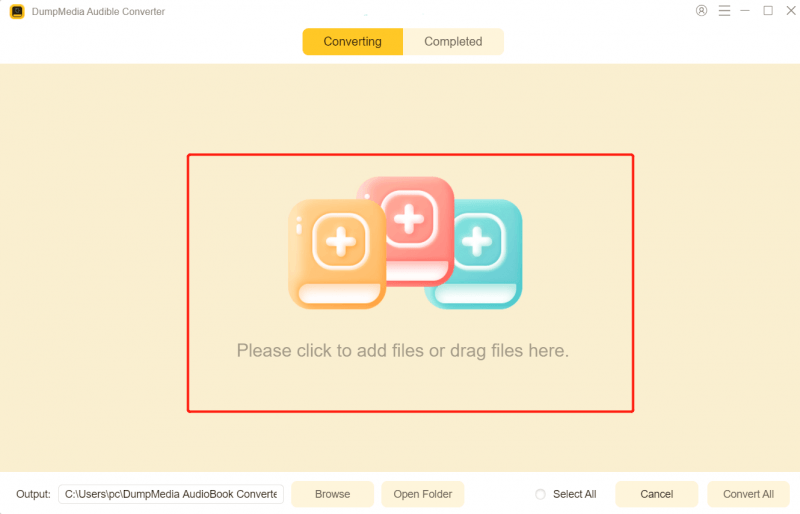
Steg 3. För att konvertera AAX till MP3, Välj MP3 som utdataformat för att aktivera MP3 nedladdning av dina valda ljudböcker.

Steg 4. När du har gjort inställningarna trycker du på knappen Konvertera för att starta konverteringen. Vänta några sekunder så kan du gå till fliken Slutförd för att se konverteringsresultaten. Klicka på Öppna fil för att snabbt hitta de konverterade bokfilerna.

Del 3. Andra sätt att konvertera AAX-ljudböcker till MP3 (DRM-fria filer)
Om dina AAX-filer inte är skyddade kan du prova följande verktyg.
1. DumpMedia Vilken musikkonverterare som helst
2025, DumpMedia Any Music Converter introducerade en AA/AAX-konverteringsfunktion, en central mervärdesmodul utformad specifikt för Audible-användare. Mycket mer än bara ett enkelt formatkonverteringsverktyg, fungerar den som en effektiv "ljudbokshanterare". Any Music Converter kan konvertera lokala, DRM-fria ljudboksfiler till universella format som MP3, M4A, WAV eller FLAC. DumpMedia stöder ett "förlustfritt" konverteringsläge, vilket säkerställer att ljudkvaliteten på de konverterade filerna förblir helt identisk med de ursprungliga ljudböckerna.
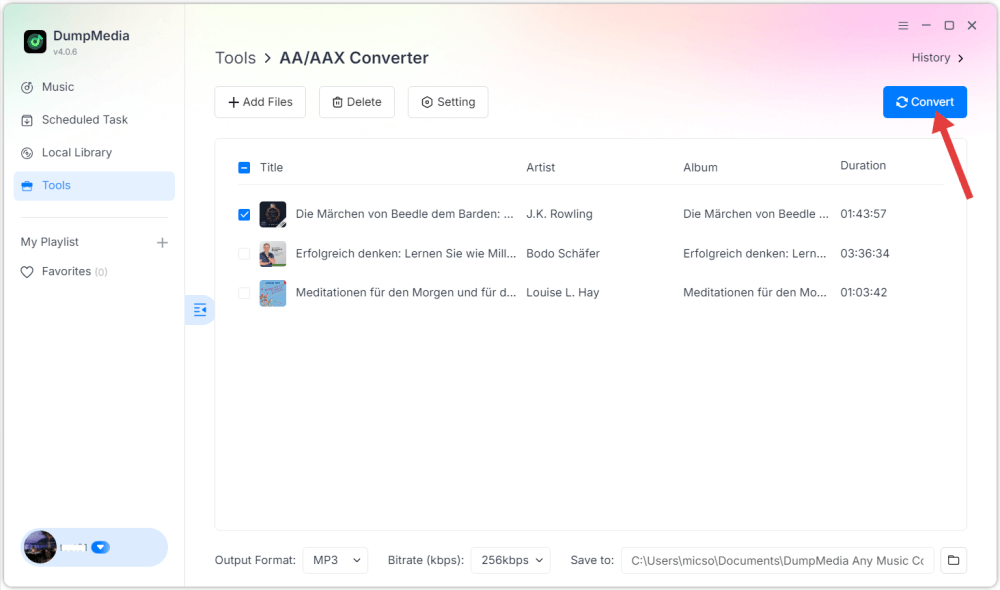
Detta är ett snabbt och effektivt sätt att konvertera AAX till MP3 när ingen DRM är inblandad.
2. DragDropDo
DragDropDo är ett strömlinjeformat, webbaserat verktyg utformat för snabb mediekonvertering, inklusive en specialiserad modul för att omvandla AAX-filer till MP3s. Till skillnad från traditionella molnkonverterare som laddar upp dina data till en fjärrserver, fungerar DragDropDo främst som ett klientsidesverktyg. Det använder användarens webbläsarresurser för att hantera dekryptering, vilket gör det till ett populärt alternativ utan installation.
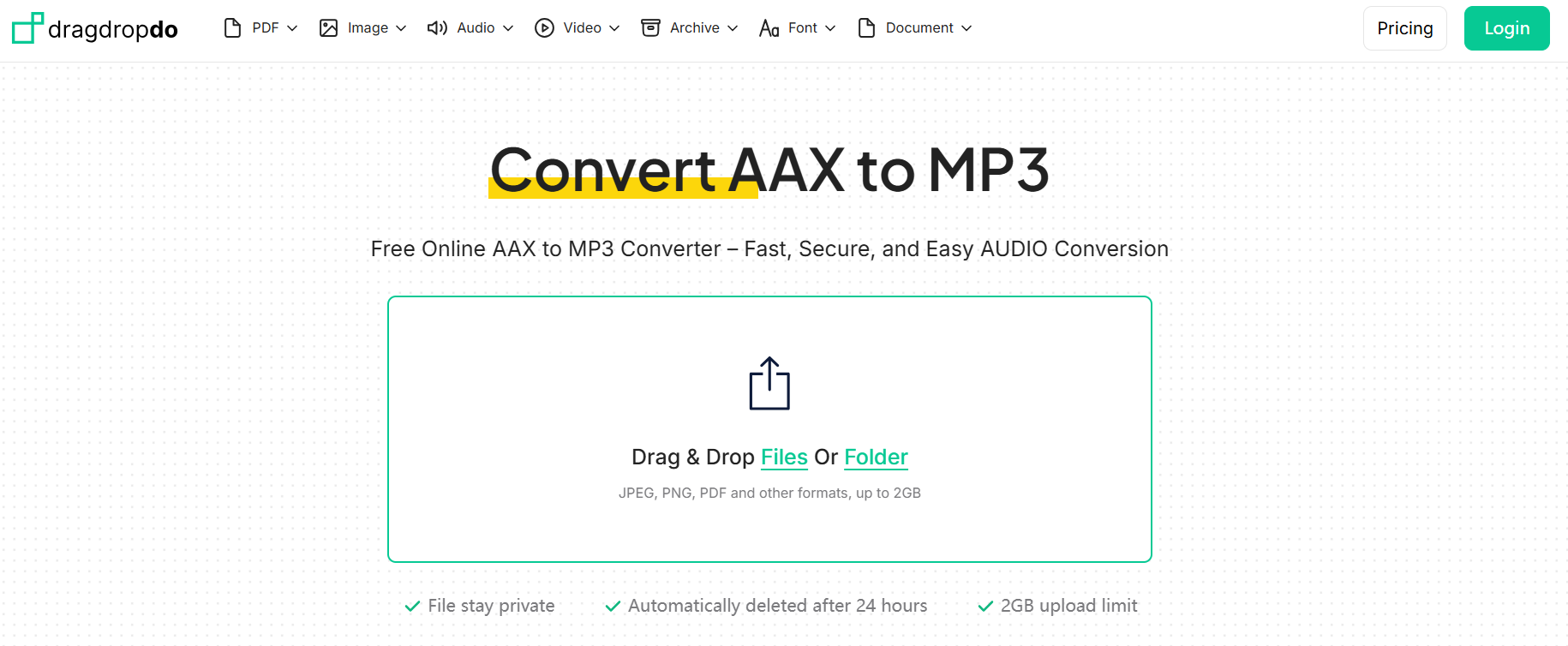
Eftersom den förlitar sig på webbläsarminne kan den ha problem eller krascha vid bearbetning av stora filer (t.ex. ljudböcker på 20+ timmar). Dess prestanda varierar avsevärt mellan webbläsare; den kräver vanligtvis moderna versioner av Chrome eller Edge för att fungera smidigt. Du hittar inte heller den sofistikerade kapiteluppdelning som erbjuds av dedikerad programvara som DumpMedia Audible Converter.
Del 4. Vanliga frågor
Kan jag konvertera AAX till MP3 gratis?
Inte helt. Gratismetoder är begränsade. Att använda en konverterare med en testversion är den mest praktiska lösningen.
Är AAX alltid DRM-skyddad?
De flesta AAX-filer från Audible är DRM-skyddade, men vissa lokala filer kanske inte är det.
Kommer jag att förlora ljudkvalitet?
Nej. Båda verktygen säkerställer högkvalitativa resultat när du konverterar AAX till MP3.
Del 5. Slutlig dom
Om du vill konvertera AAX till MP3, nyckeln är att välja rätt metod baserat på din filtyp. För Audible AAX-filer, DumpMedia Audible Converter är det bästa valet. För DRM-fria AAX-filer kan du prova DumpMedia Valfri musikkonverterare eller DragDropDo.
Gratis nedladdning Gratis nedladdning
*DumpMedia fungerar genom att dekryptera och ladda ner dina ljudböcker till DRM-fria filer, vilket gör att du får en ren, obegränsad kopia av ditt bibliotek för vilken enhet som helst.