


Bästa AAX-spelaren (gratisalternativ och hur man spelar var som helst)
Letar du efter en AAX-spelare för att öppna dina Audible-filer? Du är inte ensam. Många användare laddar ner AAX-ljudböcker bara för att upptäcka att de flesta mediaspelare helt enkelt inte stöder dem. Problemet är inte spelaren, utan själva formatet. AAX-filer är skyddade av DRM (Digital Rights Management) , vilket begränsar hur och var de kan spelas upp. I den här guiden visar vi dig de bästa tillgängliga AAX-ljudboksspelarna, varför de ofta inte fungerar och det mest effektiva sättet att spela AAX-filer på vilken enhet som helst utan begränsningar.
Innehållsguide Del 1. Vad är en AAX-fil? Del 2. Bästa AAX-ljudboksspelare (officiella alternativ) Del 3. Bästa sättet att spela upp Audible AAX-filer på vilken enhet som helst Del 4. Sammanfattning
Del 1. Vad är en AAX-fil?
AAX är ett proprietärt ljudboksformat utvecklat av Audible. Det används ofta för nedladdade ljudböcker och har inbyggt DRM-skydd. Det innebär att filer bara kan spelas upp på auktoriserade appar eller enheter. Du behöver ett Audible-konto för åtkomst.
Även om AAX säkerställer upphovsrättsskydd skapar det också kompatibilitetsproblem för användare. Här är anledningen:
- DRM-skydd blockerar obehörig uppspelning
- Standardspelare som VLC eller Windows Media Player kan inte avkoda AAX-filer
- Filauktorisering är kopplad till ditt Audible-konto
Som ett resultat, även om du har filen, kan du inte spela upp den fritt som en MP3.
Del 2. Bästa AAX-ljudboksspelare (officiella alternativ)
Här är den definitiva listan över de bästa AAX-spelarna.
1. Audible-appen
Audible-appen är fortfarande den enda spelaren som kan öppna .aax- och .aaxc-filer direkt, med fullt stöd för Audible-ekosystemet. Du kan njuta av dess synkroniserade textmarkering (i karaoke-stil) om du äger både Kindle-e-boken och ljudboken. Dessutom finns det en inbyggd AI-assistent som låter dig ställa frågor om handlingen eller karaktärerna (t.ex. "Vem var karaktären som nämndes i kapitel 2?"). Whispersync säkerställer att din position sparas på din iPhone, Android, Alexa och Apple Watch.
Bäst för: Användare som vill ha den enklaste upplevelsen och tillgång till Plus-katalogen.
2. Apple Books
Mac-användare behöver ingen tredjepartsapp för att lyssna på sina AAX-filer offline. Apple Books på macOS är fortfarande den mest robusta "skrivbordsarbetshästen" för Audible-användare. Till skillnad från de flesta mediaspelare har Apple Books en inbyggd "handskakning" med Audibles DRM. Du kan spela upp dina köpta böcker i deras ursprungliga högkvalitativa format. Om du importerar en bok till din Mac synkroniseras dina läsförlopp, bokmärken och anteckningar automatiskt mellan din iPhone, iPad och Apple Watch.
Bäst för: Mac-ägare som vill ha en högkvalitativ, lätt skrivbordsspelare.
Begränsningar för AAX-spelare:
Även om AAX-spelare ger en sömlös upplevelse inom Audibles ekosystem, har de betydande inneboende begränsningar. Användare är ofta bundna till strikta enhetsrestriktioner och ett konstant kontoberoende, vilket kräver aktiv auktorisering för att komma åt innehåll. Dessutom innebär närvaron av DRM att det inte finns något verkligt filägande; användarna licensierar i huvudsak innehållet snarare än att äga informationen. Denna brist på flexibilitet förhindrar fri överföring av filer till icke-auktoriserade enheter, såsom generiska enheter. MP3 spelare eller specialiserade högkvalitativa ljudsystem.
Del 3. Bästa sättet att spela Audible AAX-filer på vilken enhet som helst
Istället för att leta efter en kompatibel AAX-spelare är det bättre att ta bort själva begränsningen. Eftersom problemet beror på DRM-skydd är den mest effektiva lösningen att konvertera AAX-filer till ett standardformat som MP3Detta ger dig full kontroll över dina ljudböcker. För att låsa upp dina AAX-filer kan du använda DumpMedia Hörbar omvandlare.
Varför välja? DumpMedia Audible-konverterare?
- ✅ Ta bort DRM-skydd* Det här verktyget tar bort DRM, vilket gör att du får full kontroll över dina filer.
- ✅ Konvertera Audible till MP3 Lätt: Du kan snabbt ladda ner Audible-böcker till MP3 och andra format som M4A eller FLAC.
- ✅ Höghastighetsomvandling: Konvertera hela ljudböcker på några minuter.
- ✅ Förlustfri kvalitet: Ingen kvalitetsförlust under konverteringen.
- ✅ Fungerar på flera enheter: Spela dina ljudböcker offline var som helst efter konverteringen.
Hur man konverterar AAX till MP3
Steg 1. Öppna programvaran på din dator. Den fungerar med båda Windows och Mac. Gränssnittet är användarvänligt, vilket gör det enkelt för nybörjare.
Gratis nedladdning Gratis nedladdning
Steg 2. Öppna den inbyggda Audible-webbspelaren inuti DumpMedia och logga in med ditt Audible-konto. Bläddra bland Audible och dra boken du vill ladda ner till konverteraren.
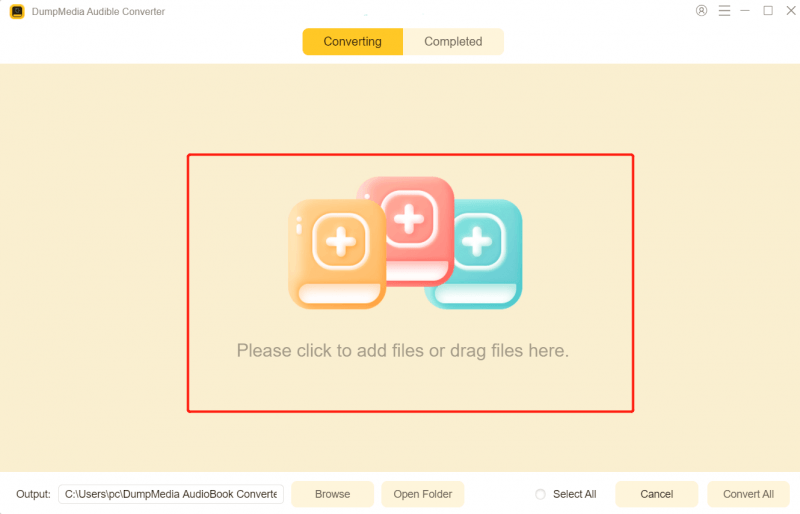
Steg 3. Välj det format du vill ladda ner i inställningspanelen.

Steg 4. Det sista steget är att trycka på knappen "Konvertera" för att starta konverteringsprocessen.
Efter konverteringen blir dina ljudböcker helt tillgängliga och portabla.
Del 4. Sammanfattning
Även om det finns ett fåtal officiella AAX-spelare tillgängliga, har de betydande begränsningar på grund av DRM-skydd. Om du vill ha verklig flexibilitet räcker det inte att förlita sig enbart på en spelare. Den bästa lösningen är att konvertera AAX-filer till MP3 format, så att du kan spela dina ljudböcker när som helst, var som helst och på vilken enhet som helst. Hoppa över begränsningarna och ta full kontroll över dina ljudböcker med DumpMedia Audible Converter.
Gratis nedladdning Gratis nedladdning
*DumpMedia fungerar genom att dekryptera och ladda ner dina ljudböcker till DRM-fria filer, vilket gör att du får en ren, obegränsad kopia av ditt bibliotek för vilken enhet som helst.