


Hur man konverterar skyddad AAC till MP3 (Uppdaterad guide)
Apple Music-låtar lagras i skyddad AAC (.m4p) eller skyddad AAC från äldre iTunes-köp, vilket innebär att de är DRM-skyddade. På grund av Apples DRM-system kan dessa spår bara spelas upp inom Apples ekosystem, inte på MP3 spelare, bilstereo, Android-enheter, surfplattor som inte är från Apple eller programvara från tredje part.
Om du försöker kopiera, överföra eller säkerhetskopiera dessa filer kommer du att upptäcka att de helt enkelt inte spelas upp alls. Denna begränsning är det som gör att många användare letar efter ett säkert och effektivt sätt att... konvertera skyddad AAC till MP3I den här uppdaterade guiden lär du dig det säkraste och mest pålitliga sättet att konvertera skyddade AAC-filer till MP3.
Innehållsguide Del 1: Ska jag konvertera skyddad AAC-fil till MP3?Del 2: Bästa sättet att konvertera skyddad AAC-fil till MP3Del 3: Vanliga frågor (FAQ)Slutsats
Del 1: Ska jag konvertera skyddad AAC-fil till MP3?
Skyddade AAC-filer, oavsett om de laddats ner från Apple Music eller köpts som äldre M4P-spår, är låsta av Apples FairPlay DRM system. Detta digitala skydd begränsar hur och var du kan använda din musik. På grund av DRM kan dessa låtar bara spelas upp inom Apples ekosystem, vilket innebär att du inte fritt kan överföra dem till MP3 spelare, bilstereo, Android-enheter, äldre surfplattor, DJ-programvara eller någon mediaspelare från tredje part. I många fall kommer dina offline-nedladdningar till och med att sluta fungera i det ögonblick du avslutar din Apple Music-prenumeration.
Dessa begränsningar skapar verkliga besvär för användare som helt enkelt vill njuta av musik på sina egna enheter eller bevara sitt bibliotek. Naturligtvis letar många efter ett sätt att konvertera skyddad AAC till MP3, både för att undvika uppspelningsproblem och för att säkerställa långsiktig tillgång till sin musik.
Men eftersom filerna är krypterade kan appar som iTunes, Finder och vanliga ljudkonverterare inte konvertera skyddad AAC direkt. Det är därför ett specialiserat verktyg är nödvändigt. Dessa verktyg avkodar ljudet lagligt genom auktoriserad uppspelning och konverterar det sedan till högkvalitativt format. MP3 filer som du kan behålla och använda fritt på alla dina enheter.
Del 2: Bästa sättet att konvertera skyddad AAC-fil till MP3
Hur man konverterar skyddad AAC till MP3Det mest pålitliga och effektiva sättet är att använda DumpMedia Apple Music Converter, en hängiven DRM-borttagning och ett ljudkonverteringsverktyg speciellt utformat för Apple Music och skyddade AAC/M4P-filer.
Gratis nedladdning Gratis nedladdning
Till skillnad från vanliga ljudomvandlare, DumpMedia fungerar genom att säkert avkoda DRM-skyddade spår genom auktoriserad uppspelning, vilket säkerställer hög kvalitet MP3 utdata, fullständig metadatalagring och full kompatibilitet med den senaste Apple Music-appen på macOS och Windows.
DumpMedia eliminerar alla begränsningar som orsakas av Apples DRM: det låter dig överföra låtar till MP3 spelare, använd dem i bilen via USB, importera dem till DJ-programvara, spela upp dem på Android eller bevara dem permanent även om din Apple Music-prenumeration upphör. Dess batchkonverteringsmotor, snabba hastighet och enkla användargränssnitt gör den idealisk för användare med både små och stora bibliotek, välj bara dina låtar, välj MP3, och konvertera.
Stödjande MP3, M4A, WAV och FLAC med utdata upp till 320 kbps MP3, DumpMedia garanterar nästan förlustfri ljudkvalitet samtidigt som ID3-taggarna hålls korrekta och intakta. För alla som behöver långsiktig åtkomst till sina skyddade AAC- eller Apple Music-spår på alla enheter, DumpMedia ger en sömlös, pålitlig och användarvänlig konverteringsupplevelse.
Steg för steg för att konvertera skyddad AAC till MP3
Steg 1: Ladda ned och installera DumpMedia Apple Music Converter till din dator. När det är installerat, öppna och starta programmet.
Gratis nedladdning Gratis nedladdning
Steg 2: Lägg till de DRM-skyddade filerna som ska konverteras. Det som är bra med verktyget är att du kan bearbeta inte bara en utan flera filer samtidigt. Så om du behöver konvertera mer än en kan du göra det med det här verktyget.

Steg 3: Nästa steg som bör göras är att utföra justeringarna på inställningarna för den resulterande utmatningen. Du kan välja vilket format som helst bland de som skulle listas. Applikationen stöder många DRM-fria format inklusive MP3Se till att du definierar en utdatasökväg så att du enkelt kan komma åt den konverterade filen.
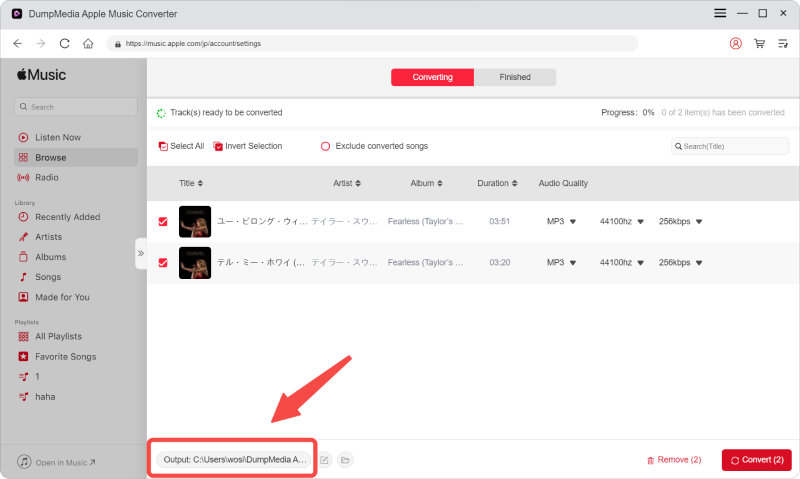
Steg 4: När du har slutfört alla justeringar för personalisering eller anpassning är det sista steget konverteringsprocessen. Du kan bara trycka på knappen "Konvertera" som finns längst ner till höger på skärmen.
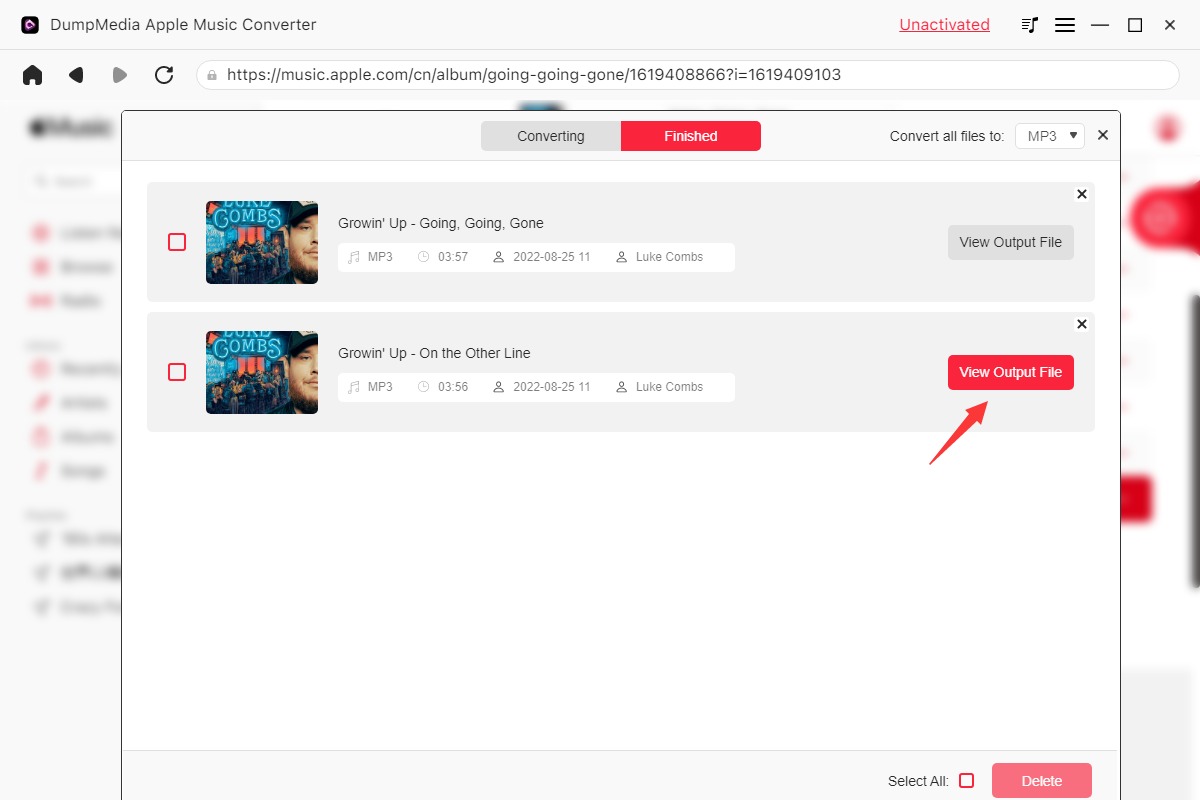
Efter några minuter kommer dina AAC-filer nu att konverteras och slutligen laddas ner. Du kan nu njuta av filerna när du vill! Utöver detta kommer DRM-skyddet vid sidan av konverteringen att tas bort samtidigt som filen transformeras.
Del 3: Vanliga frågor (FAQ)
1. Kan jag konvertera Apple Music-låtar direkt i iTunes?
Nej. iTunes kan inte konvertera skyddad AAC till MP3.
2. Kommer AAC-till-MP3 minskar konverteringen kvaliteten?
Något, men 320 kbps MP3 levererar nästintill förlustfri kvalitet.
3. Fungerar den här metoden med den senaste Apple Music?
Ja. DumpMedia stöder den senaste macOS/WinDows-versioner.
4. Kan jag behålla MP3 filer efter att ha avslutat Apple Music?
Ja. DRM-fri MP3 filerna förblir spelbara permanent.
5. Kommer metadata och albumomslag att bevaras?
Ja. DumpMedia behåller ID3-taggar och omslag för enkel bibliotekshantering.
Slutsats
Apples DRM-skydd gör det svårt eller omöjligt att använda skyddade AAC-filer utanför Apples ekosystem, vilket får många användare att söka ett sätt att konvertera skyddad AAC till MP3 för långvarig och flexibel uppspelning. Med DumpMedia Apple Music Converter, kan du säkert konvertera skyddad AAC till högkvalitativa filer MP3 filer som spelas upp på vilken enhet som helst, förblir användbara för alltid och ger dig full kontroll över ditt musikbibliotek.