


Beste DJ-software die in 2026 met Apple Music werkt.
Veel beginnende en professionele dj's zoeken naar dj-software die werkt met Apple Music, omdat Apple Music een enorme streamingbibliotheek met miljoenen nummers biedt. Het gebruik van streamingmuziek voor dj-mixen is echter niet altijd zo eenvoudig als het lijkt. Sommige dj-applicaties bieden beperkte Apple Music-integratie, terwijl andere helemaal geen toegang hebben tot Apple Music-nummers vanwege streamingbeperkingen en compatibiliteitsproblemen.
In deze handleiding onderzoeken we de beste DJ-software die Apple Music ondersteunt, leggen we uit waarom sommige nummers niet goed laden en laten we zien hoe je de compatibiliteit voor offline DJ-mixen het beste kunt verbeteren.
Inhoudsopgave Deel 1. Beste DJ-software werkt met Apple Music Deel 2. Waarom werken Apple Music-nummers vaak niet in DJ-software? Deel 3. De beste manier om Apple Music met DJ-software te gebruiken Deel 4. Veelgestelde vragen Deel 5. Samenvatting
Deel 1. Beste DJ-software die werkt met Apple Music
Als je op zoek bent naar betrouwbare DJ-software die werkt met Apple Music, dan zijn dit enkele van de populairste opties.
Serato dj
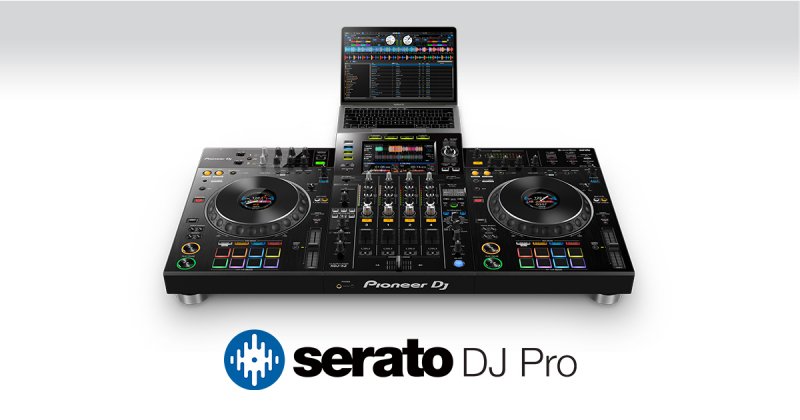
Serato DJ is populair onder professionele dj's vanwege de stabiliteit en compatibiliteit met verschillende hardware. Voordelen zijn onder andere professionele mixtools, ondersteuning voor controllers en geavanceerde audio-effecten. De ondersteuning voor Apple Music kan echter nog steeds afhankelijk zijn van beperkingen in de toegang tot streamingdiensten.
DJ Pro AI
djay Pro AI is een van de bekendste dj-apps die compatibel is met Apple Music. De functies omvatten AI-gestuurd mixen, live remixen, waveform matching en een gebruiksvriendelijke interface, zelfs voor beginners. Voor veel gebruikers is djay Pro AI de eerste keuze bij het zoeken naar dj-software die werkt met Apple Music.
rekordbox
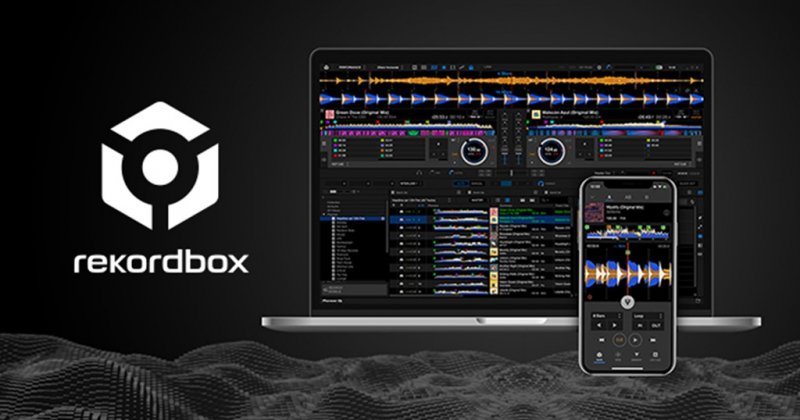
Rekordbox is een DJ-performance-applicatie ontwikkeld door Pioneer Corporation. Gebruikers kunnen er muziekbestanden in verschillende formaten mee mixen, organiseren en analyseren, waaronder WAV, AIFF en MP3De software is beschikbaar voor beide Windows- en macOS-platformen en wordt gebruikt door DJ's, producers en muziekliefhebbers om hun optredens voor te bereiden en hun muziekbibliotheken te beheren.
Enkele van de belangrijkste kenmerken van Rekordbox zijn de intuïtieve gebruikersinterface, de geavanceerde beat-matching- en mixmogelijkheden, en de integratie met andere Pioneer-producten zoals de CDJ-2000- en XDJ-A09-mixers.
Virtuele dj
VirtualDJ combineert een intuïtieve interface met toonaangevende flexibiliteit om elke mixworkflow te ondersteunen. Van naadloze streamingintegratie tot realtime AI-gestuurde stemseparatie, wij bieden de tools om je performance naar een hoger niveau te tillen, of je nu je eerste set draait of als headliner op een groot podium staat.
Tractor Pro
Traktor DJ is een populaire DAW-software (Digital Audio Workstation) die wordt gebruikt voor DJ'en, muziekproductie en live optredens. Het is ontwikkeld door Native Instruments en staat bekend om zijn intuïtieve interface, krachtige mixtools en uitgebreide bibliotheek met effecten en instrumenten.
De software wordt gebruikt door zowel beginners als ervaren DJ's en producers en is beschikbaar als standalone applicatie of als plugin voor andere DAW's. Enkele belangrijke kenmerken van Traktor DJ zijn onder meer automatische beatdetectie en rasteruitlijning, opnemen en bewerken van meerdere sporen, en integratie met externe hardware zoals draaitafels en controllers.
Deel 2. Waarom werken Apple Music-nummers vaak niet in DJ-software?
Veel gebruikers raken gefrustreerd na het installeren van DJ-software die met Apple Music werkt, omdat sommige nummers nog steeds niet goed laden of afspelen. Dit komt meestal doordat Apple Music-nummers streamingbestanden zijn in plaats van traditionele lokale audiobestanden.
Veelvoorkomende beperkingen zijn onder meer:
- DRM-beveiliging
- abonnementsverificatie
- afspelen alleen via streaming
- niet-ondersteunde lokale toegang
- offline autorisatiecontroles
Zelfs gedownloade Apple Music-nummers kunnen binnen het Apple-ecosysteem beperkt blijven. Hierdoor kunnen sommige DJ-programma's weliswaar afspeellijsten doorzoeken en toegang krijgen tot streamingcatalogi, maar hebben ze nog steeds moeite met het exporteren van mixen of geavanceerde bewerkingen. Dit is een van de belangrijkste redenen waarom gebruikers op zoek gaan naar betere oplossingen dan de basis-DJ-software die met Apple Music werkt.
Deel 3. De beste manier om Apple Music te gebruiken met DJ-software
Voor stabiele DJ-mixen geven veel DJ's er de voorkeur aan om Apple Music-nummers om te zetten naar standaard lokale audioformaten zoals... MP3Dit verbetert de offline stabiliteit en de flexibiliteit bij het mengen. Een praktische oplossing is DumpMedia Apple Music Converter.
Gratis downloaden Gratis downloaden
DumpMedia Apple Music Converter stelt gebruikers in staat om converteer Apple Music naar MP3WAV, AAC en meer, voor offline afspelen op elk apparaat. In plaats van volledig afhankelijk te zijn van streaming, kunnen dj's lokale muziekbibliotheken opbouwen voor betrouwbaardere optredens. Deze aanpak wordt steeds populairder onder gebruikers die op zoek zijn naar dj-software die werkt met Apple Music, omdat lokale audiobestanden doorgaans soepeler werken tijdens live mixsessies.
Hoe Apple Music naar te converteren MP3
Stap 1. Download en installeer de software op uw computer. Het werkt met beide. WinWindows en Mac. De interface is gebruiksvriendelijk, waardoor het gemakkelijk is voor beginners.
Gratis downloaden Gratis downloaden
Stap 2. Open de ingebouwde Apple Music-webspeler in DumpMedia Log in met je Apple Music-account. Blader door Apple Music en sleep de nummers, albums of afspeellijsten die je wilt downloaden naar de converter.
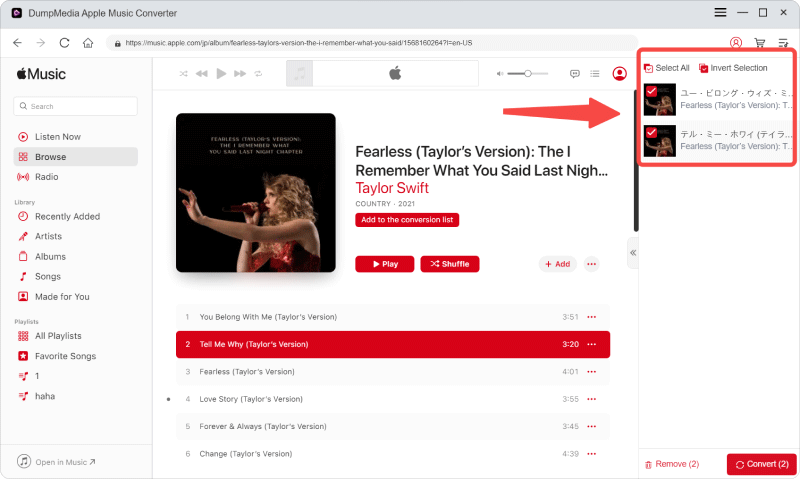
Stap 3. Selecteer in het instellingenpaneel MP3 als uitvoerformaat om een MP3 Download de door jou geselecteerde nummers.

Stap 4. Klik op Converteren en download de nummers direct als MP3 bestanden.

Voeg na de conversie de lokale bestanden toe aan je favoriete DJ-software die compatibel is met Apple Music.
Deel 4. Veelgestelde vragen
Kun je Apple Music gebruiken om te dj'en?
Ja, maar de compatibiliteit hangt af van de DJ-software en de beperkingen van Apple Music-streaming.
Waarom laden Apple Music-nummers niet in DJ-software?
De meeste nummers op Apple Music zijn beveiligde streamingbestanden en werken mogelijk niet zoals gewone lokale audiobestanden.
Kunnen Apple Music-nummers worden geconverteerd naar MP3?
Ja. Hulpmiddelen zoals DumpMedia Met Apple Music Converter kunnen gebruikers Apple Music-nummers converteren naar lokale audioformaten.
Wat is het beste audioformaat voor DJ-mixen?
MP3 is breed compatibel, terwijl WAV een hogere audiokwaliteit biedt voor professionele mixage.
Deel 5. Overzicht
Het vinden van betrouwbare DJ-software die met Apple Music werkt, kan lastig zijn, omdat streamingbeperkingen en compatibiliteitsproblemen nog steeds van invloed zijn op veel DJ-applicaties. Hoewel sommige DJ-software gedeeltelijke Apple Music-integratie ondersteunt, geven veel DJ's uiteindelijk de voorkeur aan lokale audioworkflows voor stabielere offline weergave en vloeiendere liveoptredens. Het converteren van Apple Music naar compatibele lokale formaten zoals... MP3 Biedt vaak meer flexibiliteit, bredere softwareondersteuning en verbeterde betrouwbaarheid bij het mixen door DJ's.
Gratis downloaden Gratis downloaden
*DumpMedia Deze functie werkt door Apple Music-nummers te decoderen en te downloaden naar DRM-vrije bestanden, waardoor je een schone, onbeperkte kopie van je bibliotheek krijgt voor elk apparaat. De functie omvat niet het verwijderen van DRM uit lokale audiobestanden.