


Bäst Spotify MP3 Spelare år 2026: De bästa enheterna för offlinespel Spotify Lyssna aktivt
Spotify har blivit en av de mest populära musikströmningsplattformarna i världen. Många användare föredrar dock fortfarande dedikerade MP3 spelare för offlinelyssning, längre batteritid och distraktionsfri musiknjutning.
Om du letar efter det bästa Spotify MP3 Spelaren, du kanske redan har upptäckt att inte alla MP3 spelaren kan spela Spotify låtar direkt. I den här guiden utforskar vi de bästa Spotify-kompatibel MP3 spelare, förklara begränsningarna med Spotify musik och visa hur du kan njuta av Spotify spår på praktiskt taget alla MP3 spelaren.
Innehållsguide Del 1: Kan du spela Spotify Musik på någon MP3 Spelare?Del 2: Vad som gör en bra Spotify MP3 Musikspelare?Del 3: Bäst Spotify MP3 Musikspelare jämfördaDel 4: Varför vissa MP3 Spelare kan inte spela Spotify Musik?Del 5: Hur man spelar Spotify Musik på någon MP3 Spelare?Del 6: vanliga frågorDel 7: Slutgiltig dom
Del 1: Kan du spela Spotify Musik på någon MP3 Spelare?
Det korta svaret är nej.
Spotify musik är skyddad av DRM (Digital Rights Management), vilket innebär att nedladdade låtar bara kan spelas inom Spotify app. Även Spotify Premium användare kan inte direkt överföra nedladdade spår till en standard MP3 spelaren.
Det är därför många användare som söker efter en Spotify MP3 spelaren stöter ofta på kompatibilitetsproblem. Medan vissa moderna enheter stöder Spotify app, traditionell MP3 spelare gör det vanligtvis inte.
Del 2: Vad som gör en bra Spotify MP3 Musikspelare?
Innan du väljer en Spotify-kompatibel enhet, tänk på följande faktorer:
Spotify Appsupport: Det enklaste sättet att spela Spotify finns på en enhet som kan installera Spotify app direkt.
Offlineuppspelning: Spotify Premium tillåter lyssning offline på kompatibla enheter.
Lagringskapacitet: Stort lagringsutrymme är användbart för nedladdade spellistor och lokala musikfiler.
Ljudkvalitet: Audiofiler kan föredra högupplösta ljudspelare med överlägsna DAC:er.
Batteritid: Dedikerade musikspelare överträffar ofta smartphones i batteritid.
Del 3: Bäst Spotify MP3 Musikspelare jämförda
Här är några av de bästa Spotify MP3 spelare som för närvarande är tillgängliga för Spotify användare.
Mighty 3 (2026 års utgåva)
Mighty är en av få enheter som är specifikt utformade för Spotify offline-uppspelning. Den beskrivs ofta som den moderna andliga efterföljaren till iPod Shuffle och är byggd specifikt för användare som vill njuta av sin musik, sina podcaster och ljudböcker när de är på språng utan den klumpighet, de aviseringar eller batteriförbrukning som en smartphone kräver. Den stöder både Bluetooth-hörlurar/högtalare och traditionella 3.5 mm trådbundna hörlurar.
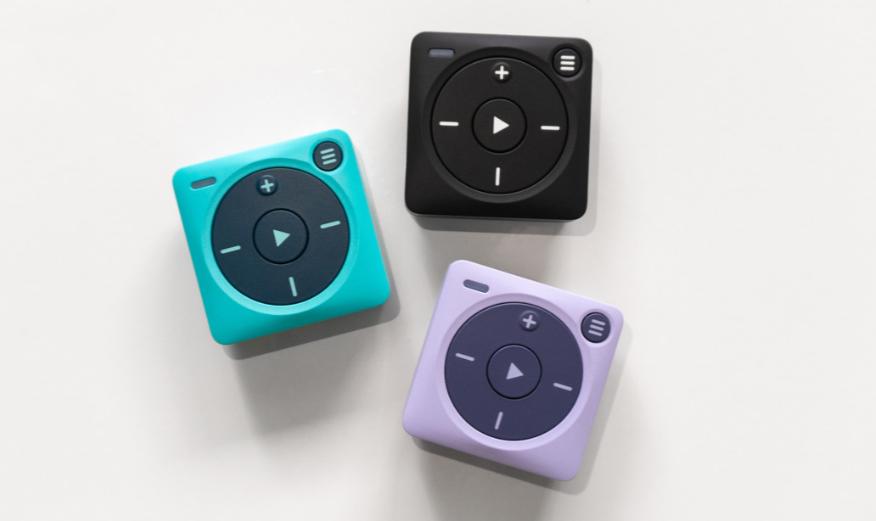
Du måste dock ha en aktiv Spotify Premiumprenumeration; stöder inte lokala MP3 filer eller andra streamingtjänster som Apple Music. Eftersom det inte finns någon skärm förlitar man sig på röstmeddelanden och fysiska knappar för att växla spellistor, vilket vissa användare tycker är mindre intuitivt än ett pekskärmsgränssnitt.
Sony Walkman NW-A306
Sonys senaste Walkman kombinerar förstklassig ljudkvalitet med Android-funktionalitet. För många användare är detta den bästa premiumversionen. Spotify MP3 spelare tillgänglig. Utrustad med Sonys egenutvecklade digitala S-Master HX-förstärkare och DSEE Ultimate AI-uppskalningsteknik ger den en rikare, tydligare och mer detaljerad ljudbild än nästan vilken smartphone som helst. Den har en microSD-kortplats, vilket gör att du enkelt kan lägga till mer utrymme för ditt lokala musikbibliotek med hög upplösning utan att vara bunden till internminnesgränser.
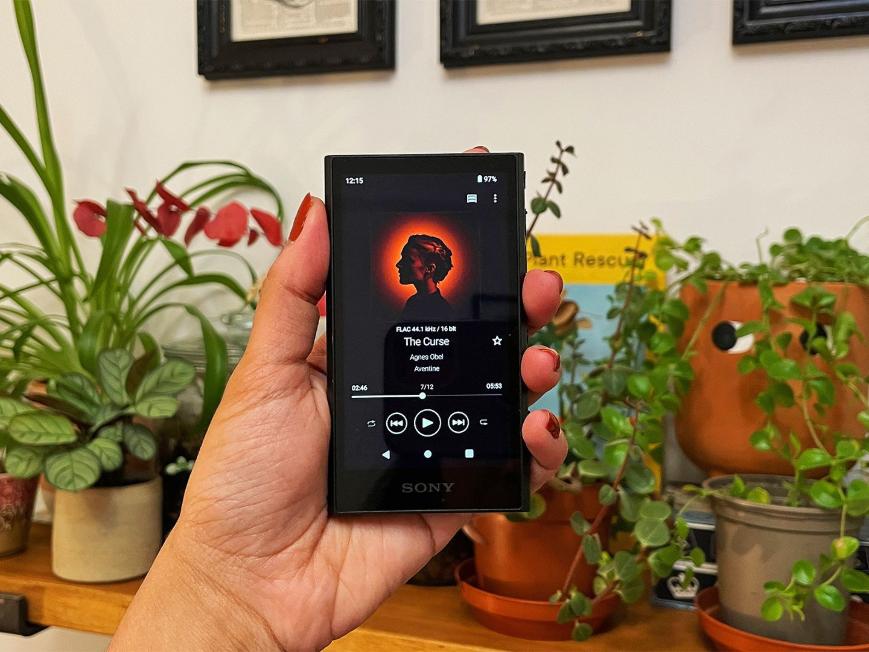
Vissa användare tycker att Android-gränssnittet kan vara något svagt eller trögt när man navigerar i komplexa menyer, eftersom den interna hårdvaran är optimerad för ljuduppspelning snarare än multitasking med appar. Även om den har utmärkt batteritid för lokala filer, kommer användning av streamingtjänster via Wi-Fi att förbruka batteriet mycket snabbare, vilket leder till kortare uppspelningstider än det annonserade maximala.
HiBy R4
HiBy R4 och andra Android-baserade HiBy digitala ljudspelare (DAP) är högpresterande enheter av audiofilkvalitet som kör öppna versioner av Android. Detta gör att de kan fungera som dedikerade smartphones optimerade enbart för musik, vilket ger inbyggt stöd för hela ... Spotify app och andra streamingtjänster.
Även om de använder kapabla processorer (som Snapdragon 665), är de inte lika snabba som moderna flaggskeppssmartphones. Appar som Spotify kan kännas lite mindre pigg än du är van vid.
Oilsky MP3 Spelare
Oilsky producerar ett sortiment av prisvärda, Android-baserade MP3 spelare som marknadsförs som "smarta" medieenheter. Till skillnad från traditionella, slutna firmware-spelare MP3 spelare, många av deras nyare modeller (som M502, M308 eller deras olika "Android 13.0"-serier) fungerar i huvudsak som avskalade minisurfplattor som låter dig installera appar från Google Play Store eller förinstallerade apparkiv. Så du kan installera den officiella Spotify app (tillsammans med Pandora, Tidal och Amazon Music). Detta ger dig ett inbyggt gränssnitt som du förmodligen redan är bekant med.
Eftersom de är byggda till ett mycket lågt pris är processorerna ofta underpresterande. Du kan uppleva lagg, långsam appladdning eller hack när du navigerar i gränssnittet eller växlar mellan appar. Dessutom är de inte byggda enligt samma robusta eller avancerade standarder som Sony- eller HiBy-spelare och kanske inte är lika hållbara på lång sikt.
iPod Touch
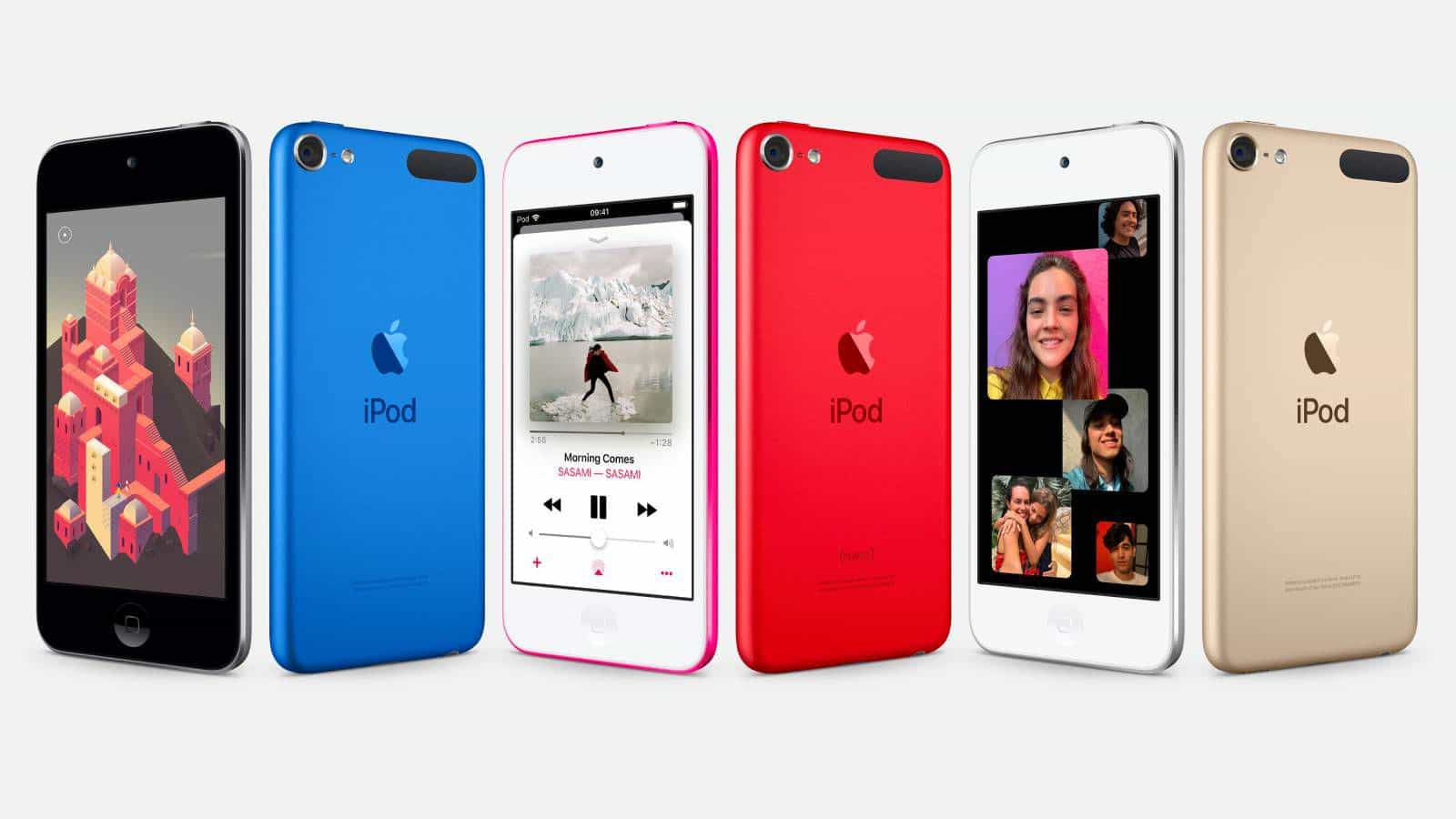
Även om den har utgått använder många användare fortfarande iPod Touch som en Spotify MP3 spelaren. Den erbjuder det polerade, intuitiva och högpresterande gränssnittet som iOS-användare är bekanta med. Om du är djupt integrerad i Apples ekosystem är upplevelsen av att använda Spotify på en iPod Touch är identiskt med att använda den på en iPhone. Spotify, den stöder nästan alla appar som körs på iOS, inklusive andra streamingtjänster (Tidal, Qobuz), ljudböcker (Audible, LibriVox) och till och med enkla spel- eller videoappar. Det är dock en älskad enhet; det är viktigt att notera att Apple officiellt lade ner iPod Touch i maj 2022.
Del 4: Varför vissa MP3 Spelare kan inte spela Spotify Musik?
Mest traditionella MP3 spelare stöder endast vanliga ljudformat som t.ex. MP3, M4A, WAV och FLAC. Men Spotify låtar laddas inte ner som standard MP3 filer. Istället förblir de krypterade inom Spotifys ekosystem.
Som ett resultat, även efter att ha laddat ner musik med Spotify Premium, du kan inte bara dra och släppa låtar till en vanlig MP3 spelare. Detta är en av de största frustrationerna för användare som letar efter en universell Spotify MP3 spelaren.
Del 5: Hur man spelar Spotify Musik på någon MP3 Spelare?
Som tur är finns det en lösning. Du kan konvertera Spotify spår in MP3 eller andra ljudformat som stöds i stor utsträckning och överför dem till din MP3 Spelare. Den här metoden tar bort kompatibilitetsbegränsningar och möjliggör verklig offline-äganderätt till dina musikfiler. Om du vill spela Spotify låtar på enheter som inte stöder Spotify infödd, DumpMedia Spotify Music Converter kan hjälpa till.
Gratis nedladdning Gratis nedladdning
Programvaran är speciellt utformad för Spotify Premium- och gratisanvändare som vill ha större flexibilitet över sina musikbibliotek. Med DumpMedia, Kan du enkelt konvertera Spotify låtar in MP3, WAV, FLAC och andra format som kan spelas upp på Spotify MP3 spelare, telefoner, bilstereo eller andra enheter. Även om Spotify appen fungerar inte på din enhet kan du spela Spotify låtar offline på en annan musikspelare omedelbart.
🏆Viktiga fördelar med DumpMedia Spotify Music Converter
- Integrerade den officiella Spotify webbspelare för att komma åt musik och ladda ner den lokalt
- Ladda ner allt Spotify låtar och poddar utan en Spotify Premium abonnemang
- Batch nedladdning Spotify spellistor 35 gånger snabbare eller ännu snabbare för att spara tid
- Fullständig bevaring av ID3-taggar för att säkerställa enklare kategorisering av musik efter nedladdning offline
- Anpassade utgångsinställningar som samplingsfrekvens och bitrate för att möta din unika musiksmak
- Anpassad utdatakvalitet på upp till 320 kbps för njutbar musikstreaming offline
Ladda ner Spotify Musik till MP3 Steg för steg
Steg 1. Ladda ned och installera DumpMedia Spotify Music Converter på din Mac/PC. Starta den så ser du gränssnittet. Använd din Spotify Premium/gratis konto för att logga in.
Gratis nedladdning Gratis nedladdning
Steg 2. Bläddra i musikbiblioteket och hitta låtar, spellistor och poddsändningar som du vill konvertera från Spotify till MP3Klicka sedan på knappen "Lägg till i konvertering" på omslaget eller dra helt enkelt musiken till knappen "+" för att konvertera.

Steg 3. Nu kan du enkelt välja "MP3" som utdataformat från rullgardinsmenyn. Dessutom kan du anpassa utdatabithastigheten och samplingsfrekvensen baserat på dina önskemål.

Steg 4. När inställningarna är klara kan användarna genomföra konverteringen genom att trycka på ikonen "Konvertera". DumpMedia kommer att ladda ner Spotify låtar till MP3 inom några sekunder med sin supersnabba hastighet.

Efter konvertering, Spotify Låtar kan lagras lokalt och spelas upp på praktiskt taget vilken enhet som helst, vilket gör det enklare att njuta av musik utan att vara beroende av Spotify appkompatibilitet. Detta gör DumpMedia en användbar lösning för användare som vill ha en mer flexibel Spotify MP3 spelarupplevelse.
Del 6: vanliga frågor
Kan jag lägga Spotify låtar på en MP3 spelare?
Inte direkt. Spotify nedladdningar är DRM-skyddade och kan inte överföras som vanliga MP3 filer.
Vad MP3 spelaren fungerar bäst med Spotify?
Android-baserad MP3 spelare och Sony Walkman-modeller är bland de mest kompatibla alternativen.
Kan jag lyssna på Spotify offline på en MP3 spelare?
Endast om enheten stöder Spotify appen och du har en Spotify Premiumprenumeration.
Varför laddas inte ner Spotify låtar spelas på min MP3 spelare?
Spotify nedladdningar är krypterade och kan endast spelas upp via Spotify-godkända ansökningar.
Kan jag överföra Spotify Musik till en Sony Walkman?
Ja. Vissa Walkman-modeller stöder Spotify direkt, medan andra kan spela konverterade MP3 filer.
Del 7: Slutgiltig dom
Det bästa Spotify MP3 spelaren beror på hur du lyssnar på musik. Om du föredrar direkt Spotify åtkomst är Android-baserade enheter som Sony Walkman NW-A306 eller Mighty 3 utmärkta val.
Men om du vill ha fullständig spelfrihet Spotify låtar på valfri MP3 spelaren, och konvertering av spår till vanliga ljudformat erbjuder störst flexibilitet. I det scenariot, DumpMedia Spotify Music Converter kan hjälpa till att överbrygga klyftan mellan Spotifys streamingekosystem och traditionella offline-musikspelare.