


Cómo convertir MP3 Audiolibro (Mejor guía 2026)
Aunque MP3 Los archivos son ampliamente compatibles, pero carecen de características clave de los audiolibros, como marcadores, navegación por capítulos y metadatos estructurados. Por eso, cada vez más usuarios buscan formas de convertir MP3 audiolibro formatos como M4B o AAX. En esta guía, le explicaremos todo lo que necesita saber, incluidos los mejores formatos, métodos y herramientas para convertirlos con éxito. MP3 convertido en un verdadero audiolibro.
Guía de contenido Parte 1: ¿Qué significa “Convertir”? MP3 ¿De verdad significa "Archivos a audiolibro"?Parte 2: Mejores formatos para convertir MP3 Archivos a audiolibroParte 3: Cómo convertir MP3 Conversión de archivos a audiolibros (métodos básicos)Parte 4: Método avanzado para convertir MP3 Convertir archivos a audiolibros (el mejor método)Parte 5: Problemas comunes al realizar conversiones MP3 al audiolibroParte 6: Conclusión
Parte 1: ¿Qué significa “Convertir”? MP3 ¿De verdad significa "Archivos a audiolibro"?
Antes de sumergirnos en las herramientas, es importante comprender qué significa realmente convertir. MP3 a audiolibro. Muchos usuarios asumen que se trata simplemente de una conversión de formato, pero eso no es exacto.
| Elemento | MP3 | Audiolibro (M4B / AAX) |
| Reanudar la reproducción | ❌ | ✅ |
| Comités | ❌ | ✅ |
| Metadatos (autor, título) | Limitada | Garantía de transporte |
| Compatibilidad de aplicaciones | Básico | Optimizado |
Cuando te conviertes MP3 Para escuchar un audiolibro, básicamente estás:
- Añadiendo capítulos
- Incrustar metadatos
- Hacer que el archivo sea compatible con las aplicaciones de audiolibros.
Por eso, los convertidores sencillos suelen fallar: solo cambian el tipo de archivo, no la estructura.
Parte 2: Mejores formatos para convertir MP3 Archivos a audiolibro
Elegir el formato correcto es fundamental al realizar la conversión. MP3 al audiolibro.
1. M4B (Ideal para dispositivos Apple)
Para los entusiastas de Apple que buscan la mejor experiencia auditiva, convertir MP3 Convertir archivos a M4B es la opción preferida para usuarios de iPhone y iPad. Como el formato de audiolibro más popular, M4B ofrece una integración perfecta con Apple Books, brindando ventajas significativas como audio de alta calidad y compatibilidad nativa con capítulos y marcadores para que no pierdas de vista tu lugar.
2. AAX (Mejor para compatibilidad con audio)
Para una experiencia de audiolibro verdaderamente profesional, convertir MP3 Convertir archivos a AAX es una opción potente, ya que es el formato propietario optimizado específicamente para el ecosistema de Audible. Al usar AAX, obtienes las ventajas de una alta eficiencia de compresión junto con una estructura de audiolibro completa, lo que garantiza que tu biblioteca se sienta nativa y perfectamente integrada en el entorno de alto rendimiento de Audible.
Parte 3: Cómo convertir MP3 Conversión de archivos a audiolibros (métodos básicos)
Cómo convertir MP3 ¿Convertir a audiolibro (M4B/AAX)? Antes de usar herramientas avanzadas, veamos algunos métodos comunes que la gente intenta.
Método 1: Usando iTunes / Apple Books
Una de las formas más accesibles de transformar estándar MP3 convertir archivos en un audiolibro funcional es mediante la utilización del ecosistema integrado proporcionado por iTunes (en Win(Dows) o las aplicaciones Apple Books/Música (en macOS). Este método es particularmente conveniente porque no requiere la instalación de software de terceros y aprovecha la gestión de biblioteca nativa de Apple para reclasificar el audio.
Pasos:
- Importar MP3 archivos en iTunes.
- Cambie el tipo de medio a “Audiolibro”.
- Sincronizar con Apple Books.
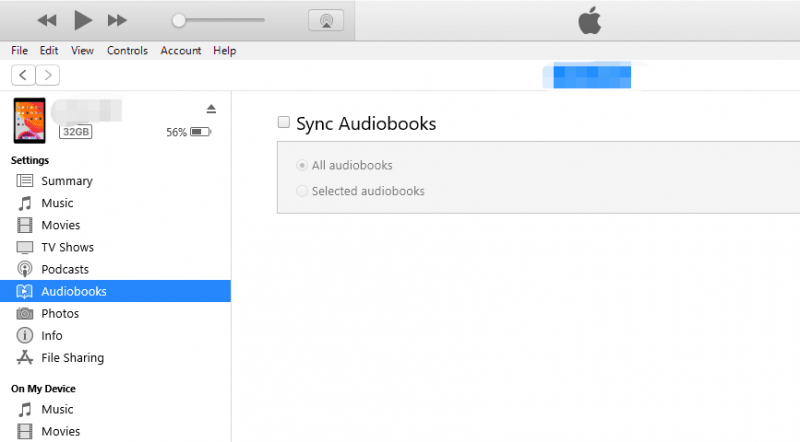
A pesar de su accesibilidad, el uso de las funciones estándar de gestión de bibliotecas de iTunes o Apple Books presenta limitaciones notables que impiden que sea un proceso de conversión "verdadero". El principal inconveniente es la falta de creación real de capítulos; si bien el sistema reconoce los archivos como audiolibros, no puede fusionar varios. MP3en un solo archivo con un menú de navegación interno. En cambio, tu libro sigue siendo una colección fragmentada de pistas individuales, lo que puede resultar engorroso de gestionar.
Además, se trata de un proceso altamente manual que requiere editar individualmente los metadatos y las etiquetas de "Tipo de medio" para cada nueva incorporación, lo que lo hace ineficiente para grandes bibliotecas.
Método 2: usar convertidores en línea
Otra forma común de convertir MP3 Para convertir un audiolibro a formato digital, puedes usar convertidores en línea. Estas herramientas son prácticas porque no requieren instalación y se pueden usar directamente en tu navegador. Un ejemplo es Audiobook Converter, una herramienta web diseñada específicamente para la creación de audiolibros.
Pasos:
- Sube uno o varios MP3 archivos.
- Ordena los archivos (importante para los capítulos).
- Conviértelos en un único audiolibro M4B.
- Descarga el archivo final.
Si bien los convertidores en línea ofrecen una solución práctica y sin instalación para tareas rápidas, presentan inconvenientes importantes que pueden comprometer la calidad de una biblioteca de audiolibros profesional. Para muchos usuarios, la lentitud en la velocidad de carga y las estrictas limitaciones de tamaño de archivo representan obstáculos inmediatos, especialmente al trabajar con grabaciones de alta fidelidad o novelas extensas que a menudo superan los cientos de megabytes.
Parte 4: Método avanzado para convertir MP3 Convertir archivos a audiolibros (el mejor método)
Si buscas una solución completa, necesitas una herramienta que admita la estructura de los audiolibros, no solo la conversión de formato. Aquí es donde entran en juego los convertidores avanzados. DumpMedia Cualquier convertidor de música proporciona una forma eficaz de convertir MP3 audiolibro con soporte de estructura completa.
Descarga gratuita Descarga gratuita
¿Por qué elegir Any Music Converter (con función AA/AAX)?
- Convertir MP3 a AAX y otros formatos compatibles con audiolibros.
- Salida de audio de alta calidad
- Conversión rápida por lotes
- Compatible con las principales plataformas de audiolibros.
Nota: Necesitas comprar Any Music Converter para desbloquear el convertidor AA/AAX.
Guía paso por paso
Paso 1: Descargar DumpMedia Cualquier convertidor de música en tu computadora. Funciona con ambos. WinWindows y Mac. La interfaz es fácil de usar, lo que la hace fácil para principiantes.
Descarga gratuita Descarga gratuita
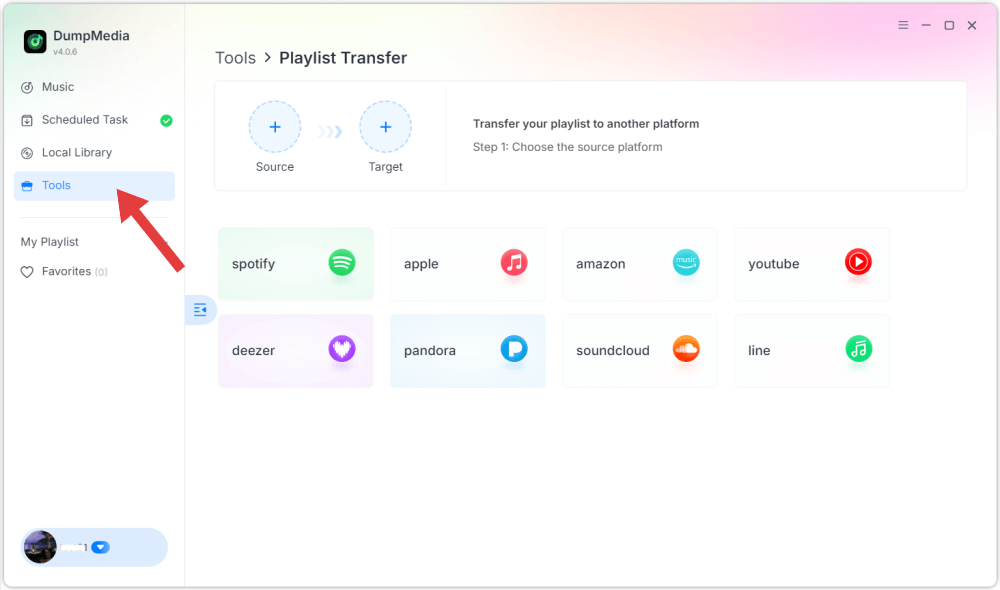
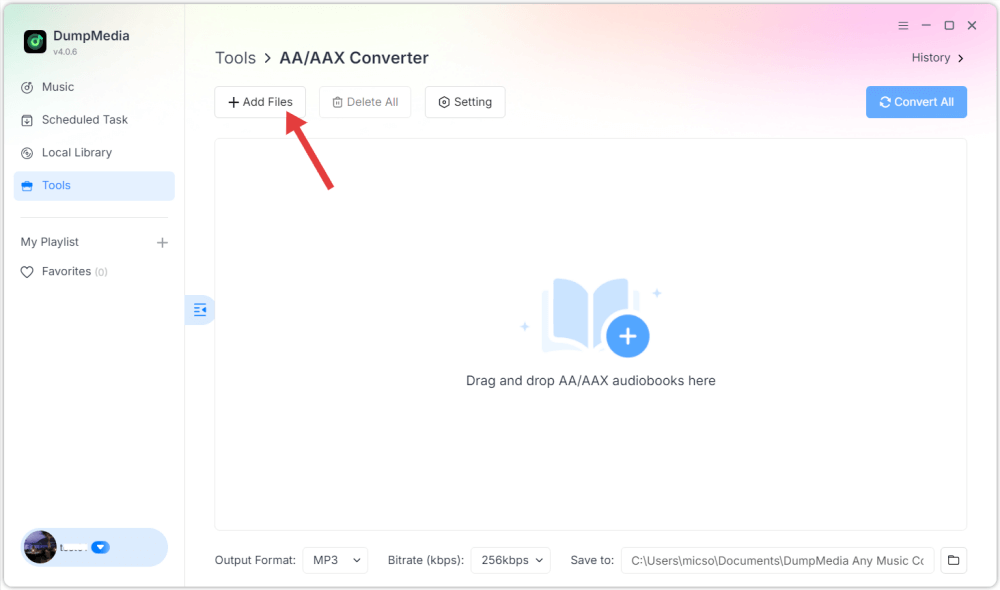
Paso 2: Haga clic en "Herramienta" a la izquierda y luego seleccione "Convertidor AA/AAX". Importe su MP3 archivos.
Paso 3. Seleccione el formato de salida (AAX o M4B, si está disponible). Ajuste los metadatos si es necesario. Inicie la conversión.
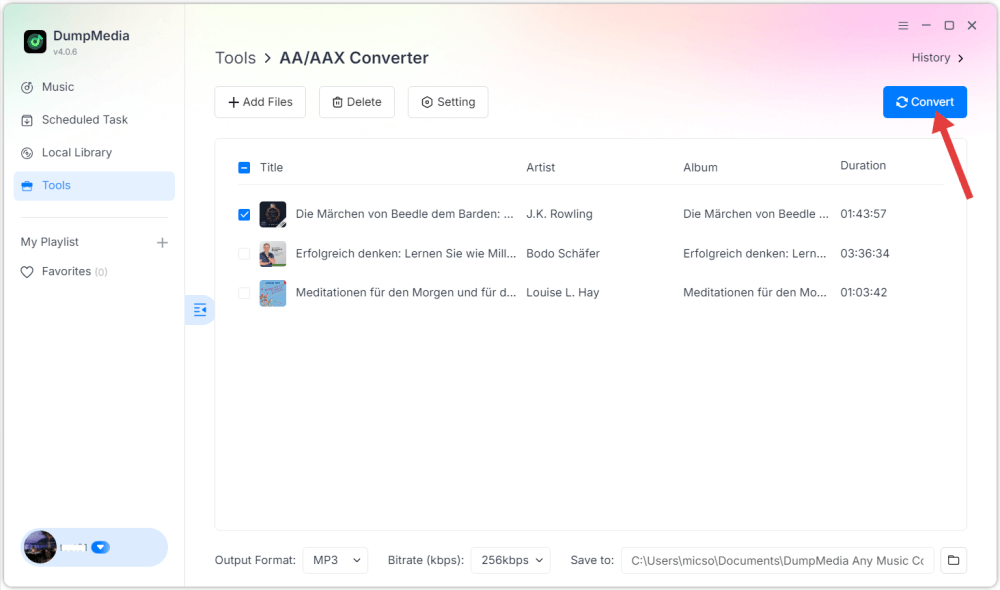
Tras la conversión, tus archivos funcionarán como audiolibros reales.
Parte 5: Problemas comunes al realizar conversiones MP3 al audiolibro
¿Por qué mi audiolibro no recuerda la posición?
Porque sigue siendo un MP3 Archivo sin estructura de audiolibro.
¿Por qué no hay capítulos?
Se deben agregar capítulos durante el proceso de conversión. MP3 al audiolibro.
¿Por qué no puedo importar archivos a Apple Books?
El formato no se reconoce como audiolibro (utilice M4B).
¿Por qué falla la conversión?
Algunas herramientas no son compatibles con archivos de audio largos ni con formatos de audiolibros.
Parte 6: Conclusión
Para convertir MP3 Para convertirlo en audiolibro, necesitas más que un convertidor básico; necesitas crear una experiencia auditiva estructurada. Si realmente quieres convertirlo MP3 Para convertir un audiolibro en formato AAX o M4B, elija una herramienta que admita la estructura, no solo el formato. Con el método correcto, puede convertir cualquier MP3 Conviértelo en un audiolibro completamente funcional, con capítulos, marcadores y reproducción fluida en diferentes dispositivos.