


2026 Yılında Pandora Çalma Listesi Nasıl Oluşturulur (Adım Adım Kılavuz)
Birçok müziksever, yeni şarkılar keşfetmek, favorilerini düzenlemek ve kişiselleştirilmiş dinleme deneyimleri oluşturmak için Pandora'yı kullanıyor. Pandora'da nasıl çalma listesi oluşturacağınızı merak ediyorsanız, Pandora'nın çalma listesi sisteminin nasıl çalıştığını anladığınızda işlem aslında oldukça basittir. Bu kılavuzda, Pandora'da nasıl çalma listesi oluşturacağınızı, Pandora müzik kitaplığınızı nasıl yöneteceğinizi ve favori çalma listelerinizi çevrimdışı dinleme için nasıl kullanılabilir tutacağınızı ayrıntılı olarak açıklayacağız.
İçindekiler Kılavuzu Bölüm 1. Pandora'da Çalma Listesi Oluşturabilir misiniz?Bölüm 2. Mobil Cihazda Pandora Çalma Listesi Nasıl Oluşturulur?Bölüm 3. Masaüstünde Pandora Çalma Listesi Nasıl Oluşturulur?Bölüm 4. Pandora Çalma Listelerini Kalıcı Olarak Çevrimdışı Tutmanın En İyi YoluBölüm 5. Pandora Çalma Listesi Oluşturma Hakkında Sıkça Sorulan SorularBölüm 6. Sonuç
Bölüm 1. Pandora'da Çalma Listesi Oluşturabilir misiniz?
Evet. Pandora, kullanıcıların topladıkları şarkıları, albümleri ve radyo istasyonlarını kullanarak çalma listeleri oluşturmalarına olanak tanır. Ancak, çalma listesi özellikleri ücretsiz hesap, Pandora Plus ve ücretli hesaba bağlı olarak değişiklik gösterebilir. Pandora PremiumPandora'da çalma listesi oluşturmayı öğrenmenin ilk adımı, hesap türünüzü anlamaktır.
Ücretsiz ve Pandora Plus kullanıcıları manuel olarak çalma listesi oluşturamaz veya düzenleyemez. Deneyiminiz, belirli bir sanatçı veya parçaya göre benzer şarkıları çalmak için Müzik Genom Projesi'ni kullanan İstasyonlarla sınırlıdır.
Pandora Premium, özel çalma listeleri oluşturma, şarkıları manuel olarak ekleme, çevrimdışı indirme ve çalma listesi paylaşımı dahil olmak üzere en eksiksiz çalma listesi işlevselliğini sunar.
Bölüm 2. Mobil Cihazda Pandora Çalma Listesi Nasıl Oluşturulur?
Telefonunuzu kullanarak Pandora'da nasıl çalma listesi oluşturacağınızı öğrenmek istiyorsanız, şu adımları izleyin.
1 Adım. iPhone veya Android cihazınızda Pandora uygulamasını başlatın.
2 Adım. Ekranın altındaki "Koleksiyonum" seçeneğine dokunun.
3 Adım. "+ Çalma Listesi Oluştur" seçeneğine dokunun. Çalma listesi adı ve açıklaması girin.
4 Adım. Çalma listesine eklemek istediğiniz şarkıları, albümleri veya sanatçıları arayın. "Çalma Listesine Ekle"ye dokunun.
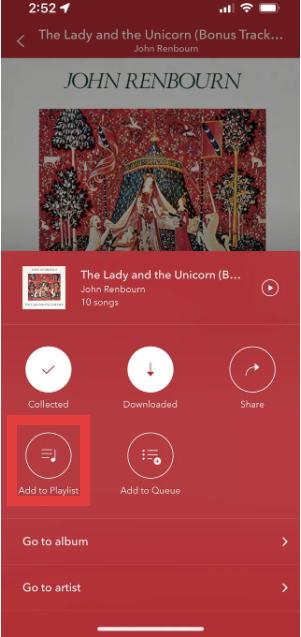
5 Adım. Şarkıları ekledikten sonra, ileride dinlemek üzere çalma listesini kaydedin.
Bu, mobil cihazlarda Pandora çalma listesi oluşturmanın en kolay yöntemidir.
Bölüm 3. Masaüstünde Pandora Çalma Listesi Nasıl Oluşturulur?
Pandora'nın web oynatıcısını kullanarak nasıl çalma listesi oluşturacağınızı da öğrenebilirsiniz.
1 Adım. Pandora web oynatıcısını açın. Pandora hesabınıza giriş yapın. Menüden "Koleksiyonum"u seçin.
2 Adım. "Çalma Listesi Oluştur" seçeneğine tıklayın.
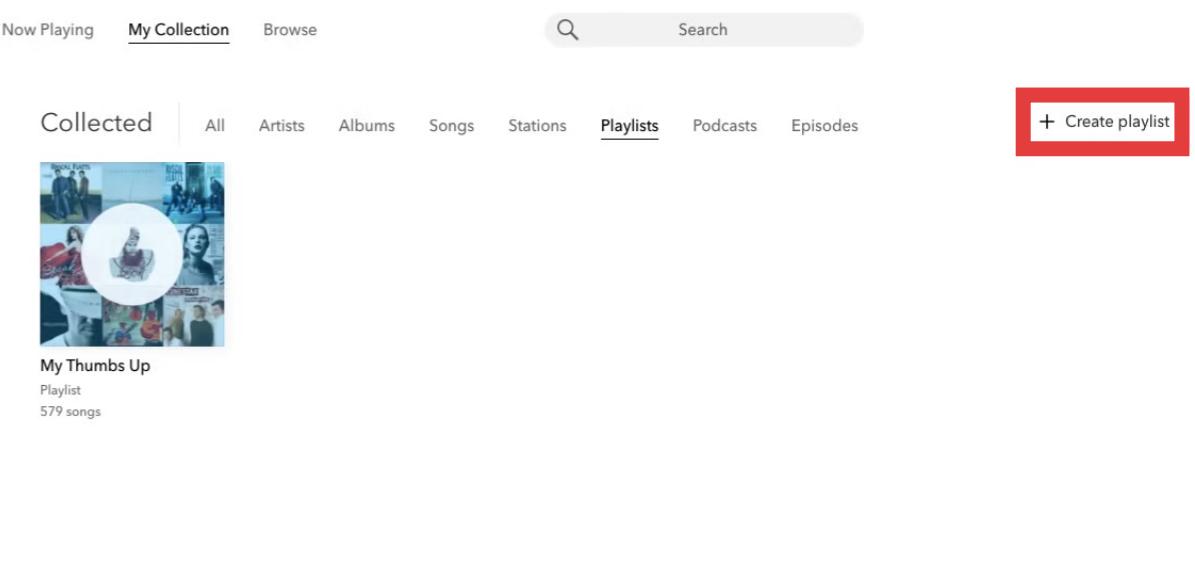
3 Adım. Şarkıları arayın ve çalma listenize ekleyin.
4 Adım. Parçaların sırasını değiştirebilir, çalma listelerini yeniden adlandırabilir, şarkıları kaldırabilir veya çalma listesi ayrıntılarını güncelleyebilirsiniz.
Bölüm 4. Pandora Çalma Listelerini Kalıcı Olarak Çevrimdışı Tutmanın En İyi Yolu
Pandora çalma listeleri kullanışlı olsa da, bazı sınırlamaları da bulunmaktadır. Pandora Plus veya Premium kullanıcıları için, çalma listeleri aktif abonelik gerektirdiğinden çevrimdışı indirmeler kısıtlanabilir. Abonelik iptal edildikten sonra oynatma durabilir. Bu durum, çalma listelerini özenle oluşturmak için zaman harcayan kullanıcılar için can sıkıcı olabilir.
Pandora çalma listelerinizi uygulama sınırlamalarının ötesinde kaydetmek istiyorsanız, pratik bir çözüm şudur: DumpMedia Pandora Müzik DönüştürücüBu araç kullanıcılara yardımcı olur. Pandora şarkılarını dönüştür MP3Böylece çalma listelerinizi yerel olarak kaydedebilir ve abonelik değişikliklerinden sonra da müziğinizi koruyabilirsiniz. Kullanıcılar, tamamen yayın akışına bağlı kalmak yerine, Pandora çalma listelerinden uzun vadeli müzik koleksiyonları oluşturabilirler.
🏅Neden Bunu Seçmelisiniz? DumpMedia Pandora Müzik Dönüştürücü:
- ⭐Pandora web oynatıcısı ile entegrasyon
- ⭐Hem Pandora Premium hem de Ücretsiz kullanıcıları için geçerlidir.
- ⭐35 kata kadar hızda toplu dönüştürme sağlayın
- ⭐Sanatçı, kapak, sanat eseri vb. ID3 etiketlerini saklayın.
- ⭐Orijinal ses kalitesini koruyun
- ⭐100% temiz. Kullanırken risk yok
Pandora Çalma Listeleri Nasıl Dönüştürülür? MP3
1 Adım. Indirin ve yükleyin DumpMedia Mac/PC'nizde Pandora Music Converter'ı çalıştırın. Başlattığınızda arayüzü göreceksiniz. Giriş yapmak için Pandora Premium/Ücretsiz hesabınızı kullanın.
2 Adım. Daha sonra şarkıları veya çalma listelerini doğrudan yüzen "+" simgesine sürükleyerek dönüştürme kuyruğuna ekleyebilir ve indirmeye hazır hale getirebilirsiniz.
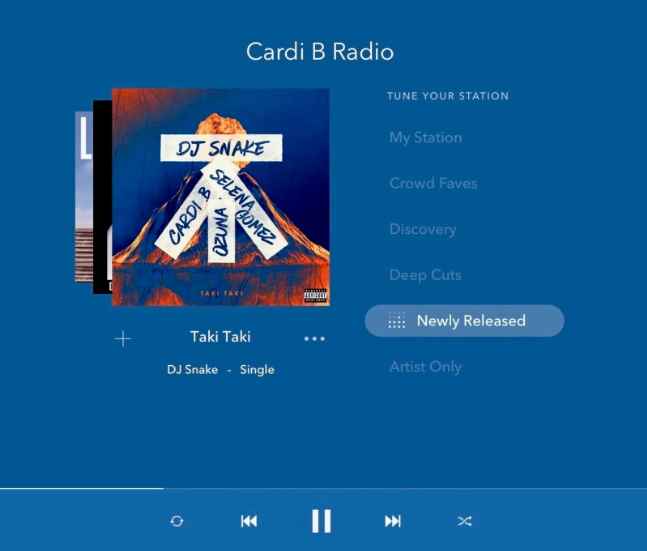
3 Adım. Seçtiğiniz şarkılardan memnun kaldığınızda, tercih ettiğiniz ses dosyası formatını seçebilirsiniz.
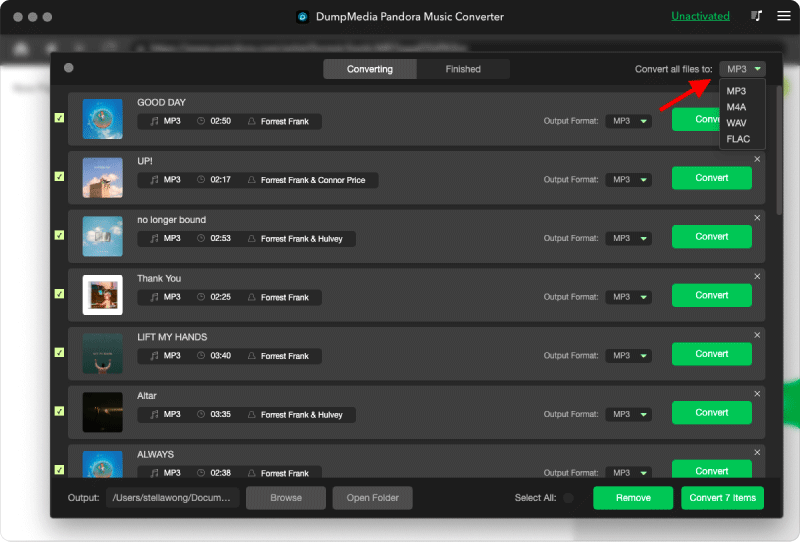
4 Adım. Ayarlar tamamlandıktan sonra, kullanıcılar "Dönüştür" simgesine tıklayarak dönüştürme işlemini gerçekleştirebilirler. Ardından DumpMedia Süper hızlı özelliği sayesinde Pandora şarkılarını saniyeler içinde indirecektir.
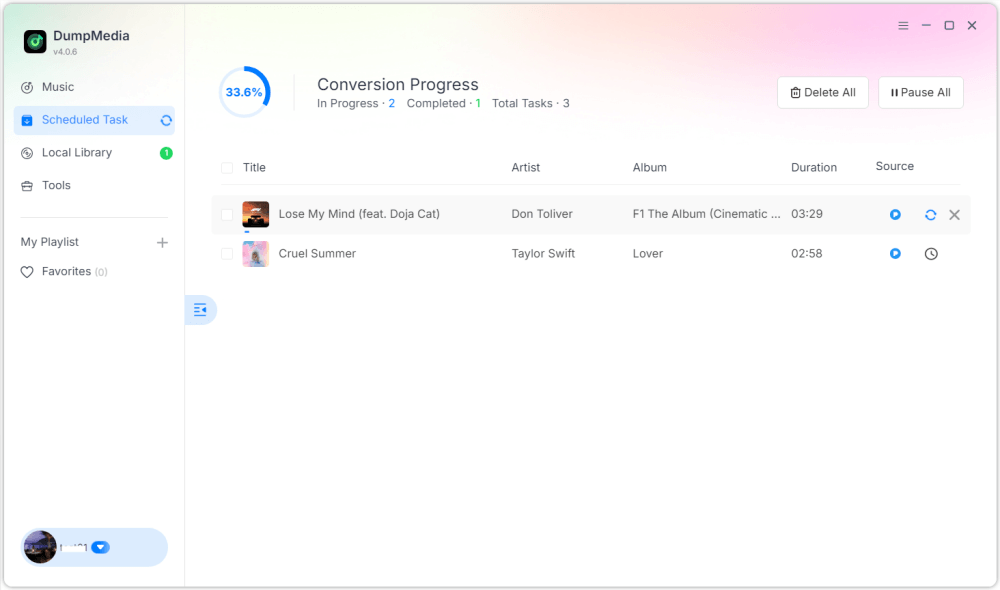
Tamamlandığında, çalma listeleri çevrimdışı dinleme için çok daha esnek hale gelir. Kalıcı erişime sahip olabilir ve bunları istediğiniz zaman oynatabilirsiniz. MP3 Oynatıcılar veya USB cihazları. Bu nedenle, Pandora'da çalma listesi oluşturmayı arayan birçok kullanıcı, sonunda çalma listelerini kalıcı olarak saklamanın yollarını aramaya başlar.
Bölüm 5. Pandora Çalma Listesi Oluşturma Hakkında Sıkça Sorulan Sorular
Pandora'da çalma listeleri oluşturabilir misiniz?
Evet. Pandora Premium, kullanıcıların çalma listeleri oluşturmasına ve özelleştirmesine olanak tanır.
Pandora'da çalma listesi oluşturmak ücretsiz mi?
Bazı çalma listesi özelliklerine Pandora Premium üyeliği gerekebilir.
Pandora çalma listeleri çevrimdışı olarak indirilebilir mi?
Evet, ancak çevrimdışı erişim abonelik planınıza bağlıdır. Aboneliğiniz sona erdiğinde çevrimdışı indirmeler kullanılamaz hale gelebilir.
Pandora çalma listeleri dönüştürülebilir mi? MP3?
Evet. Araçlar gibi DumpMedia Pandora Music Converter, kullanıcıların Pandora şarkılarını yerel ses dosyaları olarak kaydetmelerine olanak tanır.
Bölüm 6. Sonuç
Pandora'da çalma listesi oluşturmayı öğrenmek, mobil veya masaüstü cihaz kullanmanız fark etmeksizin kolaydır. Pandora çalma listeleri, müziği düzenlemek, şarkı keşfetmek ve kişiselleştirilmiş dinleme deneyimleri oluşturmak için kullanışlıdır. Bununla birlikte, uzun süreli çevrimdışı erişim isteyen kullanıcılar, daha esnek oynatma ve kalıcı müzik depolama için çalma listelerini yerel ses dosyaları olarak kaydetmeyi tercih ederler.

%30 İndirim >>>