


Hur man överför Apple Music till Spotify: Komplett guide
Digital lojalitet är flytande. I takt med att musikentusiaster söker bättre kompatibilitet över flera plattformar och nya upptäcktsalgoritmer, tar många steget från äpple Music till SpotifyDet största hindret för att byta är dock inte prenumerationsavgiften, utan rädslan för att förlora ett decenniums musikhistoria. Lyckligtvis finns det nu flera verktyg som gör det möjligt att överföra Apple Music till Spotify automatiskt. I den här guiden utforskar vi de mest effektiva metoderna för att överföra Apple Music-låtar till Spotify över olika enheter.
Innehållsguide Del 1. Överför Apple Music-spellista till Spotify on Windows/MacDel 2. Överför Apple Music-spellista till Spotify ONLINEDel 3. Överför Apple Music-spellista till Spotify på iOS/AndroidDel 4. Vanliga frågorDel 5. För att summera det hela
Del 1. Överför Apple Music-spellista till Spotify on Windows/Mac
Ett av de mest pålitliga sätten att överföra Apple Music till Spotify är genom att använda ett dedikerat skrivbordsverktyg som erbjuder avancerade funktioner för migrering av spellistor. Ett starkt rekommenderat alternativ är DumpMedia Vilken musikkonverterare som helst, som inkluderar en kraftfull funktion för spellistaöverföring.
Gratis nedladdning Gratis nedladdning
DumpMedia Any Music Converter är ett professionellt skrivbordsprogram utformat för att hantera och konvertera musik över olika plattformar. Det fungerar på båda Windows och macOS. Med den inbyggda funktionen för spellistaöverföring kan användare effektivt överföra Apple Music till Spotify samtidigt som spellistestrukturen och låtmetadata bevaras.
VIKTIGA FUNKTIONER
- Funktion för överföring av spellista: DumpMedia låter dig flytta hela spellistor istället för att överföra låtar individuellt. Detta sparar avsevärt tid när du hanterar stora musiksamlingar.
- Batchmigrering av spellistor: Du kan välja flera spellistor och överföra dem samtidigt, vilket gör det enklare att hantera stora bibliotek.
- Stabil datorprestanda: Sedan DumpMedia fungerar lokalt på din dator, ger det en mer stabil överföringsprocess än många webbläsarbaserade verktyg.
- Smart låtmatchning: Programvaran identifierar automatiskt motsvarande låtar i Spotifys katalog, vilket säkerställer att den överförda spellistan innehåller rätt spår.
- Bevarande av metadata: Låttitlar, artistnamn, album och spellisteordning bibehålls under överföringsprocessen.
Steg-för-steg-guide
Steg 1. Först, ladda ner DumpMedia Valfri musikkonverterare från den officiella webbplatsen. Installera programmet på din Wineller Mac-dator och starta den. Öppna programmet och välj Verktyg > Överför spellista.
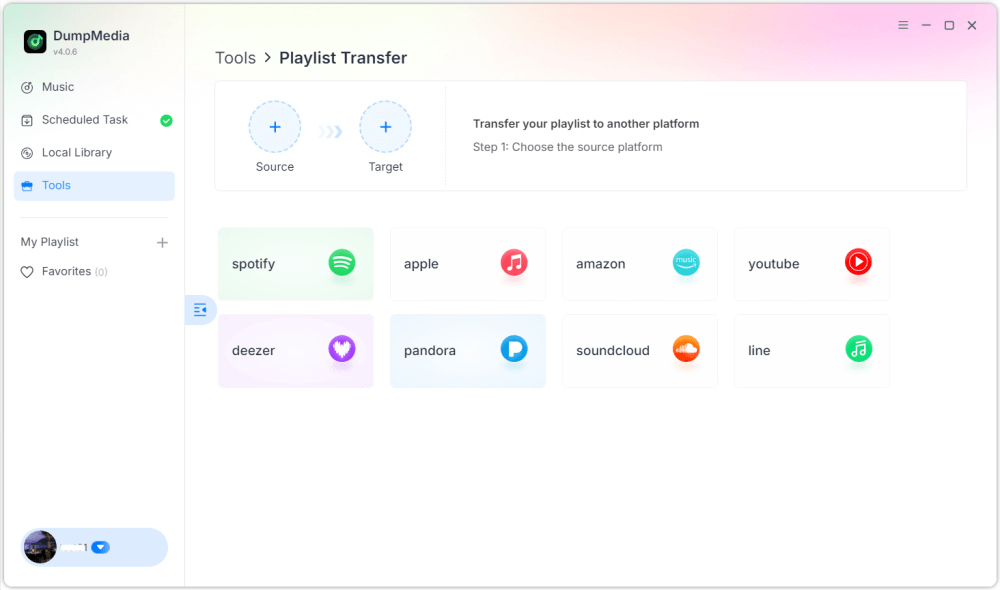
Steg 2. Välj Apple Music som källa. Välj sedan Spotify som målplattform.
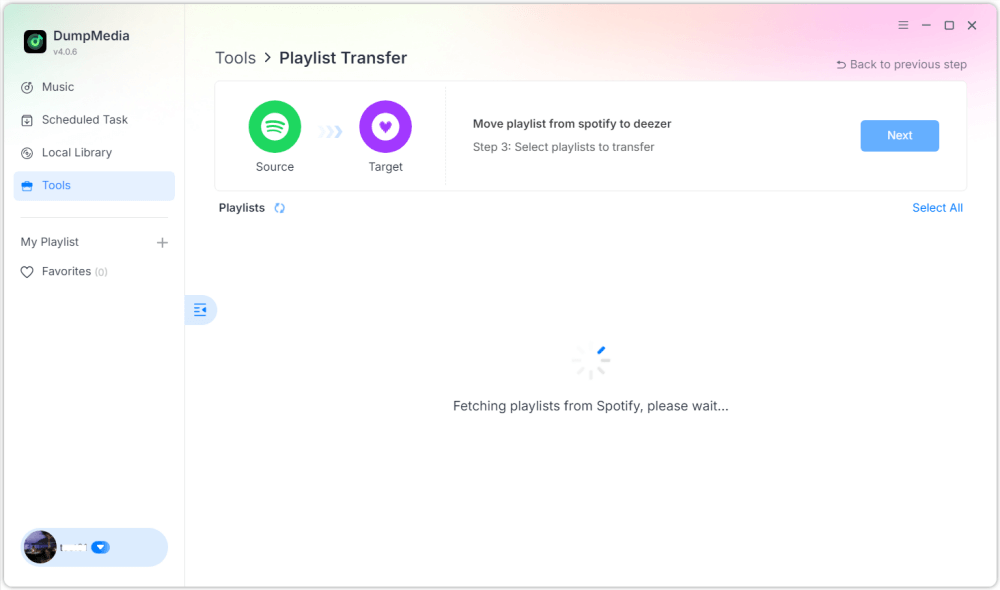
Steg 3. Hitta de spellistor du vill överföra från Apple Music till Spotifyoch markera alla spellistor du vill flytta.

Steg 4. Klicka på knappen Konvertera för att börja migrera spellistan. DumpMedia kommer att återskapa spellistan automatiskt den Spotify.
Steg 5. Överföringen är klar. Klicka på "Gå till SpotifyDina spellistor har flyttats till en ny tjänst och du kan börja njuta av din nya musikstreamingtjänst.
Att använda den här skrivbordsmetoden är ett av de mest effektiva sätten att överföra Apple Music till Spotify, särskilt om du har flera spellistor eller ett stort musikbibliotek.
Del 2. Överför Apple Music-spellista till Spotify ONLINE
Om du föredrar att inte installera ytterligare programvara kan ett onlineverktyg för överföring av spellistor också hjälpa dig att överföra Apple Music till Spotify snabbt. Ett populärt alternativ är Soundiiz. Soundiiz är en molnbaserad plattform för hantering av spellistor som låter användare överföra spellistor mellan många musikströmningstjänster. Eftersom den körs helt i en webbläsare fungerar den på nästan alla enheter.
VIKTIGA FUNKTIONER
- Webbaserat gränssnitt utan installationskrav
- Stöder många musikströmningsplattformar
- Verktyg för spellistkonvertering
- Hantering av batchspellistor
Steg för att överföra Apple Music till Spotify med Soundiiz
Steg 1. Besök Soundiiz webbplats och registrera ett konto. Logga in på ditt Apple Music-konto och ge Soundiiz åtkomst till dina spellistor.
Steg 2. Anslut sedan din Spotify konto.
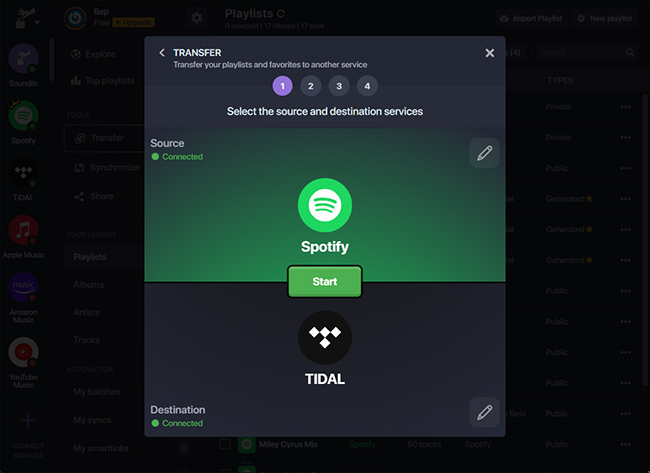
Steg 3. Bläddra bland dina Apple Music-spellistor och välj den du vill överföra. Klicka på Konvertera och välj Spotify som destinationsplattform.
Steg 4. Soundiiz börjar matcha låtar och återskapa spellistan i Spotify.
Onlineverktyg som Soundiiz är ett bekvämt alternativ för användare som vill överföra Apple Music-låtar till Spotify utan att installera skrivbordsprogram. De kan dock ha begränsningar som överföringsgränser eller långsammare bearbetning för stora spellistor.
Del 3. Överför Apple Music-spellista till Spotify på iOS/Android
Om du föredrar att hantera dina spellistor direkt från en smartphone finns det flera mobilappar som kan hjälpa dig att överföra Apple Music till Spotify enkelt. Två av de mest använda apparna är FreeYourMusic och SongShift.
Använda FreeYourMusic (iOS och Android)
FreeYourMusic är ett plattformsoberoende musiköverföringsverktyg som finns tillgängligt på både iOS- och Android-enheter. Det låter användare flytta spellistor mellan olika streamingtjänster direkt från sina telefoner.
- Installera FreeYourMusic-appen från App Store eller Google Play.
- Öppna appen och välj Apple Music som källplattform.
- Logga in på ditt Apple Music-konto.
- Välja Spotify som destinationsplattform.
- Välj den spellista du vill migrera.
- Tryck på Överför för att starta processen.
Inom några minuter bör din spellista visas i Spotify.
Använda SongShift (endast iOS)
SongShift är en annan populär mobilapp som är speciellt utformad för iOS-användare. Den möjliggör snabba överföringar av spellistor mellan flera musiktjänster.
- Ladda ner SongShift från App Store.
- Anslut din Apple Music och Spotify konton.
- Tryck på Skapa skift.
- Välj Apple Music som källa och Spotify som destination.
- Välj den spellista du vill överföra.
- Starta överföringsprocessen.
Att använda mobilappar är ett utmärkt alternativ om du vill överföra Apple Music till Spotify direkt från din telefon utan att använda en dator.
Del 4. Vanliga frågor
1. Kan jag överföra Apple Music till Spotify gratis?
Vissa verktyg erbjuder gratis överföring av spellistor med begränsningar, till exempel ett maximalt antal låtar. Betalda versioner tillåter vanligtvis obegränsade överföringar och snabbare bearbetning.
2. Kommer alla låtar att överföras utan problem?
De flesta låtar överförs korrekt, men ibland kan vissa spår inte visas om de inte är tillgängliga på destinationsplattformen.
3. Hur lång tid tar överföringen?
Tiden som krävs beror på spellistans storlek. Mindre spellistor kan överföras på några minuter, medan större kan ta längre tid.
4. Är det säkert att använda verktyg för överföring av spellistor?
Pålitliga verktyg använder säkra autentiseringsmetoder för att ansluta till dina musikkonton. Välj alltid betrodd programvara när du överför Apple Music till Spotify.
Del 5. För att summera det hela
Att byta musikströmningsplattform innebär inte längre att förlora dina noggrant utvalda spellistor. Med moderna verktyg för migrering av spellistor är det nu enklare än någonsin att överföra Apple Music till Spotify utan att behöva bygga om ditt musikbibliotek manuellt. Genom att välja den metod som bäst passar din enhet och spellistas storlek kan du överföra Apple Music-låtar till Spotify och fortsätt njuta av dina favoritlåtar sömlöst på din nya streamingplattform.