


Luisteren naar Audible op Apple Watch [2026 Update]
Luisteren naar Audible op je Apple Watch klinkt handig, maar als je het ooit hebt geprobeerd, zul je merken dat het niet zo eenvoudig is als het lijkt. Veel gebruikers worstelen met synchronisatieproblemen, offline beperkingen en beperkte afspeelfuncties. In deze handleiding laten we je zien wat echt werkt om offline en zonder je iPhone van Audible-luisterboeken te genieten op je Apple Watch.
Inhoudsopgave Deel 1. Kun je Audible gebruiken op je Apple Watch?Deel 2. De officiële manier om Audible op je Apple Watch te gebruiken.Deel 3. De beste manier om offline naar Audible te luisteren op je Apple Watch.Deel 4. Overzicht
Deel 1. Kun je Audible gebruiken op je Apple Watch?
Ja, je kunt Audible afspelen op de Apple Watch, maar de Apple Watch ondersteunt niet alle Audible-functies zoals de iPhone of iPad. Er zijn een aantal beperkingen:
- Afhankelijkheid van iPhone: Het horloge spiegelt de inhoud van je iPhone; zelfstandig afspelen is beperkt.
- Offline beperkingen: U kunt audioboeken niet rechtstreeks downloaden en opslaan op het horloge.
- Problemen met de afspeelbediening: Functies zoals bladwijzers, snelheidsregeling en hoofdstukselectie zijn beperkt.
Deze beperkingen maken het lastig voor gebruikers die echte flexibiliteit en offline luisteren willen.
Deel 2. De officiële manier om Audible op je Apple Watch te gebruiken.
Dit jaar is de officiële manier om Audible op de Apple Watch te gebruiken veel gebruiksvriendelijker dan in voorgaande jaren. Zo werkt Audible officieel op de Apple Watch:
Voorwaarden
- Hardware: Apple Watch Series 4 of nieuwer.
- Software: Kijk 11.0 of nieuwer en iOS 18.0 of nieuwer op je gekoppelde iPhone.
- Accessoires: Bluetooth-koptelefoons (zoals AirPods of Shokz) die rechtstreeks met het horloge zijn gekoppeld.
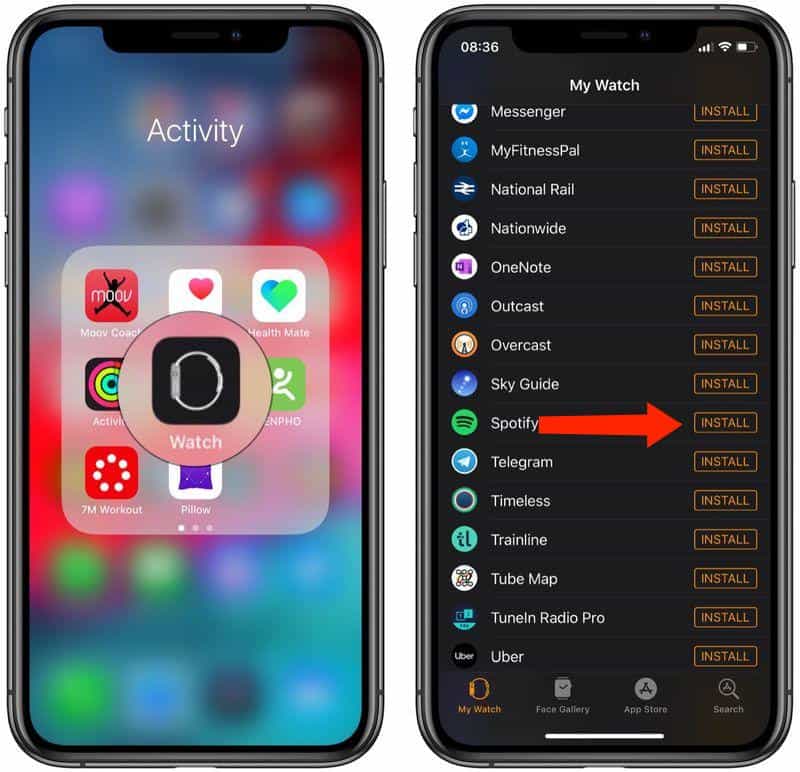
Stap 1. Open de Watch-app op je iPhone, zoek Audible en tik op Installeren.
Stap 2. Open de Audible-app op je Apple Watch. Als je daarom wordt gevraagd, verschijnt er een zescijferige code op het scherm van de Watch.
Stap 3. Ga op je iPhone (of via een willekeurige browser) naar audible.com/activate. Log in en voer de code in. Je Apple Watch is nu gekoppeld aan je cloudbibliotheek.
Stap 4. Eenmaal gekoppeld, kunt u de Watch op twee manieren gebruiken zonder uw iPhone in de buurt: zelfstandig streamen (modellen met mobiele dataverbinding) en offline downloaden (aanbevolen voor workouts).
Afspeelbediening
- Volume: Draai het digitale Crown.
- Snelheid: Druk op 1x Pictogram om de afspeelsnelheid aan te passen (tot 3.5x).
- Hoofdstukken: Druk op Menupictogram (onderaan links) om naar specifieke hoofdstukken te springen.
- Schakelen tussen apparaten: Druk op Apparaatpictogram om het geluid te schakelen tussen je horloge en andere AirPlay-luidsprekers.
Beperking: Je moet je iPhone in de buurt hebben en de opslagruimte is minimaal. Als je offline vrijheid wilt, is dit niet voldoende.
Deel 3. De beste manier om offline naar Audible te luisteren op je Apple Watch.
Als je Audible op je Apple Watch wilt beluisteren zonder je iPhone te gebruiken, is de meest praktische oplossing om Audible-boeken naar een universeel formaat te converteren, zoals... MP3. Dit is waar DumpMedia Hoorbare omzetter komt in beeld. Het kan Audible-boeken direct downloaden zonder DRM-beperkingen. Audible AAX-bestanden converteren naar MP3 Of M4A voor volledige compatibiliteit. Deze methode lost de grootste problemen met het afspelen op de Apple Watch op: onafhankelijkheid, flexibiliteit en volledige controle over je audioboeken.
Luister offline naar Audible op je Apple Watch met DumpMedia
Stap 1. Open de software op je computer. Het werkt met beide. WinWindows en Mac. De interface is gebruiksvriendelijk, waardoor het gemakkelijk is voor beginners.
Download gratis Download gratis
Stap 2. Open de ingebouwde Audible-webspeler in DumpMedia Log in met je Audible-account. Blader door Audible en sleep het boek dat je wilt downloaden naar de converter.
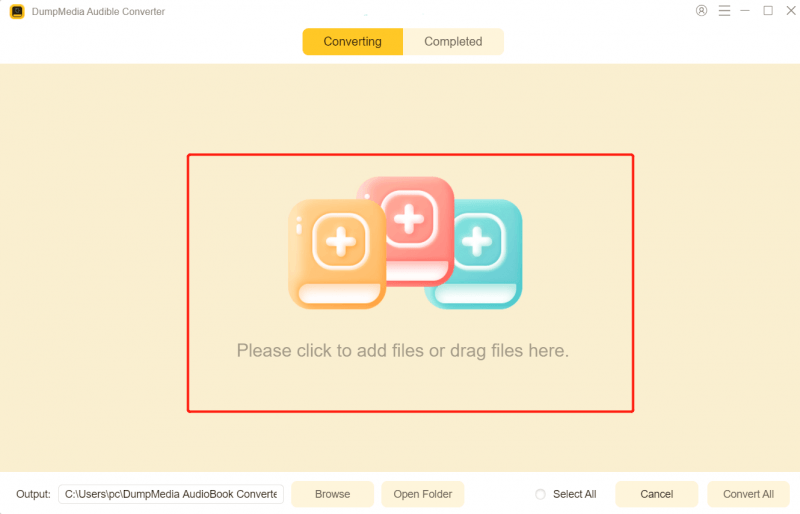
Stap 3. Selecteer in het instellingenpaneel het gewenste downloadformaat.

Stap 4. De laatste stap is op de knop "Converteren" klikken om het conversieproces te starten.
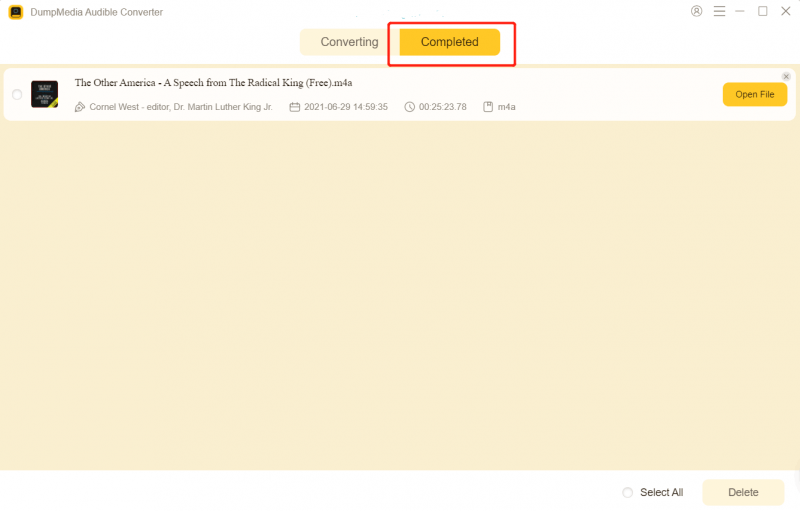
Stap 5. Voeg het bestand toe aan je muziekbibliotheek.
- Op Mac: Open de Muziek-app, ga naar Bestand > Importeren en selecteer het geconverteerde boek.
- On Windows: Open iTunes of de Apple Music-app voor WinSleep het bestand naar je bibliotheek.
Stap 6. Verbind je iPhone met je computer. Zorg ervoor dat in de synchronisatie-instellingen van het apparaat je nieuwe 'Audioboek' is geselecteerd om te synchroniseren. Voer de synchronisatie uit zodat het boek op je iPhone verschijnt in de Boeken-app (of Muziek-app, afhankelijk van je instelling voor mediatypen).
Stap 7. Hoe luister je naar Audible op je Apple Watch? Open de Watch-app op je iPhone. Ga naar Mijn Watch > Audioboeken. Tik op Audioboek toevoegen en selecteer de titel die je zojuist vanaf je computer hebt gesynchroniseerd. Plaats je Apple Watch op de oplader. De synchronisatie start automatisch via wifi/bluetooth.
Nu kun je altijd en overal offline naar Audible-luisterboeken luisteren op je horloge.
Deel 4. Overzicht
De Apple Watch is handig, maar de officiële ondersteuning van Audible is beperkt. Als je echt offline en onderweg van je audioboeken wilt genieten, is het gebruik van een Apple Watch een betere optie. DumpMedia Audible Converter is de slimste keuze. Laat de beperkingen van de Apple Watch je luisterboekervaring niet in de weg staan. Downloaden DumpMedia Luister vandaag nog, waar en wanneer je maar wilt.

30% korting >>>