


El mejor reproductor de música para Android: Play Spotify Sin conexión fácilmente
Si eres un usuario de Android que disfruta escuchando música a diario, contar con un reproductor de música potente y versátil es esencial. Sin embargo, tiene una limitación importante: la mayoría de los reproductores de música Android no pueden reproducir música directamente. Spotify canciones a menos que se descarguen como archivos de audio normales. Este artículo presenta El mejor reproductor de música para Android Este año y también explica cómo jugar. Spotify sin conexión en cualquier dispositivo Android, incluso sin Premium.
Guía de contenido Parte 1: ¿Qué hace que un reproductor de música Android sea excelente?Parte 2: Los 6 mejores reproductores de música para AndroidParte 3: Bonus: Jugar Spotify Sin conexión en Android sin PremiumParte 4: Resumen
Parte 1: ¿Qué hace que un reproductor de música Android sea excelente?
¿Cómo elegir el mejor reproductor de música para Android? Antes de elegir un reproductor de música, considera lo siguiente:
- Compatibilidad con formatos de audio de alta resolución y sin pérdidas
- Ecualizadores y efectos de sonido personalizables
- Interfaz de usuario/experiencia de usuario fluida
- Capacidad de organizar grandes bibliotecas de música
- Compatibilidad con archivos guardados localmente como MP3, M4A, FLAC y WAV
- Eficiencia de rendimiento y bajo consumo de batería.
Parte 2: Los 6 mejores reproductores de música para Android
1. Reproductor de música Poweramp
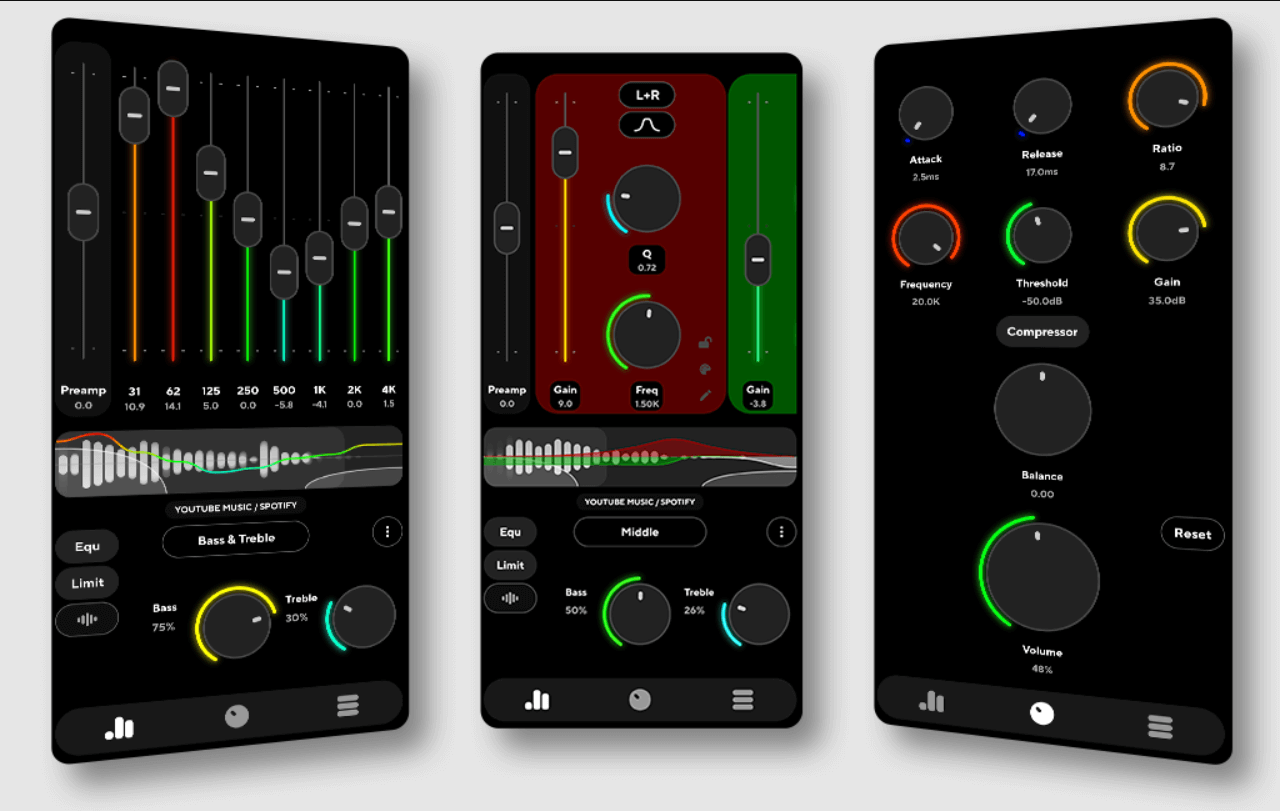
Poweramp sigue siendo el mejor reproductor de música para Android gracias a su motor de procesamiento de audio de 32/64 bits, líder en la industria, y a su capacidad para ofrecer una calidad de reproducción excepcional para los amantes de la música. Ofrece un control inigualable mediante un detallado ecualizador multibanda y controles de tono dedicados, además de una amplia compatibilidad con formatos de alta resolución como MP3, FLAC, WAV y ALAC.
Más allá de su destreza técnica, Poweramp es altamente personalizable con una variedad de temas y visualizaciones que se adaptan al estilo de cualquier usuario. Cabe destacar que, si convierte Spotify música para MP3 o archivos FLAC locales, Poweramp los maneja con facilidad, lo que garantiza que incluso su biblioteca de transmisión sin conexión se beneficie de su mejora de sonido de nivel profesional.
2. Black Player EX
Centrado en el minimalismo y las animaciones fluidas, BlackPlayer EX ofrece una interfaz elegante y sin publicidad que proporciona una experiencia de usuario limpia y sofisticada. Este reproductor de alto rendimiento incluye un ecualizador de 10 bandas, reproducción sin interrupciones y amplias opciones de widgets, además de ser totalmente compatible con formatos locales esenciales como MP3, FLAC y WAV. Es una opción ideal para usuarios que priorizan un entorno ordenado y una navegación fluida mientras reproducen sus archivos descargados localmente. Spotify pistas.
3. Reproductor de música Pulsar
Pulsar es un reproductor de música ligero pero potente, ideal para Android. Ofrece una interfaz de usuario Material Design impecable, visualmente impactante y altamente eficiente. A pesar de su tamaño compacto, está repleto de funciones esenciales como la gestión inteligente de listas de reproducción, un temporizador de apagado y compatibilidad total con Chromecast, lo que garantiza una experiencia de escucha versátil en diferentes dispositivos. Reproduce todos los formatos de audio estándar con facilidad, lo que lo convierte en la solución perfecta para usuarios con grandes bibliotecas de música convertida que necesitan un reproductor rápido, sin publicidad y fiable para gestionar sus pistas locales.
4. AIMP
Reconocido por su motor de audio de calidad profesional, AIMP destaca por ofrecer un excepcional ecualizador de 29 bandas y compatibilidad total con hojas CUE, lo que garantiza un alto nivel de control sobre su experiencia auditiva. Cuenta con una versátil capacidad de reproducción multiformato e incluso integra radio por internet, todo ello con un enfoque en la calidad superior de reproducción de sonido. Esta precisión técnica lo convierte en una excelente opción para los audiófilos que desean experimentar la profundidad de la alta resolución. Spotify-archivos convertidos con salida nítida.
5. Musicoleta
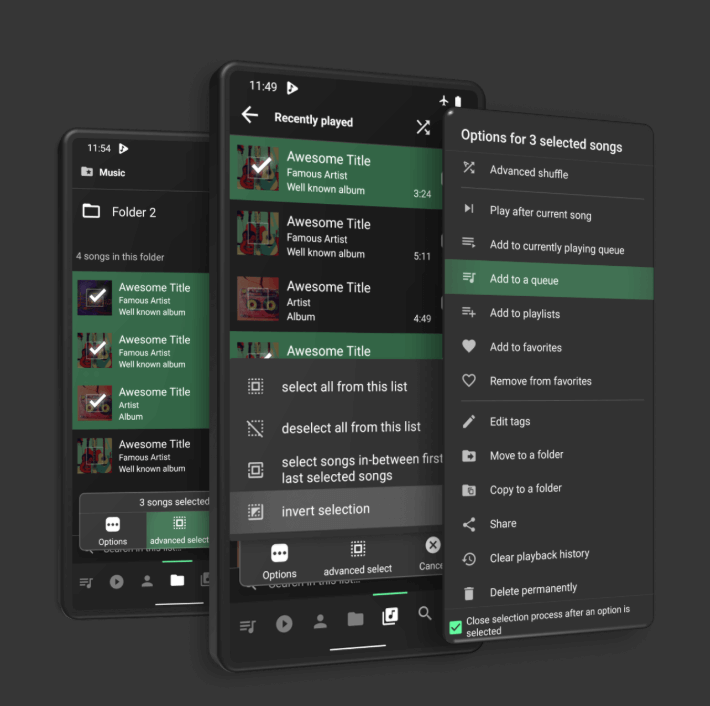
Para los usuarios que priorizan la velocidad y la simplicidad, Musicolet ofrece una experiencia ultraligera y sin publicidad, enfocada exclusivamente en la reproducción local sin conexión. Su interfaz optimizada incluye potentes funciones como un editor de etiquetas integrado y la capacidad única de gestionar varias colas simultáneamente, lo que la convierte en una opción ideal para organizar y reproducir sus archivos convertidos. Spotify audio sin distracciones innecesarias.
6. VLC para Android
VLC es un potente reproductor multimedia universal y un firme candidato a ser el mejor reproductor de música para Android, especialmente para usuarios que buscan una solución versátil todo en uno para audio y vídeo. Al ser gratuito y de código abierto, reproduce prácticamente cualquier formato multimedia imaginable e incluye un ecualizador integrado y opciones avanzadas de streaming en red.
Su completo conjunto de funciones lo convierte en una opción confiable para quienes desean administrar toda su biblioteca multimedia, desde pistas locales hasta videos de alta definición, dentro de una única aplicación confiable.
Parte 3: Bonus: Jugar Spotify Sin conexión en Android sin Premium
Aunque Spotify Premium ofrece la comodidad de la reproducción sin conexión, pero tiene restricciones importantes: las canciones no se pueden exportar, los archivos siguen siendo incompatibles con otras aplicaciones de música y el acceso sin conexión se revoca inmediatamente una vez que finaliza la suscripción.
Además, los usuarios no pueden compartir ni transferir la música descargada a otros dispositivos. Debido a estas limitaciones inherentes, muchos usuarios de Android buscan una solución más flexible e independiente del dispositivo para controlar y gestionar sus bibliotecas de audio. escucha a Spotify digital fuera de línea. En cualquier reproductor de música Android, debes convertir las canciones a formatos de audio estándar. Aquí es donde DumpMedia Spotify Music Converter se convierte en la solución ideal.
Descarga gratuita Descarga gratuita
Características Principales
- Convertir Spotify canciones para MP3, M4A, AAC, WAV, etc
- Eliminar DRM de Spotify canciones y listas de reproducción de forma segura
- Descarga por lotes listas de reproducción, álbumes o toda tu biblioteca
- Conservar la alta calidad del audio y las etiquetas ID3
- Disfruta de tu música en cualquier dispositivo sin restricciones de suscripción
Cómo convertir Spotify Canciones con DumpMedia
Paso 1: Instalar y lanzar DumpMedia Spotify Music Converter. Escoger Spotify, agrega la canción que quieras reproducir en el mejor reproductor de música para Android.

Paso 2: Elija MP3 como el formato de salida.

Paso 3: Haga clic en Convertir para procesar los archivos. Sus archivos de música se exportarán como MP3.

Paso 4. Una vez convertidos, tus archivos de música estarán listos para importarse al reproductor de música de Android.
Parte 4: Resumen
Encontrar el mejor reproductor de música para Android depende de tus preferencias personales, ya sea que priorices la calidad de audio, la personalización o la simplicidad. Poweramp, BlackPlayer EX, Pulsar y otras opciones mencionadas anteriormente son fuertes candidatos y ofrecen una excelente experiencia de reproducción para archivos de música almacenados localmente.
Sin embargo, si quieres jugar Spotify música en un reproductor de música Android sin restricciones, incluida la reproducción sin conexión, compatibilidad de formatos y acceso a largo plazo, necesitará sus canciones en formatos de audio estándar como MP3 o FLAC. Aquí es donde DumpMedia Spotify Music Converter se vuelve esencial. Al convertir Spotify pistas en formatos universalmente admitidos, le permite disfrutar de toda su música. Spotify biblioteca en cualquiera de los mejores reproductores de música de Android con control total y acceso sin conexión ilimitado.