


DumpMedia Suno Music Converter allows you to convert and download your AI-generated tracks, albums, and playlists from Suno AI into DRM-free formats such as MP3, WAV, FLAC, M4A, and AIFF. Below is a complete, step-by-step guide to downloading, activating, and converting tracks using the desktop application.
コンテンツガイド パート 1. アクティブ化する方法 DumpMedia Suno Music Converterパート2.設定メニュー DumpMedia Suno Music Converterパート3. 好みの形式で音楽をダウンロードする方法パート4. 管理方法 DumpMedia アカウントFAQ(よくある質問)
ステップ1。 インストール DumpMedia Suno Music Converter
お使いのオペレーティングシステムのインストールパッケージをダウンロードします(Winダウンロードしたファイルを開き、画面の指示に従ってインストールを完了します。インストールが完了したら、 DumpMedia Suno Music Converter on your computer.
一般的なインストールの問題
ステップ2. ライセンスキーを購入する
すべての機能のロックを解除し、試用版の制限を解除するには、ライセンスキーを購入する必要があります。 DumpMedia オンラインストアニーズに合ったサブスクリプションプランをお選びください。対応しているお支払い方法でご購入手続きを完了してください。お支払い後、ライセンスキーがご登録のメールアドレスに送信されます。
ステップ3. ライセンスキーを有効化する
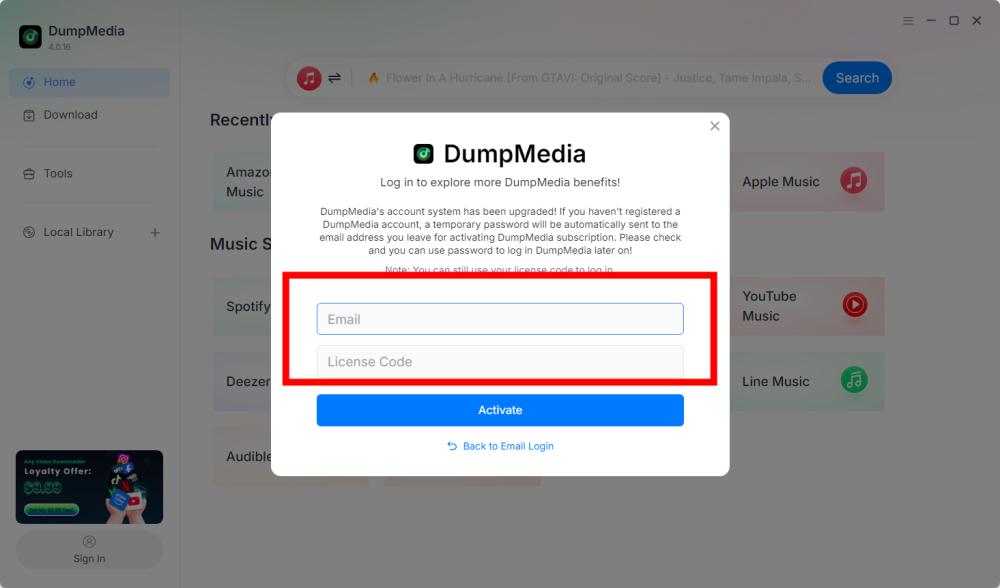
オプション1: 起動 DumpMedia. Click the "login in" button or profile icon in the bottom-left corner. Choose "login in with license." Enter the email address and license key you used during your purchase. Click "Sign in" to complete the registration. After activation, you can download songs without any quantity limitations.
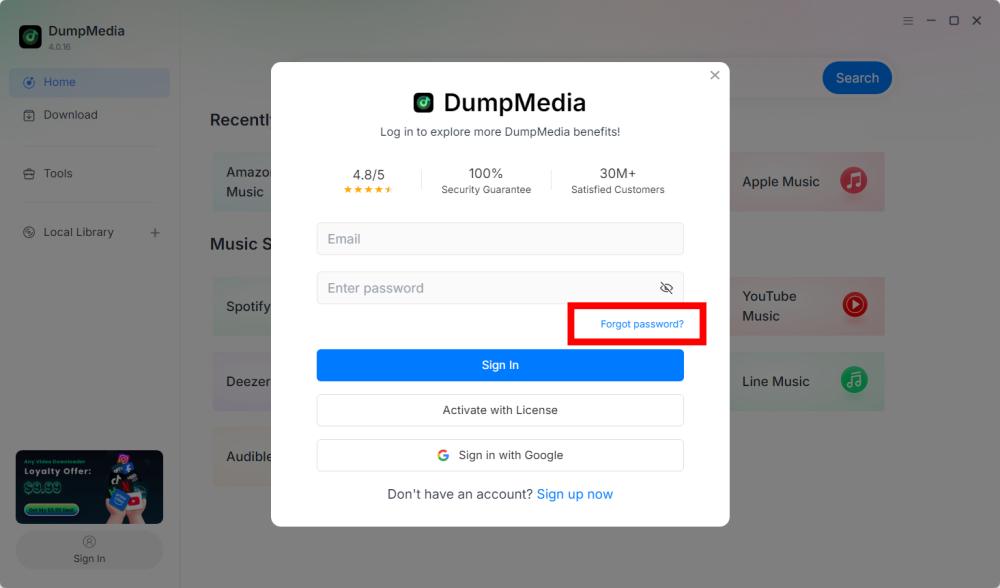
Option 2: Please enter your email address and the default password you received after purchase. If you forgot your password, click "Forgot Password," and you will be taken to the member center to reset your password.
その他のヒント:
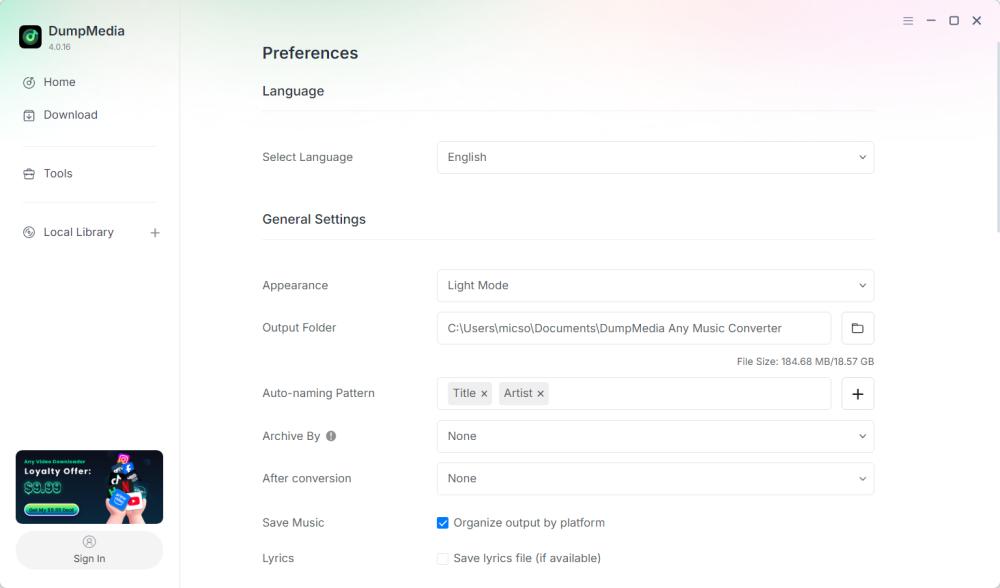
プログラムの右上隅にあるメニューアイコンをクリックして、設定メニューにアクセスします。設定メニューでは、お好みに合わせてソフトウェアをカスタマイズできます。
設定 > 環境設定
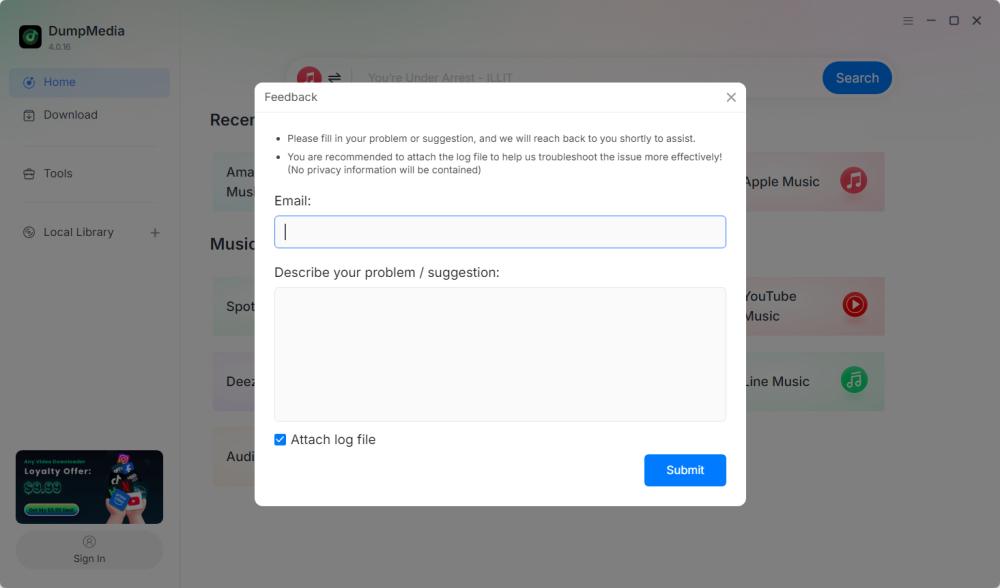
設定 > フィードバックを送信
You can fill in your problem or suggestion here, and we will get back to you shortly to assist. Please attach the log file to help us troubleshoot the issue more effectively! No private information will be included.
設定 > アップデートを確認
できるだけ早くリリースされた新しいバージョンに更新してください。
DumpMedia Suno Music Converter allows you to download and convert Suno songs into various formats with high quality and fast speed. Follow the steps below to get started.
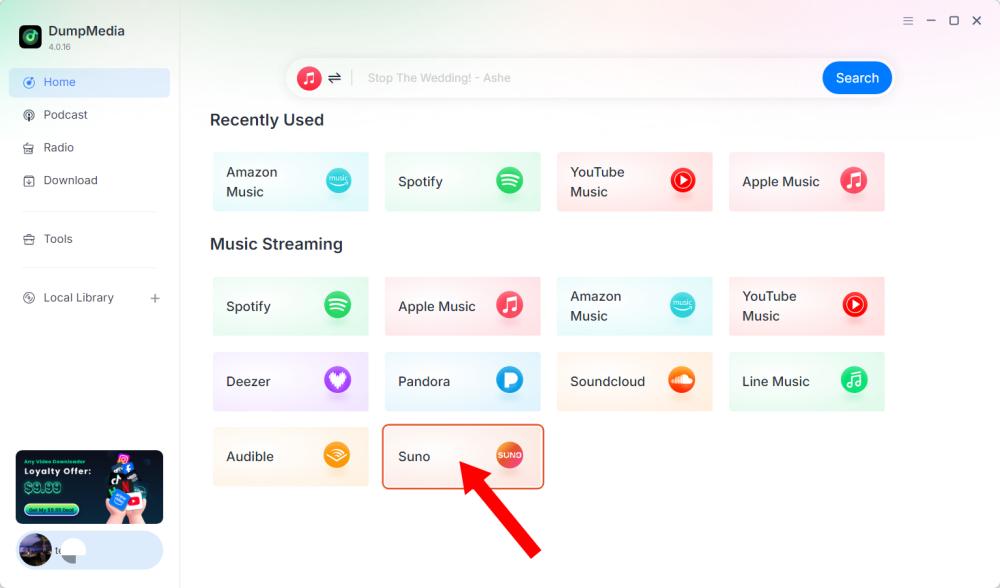
Step 1. Select Suno
Launch the software and choose Suno from the main interface.
Step 2. Log in to Suno Music
Log in using your own Suno account through the built-in player.
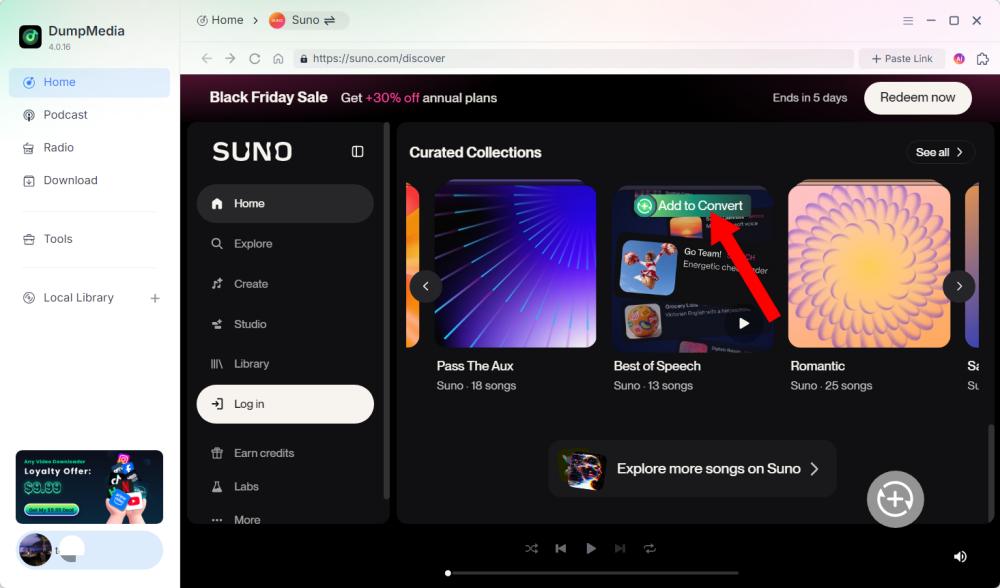
ステップ3. 変換する曲、アルバム、またはプレイリストを追加する
変換したいコンテンツを参照または検索します。「変換に追加」ボタンをクリックするか、変換パネルにドラッグすることで、曲、アルバム、またはプレイリストを追加できます。
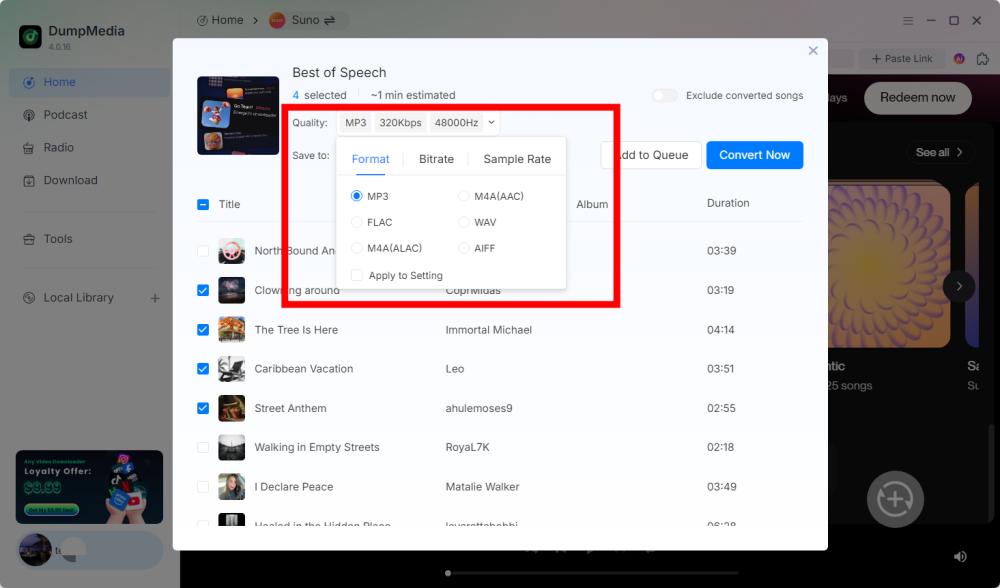
ステップ4。 出力フォーマットの選択
希望する出力形式と品質設定を選択します。
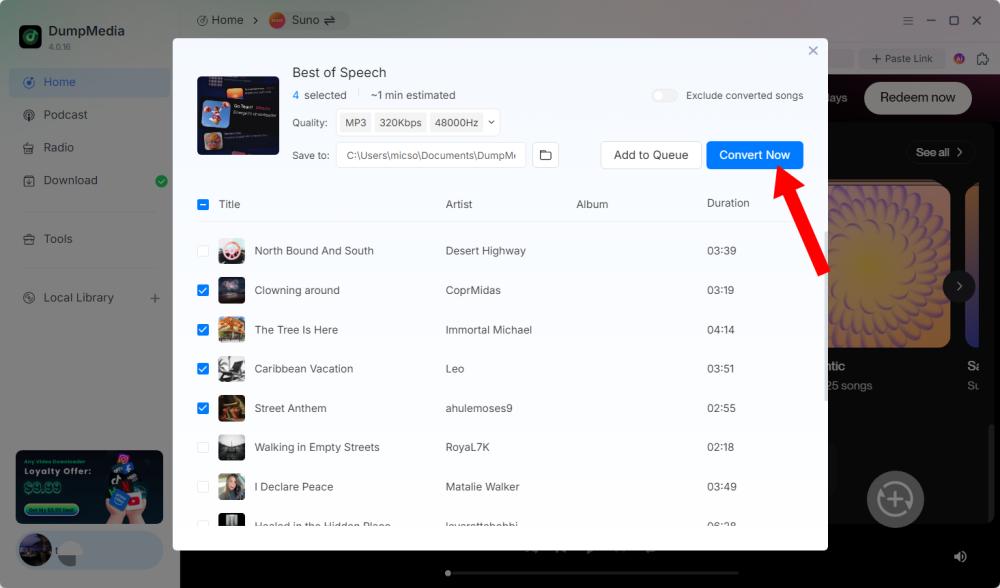
ステップ5.音楽をダウンロードする
「変換」ボタンをクリックしてダウンロードを開始します。変換が完了するまでお待ちください。
ステップ6. 変換された音楽を確認する
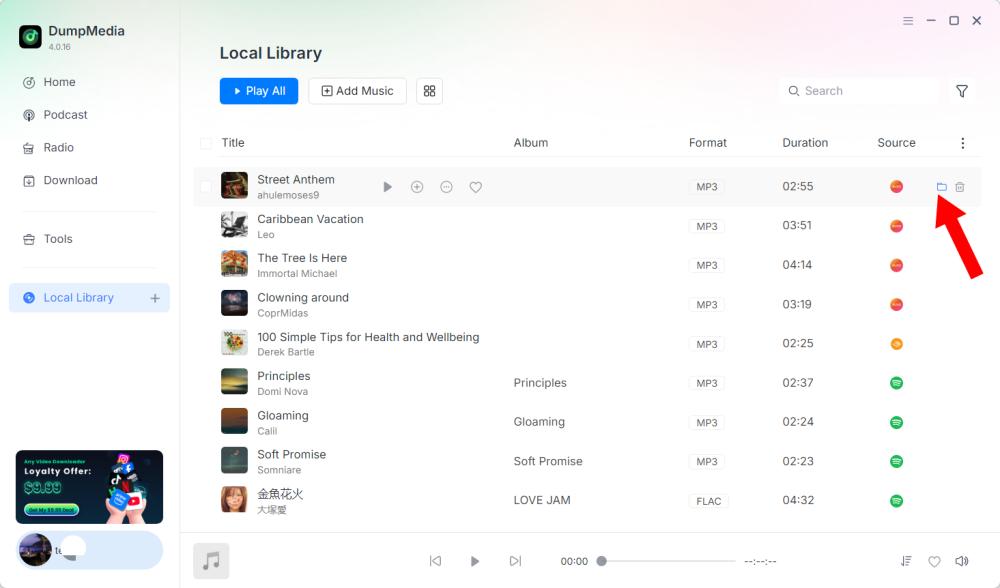
完了すると、音楽は選択した出力フォルダーに保存されます。
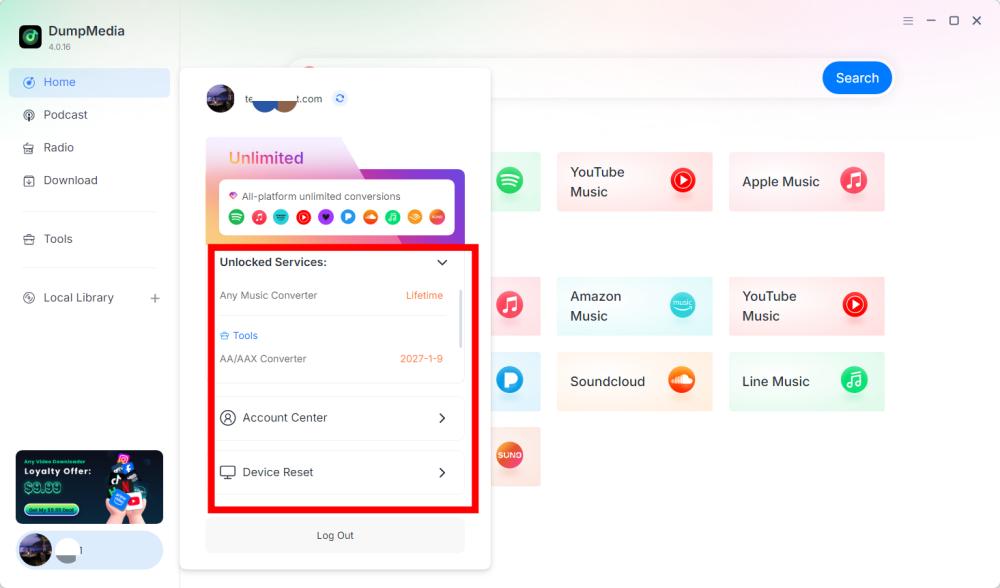
アカウント関連のオプションは、ソフトウェアのプロフィールセクションからアクセスできます。左下にあるプロフィールアイコンをクリックしてください。ここでライセンスのステータスを確認できます。
1. What are the limitations of the free trial?
DumpMedia Suno Music Converter allows you to convert 3 full songs for free from Suno. To convert more tracks without any limitations, you will need to register and activate the full version of the software.
2. Why did my conversion fail?
よくある原因としては、ネットワークの問題、ストリーミングサブスクリプションの期限切れ、一時的なプラットフォームの変更などが挙げられます。ソフトウェアを再起動してもう一度お試しください。さらにサポートが必要な場合は、フィードバックを送信してサポートを受けてください。
3. Where can I find my converted files?
変換されたファイルは、「設定 > 出力」で指定された出力フォルダーに保存されます。
4. Can I use one license on multiple devices?
いいえ。1つのライセンスは1台のコンピューターでのみアクティベートできます。また、各ライセンスキーは購入時に指定されたデバイスのOSでのみ使用できます。


