


2026年にPandoraのプレイリストを作成する方法(ステップバイステップガイド)
多くの音楽ファンは、Pandoraを使って新しい曲を発見したり、お気に入りの曲を整理したり、自分だけのリスニング体験を作り出したりしています。Pandoraでプレイリストを作成する方法を探しているなら、Pandoraのプレイリストシステムの仕組みを理解すれば、実は簡単に作成できます。このガイドでは、Pandoraのプレイリストの作成方法、Pandoraの音楽ライブラリの管理方法、お気に入りのプレイリストをオフラインで再生できるようにする方法を詳しく解説します。
目次パート1. Pandoraでプレイリストを作成できますか?パート2. モバイルでPandoraプレイリストを作成する方法パート3. デスクトップでPandoraプレイリストを作成する方法パート4. Pandoraプレイリストを永久にオフラインで保存する最良の方法パート5. Pandoraプレイリストの作成方法に関するよくある質問パート6. まとめ
パート1:Pandoraでプレイリストを作成できますか?
はい。Pandoraでは、収集した楽曲、アルバム、ステーションを使ってプレイリストを作成できます。ただし、プレイリストの機能は、無料アカウント、Pandora Plus、Pandora Premiumによって異なる場合があります。Pandoraでプレイリストを作成する方法を学ぶには、まずご自身のアカウントの種類を理解することが重要です。
無料ユーザーおよびPandora Plusユーザーは、プレイリストを手動で作成または編集することはできません。利用できるのはステーションのみで、ステーションはMusic Genome Projectを使用して、シードとなるアーティストまたはトラックに基づいて類似の曲を再生します。
Pandora Premiumは、カスタムプレイリストの作成、楽曲の手動追加、オフラインダウンロード、プレイリストの共有など、最も充実したプレイリスト機能を提供します。
パート2:モバイルでPandoraプレイリストを作成する方法
スマートフォンを使ってPandoraでプレイリストを作成する方法を知りたい場合は、以下の手順に従ってください。
ステップ1: iPhoneまたはAndroid端末でPandoraを起動します。
ステップ2.画面下部の「マイコレクション」をタップします。
ステップ3.「+ プレイリストを作成」をタップします。プレイリストの名前と説明を入力します。
ステップ4.追加したい曲、アルバム、またはアーティストを検索します。「プレイリストに追加」をタップします。
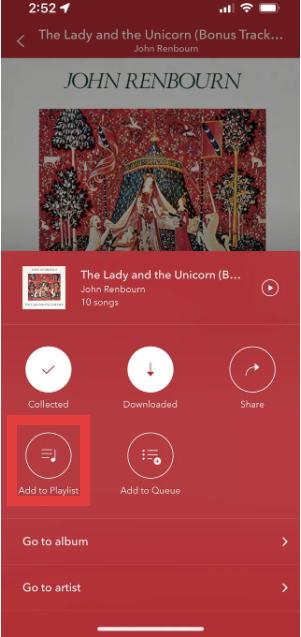
ステップ5.曲を追加したら、後で聴くためにプレイリストを保存します。
これは、モバイル端末でPandoraのプレイリストを作成する最も簡単な方法です。
パート3:デスクトップでPandoraプレイリストを作成する方法
Pandoraのウェブプレーヤーを使って、Pandoraでプレイリストを作成する方法も学ぶことができます。
ステップ1. Pandoraウェブプレーヤーを開きます。Pandoraアカウントにログインします。メニューから「マイコレクション」を選択します。
ステップ2.「プレイリストを作成」をクリックします。
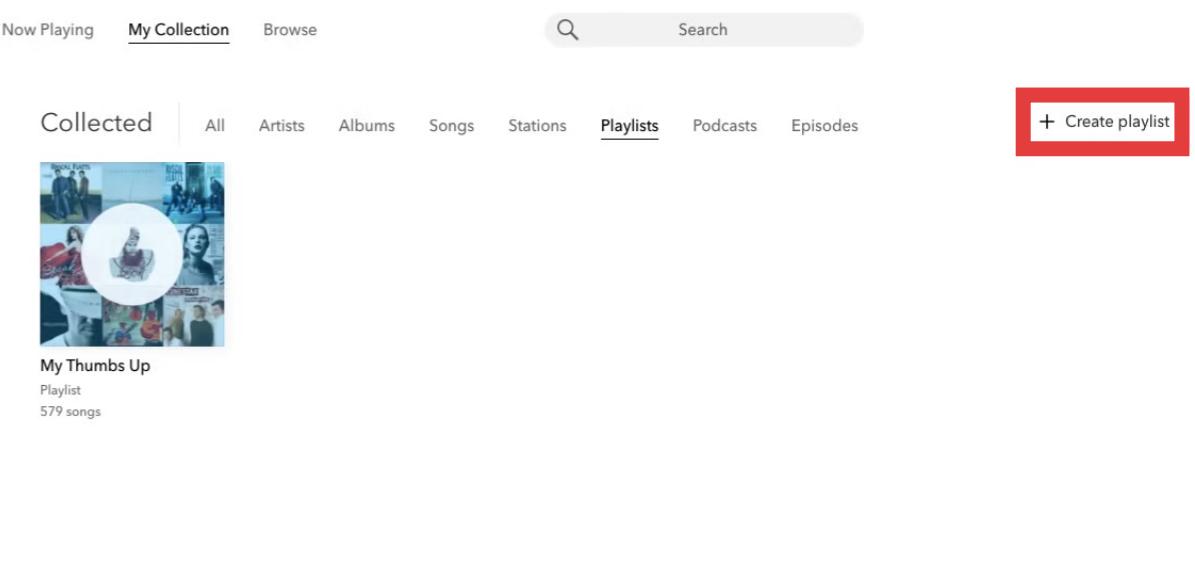
ステップ3.プレイリストに曲を検索して追加します。
ステップ4:トラックの順序を変更したり、プレイリストの名前を変更したり、曲を削除したり、プレイリストの詳細を更新したりできます。
パート4:Pandoraのプレイリストを永久にオフラインで保存する最良の方法
Pandoraのプレイリストは便利ですが、いくつかの制限事項があります。Pandora PlusまたはPremiumユーザーの場合、プレイリストの利用には有効なサブスクリプションが必要なため、オフラインダウンロードが制限される場合があります。また、サブスクリプションを解約すると再生が停止する可能性があります。時間をかけて丁寧にプレイリストを作成したユーザーにとっては、これは大きな不満となるでしょう。
アプリの制限を超えてPandoraのプレイリストを保存したい場合は、実用的な解決策が1つあります。 DumpMedia パンドラ音楽コンバータこのツールはユーザーを支援します Pandoraの曲を変換する MP3つまり、プレイリストをローカルに保存して、サブスクリプションの変更後も音楽を保持できるということです。ストリーミングアクセスだけに頼るのではなく、ユーザーはPandoraのプレイリストから長期的な音楽コレクションを構築できます。
🏅なぜ選ぶのか DumpMedia パンドラ音楽コンバータ:
- ⭐Pandoraウェブプレーヤーとの連携
- ⭐Pandoraプレミアムユーザーと無料ユーザーの両方で利用できます
- ⭐最大35倍の速度でバッチ変換を実現
- ⭐アーティスト、カバー、アートなどのID3タグを保持します。
- ⭐オリジナルのオーディオ品質を維持
- ⭐100% クリーン。使用してもリスクはありません
Pandoraのプレイリストを変換する方法 MP3
ステップ 1: ダウンロードしてインストール DumpMedia Mac/PCでPandora Music Converterを起動してください。起動するとインターフェースが表示されます。Pandoraプレミアム/無料アカウントを使用してログインしてください。
ステップ2.次に、曲またはプレイリストをフローティングの「+」アイコンに直接ドラッグして変換キューに追加し、ダウンロードの準備をします。
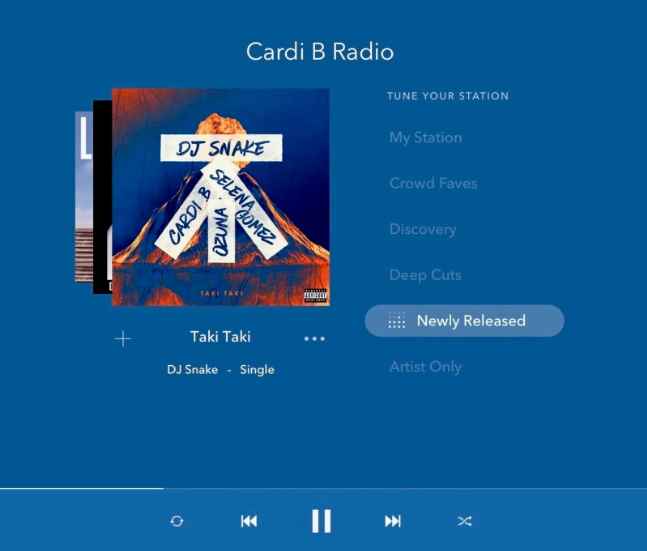
ステップ3.選択した曲に満足したら、お好みのオーディオファイル形式を選択できます。
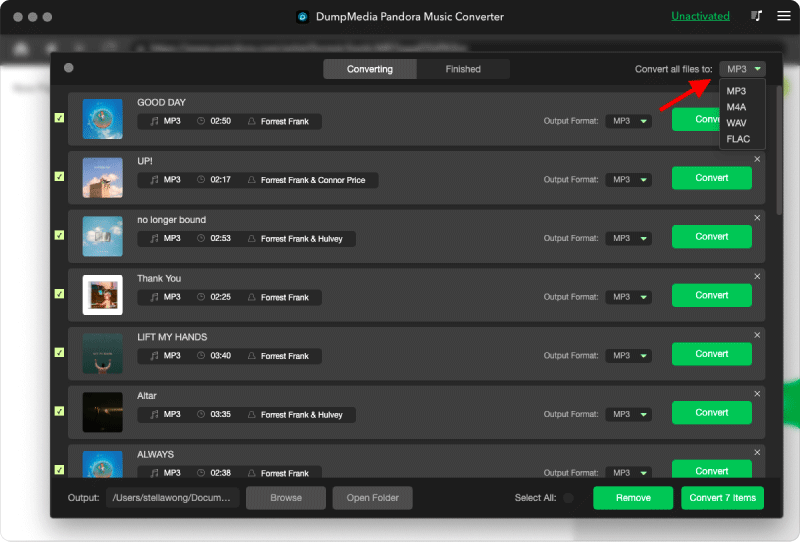
ステップ 4: 設定が完了したら、ユーザーは「変換」アイコンをクリックして変換処理を開始できます。 DumpMedia 超高速な処理速度で、Pandoraの楽曲を数秒以内にダウンロードできます。
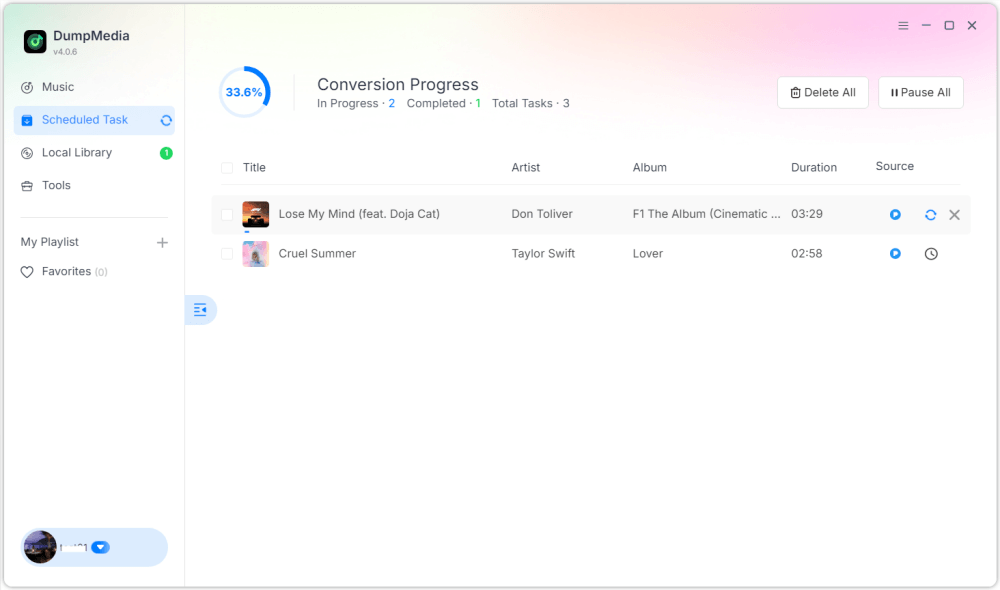
完成すると、プレイリストはオフライン再生に非常に柔軟に対応できるようになります。永続的にアクセスして再生できます。 MP3 プレーヤーやUSBデバイス。そのため、Pandoraでプレイリストを作成する方法を検索している多くのユーザーは、最終的にプレイリストを永続的に保存する方法を探すことになります。
パート5:Pandoraプレイリストの作成方法に関するよくある質問
Pandoraでプレイリストを作成できますか?
はい。Pandora Premiumでは、ユーザーがプレイリストを作成およびカスタマイズできます。
Pandoraのプレイリスト作成は無料ですか?
一部のプレイリスト機能を利用するには、Pandora Premiumへの登録が必要です。
Pandoraのプレイリストはオフラインでダウンロードできますか?
はい、ただしオフラインアクセスはご契約プランによって異なります。オフラインダウンロードは、契約期間終了後にご利用いただけなくなる場合があります。
Pandoraのプレイリストは変換できますか? MP3?
はい。 DumpMedia Pandora Music Converterを使用すると、Pandoraの楽曲をローカルオーディオファイルとして保存できます。
パート6:結論
Pandoraでプレイリストを作成する方法は、モバイル端末でもデスクトップ端末でも簡単に習得できます。Pandoraのプレイリストは、音楽の整理、楽曲の発見、そして自分だけのリスニング体験の構築に役立ちます。しかし、長期的にオフラインでアクセスしたいユーザーは、より柔軟な再生と永続的な音楽保存のために、プレイリストをローカルオーディオファイルとして保存することを好む場合が多いです。