


如何離線收聽 Audible(2026 年任何設備指南)
許多 聽得見 使用者希望在沒有網路連線的情況下也能享受有聲書。如果您正在尋找 Audible 的離線解決方案,那麼您來對地方了。雖然 Audible 允許您將有聲書下載到裝置上,但有一些限制。本指南將向您展示如何在任何裝置上離線收聽 Audible 有聲讀物,以及如何使用可靠的工具獲得永久、無限制的存取權限。
內容指南 第一部分:可以離線收聽 Audible 有聲書嗎?第二部分:在安卓/iOS裝置上離線收聽Audible有聲書第三部分:離線收聽 Audible 有聲書 Win道/麥第四部分:在任何設備上離線收聽 Audible 有聲書第 5 部分。 常見問題解答部分6。 概要
第一部分:可以離線收聽 Audible 有聲書嗎?
Audible 提供離線模式,讓您可以將購買的有聲書下載到手機、平板電腦或電腦上。這樣您就可以在沒有網路連線的情況下收聽這些有聲書。但是,需要注意的是:下載的有聲書仍然受 DRM 保護。這意味著:
- 您只能在授權裝置或 Audible 應用程式上播放它們。
- 將檔案傳輸到其他裝置受到限制
- 你不能將它們轉換為 MP3 或其他通用播放格式
所以,雖然理論上你可以離線收聽 Audible,但要完全控制則需要不同的方法。
第二部分:在安卓/iOS裝置上離線收聽Audible有聲書
離線收聽 Audible 非常簡單。以下是讓您的有聲書做好離線收聽準備的最直接方法。
步驟二 在您的安卓或iOS裝置上開啟Audible應用程式。
步驟二 登入您的 Audible 帳戶。前往您的圖書館,選擇您想要離線收聽的書籍。
步驟二 點擊下載按鈕。下載完成後,即可隨時離線收聽 Audible 有聲書。
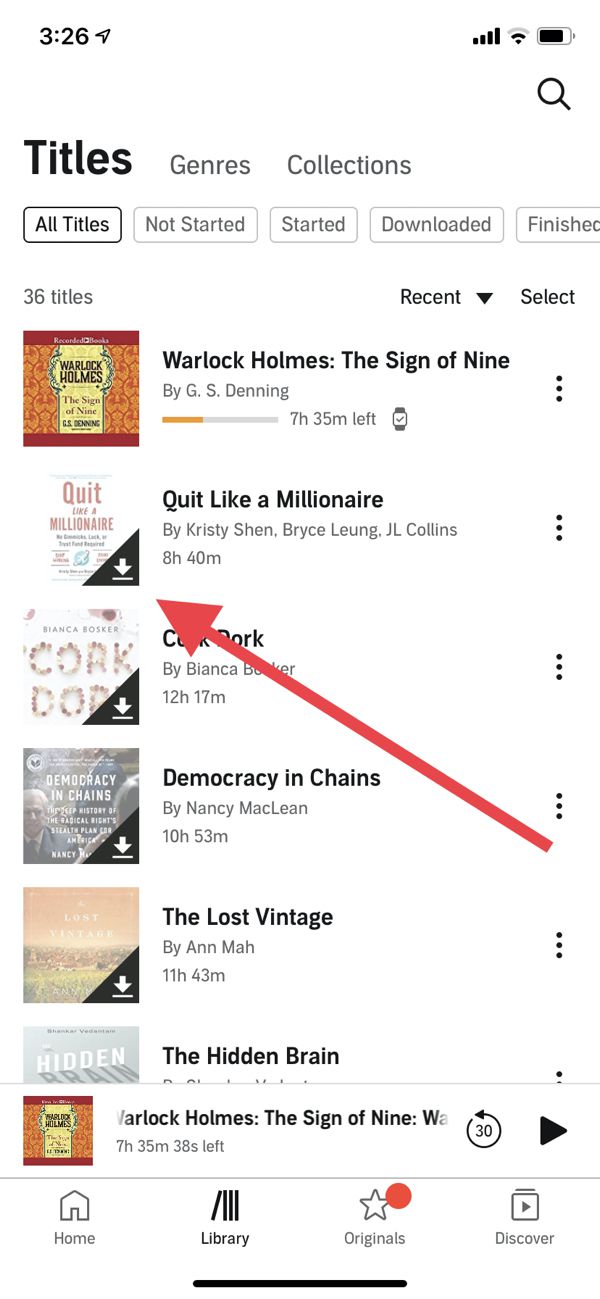
雖然這種方法有效,但由於 DRM 的限制,它只能在 Audible 應用程式內播放。
第三部分:離線收聽 Audible 有聲書 Win道/麥
許多用戶希望在電腦上離線收聽 Audible 有聲書。然而,今年的情況與往年不同。 Audible 已不再提供功能齊全的桌面應用程式。 Win所以,如果您正在嘗試實現 Audible 的離線播放功能,請繼續閱讀。 Win道瓊斯指數顯示,官方選項極為有限。
Mac 用戶會發現這非常方便,因為 Audible 與 Apple Books 深度整合。您無需下載名為“Audible”的單獨應用程式。只需在瀏覽器中造訪 Audible 網站,然後點擊書名旁邊的「下載」按鈕即可。下載完成後,您就可以直接在 Mac 上的 Apple Books 中開啟它。
第四部分:在任何設備上離線收聽 Audible 有聲書
如果您想要真正享受 Audible 的離線自由,隨時隨地在任何裝置上收聽,您需要移除 DRM 保護。這就是… DumpMedia Audible有聲音轉档器 進來。
使用 DumpMedia 使用 Audible Converter,您可以:
- 從 Audible 有聲書中移除 DRM*
- 將 Audible 有聲書轉換為 MP3 或其他格式
- 永遠保存你的書籍
- 可在任何裝置上收聽:手機、 MP3 玩家、電腦或汽車系統
通過使用 DumpMedia這樣,您就可以完全掌控自己的有聲讀物,並克服 Audible 應用的種種限制。對於任何想要真正擁有自己內容的人來說,這都是最可靠的解決方案。讓我們來看看如何使用它離線播放 Audible 有聲書。 DumpMedia.
步驟二 下載並安裝 DumpMedia Audible Converter。提供 PC 和 Mac 版本。打開 DumpMedia然後轉到 Audible 選項卡。
步驟二 從您的 Audible 書庫中選擇要轉換的書籍。
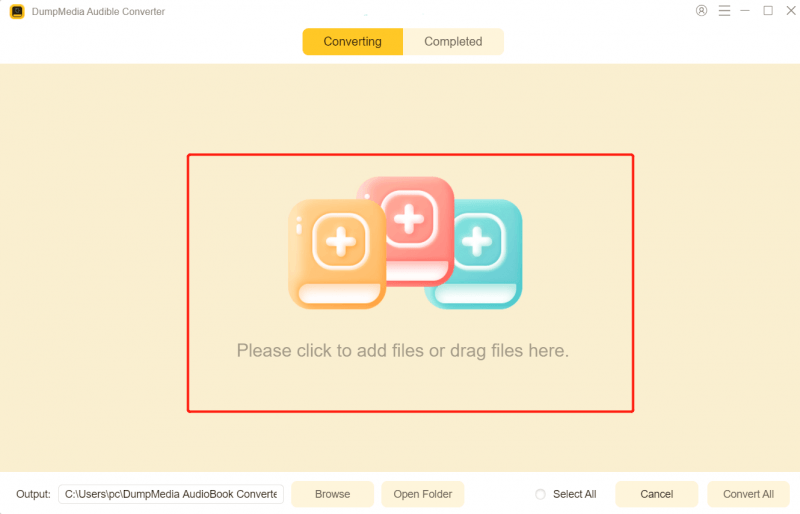
步驟二 選擇輸出設定並開始轉換。

步驟二 轉換完成後,請查看輸出檔。

這是在所有裝置上實現真正的 Audible 離線收聽的最可靠解決方案。
第 5 部分。 常見問題解答
我可以不用應用程式離線收聽 Audible 嗎?
是的,但只能透過使用類似這樣的工具來轉換你的有聲書。 DumpMedia 音頻轉換器。
轉換會影響音訊品質嗎?
序號 DumpMedia 轉換過程中保持無損畫質。
我可以在任何裝置上播放轉換後的檔案嗎?
是的。 MP3 文件可以在手機、平板電腦上播放。 MP3 播放器、電腦和汽車音響系統。
如果我取消 Audible 服務,我的書會遺失嗎?
購買的書籍仍保留在您的圖書館中,但如果沒有轉換,離線播放仍然僅限於 Audible 應用程式。
部分6。 概要
在已授權的裝置上離線收聽 Audible 內容非常方便,但 DRM 限制了靈活性和自由度。如需在任何裝置上永久離線訪問, DumpMedia Audible Converter 是最佳解決方案。它允許您將 Audible 有聲書轉換為… MP3 隨時隨地,離線暢聽,任何設備皆可。別讓DRM限制您的聆聽體驗。立即掌控,隨時隨地享受您的有聲書。
*DumpMedia 其工作原理是將您的有聲讀物解密並下載為無 DRM 的文件,使您可以在任何裝置上獲得乾淨、不受限制的庫副本。

30% 折扣 >>>