


Najlepszy odtwarzacz muzyki na Androida: Play Spotify Łatwo offline
Jeśli jesteś użytkownikiem Androida i lubisz słuchać muzyki codziennie, posiadanie wydajnego i wszechstronnego odtwarzacza muzyki jest niezbędne. Istnieje jednak jedno istotne ograniczenie. Większość odtwarzaczy muzyki na Androida nie odtwarza bezpośrednio Spotify utwory, chyba że są pobierane jako zwykłe pliki audio. W tym artykule przedstawiono najlepszy odtwarzacz muzyki dla Androida w tym roku i wyjaśnia również jak grać Spotify offline na każdym urządzeniu z Androidem, nawet bez wersji Premium.
Przewodnik po zawartości Część 1: Co sprawia, że odtwarzacz muzyki na Androida jest świetny?Część 2: 6 najlepszych odtwarzaczy muzyki na AndroidaCzęść 3: Bonus: Graj Spotify Offline na Androidzie bez PremiumCzęść 4: Podsumowanie
Część 1: Co sprawia, że odtwarzacz muzyki na Androida jest świetny?
Jak wybrać najlepszy odtwarzacz muzyki na Androida? Przed wyborem odtwarzacza muzyki należy wziąć pod uwagę następujące kwestie:
- Obsługa formatów audio o wysokiej rozdzielczości i bezstratnych
- Możliwość dostosowania korektorów i efektów dźwiękowych
- Gładki interfejs użytkownika (UI)
- Możliwość organizowania dużych bibliotek muzycznych
- Zgodność z plikami zapisanymi lokalnie, takimi jak MP3, M4A, FLAC i WAV
- Wydajność i niskie zużycie baterii
Część 2: 6 najlepszych odtwarzaczy muzyki na Androida
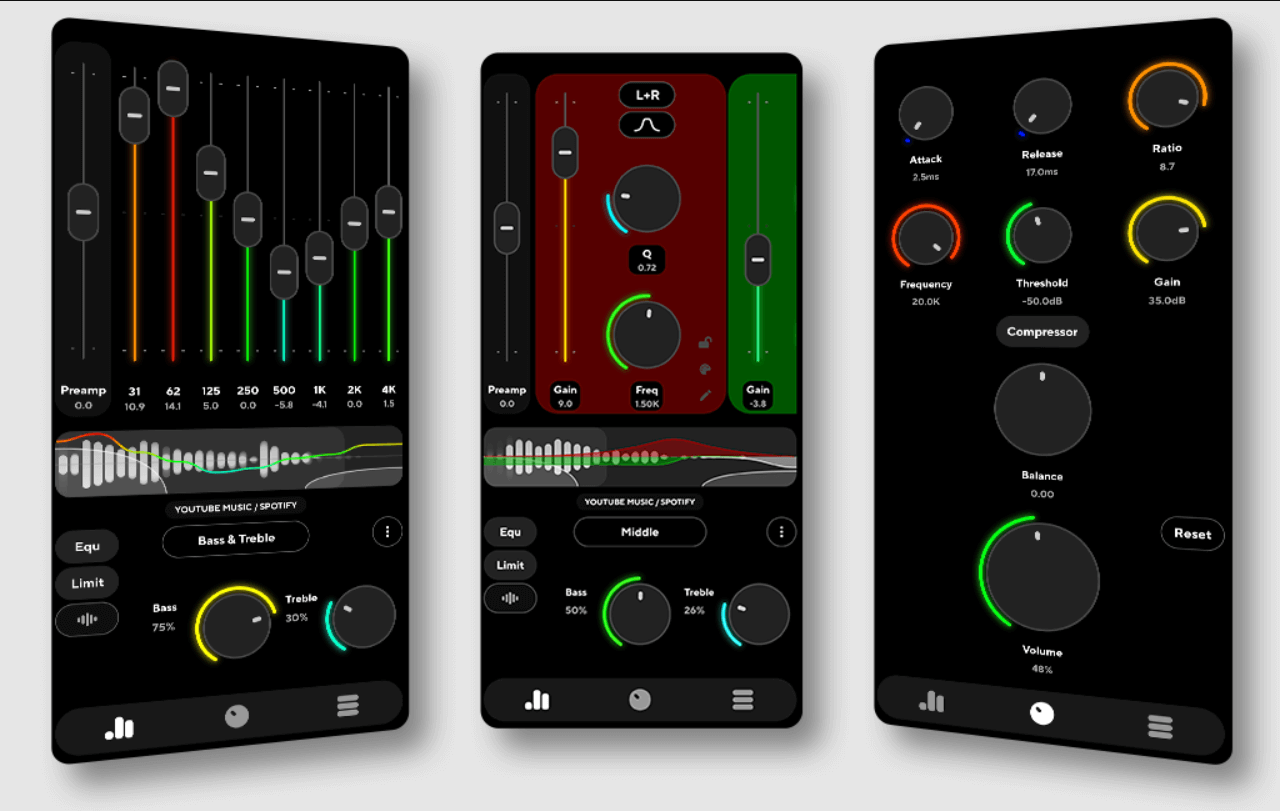
1. Odtwarzacz muzyki Poweramp
Poweramp pozostaje najlepszym odtwarzaczem muzyki na Androida dzięki wiodącemu w branży 32/64-bitowemu silnikowi przetwarzania dźwięku i możliwości zapewnienia wyjątkowej jakości odtwarzania dla audiofilów. Oferuje niezrównaną kontrolę dzięki szczegółowemu wielopasmowemu korektorowi i dedykowanym regulatorom tonów, a także szerokie wsparcie dla formatów o wysokiej rozdzielczości, takich jak MP3, FLAC, WAV i ALAC.
Oprócz technicznych możliwości, Poweramp jest niezwykle konfigurowalny dzięki różnorodnym motywom i wizualizacjom, które dopasują się do stylu każdego użytkownika. Co ważne, jeśli konwertujesz Spotify muzyka do MP3 lub pliki lokalne FLAC – Poweramp poradzi sobie z nimi bez problemu, gwarantując, że nawet Twoja biblioteka plików przesyłanych strumieniowo w trybie offline skorzysta z profesjonalnej jakości wzmocnienia dźwięku.
2. BlackPlayer EX
Koncentrując się na minimalizmie i płynnych animacjach, BlackPlayer EX oferuje elegancki, wolny od reklam interfejs, który zapewnia czyste i wyrafinowane wrażenia użytkownika. Ten wydajny odtwarzacz oferuje 10-pasmowy korektor, odtwarzanie bez przerw i rozbudowane opcje widżetów, a jednocześnie w pełni obsługuje podstawowe formaty lokalne, takie jak: MP3, FLAC i WAV. To idealny wybór dla użytkowników, którzy cenią sobie uporządkowane środowisko i płynną nawigację podczas odtwarzania lokalnie pobranych plików. Spotify utworów.
3. Odtwarzacz muzyczny Pulsar
Pulsar to lekki, a zarazem wydajny kandydat na najlepszego odtwarzacza muzyki na Androida, oferujący płynny interfejs użytkownika w stylu Material Design, który jest zarówno zachwycający wizualnie, jak i niezwykle wydajny. Pomimo kompaktowych rozmiarów, oferuje szereg niezbędnych funkcji, takich jak inteligentne zarządzanie playlistami, timer uśpienia i pełna obsługa Chromecasta, zapewniając wszechstronne wrażenia słuchowe na różnych urządzeniach. Z łatwością odtwarza wszystkie standardowe formaty audio, co czyni go idealnym rozwiązaniem dla użytkowników z dużymi bibliotekami przekonwertowanych utworów, którzy potrzebują szybkiego, bez reklam i niezawodnego odtwarzacza do zarządzania lokalnymi utworami.
4. AIMP
Znany z profesjonalnego silnika audio, AIMP wyróżnia się wyjątkowym, 29-pasmowym korektorem i pełną obsługą arkuszy CUE, zapewniając wysoki poziom kontroli nad wrażeniami słuchowymi. Oferuje wszechstronne możliwości odtwarzania w wielu formatach, a nawet integruje radio internetowe, jednocześnie koncentrując się na najwyższej jakości dźwięku. Ta techniczna precyzja sprawia, że jest to doskonały wybór dla audiofilów, którzy chcą doświadczyć pełnej głębi dźwięku o wysokiej rozdzielczości. Spotify- przekonwertowane pliki o krystalicznie czystym obrazie.
5. Muzykolet
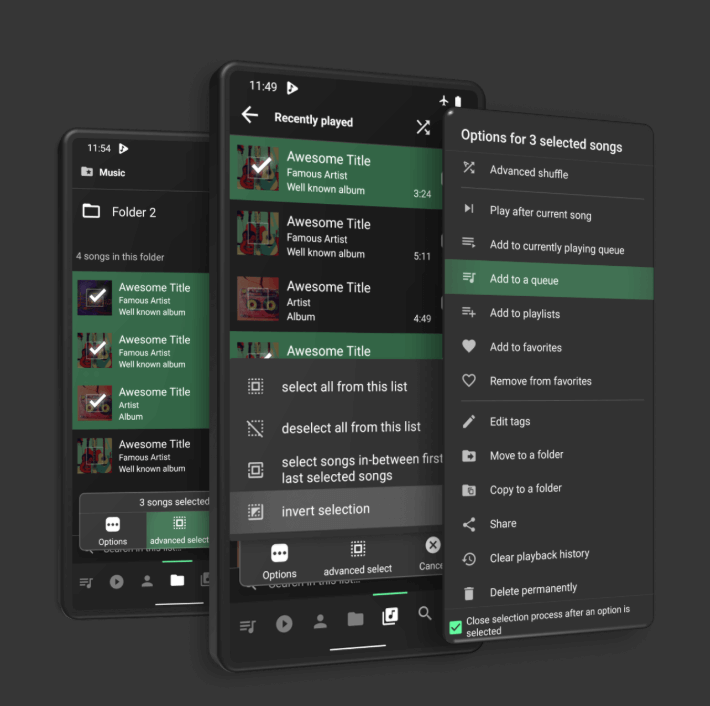
Dla użytkowników, którzy cenią sobie szybkość i prostotę, Musicolet oferuje ultralekkie i wolne od reklam środowisko, które koncentruje się wyłącznie na lokalnym odtwarzaniu offline. Jego uproszczony interfejs zawiera zaawansowane funkcje, takie jak wbudowany edytor tagów i unikalną możliwość jednoczesnego zarządzania wieloma kolejkami, co czyni go wyjątkowo odpowiednim wyborem do organizowania i odtwarzania przekonwertowanych utworów. Spotify dźwięk bez zbędnych rozpraszaczy.
6. VLC dla Androida
VLC to potężny, uniwersalny odtwarzacz multimediów i mocny kandydat na najlepszy odtwarzacz muzyki na Androida, szczególnie dla użytkowników poszukujących wszechstronnego, kompleksowego rozwiązania do odtwarzania zarówno dźwięku, jak i obrazu. Będąc darmowym i otwartym oprogramowaniem, VLC oferuje możliwość odtwarzania niemal każdego możliwego formatu multimediów i zawiera wbudowany korektor dźwięku oraz zaawansowane opcje strumieniowania sieciowego.
Dzięki rozbudowanemu zestawowi funkcji aplikacja ta stanowi niezawodny wybór dla osób, które chcą zarządzać całą biblioteką multimediów — od lokalnych utworów po filmy w wysokiej rozdzielczości — za pomocą jednej, zaufanej aplikacji.
Część 3: Bonus: Graj Spotify Offline na Androidzie bez Premium
Kompletujemy wszystkie dokumenty (wymagana jest kopia paszportu i XNUMX zdjęcia) potrzebne do Spotify Wersja Premium oferuje wygodę odtwarzania w trybie offline, jednak wiąże się z istotnymi ograniczeniami: utworów nie można eksportować, pliki pozostają niekompatybilne z innymi aplikacjami muzycznymi, a dostęp offline zostaje natychmiast anulowany po zakończeniu subskrypcji.
Co więcej, użytkownicy nie mogą udostępniać ani przenosić pobranej muzyki na inne urządzenia. Z powodu tych nieodłącznych ograniczeń wielu użytkowników Androida poszukuje bardziej elastycznego, niezależnego od urządzenia rozwiązania, aby w pełni zarządzać swoimi bibliotekami audio. słuchać Spotify nieaktywny W dowolnym odtwarzaczu muzyki na Androidzie musisz przekonwertować utwory do standardowych formatów audio. To właśnie tutaj DumpMedia Spotify Music Converter staje się idealnym rozwiązaniem.
Bezpłatne pobieranie Bezpłatne pobieranie
Kluczowe funkcje
- konwertować Spotify piosenki do MP3, M4A, AAC, WAV itp.
- Usuń DRM z Spotify bezpiecznie odtwarzaj piosenki i playlisty
- Pobieraj zbiorczo playlisty, albumy lub całą bibliotekę
- Zachowaj wysoką jakość dźwięku i znaczniki ID3
- Ciesz się muzyką na dowolnym urządzeniu bez ograniczeń abonamentowych
Jak konwertować Spotify Piosenki z DumpMedia
Krok 1. Zainstaluj i uruchom DumpMedia Spotify Music Converter, Wybierać Spotify, dodaj piosenkę, którą chcesz odtworzyć na najlepszym odtwarzaczu muzyki dla Androida.

Krok 2. Dodaj MP3 jako format wyjściowy.

Krok 3. Kliknij „Konwertuj”, aby przetworzyć pliki. Twoje pliki muzyczne zostaną wyeksportowane jako MP3.

Krok 4. Po konwersji pliki muzyczne będą gotowe do zaimportowania do odtwarzacza muzyki w systemie Android.
Część 4: Podsumowanie
Wybór najlepszego odtwarzacza muzyki na Androida zależy od Twoich osobistych preferencji – od tego, czy priorytetem jest jakość dźwięku, personalizacja, czy prostota. Poweramp, BlackPlayer EX, Pulsar i inne wymienione powyżej opcje to mocni kandydaci, oferujący doskonałe wrażenia podczas odtwarzania lokalnie przechowywanych plików muzycznych.
Jeśli jednak chcesz grać Spotify muzyki w odtwarzaczu muzycznym Android bez ograniczeń, w tym odtwarzania offline, zgodności formatów i długoterminowego dostępu, będziesz potrzebować swoich utworów w standardowych formatach audio, takich jak MP3 lub FLAC. To tutaj DumpMedia Spotify Music Converter staje się niezbędne. Konwertując Spotify utwory do powszechnie obsługiwanych formatów, dzięki czemu możesz cieszyć się nimi w całości Spotify bibliotekę na dowolnym z najlepszych odtwarzaczy muzycznych Androida, z pełną kontrolą i nieograniczonym dostępem offline.