


Jak stworzyć playlistę Pandora w 2026 roku (przewodnik krok po kroku)
Wielu miłośników muzyki korzysta z Pandory, aby odkrywać nowe utwory, porządkować ulubione i tworzyć spersonalizowane doznania muzyczne. Jeśli szukasz sposobu na stworzenie playlisty w Pandorze, proces ten jest naprawdę prosty, gdy tylko zrozumiesz, jak działa system playlist Pandory. W tym poradniku wyjaśnimy dokładnie, jak utworzyć playlistę w Pandorze, jak zarządzać biblioteką muzyczną Pandory i jak zachować ulubione playlisty dostępne do słuchania offline.
Spis treści: Część 1. Czy można utworzyć playlistę w Pandorze? Część 2. Jak utworzyć playlistę Pandory na urządzeniu mobilnym. Część 3. Jak utworzyć playlistę Pandory na komputerze. Część 4. Najlepszy sposób na trwałe utrzymanie playlist Pandory w trybie offline. Część 5. Najczęściej zadawane pytania dotyczące tworzenia playlisty Pandory. Część 6. Podsumowanie
Część 1. Czy można stworzyć playlistę w Pandorze?
Tak. Pandora pozwala użytkownikom tworzyć playlisty z zebranych utworów, albumów i stacji. Funkcje playlist mogą się jednak różnić w zależności od konta bezpłatnego, Pandora Plus i Pandora Premium . Zrozumienie rodzaju konta to pierwszy krok do nauczenia się tworzenia playlist w Pandorze.
Użytkownicy wersji Free i Pandora Plus nie mogą ręcznie tworzyć ani edytować playlist. Twoje możliwości ograniczają się do stacji, które korzystają z projektu Music Genome Project, aby odtwarzać podobne utwory na podstawie wybranego artysty lub utworu.
Pandora Premium oferuje najbardziej kompleksową funkcjonalność playlist, w tym tworzenie niestandardowych playlist, ręczne dodawanie utworów, pobieranie offline i udostępnianie playlist.
Część 2. Jak utworzyć playlistę Pandory na urządzeniu mobilnym
Jeśli chcesz dowiedzieć się, jak utworzyć playlistę w Pandorze przy użyciu telefonu, wykonaj poniższe kroki.
Krok 1. Uruchom Pandorę na swoim iPhonie lub urządzeniu z systemem Android.
Krok 2. Kliknij „Moja kolekcja” u dołu ekranu.
Krok 3. Kliknij „+ Utwórz playlistę”. Wpisz nazwę i opis playlisty.
Krok 4. Wyszukaj utwory, albumy lub wykonawców, których chcesz dodać. Kliknij „Dodaj do playlisty”.
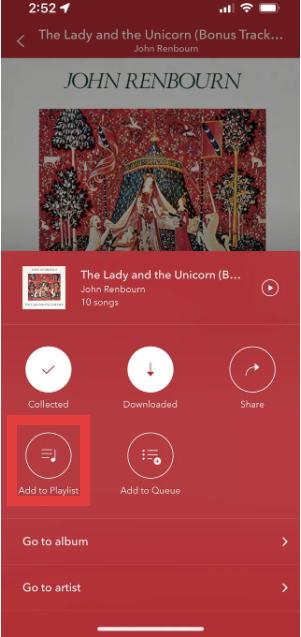
Krok 5. Po dodaniu piosenek zapisz playlistę, aby móc jej później słuchać.
Oto najłatwiejszy sposób na utworzenie playlisty Pandora na urządzeniach mobilnych.
Część 3. Jak utworzyć playlistę Pandory na komputerze
Możesz również dowiedzieć się, jak utworzyć playlistę w serwisie Pandora, korzystając z internetowego odtwarzacza Pandory.
Krok 1. Otwórz odtwarzacz internetowy Pandora. Zaloguj się na swoje konto Pandora. Wybierz „Moja kolekcja” z menu.
Krok 2. Kliknij „Utwórz playlistę”.
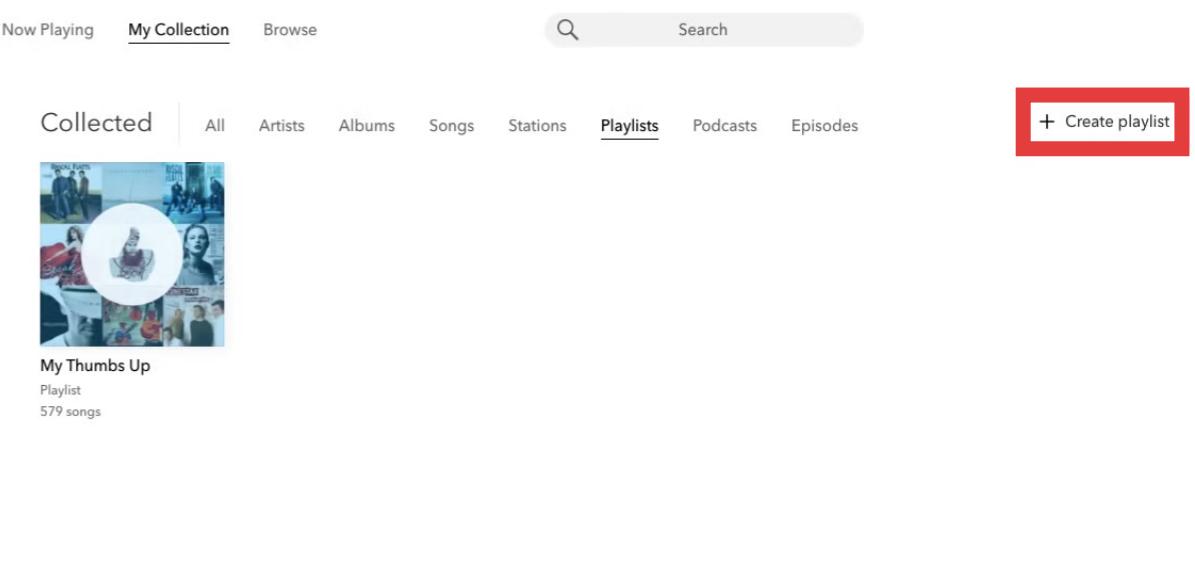
Krok 3. Wyszukaj i dodaj utwory do swojej listy odtwarzania.
Krok 4. Możesz zmienić kolejność utworów, zmienić nazwy list odtwarzania, usunąć utwory lub zaktualizować szczegóły listy odtwarzania.
Część 4. Najlepszy sposób na trwałe utrzymanie playlist Pandory w trybie offline
Chociaż playlisty Pandora są wygodne, nadal istnieje kilka ograniczeń. W przypadku użytkowników Pandory Plus lub Premium pobieranie offline może być ograniczone, ponieważ playlisty wymagają aktywnych subskrypcji. Odtwarzanie może zostać przerwane po anulowaniu subskrypcji. Staje się to frustrujące dla użytkowników, którzy poświęcają czas na staranne tworzenie playlist.
Jeśli chcesz zapisać playlisty Pandora poza ograniczeniami aplikacji, praktycznym rozwiązaniem jest DumpMedia Konwerter muzyki PandoraTo narzędzie pomaga użytkownikom konwertuj utwory Pandora na MP3Dzięki temu możesz zapisywać playlisty lokalnie i zachowywać muzykę po zmianie subskrypcji. Zamiast polegać wyłącznie na dostępie do streamingu, użytkownicy mogą budować długoterminowe kolekcje muzyczne na podstawie swoich playlist Pandora.
Bezpłatne pobieranie Bezpłatne pobieranie
🏅Dlaczego warto wybrać DumpMedia Konwerter muzyki Pandora:
- ⭐Integracja z odtwarzaczem internetowym Pandora
- ⭐Działa zarówno dla użytkowników Pandory Premium, jak i Free
- ⭐Zapewnia konwersję wsadową z prędkością do 35x
- ⭐Zachowaj tagi ID3, takie jak artysta, okładka, grafika itp.
- ⭐Zachowaj oryginalną jakość dźwięku
- ⭐100% czyste. Nie ma ryzyka w użyciu
Jak konwertować listy odtwarzania Pandory do MP3
Krok 1. Pobierz i zainstaluj DumpMedia Pandora Music Converter na komputerze Mac/PC. Uruchom go, a zobaczysz interfejs. Zaloguj się za pomocą konta Pandora Premium/Free.
Bezpłatne pobieranie Bezpłatne pobieranie
Krok 2. Następnie przeciągnij utwory lub listy odtwarzania bezpośrednio na pływającą ikonę „+”, aby dodać je do kolejki konwersji i przygotować do pobrania.
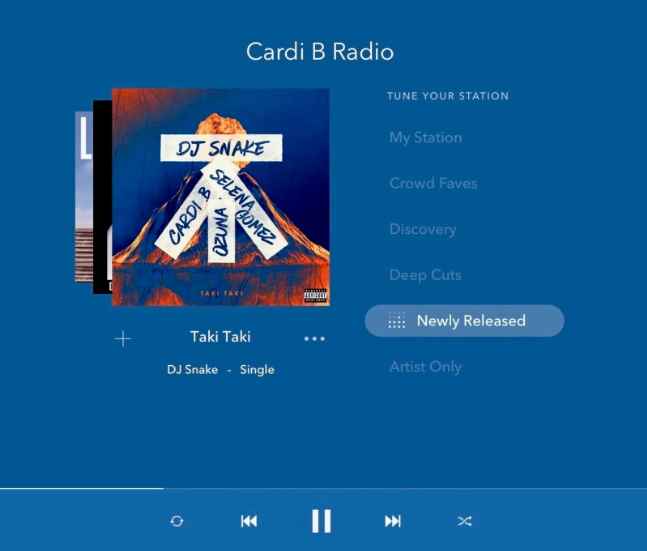
Krok 3. Gdy już będziesz zadowolony z wybranych utworów, możesz wybrać preferowany format pliku audio.
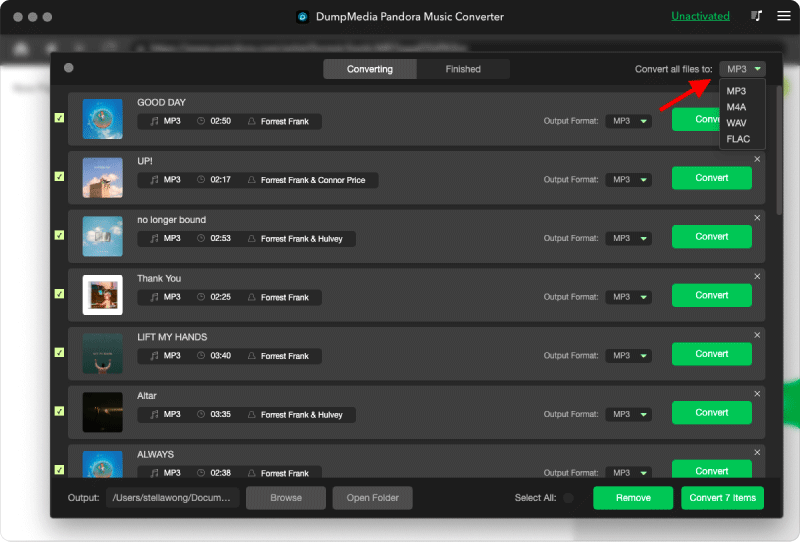
Krok 4. Po zakończeniu ustawień użytkownicy mogą dokonać konwersji, klikając ikonę „Konwertuj”. Następnie DumpMedia umożliwia pobieranie utworów z Pandory w ciągu kilku sekund dzięki superszybkiej prędkości.
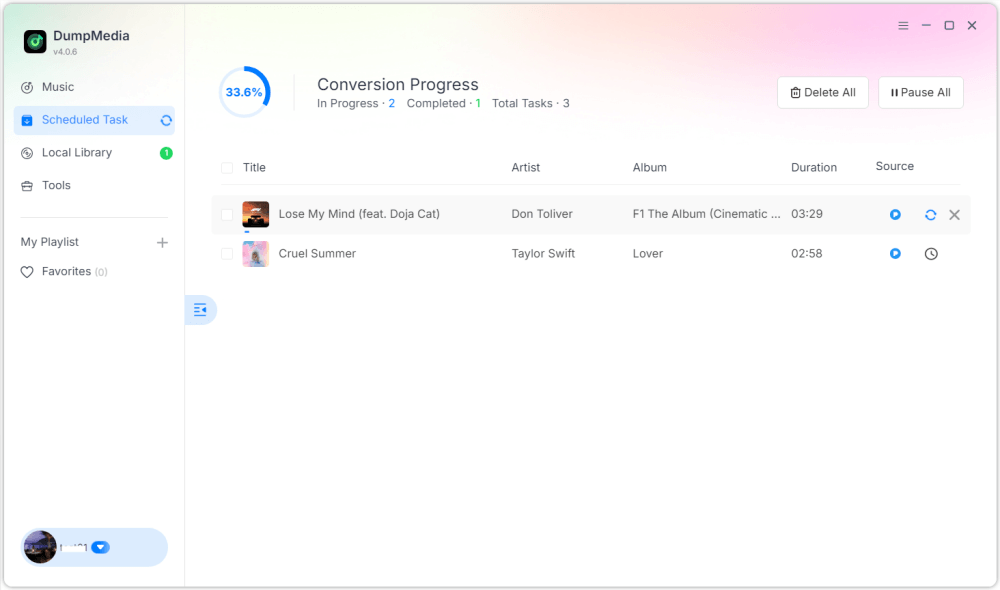
Po ukończeniu playlisty stają się o wiele bardziej elastyczne i można ich słuchać offline. Możesz mieć do nich stały dostęp i odtwarzać je w dowolnym momencie. MP3 Odtwarzacze lub urządzenia USB. Dlatego wielu użytkowników szukających sposobu na stworzenie playlisty w Pandorze ostatecznie szuka sposobów na jej trwałe przechowywanie.
Część 5. Najczęściej zadawane pytania dotyczące tworzenia playlist Pandora
Czy w Pandorze można tworzyć playlisty?
Tak. Pandora Premium umożliwia użytkownikom tworzenie i dostosowywanie list odtwarzania.
Czy tworzenie playlist w Pandorze jest darmowe?
Niektóre funkcje playlist mogą wymagać Pandora Premium.
Czy playlisty Pandory można pobierać w trybie offline?
Tak, ale dostęp offline zależy od Twojego planu subskrypcji. Pobieranie offline może stać się niedostępne po zakończeniu subskrypcji.
Czy listy odtwarzania Pandory można przekonwertować na MP3?
Tak. Narzędzia takie jak DumpMedia Pandora Music Converter umożliwia użytkownikom zapisywanie utworów Pandora jako lokalnych plików audio.
Część 6. Wniosek
Nauka tworzenia playlist w Pandorze jest prosta, niezależnie od tego, czy korzystasz z urządzeń mobilnych, czy stacjonarnych. Playlisty Pandory są przydatne do porządkowania muzyki, odkrywania utworów i tworzenia spersonalizowanych wrażeń słuchowych. Jednak użytkownicy, którzy chcą mieć długoterminowy dostęp offline, często wolą zapisywać playlisty jako lokalne pliki audio, co zapewnia większą elastyczność odtwarzania i trwałe przechowywanie utworów.