


Czym jest muzyka chroniona DRM? Wszystko, co musisz wiedzieć
Obecnie większość głównych platform streamingowych, takich jak Apple Music Użyj zabezpieczeń DRM, aby kontrolować, w jaki sposób użytkownicy uzyskują dostęp do muzyki cyfrowej. Chociaż DRM pomaga chronić treści chronione prawem autorskim, nakłada również ograniczenia na słuchanie offline i kompatybilność urządzeń. W tym przewodniku wyjaśnimy Czym jest muzyka chroniona DRM?, jak działa DRM na platformach streamingowych, dlaczego DRM powoduje ograniczenia odtwarzania i w jaki sposób użytkownicy mogą cieszyć się większą elastycznością odtwarzania muzyki Apple Music w trybie offline.
Przewodnik po zawartości Część 1. Czym jest muzyka chroniona DRM?Część 2. Dlaczego muzyka chroniona mechanizmem DRM powoduje problemy z odtwarzaniem?Część 3. Jak użytkownicy mogą elastyczniej słuchać Apple Music?Część 4. Często zadawane pytaniaCzęść 5. streszczenie
Część 1. Czym jest muzyka chroniona DRM?
Aby zrozumieć, czym jest muzyka chroniona mechanizmem DRM, najpierw należy zrozumieć sam mechanizm DRM.
Co oznacza DRM?
DRM oznacza Zarządzanie Prawami CyfrowymiJest to technologia wykorzystywana przez serwisy oferujące strumieniowe przesyłanie muzyki i dostawców treści cyfrowych w celu kontrolowania sposobu uzyskiwania dostępu do plików multimedialnych, ich kopiowania, pobierania i odtwarzania.
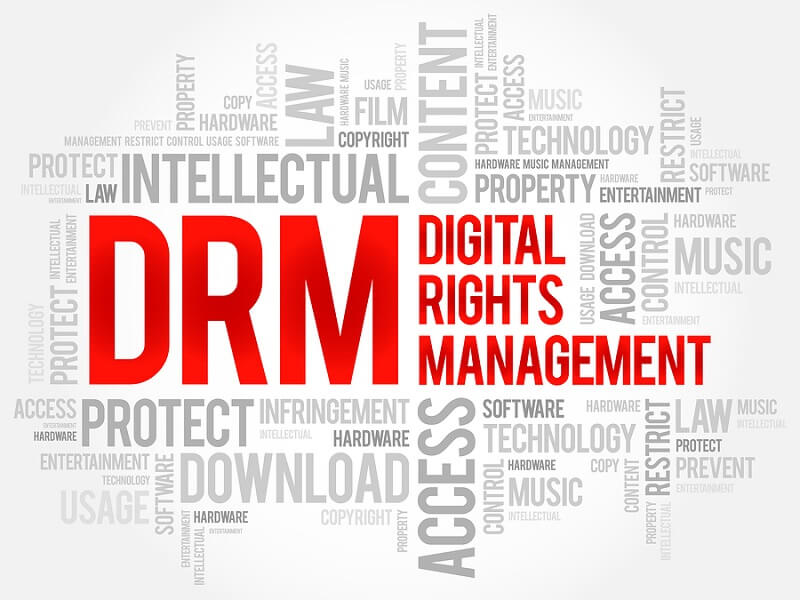
Kiedy muzyka jest chroniona DRM:
- Pliki są szyfrowane
- Odtwarzanie może wymagać weryfikacji konta
- Utwory mogą działać tylko w oficjalnych aplikacjach
- Kopiowanie lub przesyłanie plików jest ograniczone
Oto podstawowa odpowiedź na pytanie: czym jest muzyka chroniona DRM?
Jak działa ochrona DRM w Apple Music
Apple Music stosuje systemy DRM, aby zapobiegać nieautoryzowanej dystrybucji muzyki chronionej prawami autorskimi. Ochrona DRM często obejmuje:
- Autoryzacja urządzenia
- Uprawnienia do odtwarzania offline
- Weryfikacja subskrypcji
- Szyfrowanie plików
- Wygaśnięcie odtwarzania
W rezultacie pobrane utwory z Apple Music zazwyczaj nie są standardowymi lokalnymi plikami audio.
Część 2. Dlaczego muzyka chroniona mechanizmem DRM powoduje problemy z odtwarzaniem?
Wielu użytkowników nie zdaje sobie sprawy z istnienia ograniczeń DRM, dopóki nie pojawią się problemy z odtwarzaniem.
Utwory przestają być odtwarzane offline
Pobrana muzyka może nagle stać się niedostępna po nieudanej weryfikacji konta.
Zależność od subskrypcji
Wiele utworów chronionych mechanizmem DRM przestaje działać po wygaśnięciu subskrypcji Apple Music.
Zależność aplikacji
Większość muzyki chronionej mechanizmem DRM działa tylko w aplikacjach streamingowych Apple.
Ograniczone transfery plików
Użytkownicy zazwyczaj nie mogą swobodnie przenosić chronionej muzyki na dyski USB, MP3 odtwarzaczy, zewnętrznych urządzeń pamięci masowej lub systemów audio w samochodach.
Ograniczenia te są głównym powodem, dla którego wielu użytkowników jest rozczarowanych systemami muzycznymi chronionymi mechanizmem DRM.
Część 3. Jak użytkownicy mogą elastyczniej słuchać Apple Music?
Po zapoznaniu się z tym, czym jest muzyka chroniona DRM, wielu użytkowników zaczyna szukać bardziej elastycznych rozwiązań do odtwarzania muzyki offline w Apple Music. Zamiast polegać wyłącznie na Apple Music, niektórzy użytkownicy wolą pobierać muzykę w lokalnych formatach audio, aby łatwiej słuchać jej offline. Jednym z popularnych rozwiązań jest DumpMedia Apple Music ConverterTen profesjonalny konwerter pomaga użytkownikom przekonwertuj Apple Music na MP3 i zapisać je do stabilnego odtwarzania offline, bez konieczności polegania wyłącznie na aplikacji Apple Music.
Bezpłatne pobieranie Bezpłatne pobieranie
🏆Główne cechy DumpMedia Apple Music Converter
- 🎶Pobierz Apple Music, aby MP3, WAV, FLAC i AAC
- 🎶 Zachowaj oryginalną jakość dźwięku
- 🎶 Pobieranie zbiorcze list odtwarzania i albumów
- 🎶Szybka prędkość konwersji
- 🎶Zachowaj metadane utworu i znaczniki ID3
- 🎶Obsługa odtwarzania offline na dowolnym urządzeniu
Konwertuj Apple Music, aby zapewnić stabilne odtwarzanie offline
Krok 1. Pobierz i zainstaluj DumpMedia Apple Music Converter na komputerze Mac/PC. Uruchom go, a zobaczysz interfejs. Zaloguj się za pomocą konta Apple Music.
Bezpłatne pobieranie Bezpłatne pobieranie
Krok 2. Znajdź playlistę, album lub konkretny utwór, który chcesz przekonwertować. Możesz przeciągnąć pojedynczy utwór na ikonę „+” po prawej stronie ekranu. Możesz też otworzyć całą playlistę/album i kliknąć ikonę „Dodaj do konwersji”, aby załadować całą listę do konwertera.

Krok 3. Wybierz MP3 (najbardziej kompatybilny). Możesz również zmienić szybkość transmisji lub częstotliwość próbkowania. Dla uzyskania najlepszego balansu wybierz 320 kbps.

Krok 4. Po zakończeniu ustawień użytkownicy mogą dokonać konwersji, klikając ikonę „Konwertuj”. Następnie DumpMedia przekonwertuje utwory Apple Music na MP3 w ciągu kilku sekund dzięki swojej superszybkiej prędkości.

Po konwersji muzykę można wygodniej odtwarzać offline na różnych urządzeniach. Nawet jeśli aplikacja Apple Music nie działa na swoim urządzeniu możesz od razu odtwarzać muzykę Apple Music w trybie offline na innym odtwarzaczu.
Część 4. Często zadawane pytania
Czym jest muzyka chroniona DRM?
Muzyka zabezpieczona systemem DRM to zaszyfrowane pliki muzyczne w formacie cyfrowym, kontrolowane za pomocą systemów zarządzania prawami cyfrowymi.
Dlaczego Apple Music jest chronione mechanizmem DRM?
Serwisy streamingowe wykorzystują technologię DRM do ochrony treści chronionych prawem autorskim i dostępu do subskrypcji.
Czy muzyka chroniona systemem DRM może wygasnąć?
Tak. Niektóre pobrane utwory przestają działać, jeśli weryfikacja konta się nie powiedzie lub subskrypcja Apple Music wygaśnie.
Dlaczego nie mogę skopiować pobranych piosenek?
Zabezpieczenia DRM ograniczają przesyłanie plików i odtwarzanie ich poza autoryzowanymi aplikacjami.
Czy mogę odtwarzać muzykę z Apple Music bez aplikacji Apple Music?
Niektórzy użytkownicy używają DumpMedia Konwerter Apple Music zapewniający większą elastyczność odtwarzania offline.
Część 5. streszczenie
Wielu użytkowników szuka informacji o muzyce chronionej DRM po napotkaniu ograniczeń związanych z odtwarzaniem offline, zgodnością urządzeń lub wygasłymi plikami do pobrania. Chociaż DRM pomaga platformom streamingowym chronić treści chronione prawem autorskim, nakłada również ograniczenia na użytkowników, którzy chcą elastycznie słuchać muzyki offline. Dla użytkowników, którzy preferują wygodniejsze odtwarzanie lokalne, DumpMedia Apple Music Converter to praktyczne rozwiązanie umożliwiające pobieranie muzyki w standardowych formatach audio w celu słuchania jej w trybie offline na wielu urządzeniach.
Bezpłatne pobieranie Bezpłatne pobieranie
*DumpMedia Działa poprzez odszyfrowanie i pobranie utworów z Apple Music do plików bez DRM, umożliwiając uzyskanie czystej, nieograniczonej kopii biblioteki na dowolnym urządzeniu. Funkcjonalność nie obejmuje usuwania DRM z lokalnych plików audio.

30% zniżki >>>