


DRM으로 보호되는 음악이란 무엇일까요? 알아야 할 모든 것
오늘날 대부분의 주요 스트리밍 플랫폼은 다음과 같습니다. 애플 음악 DRM(디지털 저작권 관리)은 사용자가 디지털 음악에 접근하는 방식을 제어하는 데 사용됩니다. DRM은 저작권이 있는 콘텐츠를 보호하는 데 도움이 되지만, 오프라인 청취 및 기기 호환성에 제약을 초래하기도 합니다. 이 가이드에서는 DRM에 대해 자세히 설명합니다. DRM으로 보호되는 음악이란 무엇인가요?스트리밍 플랫폼에서 DRM이 작동하는 방식, DRM으로 인해 재생에 제한이 생기는 이유, 그리고 사용자가 Apple Music 오프라인 재생을 더욱 유연하게 즐기는 방법에 대해 알아봅니다.
컨텐츠 가이드 파트 1. DRM으로 보호되는 음악이란 무엇인가?파트 2. DRM으로 보호된 음악이 재생 문제를 일으키는 이유는 무엇일까요?파트 3. 사용자들이 애플 뮤직을 더욱 유연하게 즐기는 방법은 무엇일까요?파트 4. FAQ5 부. 개요
파트 1. DRM으로 보호되는 음악이란 무엇인가?
DRM으로 보호되는 음악이 무엇인지 이해하려면 먼저 DRM 자체를 이해하는 것이 중요합니다.
DRM이란 무엇을 의미하나요?
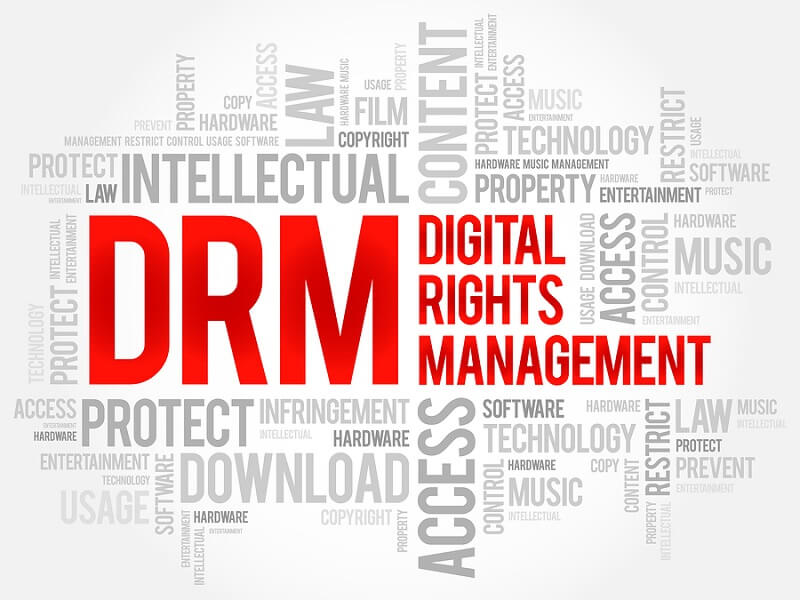
DRM은 디지털 권한 관리이는 음악 스트리밍 서비스와 디지털 콘텐츠 제공업체가 미디어 파일에 대한 접근, 복사, 다운로드 및 재생 방식을 제어하는 데 사용하는 기술입니다.
음악에 DRM 보호 기능이 있는 경우:
- 파일이 암호화됩니다
- 재생하려면 계정 인증이 필요할 수 있습니다.
- 노래는 공식 앱 내에서만 재생될 수 있습니다.
- 파일 복사 또는 전송이 제한됩니다
이것이 바로 "DRM으로 보호되는 음악이란 무엇인가?"라는 질문에 대한 기본적인 답변입니다.
Apple Music의 DRM 보호 기능은 어떻게 작동할까요?
Apple Music은 저작권이 있는 음악의 무단 배포를 방지하기 위해 DRM 시스템을 적용합니다. DRM 보호는 일반적으로 다음과 같은 기능을 제어합니다.
- 기기 인증
- 오프라인 재생 권한
- 구독 확인
- 파일 암호화
- 재생 만료
결과적으로 Apple Music에서 다운로드한 노래는 일반적으로 표준 로컬 오디오 파일이 아닙니다.
파트 2. DRM으로 보호된 음악이 재생 문제를 일으키는 이유는 무엇일까요?
많은 사용자는 재생 문제가 발생할 때까지 DRM 제한이 존재한다는 사실을 인지하지 못합니다.
오프라인에서 노래 재생이 중지됩니다
계정 인증 실패 후 다운로드한 음악을 갑자기 이용할 수 없게 될 수 있습니다.
구독 종속성
Apple Music 구독이 만료되면 DRM으로 보호된 많은 노래가 더 이상 재생되지 않습니다.
앱 종속성
대부분의 DRM으로 보호된 음악은 애플의 스트리밍 앱 내에서만 재생됩니다.
파일 전송 제한
일반적으로 사용자는 보호된 음악 파일을 USB 드라이브로 자유롭게 옮길 수 없습니다. MP3 플레이어, 외장 저장 장치 또는 차량용 오디오 시스템.
이러한 제한 사항들이 바로 많은 사용자들이 DRM으로 보호되는 음악 시스템에 불만을 느끼는 주된 이유입니다.
파트 3. 사용자들이 애플 뮤직을 더욱 유연하게 즐기는 방법은 무엇일까요?
DRM으로 보호된 음악이 무엇인지 알게 된 후, 많은 사용자들이 Apple Music 오프라인 재생을 위한 보다 유연한 솔루션을 찾기 시작합니다. Apple Music에만 의존하는 대신, 일부 사용자들은 오프라인에서 더 쉽게 음악을 듣기 위해 음악을 로컬 오디오 형식으로 다운로드하는 것을 선호합니다. 인기 있는 솔루션 중 하나는 다음과 같습니다. DumpMedia 애플 뮤직 변환기이 전문 변환기는 사용자에게 도움이 됩니다. Apple Music을 다음으로 변환 MP3 그리고 Apple Music 앱에 전적으로 의존하지 않고도 안정적인 오프라인 재생을 위해 저장할 수 있습니다.
🏆주요 기능 DumpMedia 애플 뮤직 변환기
- 🎶Apple Music을 다운로드하세요 MP3WAV, FLAC 및 AAC
- 🎶원본 음질을 유지하세요
- 🎶플레이리스트와 앨범을 일괄 다운로드하세요
- 🎶빠른 변환 속도
- 🎶곡 메타데이터 및 ID3 태그를 보존하세요
- 🎶모든 기기에서 오프라인 재생을 지원합니다
Apple Music을 오프라인에서 안정적으로 재생할 수 있도록 변환하기
1 단계 다운로드 및 설치 DumpMedia Mac/PC에서 Apple Music Converter를 실행하세요. 그러면 인터페이스가 나타납니다. Apple Music 계정을 사용하여 로그인하세요.
2 단계 변환하려는 재생 목록, 앨범 또는 특정 곡을 찾으세요. 곡 하나를 화면 오른쪽의 "+" 아이콘으로 드래그할 수 있습니다. 또는 전체 재생 목록/앨범을 열고 "변환에 추가" 아이콘을 클릭하여 전체 목록을 변환기에 불러올 수도 있습니다.

3 단계 선택 MP3 (가장 호환성이 좋습니다). 또한 비트레이트 또는 샘플링 속도를 변경할 수 있습니다. 최적의 균형을 위해서는 320kbps를 선택하세요.

4 단계 설정이 완료되면 사용자는 "변환" 아이콘을 눌러 변환을 진행할 수 있습니다. DumpMedia Apple Music 노래를 다음으로 변환합니다. MP3 초고속으로 몇 초 만에 작동합니다.

변환 후에는 다양한 기기에서 오프라인으로 음악을 더욱 편리하게 재생할 수 있습니다. 설령 애플 뮤직 앱이 작동하지 않습니다 기기에서 Apple Music을 오프라인으로 재생하려면 다른 음악 플레이어를 이용하면 됩니다.
파트 4. FAQ
DRM으로 보호되는 음악이란 무엇인가요?
DRM으로 보호된 음악은 디지털 저작권 관리 시스템을 통해 제어되는 암호화된 디지털 음악 파일을 말합니다.
애플 뮤직은 왜 DRM으로 보호되나요?
스트리밍 서비스는 저작권이 있는 콘텐츠와 구독 접근을 보호하기 위해 DRM을 사용합니다.
DRM으로 보호된 음악도 만료될 수 있나요?
네. 계정 인증이 실패하거나 Apple Music 구독이 만료되면 다운로드한 일부 노래가 재생되지 않을 수 있습니다.
다운로드한 노래를 복사할 수 없는 이유는 무엇인가요?
DRM 보호 기능은 승인된 앱 외에서의 파일 전송 및 재생을 제한합니다.
애플 뮤직 앱 없이도 애플 뮤직을 재생할 수 있나요?
일부 사용자는 사용합니다 DumpMedia Apple Music Converter를 사용하면 오프라인 재생이 더욱 편리해집니다.
5 부. 개요
많은 사용자들이 오프라인 재생, 기기 호환성 또는 다운로드 만료와 관련된 제한에 직면한 후 DRM으로 보호된 음악이 무엇인지 검색합니다. DRM은 스트리밍 플랫폼이 저작권이 있는 콘텐츠를 보호하는 데 도움이 되지만, 오프라인에서 자유롭게 음악을 듣고 싶어하는 사용자에게는 제약을 가하기도 합니다. 보다 편리한 로컬 재생을 선호하는 사용자에게는 DRM이 필수적입니다. DumpMedia Apple Music Converter는 여러 기기에서 오프라인으로 음악을 감상할 수 있도록 표준 오디오 형식으로 음악을 다운로드하는 실용적인 솔루션을 제공합니다.
*DumpMedia 이 프로그램은 Apple Music의 노래를 암호 해독하고 DRM이 없는 파일로 다운로드하여 모든 기기에서 제약 없이 깨끗한 라이브러리 사본을 얻을 수 있도록 합니다. 단, 로컬 오디오 파일의 DRM 제거 기능은 포함하지 않습니다.

30% 할인 >>>