Best Music Player for Android: Play Spotify Offline Easily

羅西(Rosie)撰寫

最後更新時間:2026年02月06日

2最小讀取

If you are an Android user who enjoys listening to music daily, having a powerful and flexible music player is essential. However, there is one major limitation. Most Android music players cannot directly play Spotify songs unless they are downloaded as normal audio files. This article introduces the Android的最佳音樂播放器 this year and also explains how to play Spotify offline on any Android device, even without Premium.

內容指南 Part 1: What Makes a Great Android Music Player?Part 2: Top 6 Best Music Players for AndroidPart 3: Bonus: Play Spotify 在 Android 上離線(無需高級版)部分4:摘要

Part 1: What Makes a Great Android Music Player?

How to choose the best music player for Android? Before choosing a music player, consider the following:

  • Support for high-resolution and lossless audio formats
  • Customizable equalizers and sound effects
  • Smooth UI/UX
  • Ability to organize large music libraries
  • Compatibility with locally saved files such as MP3、M4A、FLAC 和 WAV
  • Performance efficiency and low battery consumption

Part 2: Top 6 Best Music Players for Android

1. Poweramp音樂播放器

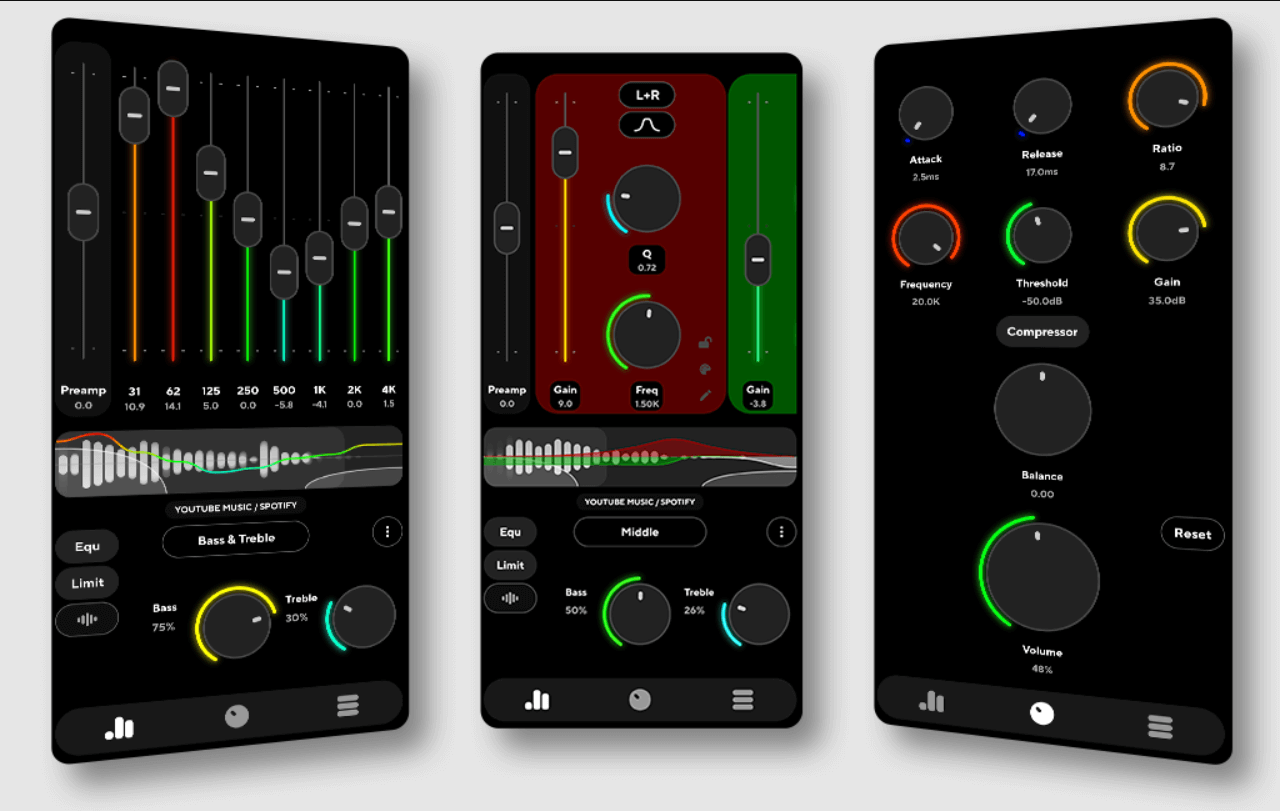
Poweramp remains the best music player for Android due to its industry-leading 32/64-bit audio processing engine and its ability to deliver exceptional playback quality for audiophiles. It offers unmatched control through a detailed multi-band equalizer and dedicated tone controls, alongside broad support for high-resolution formats like MP3, FLAC, WAV, and ALAC.

Beyond its technical prowess, Poweramp is highly customizable with a variety of themes and visualizations to suit any user's style. Notably, if you convert Spotify 音樂 MP3 or FLAC local files, Poweramp handles them with ease, ensuring that even your offline streaming library benefits from its professional-grade sound enhancement.

Poweramp音樂播放器

2.BlackPlayer EX

Focusing on minimalism and smooth animations, BlackPlayer EX offers an elegant, ad-free interface that provides a clean and sophisticated user experience. This high-performance player includes a 10-band equalizer, gapless playback, and extensive widget options, while fully supporting essential local formats like MP3, FLAC, and WAV. It is an ideal choice for users who prioritize a clutter-free environment and seamless navigation while playing their locally downloaded Spotify 軌道。

3.脈衝星音樂播放器

Pulsar is a lightweight yet powerful contender for the best music player for Android, offering a seamless Material Design UI that is both visually stunning and highly efficient. Despite its compact size, it is packed with essential features such as smart playlist management, a sleep timer, and full Chromecast support, ensuring a versatile listening experience across different devices. It plays all standard audio formats with ease, making it the perfect solution for users with large converted music libraries who need a fast, ad-free, and reliable player to manage their local tracks.

4。 AIMP

Renowned for its professional-grade audio engine, AIMP stands out by offering an exceptional 29-band equalizer and full support for CUE sheets, ensuring a high level of control over your listening experience. It features a versatile multi-format playback capability and even integrates internet radio, all while maintaining a focus on superior sound rendering quality. This technical precision makes it an excellent choice for audiophiles who want to experience the full depth of high-resolution, Spotify-converted files with crystal-clear output.

5. 小琴

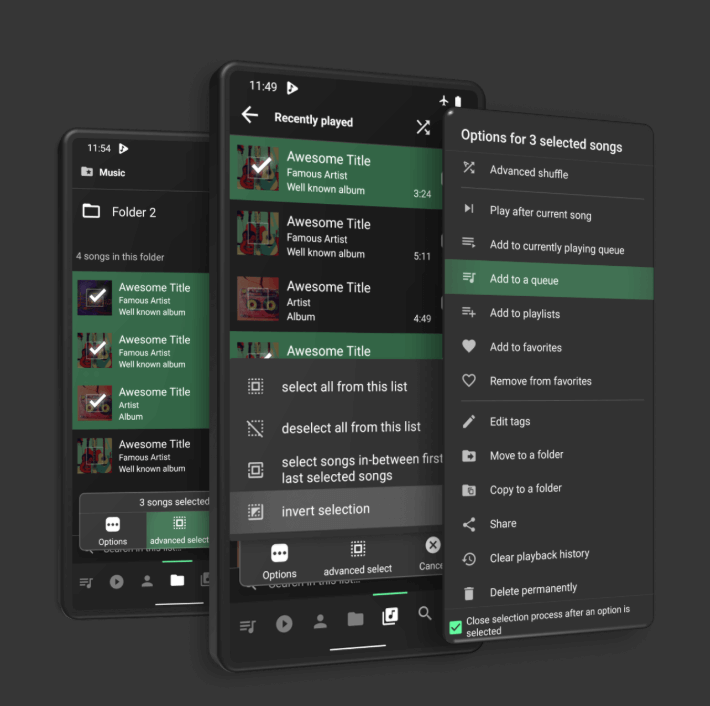
For users who prioritize speed and simplicity, Musicolet offers an ultra-lightweight and ad-free experience that focuses exclusively on offline local playback. Its streamlined interface includes powerful features such as a built-in tag editor and the unique ability to manage multiple queues simultaneously, making it an exceptionally suitable choice for organizing and playing your converted Spotify audio without any unnecessary distractions.

Musicolet音樂播放器

6。 適用於Android的VLC

VLC serves as a powerful universal media player and a strong candidate for the best music player for Android, especially for users who desire a versatile all-in-one solution for both audio and video. Being free and open-source, it boasts the ability to play almost any media format imaginable and includes a built-in equalizer alongside advanced network streaming options.

Its comprehensive feature set makes it a reliable choice for those who want to manage their entire multimedia library, from local tracks to high-definition videos, within a single, trusted application.

Part 3: Bonus: Play Spotify 在 Android 上離線(無需高級版)

而 Spotify Premium offers the convenience of offline playback, it comes with significant restrictions: songs cannot be exported, files remain incompatible with other music applications, and offline access is immediately revoked once the subscription ends.

Furthermore, users are unable to share or move their downloaded music to other devices. Because of these inherent limitations, many Android users seek a more flexible, device-independent solution to truly own and manage their audio libraries. To 聽 Spotify 離線 on any Android music player, you must convert the songs into standard audio formats. This is where DumpMedia Spotify Music Converter 成為理想的解決方案。

免費下載 免費下載

產品特色

    • 轉 Spotify 歌曲 MP3M4A、AAC、WAV 等格式。
    • 刪除 DRM Spotify songs and playlists safely
    • 大量下載播放清單、專輯或整個音樂庫
    • 保持高音訊品質和 ID3 標籤
    • 在任何裝置上享受音樂,無需訂閱限制

如何轉換 Spotify 歌曲與 DumpMedia

步驟二 安裝並啟動 DumpMedia Spotify Music Converter。 選 Spotify, add the song you want to play on the best music player for Android.

新增 Spotify 音樂至 DumpMedia

步驟二 選擇 MP3 作為輸出格式。

轉 Spotify 音樂至 MP3

步驟二 點擊“轉換”按鈕處理文件。您的音樂檔案將會匯出為 MP3.

免費下載 Spotify 音樂至 MP3

步驟二 Once converted, your music files are ready to import to the Android music player.

部分4:摘要

Finding the best music player for Android depends on your personal preferences, whether you prioritize audio quality, customization, or simplicity. Poweramp, BlackPlayer EX, Pulsar, and other options listed above are all strong contenders and offer excellent playback experiences for locally stored music files.

不過,如果你想玩 Spotify music on an Android music player without restrictions, including offline playback, format compatibility, and long-term access, you will need your songs in standard audio formats such as MP3 or FLAC. This is where DumpMedia Spotify Music Converter becomes essential. By converting Spotify tracks into universally supported formats, it enables you to enjoy your entire Spotify library on any of the top Android music players with full control and unlimited offline access.

免費下載 免費下載

註冊即可享 30% 折扣 註冊獲取
30% 折扣 >>>