Best Deezer Downloader: Download Deezer Music to MP3 輕鬆 (2026)

羅西(Rosie)撰寫

最後更新時間:2026年04月01日

2最小讀取

尋找可靠的 Deezer 下載器 to save your favorite songs for offline listening? You’re not alone. Many users want to download Deezer music as MP3 files so they can play them on different devices without restrictions. However, finding a tool that actually works can be challenging. In this guide, we’ll explore the most common types of Deezer song downloaders, why many free tools fail, and what solution works best if you want consistent results.

內容指南 Part 1. Can You Use a Deezer Music Downloader?Part 2. 5 Common Types of Deezer Music DownloadersPart 3. Best Deezer Music Downloader for Stable Results第 4 部分。 常見問題解答部分5。 概要

Part 1. Can You Use a Deezer Music Downloader?

Yes, you can use a Deezer downloader, but not directly through Deezer itself. Deezer allows offline listening within its app, but downloaded songs are encrypted and cannot be exported as MP3 files. That’s why users look for third-party tools to download and convert music. If your goal is to use a Deezer song downloader to create MP3 files, you’ll need a method that bypasses these limitations.

Part 2. 5 Common Types of Deezer Music Downloaders

When searching for a deezer downloader, you’ll typically encounter several types of tools. Each has its pros and limitations.

1. Online Deezer Music Downloaders

Online Deezer downloaders allow you to paste a Deezer URL and get an MP3 file directly in your browser. Keepvid is a well-known name in the online downloading space, and its Deezer song downloader is a popular choice for users who want to grab tracks without installing dedicated software. It works directly in your browser (Chrome, Safari, etc.). The site will analyze the link and provide a download button (usually for MP3 at 128kbps or 320kbps). Click it to save the file to your computer or mobile device.

While online Deezer music downloaders offer the convenience of quick access without software installation, they come with several significant drawbacks that can impact the user experience. The most immediate issue is instability; these websites frequently change domains or go offline due to copyright enforcement, making them unreliable for long-term use.

Furthermore, many free online tools are heavily monetized through intrusive advertising. Users often encounter aggressive pop-ups, misleading "Download" buttons, and automatic redirects to suspicious third-party sites, which can pose security risks or lead to accidental malware downloads.

Update (2026): KeepVid's original downloading service has been shut down or unreliable for years due to legal pressures.

2. Desktop Deezer Music Converters

Desktop software is the most reliable type of Deezer downloader. These tools are specifically designed to extract and convert music from Deezer into formats like MP3, FLAC, or WAV. Unlike online tools, they often include built-in Deezer web players, allowing users to browse and download content directly inside the software.

Examples include tools like TunePat Music One, Pazu Deezer Music Converter, and Ondesoft Deezer Music Converter. These programs support batch downloads, high-quality output (up to 320kbps or lossless), and preserve metadata such as artist and album information.

3. 瀏覽器擴展

Some browser extensions claim to function as a Deezer downloader by integrating directly into your web browser. Tools found in Chrome Web Store or Firefox add-ons may offer download buttons within the Deezer interface.

Browser extensions are often the least stable option. Due to Deezer’s frequent updates and platform restrictions, these extensions can stop working without notice. Many are also removed from official stores due to policy violations, making long-term usage unreliable. Additionally, they typically lack advanced features such as format selection, batch downloads, or metadata preservation.

4. 音訊錄製工具

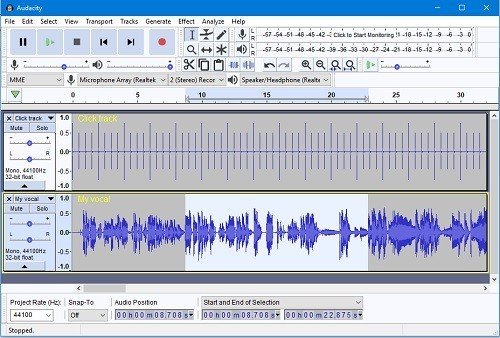
Audio recorders such as Audacity or other recording software provide another way to function as a Deezer music downloader. Instead of downloading files directly, these tools record the audio while it plays.

音訊錄製工具

Recording-based methods are inefficient and time-consuming because they operate in real time, meaning a 10-minute track takes 10 minutes to record. Audio quality may also be affected by system settings or background noise. Furthermore, recorded files usually lack proper metadata, requiring manual editing afterward. This method is generally considered a last resort rather than a practical solution.

5. Mobile Downloader Apps

Some mobile apps claim to act as a Deezer downloader on Android or iOS devices. These apps often promote the ability to download music directly to your phone.

In reality, mobile apps are highly unstable due to strict platform policies. Many are removed from app stores or lose functionality after updates. Even when they work, they often lack support for batch downloads, high-quality output, or proper file organization. Users may also encounter compatibility issues depending on their device or OS version.

局限性

Although many tools claim to be the best Deezer song downloader, most fail in real-world usage.

  • Frequent Failures: Many online tools break due to platform updates. Users often encounter failed downloads, missing tracks, or non-working links
  • Poor Audio Quality: Free tools may compress audio
  • No Batch Download: Downloading playlists becomes frustrating because many tools only support one song at a time.
  • Missing Metadata: Files often lack artist names, album details, and more.
  • Security Risks: Some sites include pop-ups

Part 3. Best Deezer Music Downloader for Stable Results

If you want a Deezer downloader that actually works consistently, using a dedicated tool is the best choice. DumpMedia 迪茲加 offers a more reliable way to download and convert Deezer music.

免費下載 免費下載

產品特色

  • Convert Deezer music to MP3WAV、FLAC、AAC
  • Maintain original audio quality (lossless supported)
  • Batch download playlists and albums
  • 轉換速度快
  • 保留 ID3 標籤(藝人、專輯、標題)
  • 簡單且適合初學者的介面

Unlike free tools, it provides a stable and efficient way to use a Deezer downloader without common issues.

分步指南

步驟二 開啟電腦上的軟體。它適用於兩者。 Win支援Windows和Mac系統。介面友好,即使是新手也能輕鬆上手。

免費下載 免費下載

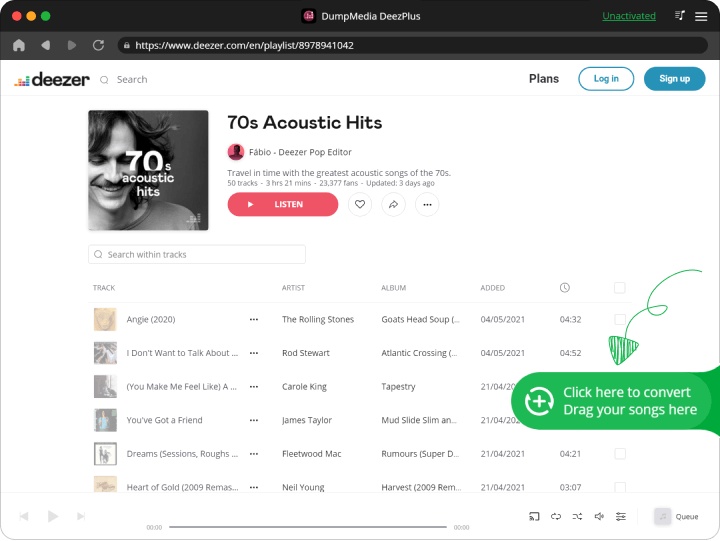
步驟二 Open the built‑in Deezer web player inside DumpMedia and log in with your Deezer account. Browse Deezer and drag the songs, albums, or playlists you want to download into the converter.

將 Deezer 歌曲/播放列表拖放到程序中

步驟二 在設定面板中,選擇 MP3 作為輸出格式以啟用 MP3 下載您選擇的曲目。
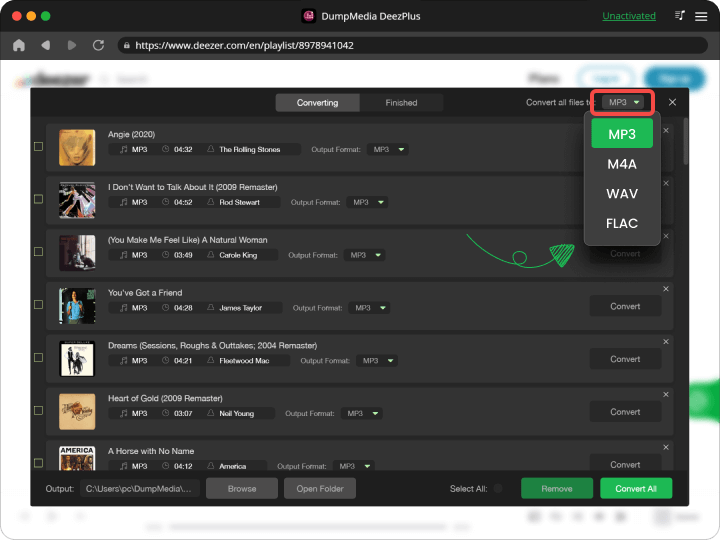
選擇您要下載的不同輸出格式

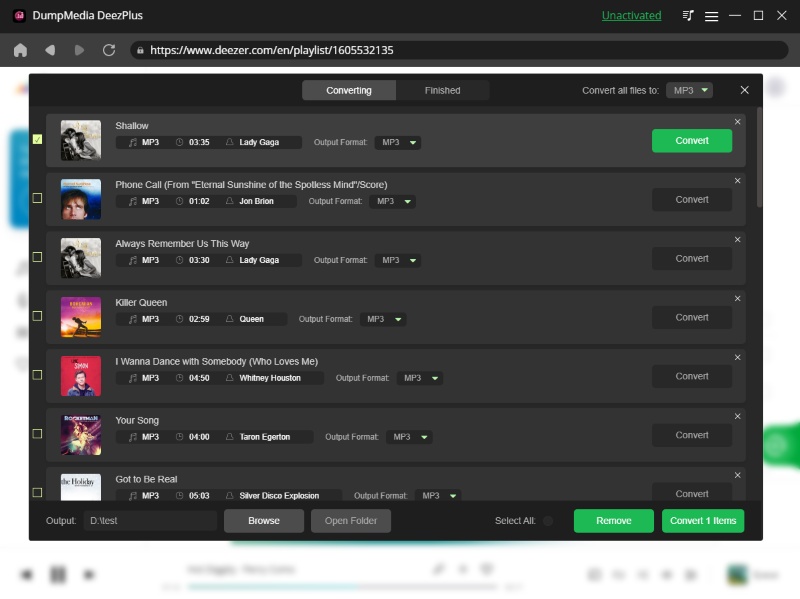
步驟二 最後一步是點擊「轉換」按鈕開始轉換過程。

Convert Deezer To MP3

第 4 部分。 常見問題解答

Is there a free Deezer downloader?

Yes, but most have limitations.

Can I download Deezer music as MP3?

Yes, using a converter tool.

Why do online tools stop working?

Because they rely on unstable sources.

What is the best Deezer song downloader?

A stable desktop tool provides the best results.

部分5。 概要

Finding the right Deezer downloader depends on what you need. While free online tools may seem convenient, they often fail when it comes to reliability, audio quality, and long-term usability. For users who only need occasional downloads, these tools might be enough, but they rarely provide a smooth experience.

If your goal is to build a music library, download playlists, and enjoy high-quality audio without interruptions, choosing a more stable solution becomes essential. DumpMedia DeezPlus offers better performance, faster processing, and consistent results, making it a more practical option for regular use.

免費下載 免費下載

註冊即可享 30% 折扣 註冊獲取
30% 折扣 >>>