


Как слушать Audible на Apple Watch [обновление 2026 г.]
Прослушивание аудиокниг Audible на Apple Watch звучит удобно, но если вы когда-либо пробовали это, вы, возможно, заметили, что это не так просто, как кажется. Многие пользователи сталкиваются с проблемами синхронизации, ограничениями при прослушивании в автономном режиме и ограниченными функциями воспроизведения. В этом руководстве мы покажем вам, что действительно работает, чтобы вы могли свободно наслаждаться аудиокнигами Audible на своих Apple Watch в автономном режиме и без зависимости от вашего iPhone.
Содержание Руководство Часть 1. Можно ли использовать Audible на Apple Watch?Часть 2. Официальный способ воспроизведения Audible на Apple Watch.Часть 3. Лучший способ слушать Audible в офлайн-режиме на Apple Watch.Часть 4. Резюме
Часть 1. Можно ли использовать Audible на Apple Watch?
Да, вы можете воспроизводить Audible на Apple Watch, но Apple Watch не поддерживает все функции Audible, как iPhone или iPad. Вот некоторые ограничения:
- Зависимость от iPhone: часы дублируют контент с вашего iPhone; воспроизведение в автономном режиме ограничено.
- Ограничения в автономном режиме: вы не можете загружать и сохранять аудиокниги непосредственно на часах.
- Проблемы с управлением воспроизведением: функции, такие как добавление закладок, регулировка скорости и выбор глав, работают с ограничениями.
Эти ограничения затрудняют доступ для пользователей, желающих получить настоящую гибкость и возможность прослушивания в автономном режиме.
Часть 2. Официальный способ воспроизведения Audible на Apple Watch.
В этом году официальный способ воспроизведения Audible на Apple Watch стал намного удобнее, чем в предыдущие годы. Вот как Audible официально работает на Apple Watch:
Требования
- Аппаратное обеспечение: Apple Watch Series 4 или более поздняя модель.
- Программного обеспечения: часы 11.0 или более поздняя версия и iOS 18.0 или более поздняя версия на вашем сопряженном iPhone.
- Аксессуары: Bluetooth-наушники (например, AirPods или Shokz), напрямую сопряженные с часами.
Шаг 1. Откройте приложение Watch на своем iPhone, найдите Audible и нажмите «Установить».
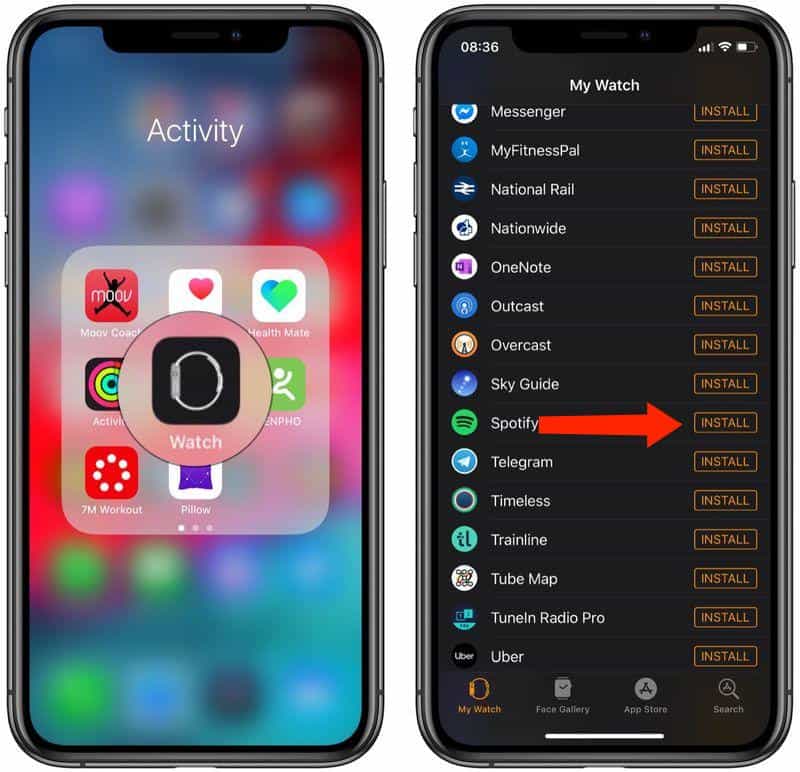
Шаг 2. Откройте приложение Audible на своих Apple Watch. Если потребуется, на экране часов появится 6-значный код.
Шаг 3. На вашем iPhone (или в любом браузере) перейдите на сайт audible.com/activate. Войдите в систему и введите код. Ваши часы теперь «сопряжены» с вашей облачной библиотекой.
Шаг 4. После сопряжения вы можете использовать часы двумя способами, даже если ваш iPhone находится рядом: потоковая передача в автономном режиме (модели с сотовой связью) и загрузка контента для просмотра в автономном режиме (рекомендуется для тренировок).
Элементы управления воспроизведением
- Объем: Поверните цифровой Crown.
- Скорость: Нажмите 1x значок для регулировки скорости воспроизведения (до 3.5x).
- Разделы: Нажмите Значок меню (внизу слева) — для перехода к определенным главам.
- Коммутационные устройства: Нажмите Значок устройства для переключения звука между вашими часами и другими колонками AirPlay.
Ограничение: Вам понадобится iPhone под рукой, а объём памяти минимален. Если вам нужна свобода от подключения к интернету, этого недостаточно.
Часть 3. Лучший способ слушать Audible в офлайн-режиме на Apple Watch.
Если вы хотите слушать Audible на Apple Watch, не полагаясь на свой iPhone, наиболее практичным решением будет конвертировать книги Audible в универсальный формат, например, MP3, Это где DumpMedia Звуковой конвертер Вступает в действие. Оно может загружать аудиокниги Audible напрямую без ограничений DRM и конвертировать файлы Audible AAX в MP3 или M4A для полной совместимости. Этот метод решает основные проблемы воспроизведения на Apple Watch: независимость, гибкость и полный контроль над аудиокнигами.
Слушайте Audible в автономном режиме на Apple Watch с помощью DumpMedia
Шаг 1. Откройте программу на своем компьютере. Она работает с обоими устройствами. WinWindows и Mac. Интерфейс удобен для пользователя, что делает его простым в использовании даже для новичков.
Бесплатная загрузка Бесплатная загрузка
Шаг 2. Откройте встроенный веб-плеер Audible. DumpMedia Войдите в свою учетную запись Audible. Найдите Audible и перетащите книгу, которую хотите загрузить, в конвертер.
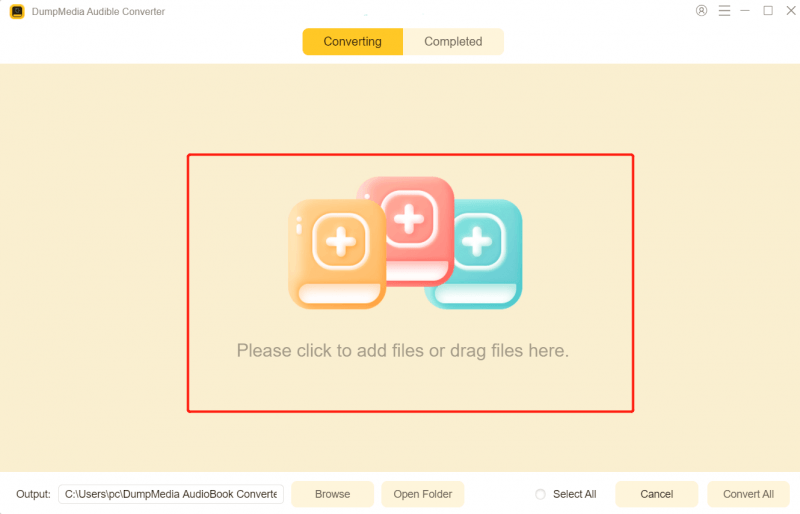
Шаг 3. В панели настроек выберите формат, в котором хотите загрузить файл.

Шаг 4. Последним шагом будет нажатие кнопки «Конвертировать», чтобы начать процесс конвертации.
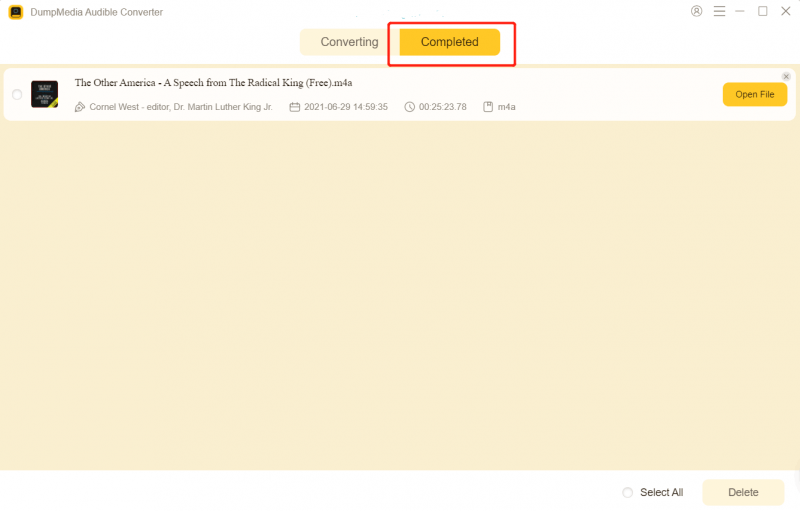
Шаг 5. Добавьте файл в свою музыкальную библиотеку.
- На Mac: Откройте приложение «Музыка», перейдите в меню «Файл» > «Импорт» и выберите преобразованную книгу.
- On Windows: Откройте iTunes или приложение Apple Music для WinНажмите и перетащите файл в свою библиотеку.
Шаг 6. Подключите свой iPhone к компьютеру. В настройках синхронизации устройства убедитесь, что для синхронизации выбрана новая «Аудиокнига». Выполните синхронизацию, чтобы книга появилась на вашем iPhone в приложении «Книги» (или «Музыка», в зависимости от настроек типа медиафайлов).
Шаг 7. Как слушать аудиокниги Audible на Apple Watch? Откройте приложение Watch на своем iPhone. Перейдите в раздел «Мои часы» > «Аудиокниги». Нажмите «Добавить аудиокнигу» и выберите название, которое вы только что синхронизировали с компьютера. Поместите Apple Watch на зарядное устройство. Синхронизация начнется автоматически через Wi-Fi/Bluetooth.
Теперь вы можете наслаждаться аудиокнигами Audible в автономном режиме на своих часах в любое время и в любом месте.
Часть 4. Резюме
Apple Watch удобен, но официальная поддержка Audible ограничена. Если вы хотите по-настоящему наслаждаться аудиокнигами в автономном режиме и в дороге, используйте... DumpMedia Audible Converter — это самый разумный выбор. Не позволяйте ограничениям Apple Watch помешать вам наслаждаться аудиокнигами. Скачать DumpMedia Слушайте сегодня и где угодно, когда угодно.

Скидка 30% >>>