


Comment créer une playlist Pandora en 2026 (Guide étape par étape)
De nombreux mélomanes utilisent Pandora pour découvrir de nouveaux morceaux, organiser leurs favoris et créer des expériences d'écoute personnalisées. Si vous vous demandez comment créer une playlist sur Pandora, la procédure est en réalité très simple une fois que vous avez compris le fonctionnement du système. Ce guide vous expliquera précisément comment créer une playlist Pandora, gérer votre bibliothèque musicale et accéder à vos playlists favorites pour une écoute hors ligne.
Guide des matières Partie 1. Peut-on créer une playlist sur Pandora ?Partie 2. Comment créer une playlist Pandora sur mobilePartie 3. Comment créer une playlist Pandora sur ordinateurPartie 4. Meilleure façon de conserver les listes de lecture Pandora hors ligne de façon permanentePartie 5. FAQ sur la création d'une playlist PandoraPartie 6. Conclusion
Partie 1. Peut-on créer une playlist sur Pandora ?
Oui. Pandora permet aux utilisateurs de créer des playlists à partir de leurs chansons, albums et stations préférés. Cependant, les fonctionnalités des playlists peuvent varier selon le type de compte (gratuit, Pandora Plus, etc.). Pandora PremiumComprendre votre type de compte est la première étape pour apprendre à créer une playlist sur Pandora.
Les utilisateurs de la version gratuite et de Pandora Plus ne peuvent pas créer ni modifier manuellement de playlists. Leur expérience se limite aux Stations, qui utilisent le Music Genome Project pour diffuser des morceaux similaires à partir d'un artiste ou d'un titre de référence.
Pandora Premium offre les fonctionnalités de listes de lecture les plus complètes, notamment la création de listes de lecture personnalisées, l'ajout manuel de chansons, les téléchargements hors ligne et le partage de listes de lecture.
Partie 2. Comment créer une playlist Pandora sur mobile
Si vous souhaitez apprendre à créer une playlist sur Pandora à l'aide de votre téléphone, suivez ces étapes.
Étape 1 : Lancez Pandora sur votre iPhone ou appareil Android.
Étape 2 : Appuyez sur « Ma collection » en bas de l'écran.
Étape 3 : Appuyez sur « + Créer une playlist ». Saisissez un nom et une description pour la playlist.
Étape 4 : Recherchez les chansons, albums ou artistes que vous souhaitez ajouter. Appuyez sur « Ajouter à la playlist ».
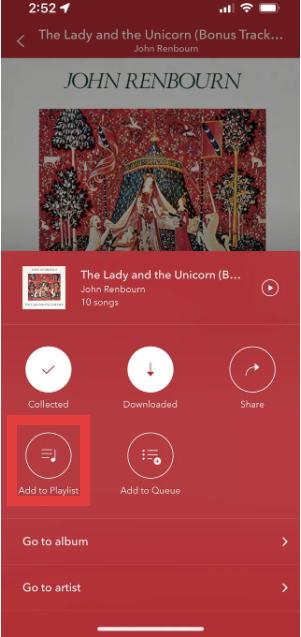
Étape 5 : Après avoir ajouté des chansons, enregistrez la liste de lecture pour une écoute ultérieure.
Voici la méthode la plus simple pour créer une playlist Pandora sur appareils mobiles.
Partie 3. Comment créer une playlist Pandora sur ordinateur
Vous pouvez également apprendre à créer une playlist sur Pandora en utilisant le lecteur web de Pandora.
Étape 1 : Ouvrez le lecteur web Pandora. Connectez-vous à votre compte Pandora. Sélectionnez « Ma collection » dans le menu.
Étape 2 : Cliquez sur « Créer une playlist ».
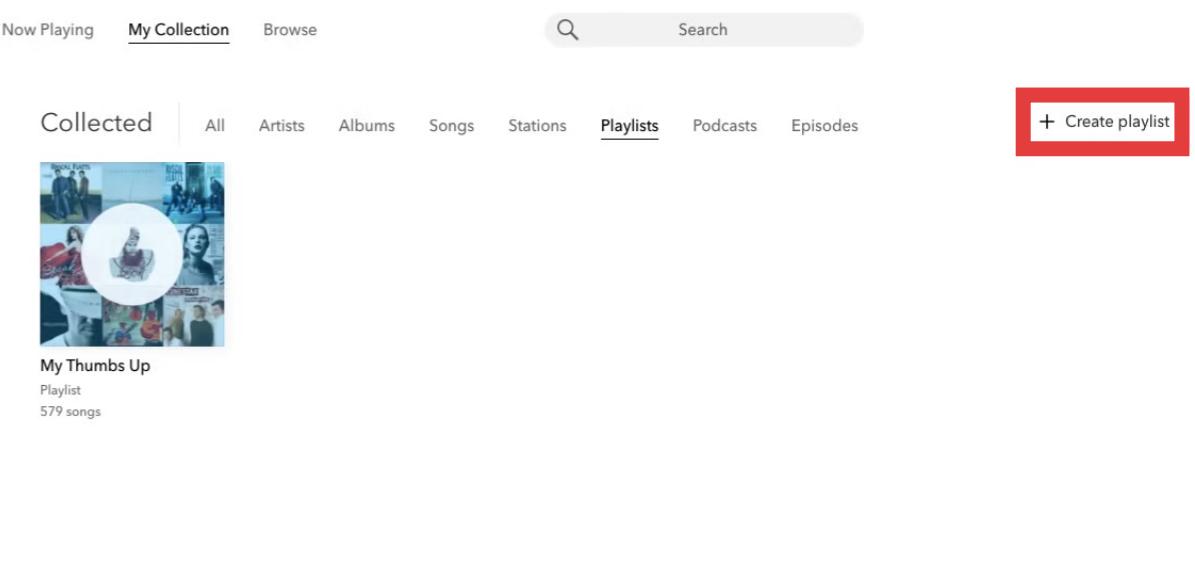
Étape 3 : Recherchez et ajoutez des chansons à votre playlist.
Étape 4 : Vous pouvez réorganiser les morceaux, renommer les listes de lecture, supprimer des chansons ou mettre à jour les détails des listes de lecture.
Partie 4. Meilleure façon de conserver les listes de lecture Pandora hors ligne de façon permanente
Bien que les playlists Pandora soient pratiques, elles présentent néanmoins plusieurs limitations. Pour les abonnés Pandora Plus ou Premium, les téléchargements hors ligne peuvent être restreints car les playlists nécessitent un abonnement actif. La lecture peut s'interrompre après la résiliation de l'abonnement. Cela peut s'avérer frustrant pour les utilisateurs qui consacrent du temps à la création de leurs playlists.
Si vous souhaitez sauvegarder des playlists Pandora au-delà des limites de l'application, une solution pratique est : DumpMedia Convertisseur de musique PandoraCet outil aide les utilisateurs convertir des chansons Pandora en MP3Vous pouvez ainsi enregistrer vos playlists localement et conserver votre musique même après un changement d'abonnement. Au lieu de dépendre entièrement du streaming, les utilisateurs peuvent constituer des collections musicales à long terme à partir de leurs playlists Pandora.
Téléchargement gratuit Téléchargement gratuit
🏅Pourquoi choisir DumpMedia Convertisseur de musique Pandora :
- ⭐Intégration avec le lecteur web Pandora
- ⭐Fonctionne pour les utilisateurs de Pandora Premium et de la version gratuite
- ⭐Fournit une conversion par lots jusqu'à 35 fois plus rapide
- ⭐Conservez les balises ID3 telles que l'artiste, la couverture, l'illustration, etc.
- ⭐Préserver la qualité audio d'origine
- ⭐100% propre. Aucun risque à utiliser
Comment convertir les playlists Pandora en MP3
Étape 1 : Téléchargez et installez DumpMedia Installez Pandora Music Converter sur votre Mac/PC. Lancez-le pour afficher l'interface. Connectez-vous avec votre compte Pandora Premium/gratuit.
Téléchargement gratuit Téléchargement gratuit
Étape 2 : Ensuite, faites glisser directement les chansons ou les listes de lecture vers l'icône flottante « + » pour les ajouter à la file d'attente de conversion afin de préparer le téléchargement.
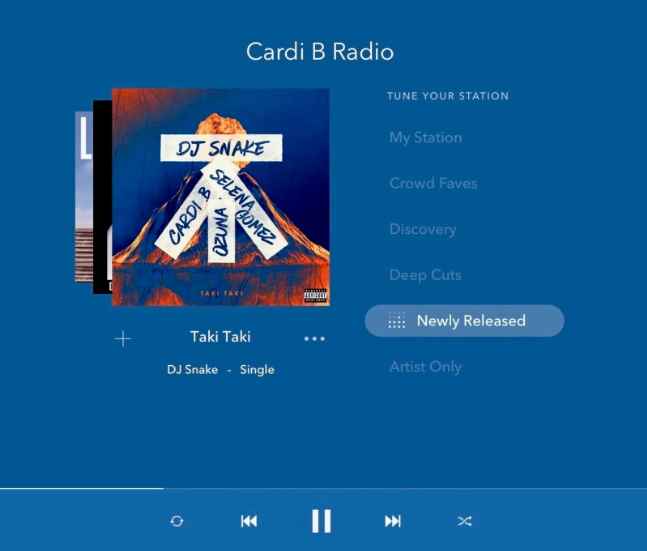
Étape 3 : Une fois que vous êtes satisfait des chansons que vous avez sélectionnées, vous pouvez choisir le format de fichier audio que vous préférez.
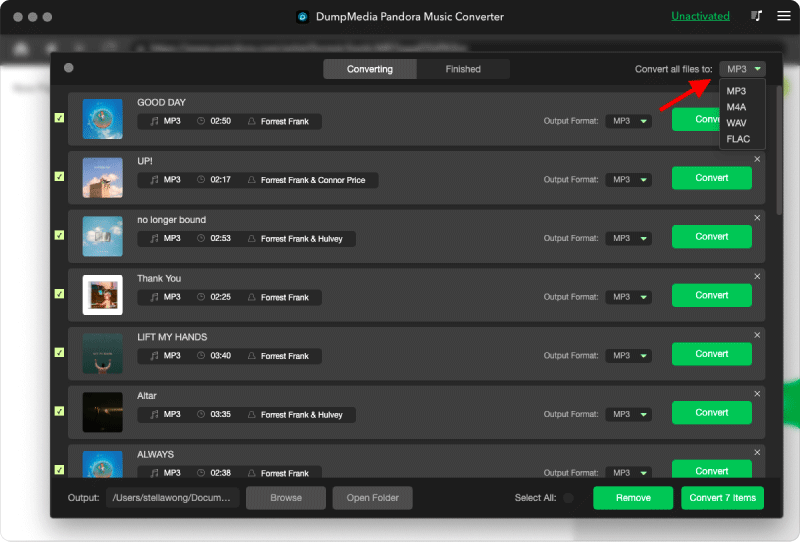
Étape 4 : Une fois les paramètres configurés, les utilisateurs peuvent lancer la conversion en cliquant sur l'icône « Convertir ». DumpMedia Permettra de télécharger des chansons Pandora en quelques secondes grâce à sa vitesse ultra-rapide.
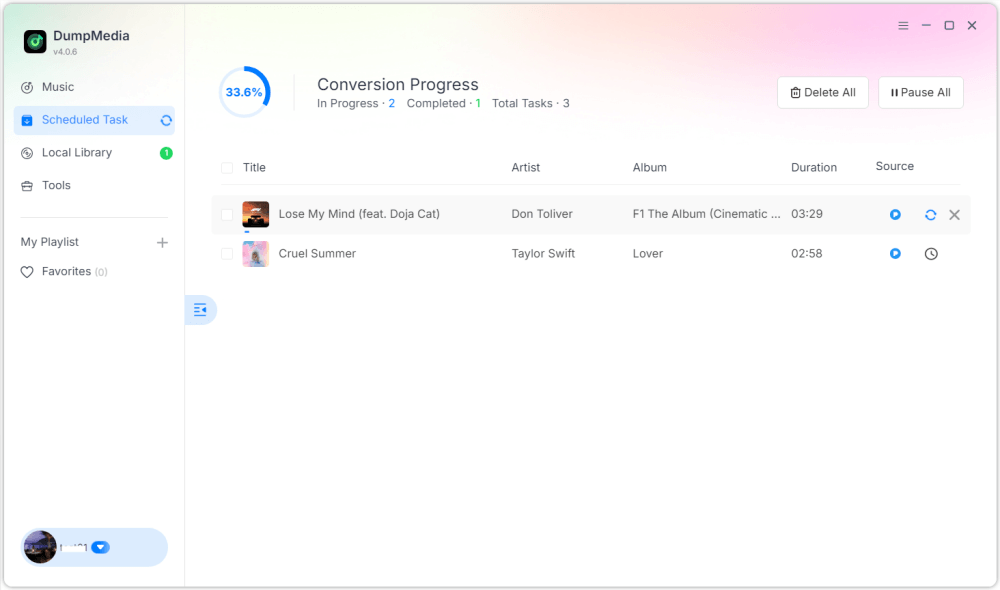
Une fois créées, les listes de lecture offrent une bien meilleure flexibilité pour l'écoute hors ligne. Vous pouvez y accéder en permanence et les écouter sur [nom de la plateforme/du service]. MP3 lecteurs ou périphériques USB. C'est pourquoi de nombreux utilisateurs qui cherchent comment créer une playlist sur Pandora finissent par chercher des moyens de conserver leurs playlists de façon permanente.
Partie 5. FAQ sur la création d'une playlist Pandora
Peut-on créer des playlists sur Pandora ?
Oui. Pandora Premium permet aux utilisateurs de créer et de personnaliser des playlists.
La création de playlists Pandora est-elle gratuite ?
Certaines fonctionnalités des listes de lecture peuvent nécessiter Pandora Premium.
Est-il possible de télécharger les playlists Pandora pour une utilisation hors ligne ?
Oui, mais l'accès hors ligne dépend de votre abonnement. Les téléchargements hors ligne peuvent devenir indisponibles une fois l'abonnement terminé.
Les playlists Pandora peuvent-elles être converties en MP3?
Oui. Des outils comme DumpMedia Pandora Music Converter permet aux utilisateurs d'enregistrer les chansons Pandora sous forme de fichiers audio locaux.
Partie 6. Conclusion
Créer une playlist sur Pandora est facile, que vous utilisiez un appareil mobile ou un ordinateur. Les playlists Pandora sont pratiques pour organiser sa musique, découvrir des morceaux et personnaliser son expérience d'écoute. Cependant, pour un accès hors ligne à long terme, les utilisateurs préfèrent souvent enregistrer leurs playlists sous forme de fichiers audio locaux, pour une lecture plus flexible et un stockage permanent.

30% de réduction >>>