


Meilleurs logiciels DJ compatibles avec Apple Music en 2026
De nombreux DJ, débutants comme professionnels, recherchent un logiciel DJ compatible avec Apple Music, car cette plateforme offre un immense catalogue de titres en streaming. Cependant, mixer de la musique en streaming n'est pas toujours aussi simple qu'il n'y paraît. Certaines applications DJ proposent une intégration limitée avec Apple Music, tandis que d'autres ne peuvent y accéder du tout en raison de restrictions de streaming et de problèmes de compatibilité.
Dans ce guide, nous explorerons les meilleurs logiciels DJ compatibles avec Apple Music, expliquerons pourquoi certaines chansons ne se chargent pas correctement et montrerons la meilleure façon d'améliorer la compatibilité pour le mixage DJ hors ligne.
Sommaire Partie 1. Meilleurs logiciels DJ compatibles avec Apple Music Partie 2. Pourquoi les morceaux Apple Music ne fonctionnent-ils souvent pas avec les logiciels DJ ? Partie 3. Meilleure façon d'utiliser Apple Music avec un logiciel DJ Partie 4. FAQ Partie 5. Résumé
Partie 1. Les meilleurs logiciels DJ compatibles avec Apple Music
Si vous recherchez un logiciel DJ fiable compatible avec Apple Music, voici quelques-unes des options les plus populaires.
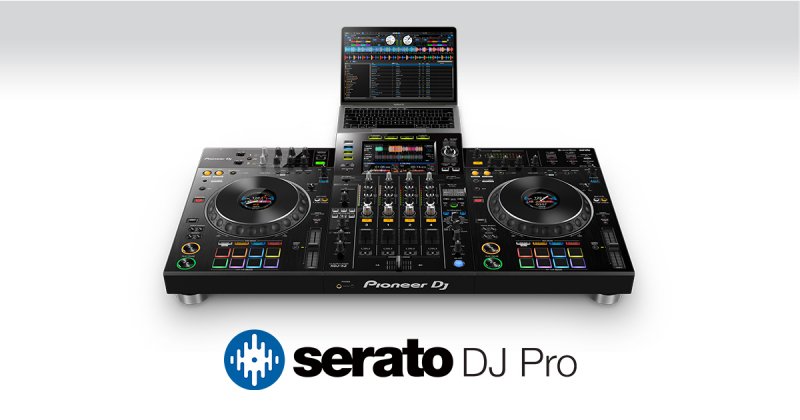
DJ Serato
Serato DJ est populaire auprès des DJ professionnels grâce à sa stabilité et sa compatibilité matérielle. Ses atouts incluent des outils de mixage professionnels, la prise en charge des contrôleurs et des effets audio avancés. Cependant, la compatibilité avec Apple Music peut encore dépendre des limitations d'accès au streaming.
djay Pro IA
djay Pro AI est l'une des applications DJ les plus réputées pour sa compatibilité avec Apple Music. Elle propose notamment un mixage assisté par IA, le remixage en direct, la correspondance de formes d'onde et une interface intuitive. Pour de nombreux utilisateurs, djay Pro AI est le logiciel DJ de référence pour Apple Music.
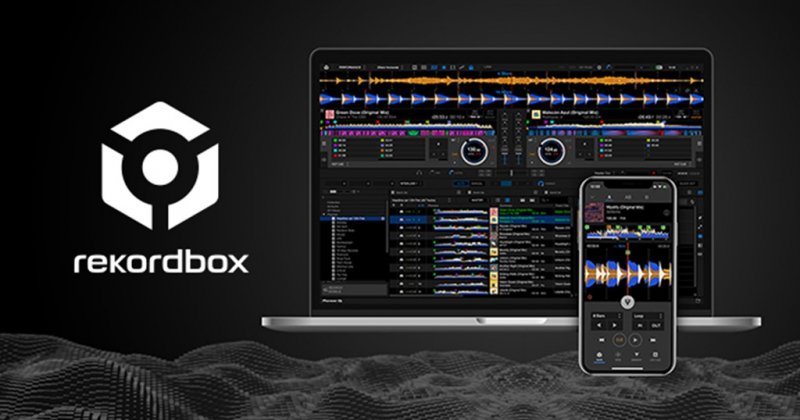
rekordbox
Rekordbox est une application de performance DJ développée par Pioneer Corporation. Elle permet aux utilisateurs de mixer, d'organiser et d'analyser des fichiers musicaux dans divers formats, notamment WAV, AIFF et 8. MP3. Le logiciel est disponible pour les deux WinIl est disponible sur les plateformes macOS et Dows et est utilisé par les DJ, les producteurs et les passionnés de musique pour préparer leurs performances et gérer leurs bibliothèques musicales.
Certaines des fonctionnalités clés de Rekordbox incluent son interface utilisateur intuitive, ses capacités avancées de correspondance de rythme et de mixage, ainsi que son intégration avec d'autres produits Pioneer tels que les mixeurs CDJ-2000 et XDJ-A09.
DJ virtuel
VirtualDJ allie une interface intuitive à une flexibilité inégalée pour s'adapter à tous les flux de travail de mixage. De l'intégration fluide du streaming à la séparation des pistes par IA en temps réel, nous vous fournissons les outils pour sublimer vos performances, que vous lanciez votre premier set ou que vous soyez en tête d'affiche sur la scène principale.
Tracteur Pro
Traktor DJ est un logiciel de station de travail audio numérique (DAW) populaire utilisé pour le DJing, la production musicale et les performances en direct. Il a été développé par Native Instruments et est connu pour son interface intuitive, ses puissants outils de mixage et sa vaste bibliothèque d'effets et d'instruments.
Le logiciel est utilisé aussi bien par les DJ et producteurs débutants que expérimentés et est disponible sous forme d'application autonome ou de plugin pour d'autres DAW. Certaines fonctionnalités clés de Traktor DJ incluent la détection automatique des rythmes et l'alignement de la grille, l'enregistrement et l'édition multipistes, ainsi que l'intégration avec du matériel externe tel que des platines vinyles et des contrôleurs.
Partie 2. Pourquoi les morceaux d'Apple Music ne fonctionnent-ils souvent pas dans les logiciels DJ ?
De nombreux utilisateurs sont frustrés après avoir installé un logiciel DJ compatible avec Apple Music, car certains morceaux ne se chargent pas ou ne se lisent pas correctement. Cela est généralement dû au fait que les titres Apple Music sont des fichiers en streaming et non des fichiers audio locaux traditionnels.
Les limitations courantes incluent :
- Protection DRM
- vérification d'abonnement
- lecture en continu uniquement
- accès local non pris en charge
- contrôles d'autorisation hors ligne
Même les morceaux téléchargés sur Apple Music peuvent rester restreints au sein de l'écosystème Apple. Par conséquent, certains logiciels DJ permettent de parcourir les playlists et d'accéder aux catalogues de streaming, mais peinent à exporter des mix ou à effectuer des modifications avancées. C'est l'une des principales raisons pour lesquelles les utilisateurs recherchent des solutions plus performantes que les logiciels DJ basiques compatibles avec Apple Music.
Partie 3. Meilleure façon d'utiliser Apple Music avec un logiciel DJ
Pour un mixage DJ stable, de nombreux DJ préfèrent convertir les morceaux d'Apple Music en formats audio locaux standard tels que MP3Cela améliore la stabilité hors ligne et la flexibilité du mixage. Une solution pratique est : DumpMedia Apple Music Converter.
Téléchargement gratuit Téléchargement gratuit
DumpMedia Apple Music Converter permet aux utilisateurs de convertir Apple Music en MP3WAV, AAC et bien d'autres formats sont disponibles pour une écoute hors ligne sur n'importe quel appareil. Au lieu de dépendre entièrement du streaming, les DJ peuvent constituer des bibliothèques musicales locales pour des performances plus fiables. Cette approche est de plus en plus prisée par les utilisateurs recherchant un logiciel DJ compatible avec Apple Music, car les fichiers audio locaux offrent généralement une meilleure fluidité lors des mix en direct.
Comment convertir Apple Music en MP3
Étape 1 : Téléchargez et installez le logiciel sur votre ordinateur. Il fonctionne avec les deux WinCompatible avec Windows et Mac. Son interface intuitive facilite la prise en main, même pour les débutants.
Téléchargement gratuit Téléchargement gratuit
Étape 2 : Ouvrez le lecteur web Apple Music intégré à l'intérieur DumpMedia Connectez-vous avec votre compte Apple Music. Parcourez votre catalogue Apple Music et glissez-déposez les morceaux, albums ou playlists que vous souhaitez télécharger dans le convertisseur.
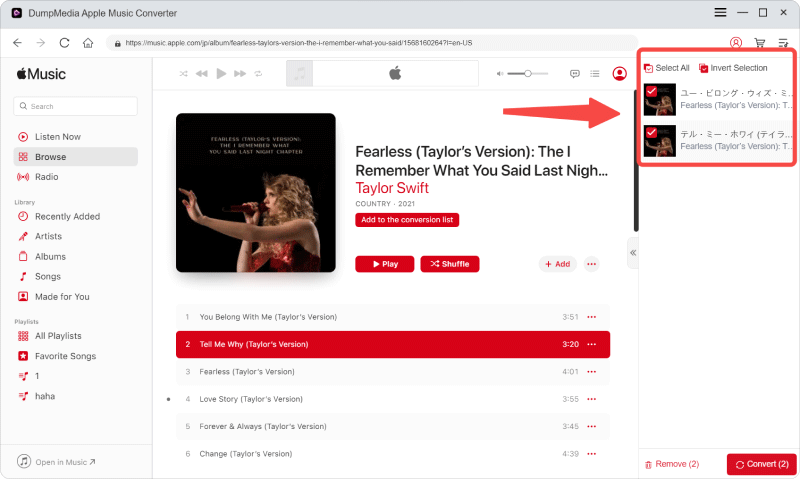
Étape 3 : Dans le panneau des paramètres, sélectionnez MP3 comme format de sortie pour permettre un MP3 Téléchargement des morceaux sélectionnés.

Étape 4 : Cliquez sur Convertir et téléchargez les chansons directement MP3 fichiers.

Après la conversion, ajoutez les fichiers locaux à votre logiciel DJ préféré compatible avec Apple Music.
Partie 4. FAQ
Peut-on utiliser Apple Music pour mixer ?
Oui, mais la compatibilité dépend du logiciel DJ et des restrictions de diffusion d'Apple Music.
Pourquoi les morceaux d'Apple Music ne se chargent-ils pas dans les logiciels DJ ?
La plupart des morceaux d'Apple Music sont des fichiers de streaming protégés et peuvent ne pas fonctionner comme des fichiers audio locaux classiques.
Est-il possible de convertir des chansons Apple Music en MP3?
Oui. Des outils comme DumpMedia Apple Music Converter permet aux utilisateurs de convertir les morceaux d'Apple Music en formats audio locaux.
Quel est le meilleur format audio pour le mixage DJ ?
MP3 Il est largement compatible, tandis que le format WAV offre une qualité audio supérieure pour le mixage professionnel.
Partie 5. Résumé
Trouver un logiciel DJ fiable compatible avec Apple Music peut s'avérer complexe, car les restrictions de streaming et les limitations de compatibilité affectent encore de nombreuses applications DJ. Bien que certains logiciels DJ prennent en charge une intégration partielle d'Apple Music, de nombreux DJ privilégient finalement les flux de travail audio locaux pour une lecture hors ligne plus stable et des performances live plus fluides. Convertir Apple Music en formats locaux compatibles, tels que… MP3 offre souvent une meilleure flexibilité, une prise en charge logicielle plus étendue et une fiabilité accrue du mixage DJ.
Téléchargement gratuit Téléchargement gratuit
*DumpMedia Ce logiciel fonctionne en décryptant et en téléchargeant les morceaux d'Apple Music dans des fichiers sans DRM, vous permettant ainsi d'obtenir une copie propre et sans restriction de votre bibliothèque pour n'importe quel appareil. Il ne permet pas de supprimer la protection DRM des fichiers audio locaux.